
Introduction
This manual provides comprehensive instructions for the setup, operation, and maintenance of your Sainlogic SA6 Plus Smart WiFi Weather Station. This device offers accurate indoor and outdoor weather monitoring, AI-driven forecasts, and data storage capabilities through the Weatherseed app. Please read this manual thoroughly before use to ensure optimal performance and longevity of your weather station.

Image: The Sainlogic SA6 Plus Smart WiFi Weather Station, featuring its outdoor multi-sensor unit, indoor display console, and a smartphone displaying the companion Weatherseed application. This image illustrates the complete system for weather monitoring.
Package Contents
Please verify that all components are present in your package:
- Sainlogic SA6 Plus Display Unit
- Outdoor Multi-Sensor Unit (with integrated rain gauge, wind speed, and wind direction sensors)
- Mounting Bracket and Hardware (screws, anchors)
- User Manual (this document)
- Power Adapter for Display Unit
- Note: 3 AAA batteries are required for the outdoor sensor (not included).
Setup
1. Outdoor Multi-Sensor Installation
The outdoor sensor collects crucial weather data. Proper placement is essential for accurate readings. The sensor is designed for effortless installation.
- Location: Choose an open area free from obstructions (trees, buildings) that could interfere with wind, rain, or sunlight. Ensure it is within 330ft (100m) wireless range of the display unit.
- Mounting: Use the provided bracket and hardware. The sensor can be mounted on a pole (top or side), or directly on a flat surface like a cabin roof or boat. Ensure the wind vane faces North for accurate wind direction readings.
- Power: Insert 3 AAA batteries (not included) into the outdoor sensor unit. The unit is also solar-powered for continuous operation with battery backup.

Image: Various installation methods for the outdoor sensor, including mounting on top of a pole, on the side of a pole, on a flat surface, and on the side of a wall, demonstrating its versatile placement options.
2. Display Unit Setup
Place the display unit indoors in a location where it can easily receive signals from the outdoor sensor and connect to your Wi-Fi network.
- Connect the power adapter to the display unit and plug it into a power outlet.
- The display will power on and begin searching for the outdoor sensor.
3. Weatherseed App Installation and Wi-Fi Connection
The Weatherseed app is essential for accessing AI forecasts, alerts, and historical data. The device supports 2.4G Wi-Fi only.
- Download the "Weatherseed" app from your smartphone's app store (available for iOS and Android).
- Open the app and follow the on-screen instructions to create an account.
- In the app, select to add a new device and follow the 3-step process to connect your display unit to your 2.4G Wi-Fi network. No technical skills are needed for this process.
- Once connected, the display unit will synchronize with the app, and you will begin receiving AI-driven weather forecasts and alerts.

Image: The Weatherseed application interface on a smartphone, displaying current weather, a multi-day forecast, and historical data graphs, highlighting its integration with professional weather networks like Weather Underground.
Operating Instructions
1. Display Unit Functions
The display unit provides a clear, high-contrast interface for easy viewing of key weather data.

Image: A visual comparison highlighting the readability of the Sainlogic SA6 Plus display. It contrasts a cluttered, hard-to-read display with the SA6 Plus's clear, enlarged, and bold font display, emphasizing its user-friendly design for easy data interpretation.
- Temperature & Humidity: View indoor and outdoor temperature and humidity readings.
- Wind Speed & Direction: Current wind speed (average and gust) and direction are shown.
- Rainfall: Displays rainfall data (e.g., 1-hour, daily, weekly, monthly, yearly).
- Barometric Pressure: Current atmospheric pressure.
- Time & Date: Synchronized automatically via Wi-Fi.
- Forecast Icons: Visual representation of the predicted weather (sunny, cloudy, rainy, etc.).
- Buttons: Use the buttons on the display unit (SET, TEMP, RAIN, WIND, PRESSURE, ALARM, MAX/MIN, LIGHT/SNOOZE) to navigate settings and view different data modes.
2. Weatherseed App Features
The Weatherseed app extends the functionality of your weather station, providing advanced monitoring and analysis tools.

Image: Multiple views of the Weatherseed app on a smartphone, showcasing its 24/7 AI weather forecast capabilities and instant alarm features. It displays current conditions, a detailed 7-day forecast, and a map interface.
- AI-Driven 24/7 Forecasts: Access continuous, intelligent weather predictions.
- Instant Alerts: Receive notifications on your smartphone for critical changes in temperature, humidity, and barometric pressure.
- Detailed Data: View comprehensive data including wind, humidity, sun/moon phases, and rainfall.
- 2-Year Data Storage & Download: The app supports storing and downloading up to 2 years of weather data. You can export this data to Excel for in-depth analysis of trends and patterns.

Image: The Weatherseed app displaying a comprehensive dashboard of weather data, including wind speed, humidity, sun/moon cycles, and rainfall graphs. It also shows indoor and outdoor environmental metrics, providing a complete overview.
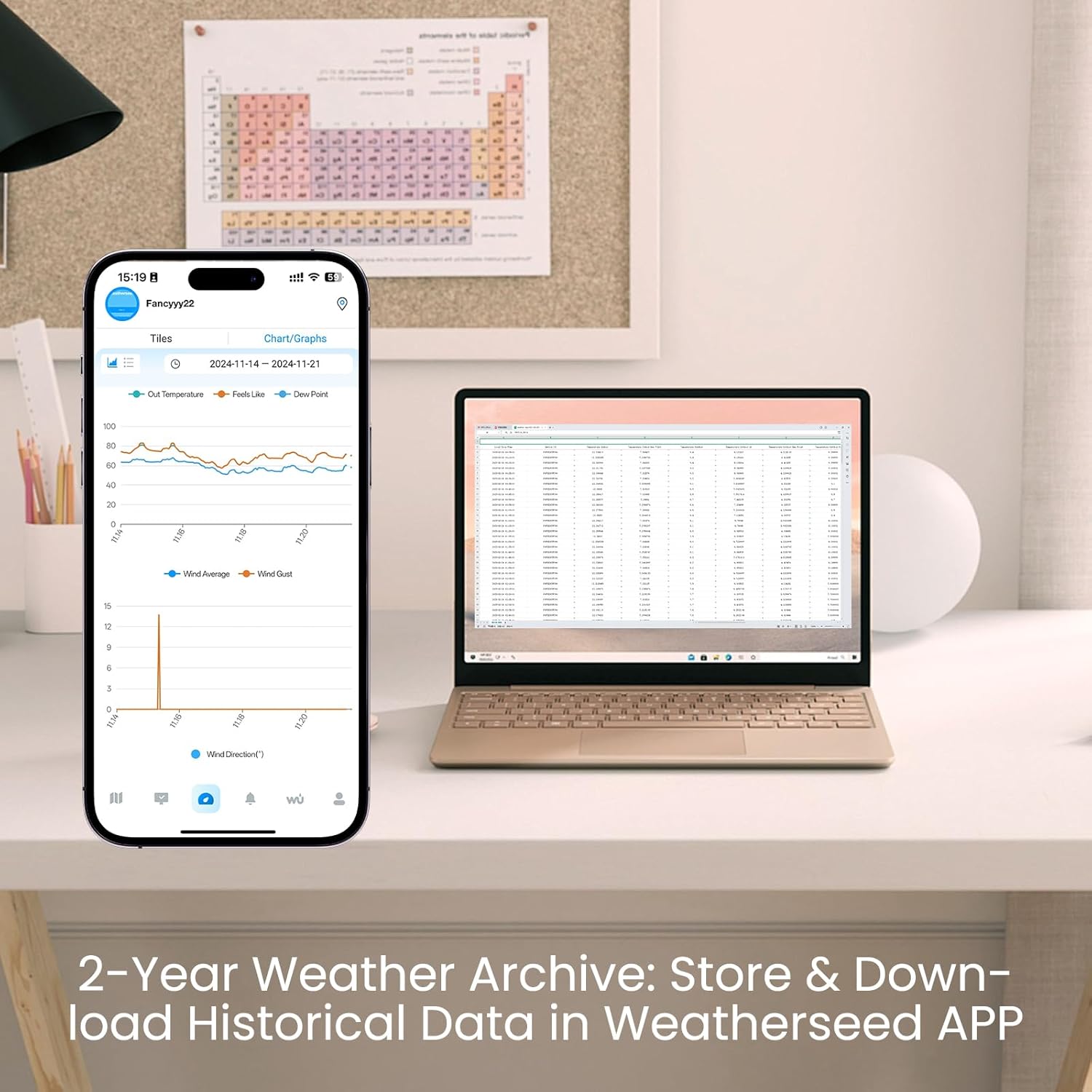
Image: The Weatherseed app on a smartphone showing historical weather data trends through charts, such as temperature and wind. In the background, a laptop displays an Excel spreadsheet, illustrating the 2-year data storage and export capability for detailed analysis.
3. Precision Rainfall Monitoring
The integrated rain gauge provides professional-grade accuracy for rainfall measurement.
- Accuracy: ±1mm for rainfall less than 15mm, and ±7% for rainfall between 15-9999mm.
- The Weatherseed app provides precise rainfall monitoring with data recorded hourly, daily, weekly, monthly, and yearly.

Image: The Weatherseed app interface on a smartphone, demonstrating smart 24/7 AI precision rainfall monitoring. It displays detailed graphs for daily and hourly rainfall, along with cumulative rainfall data for various periods.
Maintenance
- Cleaning: Periodically clean the outdoor sensor unit to remove dust, dirt, leaves, or insects that may affect accuracy, especially the rain gauge and wind sensors. Use a soft, damp cloth.
- Battery Replacement: Replace the AAA batteries in the outdoor sensor unit when the low battery indicator appears on the display or in the app. Although solar-powered, batteries provide backup during low light conditions.
- Firmware Updates: Check the Weatherseed app regularly for any available firmware updates for your weather station to ensure optimal performance and new features.
Troubleshooting
If you encounter issues with your Sainlogic SA6 Plus weather station, refer to the following common problems and solutions:
| Problem | Possible Cause | Solution |
|---|---|---|
| No data from outdoor sensor / Signal dropped |
|
|
| Wi-Fi connection issues / App not connecting |
|
|
| Inaccurate readings (e.g., wind direction) |
|
|
Specifications
| Feature | Detail |
|---|---|
| Model Number | SA6 Plus |
| Brand | Sainlogic |
| Product Dimensions | 2.54 x 17.02 x 13.21 cm; 1.04 kg |
| Material | Acrylonitrile Butadiene Styrene (ABS) |
| Connectivity Technology | Bluetooth, Wi-Fi (2.4G only) |
| Power Source | Battery Powered (Outdoor Sensor), AC Adapter (Display Unit) |
| Batteries Required | 3 AAA batteries (for outdoor sensor, not included) |
| Special Features | 2-Year Data Storage & Export, Accurate Rain Monitoring, 24/7 AI Weather Forecast, Customizable Alerts, Smart Weather Station |
| Recommended Uses | Garden, Home |
| Specific Uses | Average Wind Speed, Feels Like, Wind Arrow, Wind Direction, Date, Dew Point, Humidity, Moon Phase, Rainfall, Wind Gust, Pressure, Temperature, Time |
Warranty and Support
Sainlogic products are designed for reliability and performance. For warranty information, technical support, or service inquiries, please refer to the contact details provided with your product packaging or visit the official Sainlogic website. Please retain your proof of purchase for warranty claims.
Important Notes
- This device supports 2.4G Wi-Fi networks only. It is not compatible with 5Ghz Wi-Fi networks.
- Ensure the outdoor sensor is mounted securely to prevent damage from strong winds.
- Regularly check for and clear any debris from the rain collector funnel and wind sensors to maintain accuracy.
Official Product Videos
No official product videos from the seller were provided in the product data for embedding in this manual.