
1. Introduction
Thank you for choosing the RIVERSONG Smart Watch. This manual provides detailed instructions to help you set up, operate, and maintain your device, ensuring you get the most out of its features. Please read this manual thoroughly before using the watch.
2. What's in the Box
- RIVERSONG Smart Watch (Model SNKSW901EU-S)
- Charging Cable
- User Manual
- Watch Band (typically includes both metal and silicone straps)
3. Product Overview
The RIVERSONG Smart Watch features a 1.43-inch AMOLED display, Bluetooth calling capabilities, and comprehensive health monitoring. It comes with interchangeable straps to suit various occasions.

Image: The RIVERSONG Smart Watch shown with both its elegant metal strap and a comfortable silicone strap, highlighting its versatile design.
3.1 Key Features
- 1.43-inch AMOLED Display: A vibrant, energy-efficient screen with 466x466 pixels for clear visuals.
- Bluetooth Calling: Make and receive calls directly from your wrist.
- Health Monitoring: Continuous tracking of heart rate, blood oxygen (SpO2), stress levels, and sleep patterns.
- 100+ Sports Modes: Track various indoor and outdoor activities with detailed metrics.
- Customizable Dials: Choose from over 100 watch faces or personalize with your own photos.
- IP68 Waterproof: Suitable for daily use, including hand washing and rain.
- Long Battery Life: Up to 7-10 days of use on a single charge.

Image: A close-up view of the watch's 1.43-inch AMOLED display, showcasing its high resolution and clarity with health data like Kcal, Steps, and BPM.

Image: The smart watch on a wrist, displaying an incoming call notification with options to answer or decline, demonstrating its Bluetooth calling feature.
4. Setup
4.1 Charging the Watch
Before initial use, fully charge your RIVERSONG Smart Watch. Connect the magnetic charging cable to the charging points on the back of the watch and plug the USB end into a power adapter (not included) or a computer's USB port.
- Charging Time: Approximately 3 hours for a full charge.
- Battery Life: Up to 7-10 days of typical use.
4.2 App Installation and Pairing
- Download the App: Scan the QR code in the quick start guide or search for the official RIVERSONG app on your smartphone's app store (iOS/Android).
- Create Account: Open the app and follow the on-screen instructions to create an account or log in.
- Pair Device: Ensure Bluetooth is enabled on your smartphone. In the app, navigate to 'Add Device' or 'Pair Device' and select your RIVERSONG Smart Watch from the list of available devices.
- Confirm Pairing: A pairing request will appear on your watch. Confirm the pairing to establish a connection.
5. Operating Instructions
5.1 Basic Navigation
- Swipe Up/Down: Scroll through menus and notifications.
- Swipe Left/Right: Access quick widgets or different watch faces.
- Tap: Select an item or confirm an action.
- Side Button (Top): Power on/off, return to home screen.
- Side Button (Bottom): Customizable shortcut button.
Video: A demonstration of the RIVERSONG Motive 9 Pro Smart Watch's interface and features, including navigation and various functions.
5.2 Bluetooth Calls and Notifications
Once paired with your smartphone, the watch allows for direct call management and notification display.
- Making Calls: Access the dial pad or contacts list on your watch to initiate calls.
- Receiving Calls: Answer or reject incoming calls directly from your wrist.
- Notifications: Receive real-time alerts for messages, social media, and other app notifications.
5.3 Health Monitoring
The watch continuously monitors various health metrics to help you stay informed about your well-being.
- Heart Rate: 24-hour continuous heart rate monitoring. View your current heart rate and historical data in the app.
- Blood Oxygen (SpO2): Measure your blood oxygen saturation levels.
- Stress Monitoring: Track your stress levels throughout the day and receive suggestions for relaxation.
- Sleep Tracking: Monitors deep sleep, light sleep, and wake-up times to provide insights into your sleep quality.

Image: A woman engaged in a yoga pose, with graphical representations of heart rate, blood oxygen, stress, and sleep data from the smart watch overlaid, illustrating its health monitoring capabilities.
5.4 Sports Modes
Engage in over 100 sports activities with dedicated tracking modes.
- Activity Tracking: Records steps, distance, calories burned, and heart rate during workouts.
- GPS via Smartphone: Connects to your phone's GPS for accurate route and distance tracking during outdoor activities.

Image: A man running outdoors, wearing the smart watch which displays real-time sports data such as steps, distance, pace, calories, and heart rate, alongside icons representing over 100 sports modes.
5.5 Customizable Watch Faces
Personalize your watch to match your style or mood.
- App Gallery: Choose from over 100 watch faces available in the companion app.
- Custom Photos: Upload any photo from your phone to create a unique watch face.
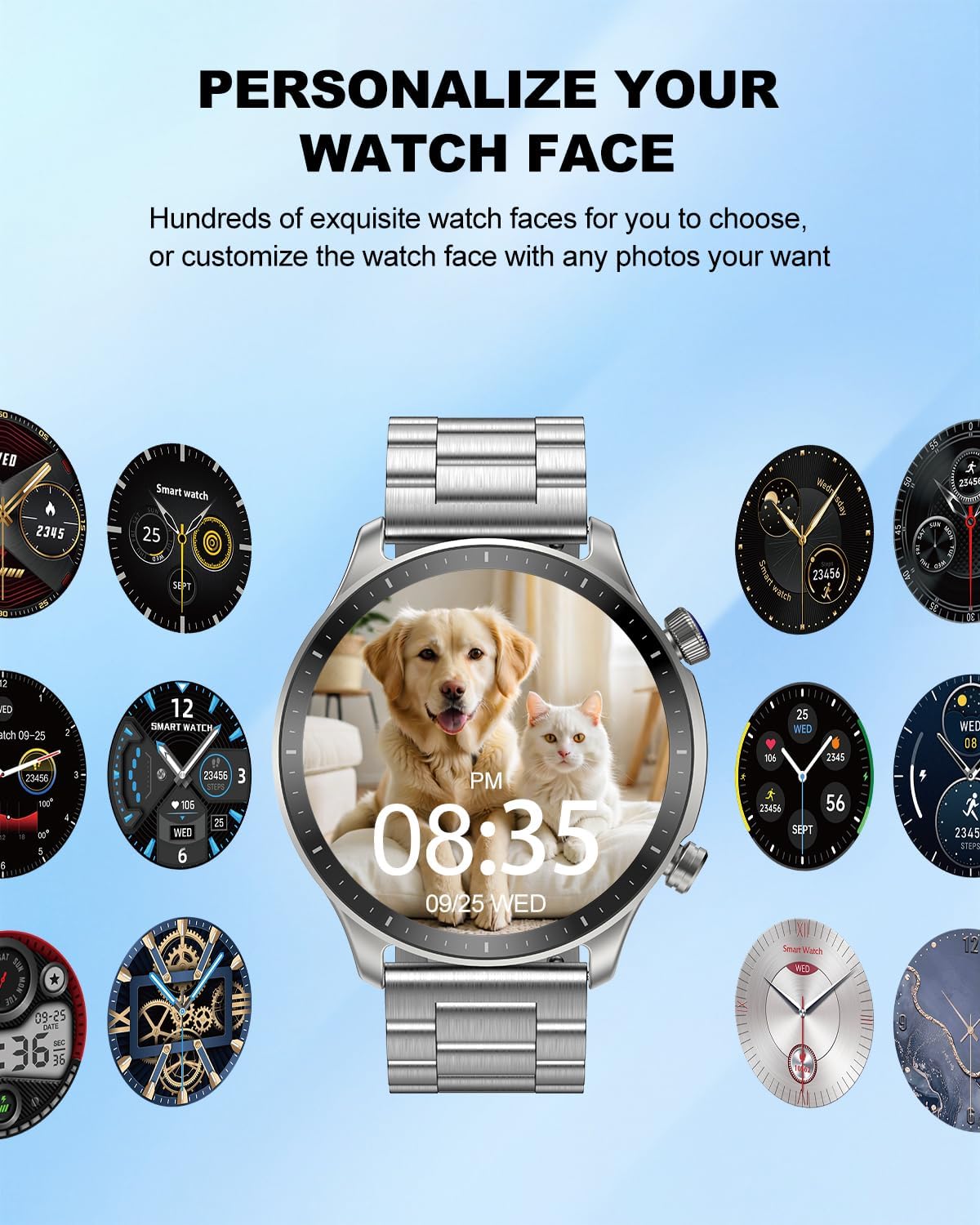
Image: The smart watch showcasing a personalized watch face with a photo of pets, surrounded by other examples of customizable watch faces available in the app.
5.6 Other Functions
The RIVERSONG Smart Watch includes several practical tools:
- Alarm
- Stopwatch
- Timer
- Camera Control
- Find My Phone
- Calculator
- Music Control
- Weather Forecast
- Calendar
- Brightness Adjustment
- Breathing Training
6. Maintenance
6.1 Waterproof Rating
The watch has an IP68 waterproof rating, meaning it is resistant to dust and can withstand immersion in water up to 1.5 meters for 30 minutes. It is suitable for daily activities like hand washing, sweating, and rain. However, it is not recommended for hot showers, saunas, diving, or prolonged immersion in water, especially saltwater.
6.2 Cleaning and Care
- Regularly clean the watch screen and straps with a soft, dry cloth.
- Avoid using harsh chemicals or abrasive materials.
- Ensure the charging contacts are clean and dry before charging.
7. Troubleshooting
If you encounter issues with your RIVERSONG Smart Watch, please refer to the following common solutions:
7.1 Watch Not Turning On
- Ensure the watch is fully charged. Connect it to the charger for at least 30 minutes.
- Press and hold the top side button for several seconds to power it on.
7.2 Bluetooth Connection Issues
- Make sure Bluetooth is enabled on your smartphone and the watch.
- Ensure the watch is within the Bluetooth range of your phone (typically 10 meters).
- Restart both your watch and your smartphone.
- Unpair the device from your phone's Bluetooth settings and re-pair through the app.
7.3 Inaccurate Health Readings
- Ensure the watch is worn snugly on your wrist, not too tight or too loose.
- Clean the sensors on the back of the watch.
- Avoid excessive movement during measurements.
7.4 Notifications Not Appearing
- Check app notification settings on your smartphone to ensure they are enabled for the RIVERSONG app.
- Verify that the watch is properly connected via Bluetooth.
- Ensure 'Do Not Disturb' mode is not active on either your phone or watch.
8. Specifications
| Feature | Detail |
|---|---|
| Model Number | SNKSW901EU-S |
| Screen Size | 1.43 Inches |
| Display Type | AMOLED |
| Connectivity Technology | Bluetooth |
| Wireless Communication Standard | Bluetooth |
| Operating System | iOS/Android |
| Battery Capacity | 300 Milliamp Hours |
| Battery Cell Composition | Lithium Ion |
| Item Weight | 7.7 ounces (0.22 Kilograms) |
| GPS | GPS Via Smartphone |
| Special Features | Activity Tracker, Notifications, Phone Call, Voice Control, Weather Forecast |
9. Warranty and Support
Your RIVERSONG Smart Watch is covered by a manufacturer's warranty. For detailed warranty information, please refer to the warranty card included in your product packaging or visit the official RIVERSONG website. For technical support, troubleshooting assistance, or service inquiries, please contact RIVERSONG customer support through their official channels.
Please retain your proof of purchase for warranty claims.