
REDTIGER F17 Elite
REDTIGER F17 Elite 4K 3 Channel Dash Cam User Manual
Model: F17 Elite
1. Introduction
This user manual provides comprehensive instructions for the installation, operation, and maintenance of your REDTIGER F17 Elite 4K 3 Channel Dash Cam. Please read this manual thoroughly before using the device to ensure optimal performance and safety.
2. Product Overview
2.1 What's in the Box
- 1*F17 Elite 4K Dash Cam
- 1*2.5K Rear Camera
- 1*18ft Rear Camera Cable
- 1*128GB Card
- 1*USB C Car Charger
- 1*Adhesive Mount
- 5*Cable Clips
- 1*User Manual
- 1*APP Quick Guide
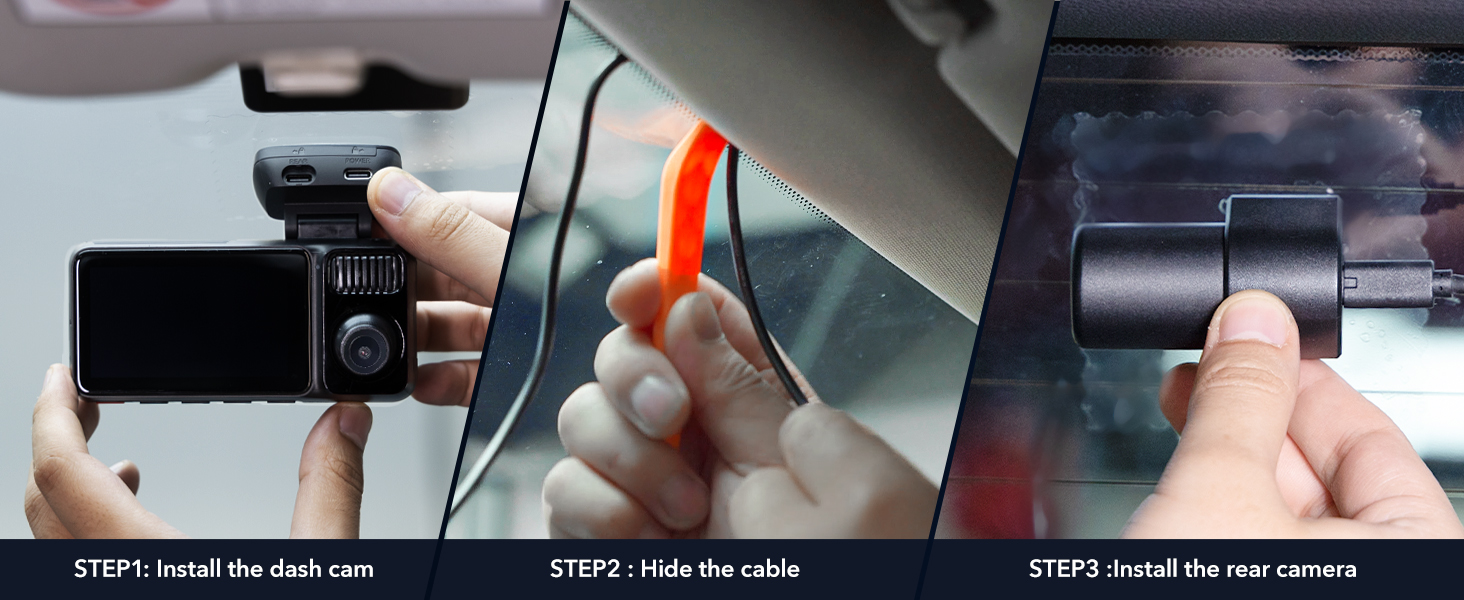
Figure 2.1: Included Components
2.2 Key Features
- 4K 3 Channel Recording: Front 4K, upgraded 2.5K rear, and 1080P cabin views with dual STARVIS 2 sensors (IMX678 & IMX675) and dual HDR.
- Full-Color Night Vision: Industry-first full-color night vision for vibrant, detailed footage in low light, powered by STARVIS 2 Sensors.
- 24/7 Parking Protection: Time-lapse and G-sensor auto event detection modes with full-color night vision for front and interior cameras. (Hardwire kit required)
- 5.8GHz WiFi 6 & GPS: Fast downloads via REDTIGER Cam app, real-time views, and built-in GPS for route, speed, and location data.
- Advanced Control: Seamless control via voice commands and 3-inch touchscreen. Customizable in-car camera toggle for privacy.
- Loop Recording & G-Sensor: Continuous recording with automatic overwriting of older files, and collision videos locked by G-sensor. Supports up to 512GB storage.
- Super Capacitor: Built for durability and reliable performance in extreme temperatures (-4°F to 158°F).

Figure 2.2: REDTIGER F17 Elite Dash Cam System

Figure 2.3: 3-Channel Recording Overview

Figure 2.4: Full-Color Night Vision Capability
3. Setup
3.1 Installation Steps
- Install the Dash Cam: Securely attach the main F17 Elite dash cam unit to your vehicle's windshield using the provided adhesive mount. Ensure it does not obstruct your view.
- Hide the Cable: Route the power cable neatly along the windshield edge and down to your vehicle's power outlet (cigarette lighter). Use the included cable clips and car wire trim tool to conceal the wiring for a clean installation.
- Install the Rear Camera: Mount the 2.5K rear camera on your vehicle's rear window. Connect it to the main dash cam unit using the 18ft rear camera cable, routing the cable discreetly.
- Power Connection: Plug the USB-C car charger into your vehicle's power outlet and connect it to the main dash cam unit.
- Insert Memory Card: The 128GB memory card is pre-installed. Ensure it is properly seated before first use.
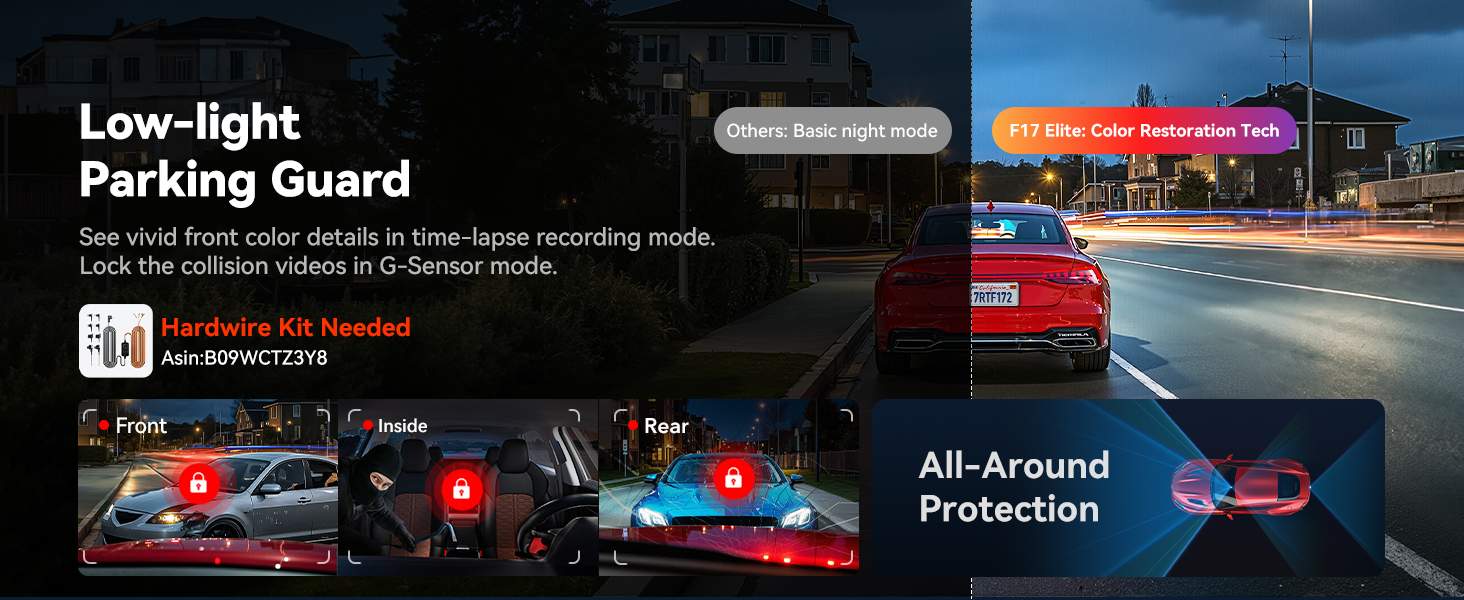
Figure 3.1: Dash Cam Installation Process
4. Operating Instructions
4.1 Recording Modes
- Loop Recording: The dash cam continuously records video in segments. When the memory card is full, the oldest unlocked files are automatically overwritten to make space for new recordings.
- G-Sensor (Emergency Recording): In the event of a sudden impact or collision, the built-in G-sensor detects the event and automatically locks the current video segment, preventing it from being overwritten by loop recording.
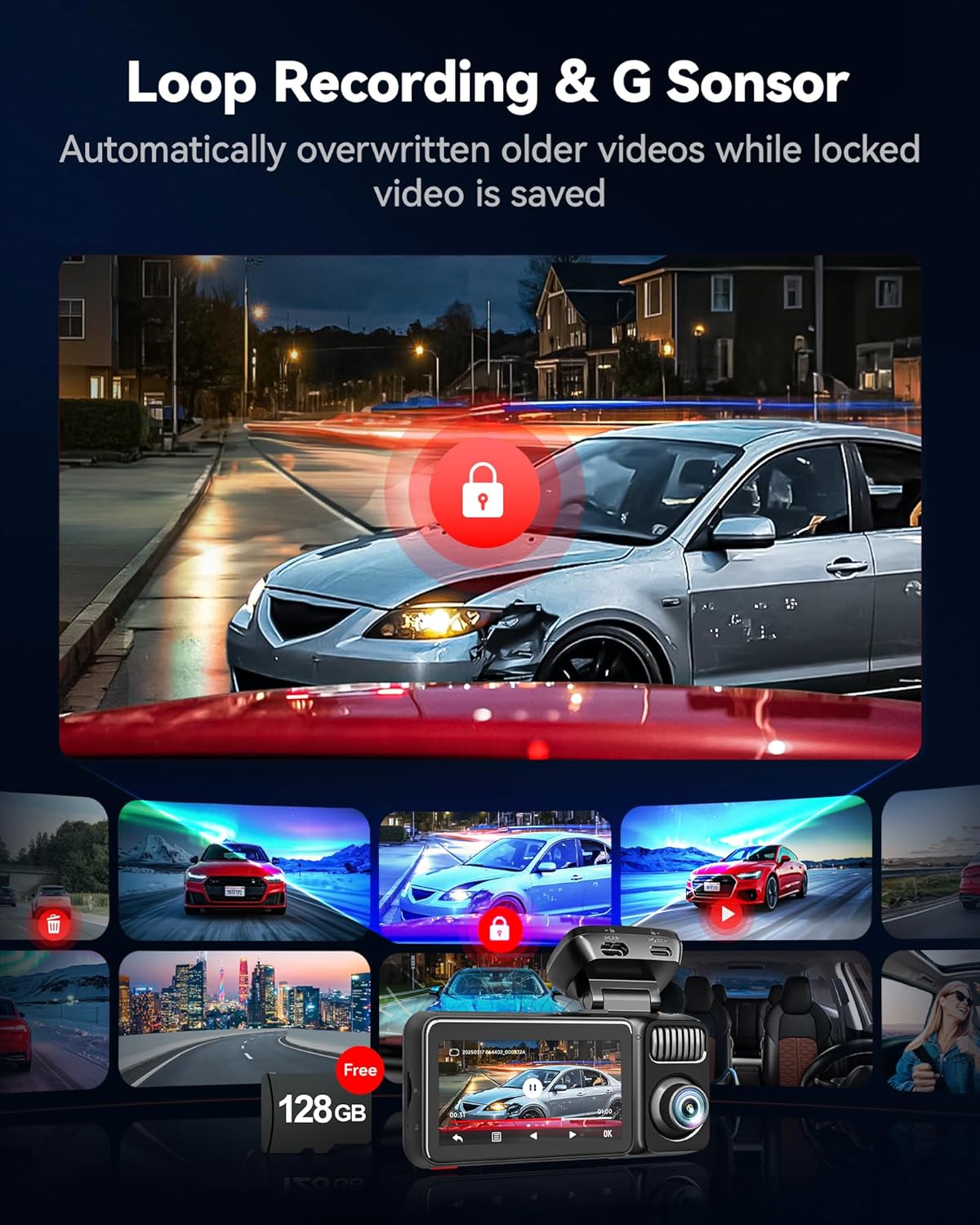
Figure 4.1: Loop Recording and G-Sensor
4.2 Parking Monitoring
The F17 Elite offers 24/7 parking protection. When the vehicle is parked, the dash cam can monitor for incidents using time-lapse recording or G-sensor triggered events. Both front and interior cameras provide full-color night vision in parking mode. Note: A hardwire kit is required for continuous parking monitoring functionality.

Figure 4.2: 24H Parking Monitor
4.3 App Control (REDTIGER Cam App)
Connect your dash cam to the REDTIGER Cam app via 5.8GHz WiFi 6 for enhanced control and convenience:
- Real-time View: Stream live footage from the dash cam directly to your smartphone.
- Fast Downloads: Download recorded videos and photos to your phone at speeds up to 30MB/s.
- Settings Adjustment: Easily configure dash cam settings, including recording resolution, G-sensor sensitivity, and parking mode options.
- Sharing: Seamlessly share your footage.
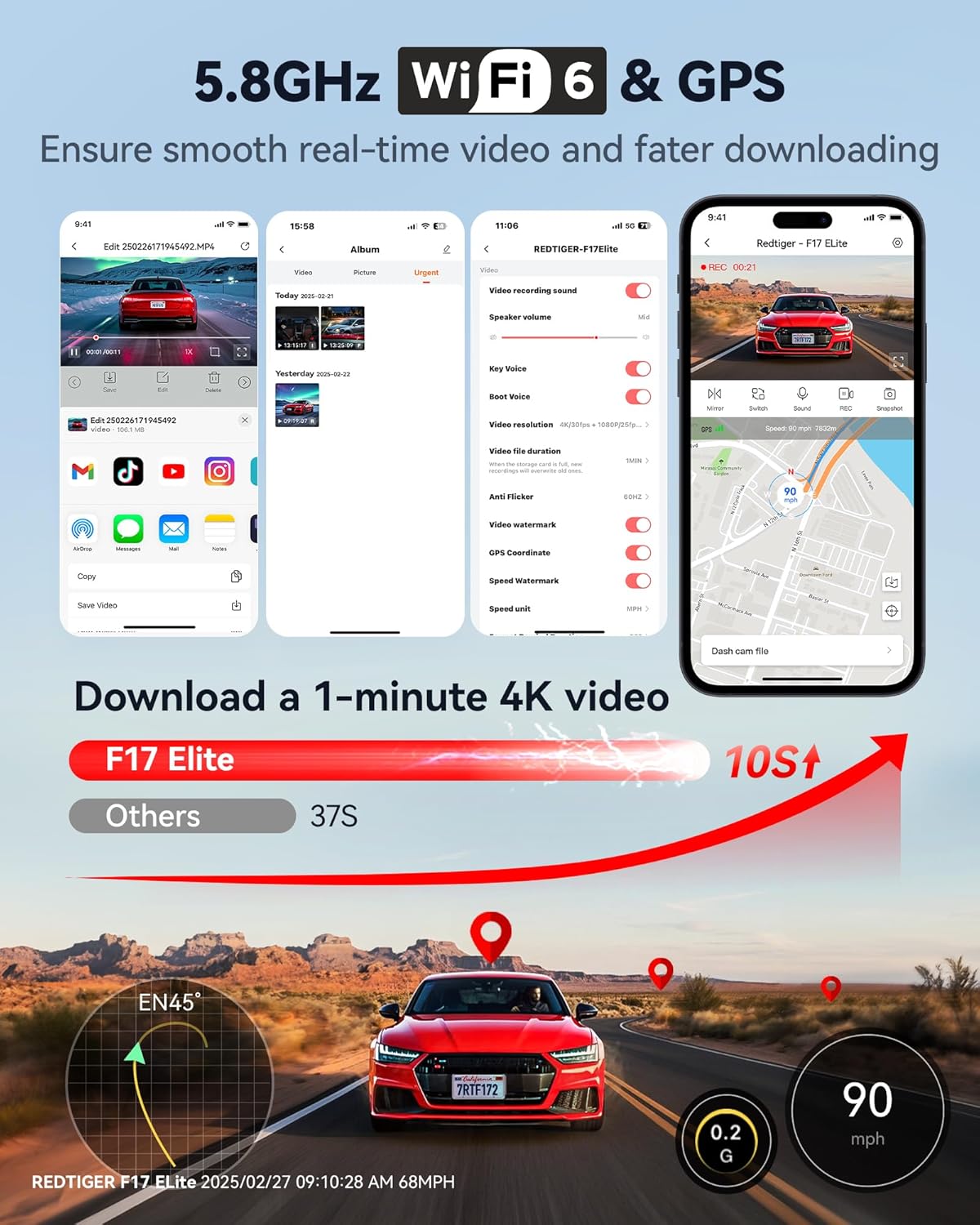
Figure 4.3: App Connectivity and Features
4.4 Voice Control & Touch Screen
The F17 Elite supports voice commands for hands-free operation and features a responsive 3-inch touchscreen for intuitive control.
- Voice Commands: Use simple voice commands such as "Turn on screen," "Lock the video," or "Take photo" to control the dash cam without taking your hands off the wheel.
- Touch Screen: Navigate menus, review footage, and adjust settings directly on the 3-inch display.

Figure 4.4: Voice Control and Touch Screen Interface
4.5 GPS Functionality
The built-in GPS module records your driving route, speed, and location data, which can be reviewed via the REDTIGER Player software on a computer. This provides synchronized views of front, rear, and cabin footage along with map data.
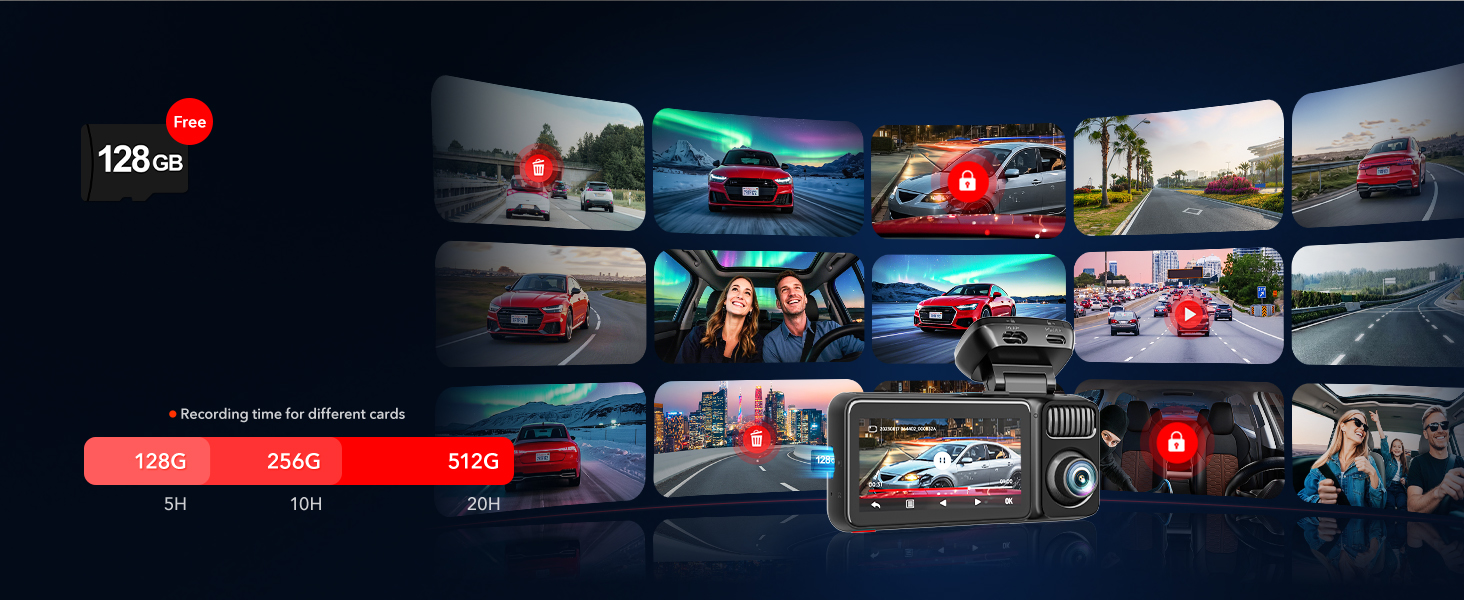
Figure 4.5: GPS Tracking and Playback
5. Maintenance
- Memory Card Management: Regularly format the memory card (at least once a month) to ensure optimal performance and prevent data corruption. Back up any important footage before formatting.
- Lens Cleaning: Keep the camera lenses clean using a soft, lint-free cloth. Avoid abrasive materials that could scratch the lens.
- Temperature Resilience: The F17 Elite is built with a super capacitor, allowing it to operate reliably in extreme temperatures ranging from -4°F to 158°F (-20°C to 70°C).

Figure 5.1: Temperature Resilience
6. Troubleshooting
| Problem | Possible Cause / Solution |
|---|---|
| Dash cam not powering on. | Check the power connection to the car charger and ensure the car's power outlet is functioning. |
| Recording stops or freezes. | The memory card may be full or corrupted. Format the memory card regularly. Ensure the card is a high-speed (Class 10 or U3) card. |
| Video quality is poor. | Clean the camera lenses. Ensure the protective film has been removed from the lenses. Check recording resolution settings in the app or on the device. |
| Wi-Fi connection issues. | Ensure the dash cam's Wi-Fi is enabled. Move closer to the dash cam. Restart both the dash cam and your smartphone. |
| Parking mode not working. | Verify that a hardwire kit is properly installed and connected to provide continuous power. Check parking mode settings. |
| Voice control not responding. | Speak clearly and ensure there is minimal background noise. Check if voice control is enabled in settings. |
7. Specifications
| Feature | Detail |
|---|---|
| Model Name | F17 Elite |
| Product Dimensions | 4.33 x 2.56 x 3.27 inches |
| Item Weight | 6.9 ounces |
| Video Capture Resolution | Front: 4K, Rear: 2.5K, Inside: 1080P |
| Sensors | Dual STARVIS 2 (IMX678 & IMX675) |
| Connectivity Technology | Wi-Fi (5.8GHz WiFi 6), GPS |
| Control Method | App, Touch, Voice |
| Mounting Type | Windshield Mount |
| Storage Support | Includes 128GB Card, supports up to 512GB |
| Power Source | Super Capacitor |
| Operating Temperature | -4°F to 158°F (-20°C to 70°C) |
8. Warranty and Support
REDTIGER provides an 18-month warranty for the F17 Elite Dash Cam. For any inquiries, technical assistance, or warranty claims, please contact our customer support team.
- Customer Support: Available 24/7
- Email: help@redtigercam.com
Related documentsF17 Elite


Ask a question about this manual
Ask about setup, troubleshooting, compatibility, parts, safety, or missing instructions. Manuals+ will review the question and use this page’s manual context to help answer it.