
MuliVid LX20250312-90M
MuliVid 300Ft Permanent Outdoor Lights User Manual
Model: LX20250312-90M
1. Introduction
Thank you for choosing the MuliVid 300Ft Permanent Outdoor Lights. This product is designed to provide versatile and durable outdoor lighting for various applications, including daily ambiance, holiday decorations, and special events. Featuring smart control via an app and remote, IP67 waterproofing, and a wide range of colors, these lights are built for year-round outdoor use.

Image: Comparison of MuliVid Permanent Outdoor Lights displaying bright white light for daily use and vibrant RGB colors for festive occasions.
2. Package Contents
Please verify that all items listed below are included in your package:
- 300Ft Permanent Outdoor Lights (1 unit)
- User Manual (1 unit)
- Power Adapter (1 unit)
- Control Box (1 unit)
- Remote Control (1 unit)
- Accessories Bag (containing screws and clips) (1 unit)

Image: Contents of the MuliVid Permanent Outdoor Lights package, including the light string, control box, power adapter, remote control, user manual, and an accessories bag.
3. Product Specifications
| Feature | Specification |
|---|---|
| Brand | MuliVid |
| Model Name | RGB Permanent Outdoor Lights |
| Model Number | LX20250312-90M |
| Length | 300 Feet |
| Light Source Type | LED |
| Light Color | Multicolor (RGB) + Pure White |
| Control Method | App, Remote Control |
| Water Resistance Level | IP67 Waterproof (Lights only; Controller & Adapter require sheltered installation) |
| Operating Temperature | -49°F to 167°F (-45°C to 75°C) |
| Material | Acrylonitrile Butadiene Styrene |
| Power Source | AC |
| Special Features | Blinking, Color Changing, Dimmable, Timer |
| Mounting Type | Wall Mount (Adhesive or Screws) |
| Lifespan | Up to 50,000 hours |
4. Installation Guide
Follow these steps for proper installation of your MuliVid Permanent Outdoor Lights:
- Plan Your Layout: Before installation, determine the desired path for your lights. Consider the length of the light string (300ft) and the placement of the power source.
- Prepare the Surface: Ensure the installation surface (e.g., eaves, walls) is clean, dry, and smooth for optimal adhesive performance.
- Mount the Lights:
- Adhesive Mounting: Peel off the protective backing from the strong self-adhesive on each light fixture and firmly press it onto the desired surface.
- Screw Mounting (Recommended for enhanced security): For additional stability, use the included screws and clips to secure each light fixture. Pre-drill small pilot holes if necessary, then attach the clips and screw them into place.
- Optimal Placement: For best illumination, position the lights approximately 2-4 inches from the wall.
- Controller and Adapter Placement: The controller and power adapter are not IP67 waterproof. Install them in a sheltered location, such as under eaves or inside a waterproof junction box, to protect them from rain and snow.
- Connect Power: Connect the light string to the control box, and then connect the control box to the power adapter. Plug the power adapter into a suitable outdoor power outlet.

Image: Demonstrates two installation methods: quick installation using adhesive backing and reinforced installation using screws and clips.

Image: An example of MuliVid Permanent Outdoor Lights installed along the eaves of a house, displaying various colors.
5. Operation Guide
Your MuliVid Permanent Outdoor Lights can be controlled via a dedicated smartphone app or the included remote control.
5.1. App Control
- Download the App: Scan the QR code provided in the quick start guide (or search for the app name, usually mentioned in the manual or packaging, e.g., "MuliVid Smart Light") on your smartphone's app store.
- Pairing:
- Ensure your phone's Bluetooth is enabled.
- Open the app and follow the on-screen instructions to add a new device.
- The app should automatically detect your lights. Select them to pair.
- Features:
- Color Selection: Choose from 16 million colors, including pure white, to match any mood or occasion.
- Brightness Adjustment: Adjust the light intensity.
- Dynamic Modes: Select from various pre-programmed lighting effects (e.g., blinking, fading, chasing).
- Timer Function: Set schedules for the lights to automatically turn on/off at specific times, such as sunrise or sunset.
- Scene Customization: Create and save custom lighting scenes for different holidays or events.
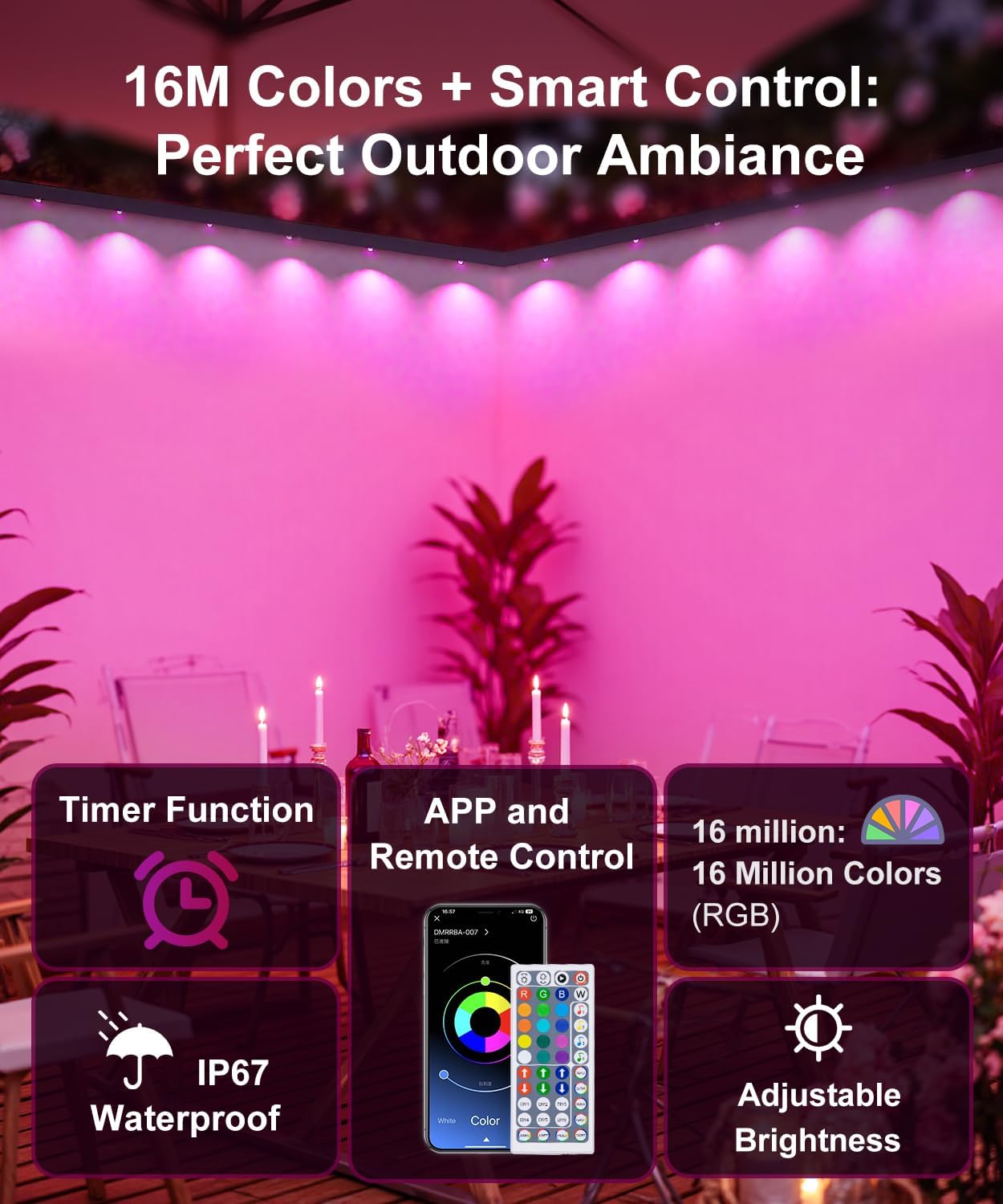
Image: Illustrates the smart control features, including the app interface for color selection and the remote control, alongside icons for timer, IP67 waterproof rating, 16 million colors, and adjustable brightness.

Image: Depicts the timer function, showing lights automatically turning on at 7:00 PM (white light) and off at 7:00 AM.
5.2. Remote Control
The included remote control provides quick access to essential functions:
- Power On/Off: Turn the lights on or off.
- Color Selection: Directly select common colors (Red, Green, Blue, White, etc.).
- Brightness Adjustment: Increase or decrease light intensity.
- Mode Selection: Cycle through various dynamic lighting modes.
- Timer: Activate or deactivate basic timer functions if available on the remote.
6. Maintenance
To ensure the longevity and optimal performance of your MuliVid Permanent Outdoor Lights, follow these maintenance guidelines:
- Regular Cleaning: Periodically wipe the light fixtures with a soft, damp cloth to remove dust, dirt, or debris. Avoid abrasive cleaners or solvents.
- Inspect Connections: Annually inspect all connections, including the power adapter and control box, for any signs of wear, corrosion, or damage. Ensure they remain securely sheltered from direct weather exposure.
- Check Mounting: Verify that the lights remain securely mounted. Re-secure any loose fixtures using the screws and clips if necessary.
- Weather Resistance: The light fixtures are IP67 waterproof and designed to withstand temperatures from -49°F to 167°F. However, the control box and adapter are not waterproof and must remain in a sheltered location.

Image: Highlights the IP67 waterproof rating of the outdoor lights and their operating temperature range, shown with a house illuminated by lights during a rainy night.
7. Troubleshooting
If you encounter issues with your MuliVid Permanent Outdoor Lights, refer to the following common problems and solutions:
- Lights Not Turning On:
- Ensure the power adapter is securely plugged into a working outlet.
- Check all cable connections between the lights, control box, and adapter.
- Verify the remote control battery is functional or try controlling via the app.
- App Cannot Connect to Lights:
- Ensure your smartphone's Bluetooth is enabled and within range of the control box.
- Restart the app and try pairing again.
- Unplug the lights from power for 10 seconds, then plug them back in to reset the control box.
- If issues persist, consult the app's help section or contact customer support.
- Lights Display Incorrect Colors or Patterns:
- Ensure the correct mode or color is selected on the app or remote.
- Reset the lights by unplugging and replugging the power.
- Remote Control Not Working:
- Replace the battery in the remote control.
- Ensure there are no obstructions between the remote and the IR receiver on the control box.
8. Warranty and Support
MuliVid is committed to providing high-quality products. For any questions, technical assistance, or support needs, please contact our customer service team. We offer 24/7 dedicated support to assist you.
Please refer to your purchase documentation or the MuliVid official website for specific warranty terms and contact information.
Ask a question about this manual
Ask about setup, troubleshooting, compatibility, parts, safety, or missing instructions. Manuals+ will review the question and use this page’s manual context to help answer it.