
Introduction
The SVBONY SVGo C1 is a versatile 5-in-1 device designed for cyclists, integrating essential functions into a single unit. It combines a 4K action camera, GPS tracking, a speedometer, a bike light, and an electronic bell. This manual provides comprehensive instructions for setting up, operating, maintaining, and troubleshooting your SVGo C1 Sport Camera to ensure optimal performance and longevity.

Image: Overview of the SVBONY SVGo C1 Sport Camera highlighting its integrated functions.
What's in the Box?
Please check the package contents to ensure all items are present:
- 1x SVBONY SVGo C1 Action Camera
- 1x Handlebar Mount
- 1x USB Cable (Type-C)
- 1x Line-Controlled Buttons (for bell/camera)
- 1x O-shaped Rubber Ring
- 1x User Manual
- 1x 64GB Micro SD Card (supports up to 128GB)
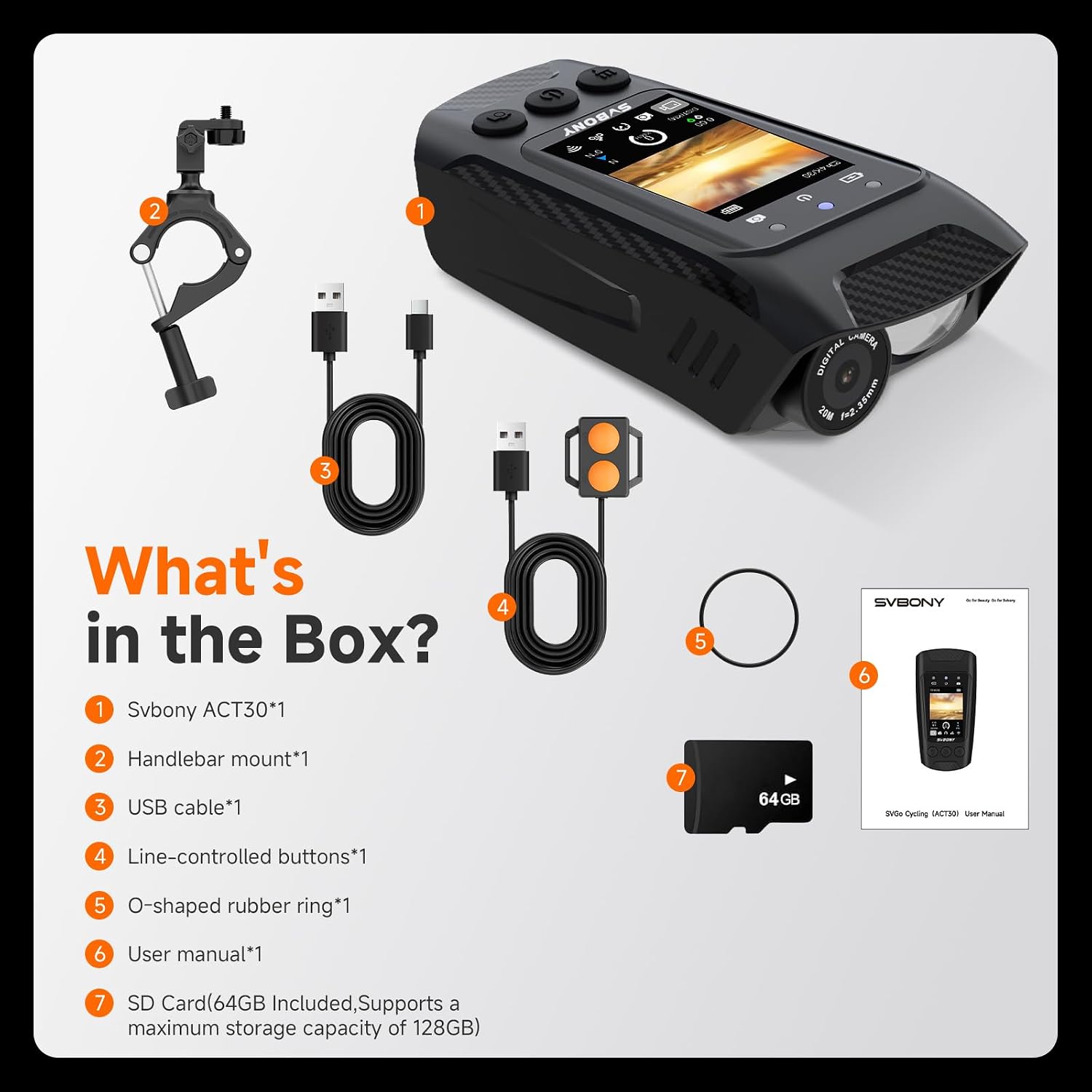
Image: Diagram showing the SVBONY SVGo C1 camera and its included accessories.
Setup
1. Charging the Device
Before first use, fully charge the SVGo C1. Connect the provided USB Type-C cable to the camera's charging port and a compatible USB power source. The device features a 2500 mAh built-in battery, providing over 2 hours of HD recording. A full charge typically takes approximately 3-4 hours.
2. Inserting the Micro SD Card
The SVGo C1 supports Micro SD cards up to 128GB. A 64GB card is included. Locate the Micro SD card slot on the device, insert the card with the gold contacts facing down until it clicks into place. Ensure the card is properly formatted (FAT32 or exFAT) for optimal performance. Refer to the device settings for formatting options.
3. Mounting the Camera
Attach the handlebar mount to your bicycle's handlebars. Secure the SVGo C1 camera onto the mount, ensuring it is firmly locked in position to prevent movement during rides. Adjust the angle for optimal recording and viewing.
Operating Instructions
1. Power On/Off
- Power On: Press and hold the Power button for a few seconds until the screen illuminates.
- Power Off: Press and hold the Power button until the device powers down.
2. Video Recording
The SVGo C1 records in 4K Ultra HD at 30 frames per second. It supports loop recording with intervals of 1, 2, 3, 5, or 10 minutes. When the Micro SD card is full, the system automatically overwrites the oldest files.
- Start Recording: Press the Record button once. A red indicator light will flash, and a recording icon will appear on the screen.
- Stop Recording: Press the Record button again. The indicator light will stop flashing.
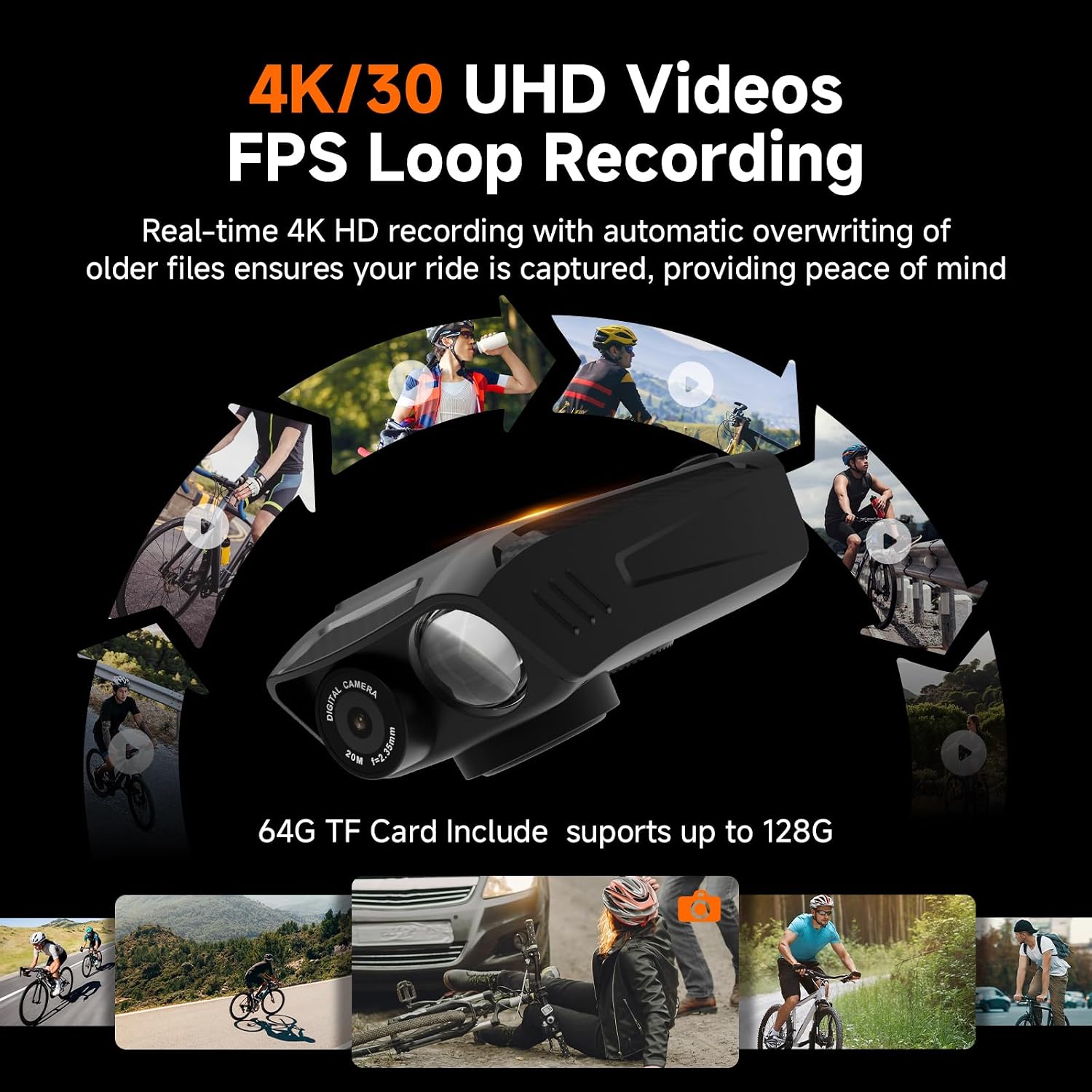
Image: Illustration of 4K/30 UHD video recording and loop recording feature.
3. Photo Capture
Capture high-resolution 16-megapixel photos. Switch to photo mode using the Mode button, then press the Shutter button to take a picture.
4. GPS Function
The integrated GPS module records key data such as latitude, longitude, altitude, and compass direction. This information is displayed on the 2-inch IPS screen during your ride. You can synchronize ride data with the dedicated application to review your route and distance post-ride.
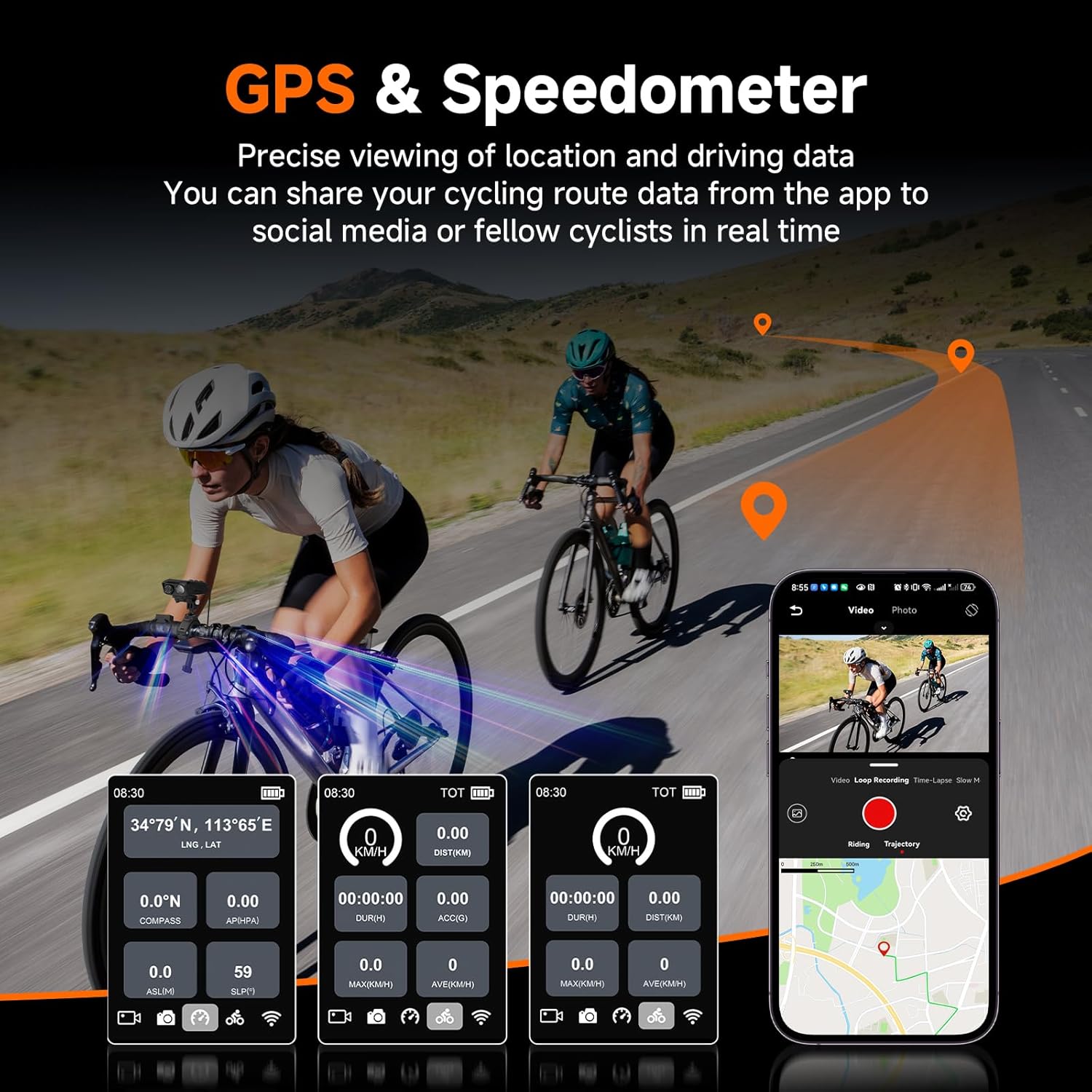
Image: Display of GPS and speedometer data on the device screen.
5. Speedometer/Odometer
Track your real-time speed and distance. The device compiles key statistics including total mileage, duration, and average/maximum speed, which are useful for monitoring your cycling progress.
6. Bike Light
The integrated bike light offers three modes for various conditions:
- High Light: For maximum visibility.
- Bright Light: Standard illumination.
- SOS Flashing: For emergency signaling.

Image: Visual representation of the three bike light modes.
7. Electronic Bell
The electronic bell features 5 switchable sounds with a maximum volume of 100 dB. It is operated via the line-controlled buttons, allowing for hands-free warning control.

Image: Remote control operation for the camera and bike bell.
8. Electronic Image Stabilization (EIS)
The built-in 6-axis EIS actively compensates for road vibrations and body movements, effectively reducing image shake to provide stable, fluid, and sharp footage.

Image: Demonstration of Electronic Image Stabilization (EIS) effectiveness.
9. App Connectivity (Wi-Fi)
Connect the SVGo C1 to your smartphone via Wi-Fi for remote control and data synchronization. The app allows you to view recorded footage, adjust settings, and share your cycling data.
Maintenance
1. Cleaning
Wipe the camera body with a soft, dry cloth. For the lens, use a specialized lens cleaning cloth and solution to avoid scratches. Do not use harsh chemicals or abrasive materials.
2. Storage
Store the device in a cool, dry place away from direct sunlight and extreme temperatures. Remove the Micro SD card if storing for extended periods.
3. Battery Care
To prolong battery life, avoid fully discharging the battery frequently. If storing for a long time, charge the battery to about 50-70% every few months.
Troubleshooting
- Device not powering on: Ensure the battery is charged. Connect to a power source and try again.
- Short battery life: Recording in 4K resolution consumes more power. Ensure the battery is fully charged before use. Consider connecting to an external power bank for extended recording sessions.
- Image/Video shaking: While the device has 6-axis EIS, extreme vibrations or very rough terrain can still affect stability. Ensure the camera is securely mounted.
- Micro SD card error: Ensure the card is inserted correctly and is not damaged. Try formatting the card through the camera's settings or using a computer. Use a high-speed Micro SD card (V60 class recommended).
- GPS not acquiring signal: Ensure you are in an open area with a clear view of the sky. It may take a few minutes to acquire a signal upon startup.
- App connection issues: Ensure Wi-Fi is enabled on both the camera and your smartphone. Restart both devices and try connecting again.
Specifications
| Model Number | SVGo C1 |
| Dimensions (L x W x H) | 10.41 x 5.33 x 3.55 cm |
| Weight | 500 Grams |
| Battery | 1 A - included (2500 mAh) |
| Average Battery Life | 4 hours (usage dependent) |
| Video Recording Resolution | 4K (30 FPS) |
| Effective Photo Resolution | 16 Megapixels |
| Image Stabilization | 6-axis Electronic Image Stabilization (EIS) |
| Screen Size | 2 Inches (IPS) |
| Connectivity Technology | Wi-Fi |
| Memory Card Type | Micro SD (supports up to 128GB) |
| Water Resistance Level | Waterproof (IPX5, for outdoor use) |
| Lens Type | Fisheye |
| Focus Type | Autofocus |
| Supported Audio Format | AAC |
| Supported Image Format | JPEG |
| Supported Video Format | MP4 |
Warranty and Support
For warranty information, please refer to the documentation provided with your purchase or contact SVBONY customer support directly. If you encounter any issues not covered in this manual, or require further assistance, please visit the official SVBONY website or contact their customer service team.
Official SVBONY Website: SVBONY Store