
Introduction
This manual provides essential information for the safe and effective use of your REDLIRO Walking Treadmill Model JK10F. Please read all instructions carefully before assembly and operation. Keep this manual for future reference.
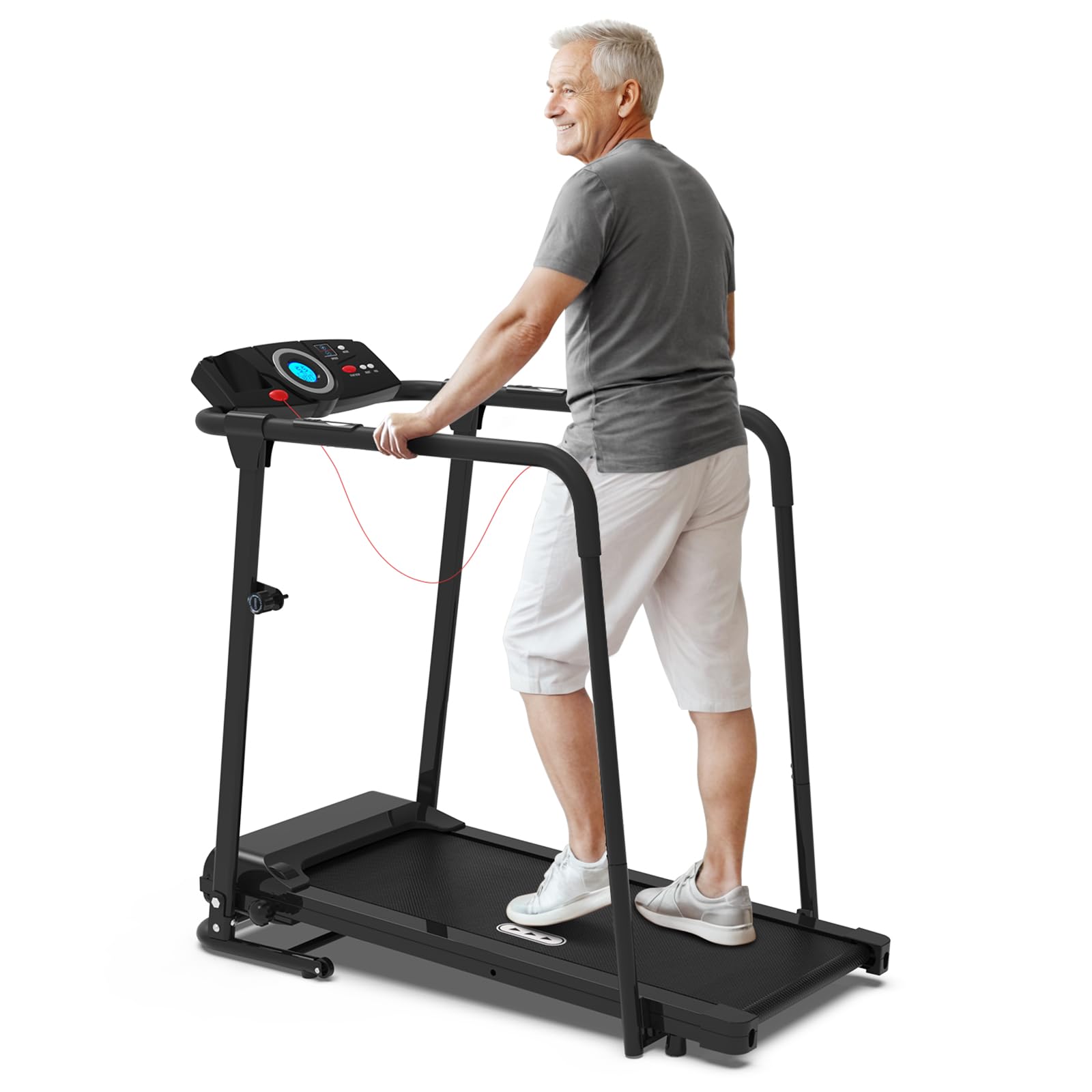
Image: The REDLIRO Walking Treadmill Model JK10F, featuring long handrails, being used by an elderly man for exercise.
Safety Instructions
To ensure safe operation and prevent injury, adhere to the following safety guidelines:
- Always place the treadmill on a flat, stable surface with at least 2 feet of clear space around it.
- Ensure the safety key is properly attached to both the console and your clothing before starting.
- Do not allow children or pets near the treadmill during operation.
- Consult a physician before starting any new exercise program.
- The maximum user weight capacity is 300 lbs. Do not exceed this limit.
- Always hold onto the handrails for balance, especially when starting or stopping the treadmill.
- Stop the treadmill immediately if you feel faint, dizzy, or experience pain.
- Unplug the treadmill from the power outlet when not in use or before cleaning/maintenance.
- Do not operate the treadmill if it has a damaged cord or plug, or if it is not working correctly.
Image: A visual comparison highlighting the enhanced support and stability provided by the long handrails of the REDLIRO treadmill compared to a treadmill with shorter handrails.
Assembly Instructions
Assembly requires two people. Please ensure all parts are present before beginning. Refer to the included user manual for detailed diagrams.
Included Components:

Image: A display of all components included in the package: the treadmill base, user manual, handrail covers, tool kit, safety key, locking switch, and folding lock button.
- Unpack Components: Carefully remove all parts from the packaging and lay them out on a clean, flat surface. Verify all components listed in the manual are present.
- Attach Upright Posts: Secure the upright posts to the treadmill base using the provided bolts. Ensure they are firmly tightened.
- Install Handrails: Slide the long handrails onto the upright posts. Ensure they are properly aligned and secured.
- Mount Console: Attach the console to the top of the upright posts. Connect any necessary cables from the console to the main unit.
- Secure Handrail Covers: Place the handrail covers over the handrails as indicated in the manual.
- Final Checks: Double-check all bolts and connections to ensure they are secure.
Image: The treadmill shown in both its operational and folded states, demonstrating its space-saving design and removable handles for compact storage.
Operating Instructions
Getting Started:
- Power Connection: Plug the power cord into a grounded electrical outlet.
- Safety Key: Attach the safety key clip to your clothing and place the magnetic end onto the designated area on the console. The treadmill will not start without the safety key in place.
- Power On: Press the "START" button on the console or the handrail. The display will illuminate.
Console Functions:
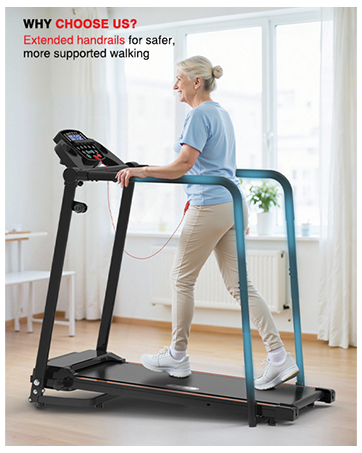
Image: A close-up of the treadmill's console, showing the LCD display and various control buttons for functions like speed, time, distance, calories, steps, heart rate, manual mode, and preset programs.
- Display: The LED display shows Time, Speed, Distance, Calories, and Heart Rate.
- Speed Adjustment: Use the "SPEED +" and "SPEED -" buttons on the console or handrails to adjust walking speed (0.5 - 5.5 MPH). Speed can be adjusted in 0.1 MPH increments.
- Preset Programs: Press the "MODE" button to cycle through 12 preset programs. Each program has varying speed profiles.
- Manual Mode: Select manual mode to control speed directly.
- Heart Rate Monitor: Grip the heart rate sensors on the handrails to display your pulse on the console.
- Stop: Press the "STOP" button on the console or handrail, or pull the safety key, to stop the treadmill.

Image: A user demonstrating control of the treadmill's speed and start/stop functions using both the main console and the integrated buttons on the handrails.

Image: A detailed view of the handrail-mounted buttons, including controls for speed and start/stop, along with integrated heart rate sensors for convenient monitoring during exercise.
Maintenance
Regular maintenance ensures the longevity and optimal performance of your treadmill.
- Cleaning: Wipe down the treadmill surfaces with a damp cloth after each use. Avoid abrasive cleaners.
- Belt Lubrication: The running belt requires periodic lubrication. Refer to the specific instructions in your user manual for the correct type and frequency of lubrication.
- Belt Tension and Alignment: Check the running belt for proper tension and alignment regularly. Adjust as needed according to the manual's instructions to prevent slipping or uneven wear.
- Storage: When not in use, the treadmill can be folded for compact storage. Ensure it is unplugged before folding.
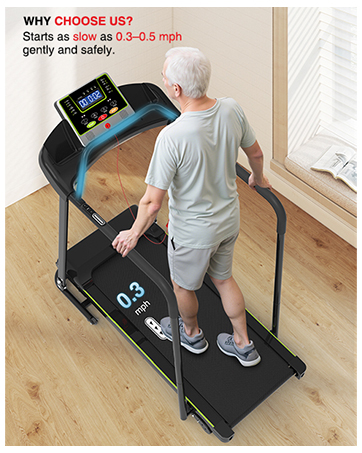
Image: A close-up of the treadmill's running surface, highlighting its diamond texture for enhanced traction and the durable 5-layer shock-absorbing shield designed for user safety and comfort.
Troubleshooting
If you encounter issues with your treadmill, refer to the following common problems and solutions:
| Problem | Possible Cause | Solution |
|---|---|---|
| Treadmill does not start. | Power cord unplugged, safety key not in place, power switch off. | Ensure power cord is securely plugged in. Verify safety key is correctly positioned. Check if the main power switch is ON. |
| Running belt slips or hesitates. | Belt too loose, belt needs lubrication, user weight exceeds capacity. | Adjust belt tension according to manual. Lubricate the belt. Ensure user weight is within the 300 lbs limit. |
| Unusual noise during operation. | Loose components, motor issue, belt friction. | Check all assembly bolts for tightness. Lubricate the belt. If noise persists, contact customer support. |
| Display not working correctly. | Loose cable connection, power issue. | Check console cable connections. Ensure stable power supply. |
Product Specifications
| Feature | Detail |
|---|---|
| Brand | REDLIRO |
| Model Name | JK10F |
| Motor Horsepower | 2.25 HP |
| Speed Range | 0.5 - 5.5 MPH |
| Maximum Weight Capacity | 300 Pounds |
| Product Dimensions (LxWxH) | 48.4"D x 25.2"W x 46.4"H |
| Folded Size | 51.5" x 27.5" x 8.8" |
| Running Surface (Deck Length x Width) | 39.4" x 15.39" |
| Item Weight | 61.8 Pounds |
| Material | Acrylonitrile Butadiene Styrene (ABS), Alloy Steel, Aluminum |
| Display Type | LED |
| Special Features | Foldable, Heart Rate Monitor, Portable, Shock Absorbent, Wheeled, Long Handrails |

Image: An illustration detailing the key dimensions of the REDLIRO Walking Treadmill, including length, width, height, and its 300 lbs weight capacity.

Image: A cutaway view of the treadmill's internal motor, highlighting its 2.25 HP power, 0.5-5.5 mph speed range, and quiet operation (≤ 45dB).
Warranty & Support
The REDLIRO Walking Treadmill Model JK10F comes with a 1-Year Manufacturer Warranty. This warranty covers defects in materials and workmanship under normal use.
For warranty claims, technical assistance, or any questions regarding your product, please contact REDLIRO customer support through the retailer where the product was purchased or visit the official REDLIRO website for contact information.
Please have your model number (JK10F) and purchase date available when contacting support.


