1. Introduction
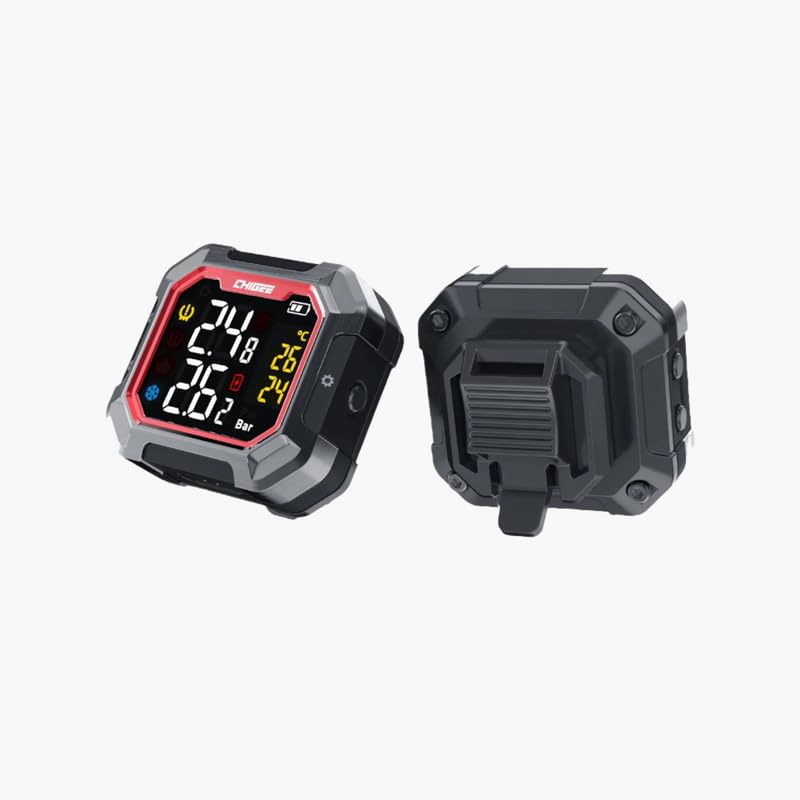
The CHIGEE India G3 Tire Pressure Monitor is designed to provide real-time tire pressure and temperature monitoring, significantly enhancing driving safety. This device alerts you to abnormal pressure or temperature conditions, helping to prevent potential tire issues before they become critical. It features an easy-to-read digital display and accurate sensor readings, making it suitable for various vehicle types including cars, motorcycles, and trucks.

2. Setup and Installation
The CHIGEE G3 Tire Pressure Monitor is designed for wireless installation, offering convenience and flexibility. Follow these steps for proper setup:
- Charge the Device: Before first use, ensure the monitor is fully charged using the magnetic charging port. The device supports quick disassembly for easy charging.
- Sensor Placement: Install the tire pressure sensors onto the tire valves according to the instructions provided with the sensor kit (sensors sold separately or included in specific bundles). Ensure they are securely fastened.
- Mount the Display Unit: Choose a suitable location on your vehicle (e.g., dashboard, handlebar) for the display unit. Use the provided mounting bracket to securely attach the monitor. Ensure the display is visible and does not obstruct your view or controls.
- Pairing (if required): In most cases, the sensors come pre-paired with the display unit. If pairing is necessary, refer to the specific pairing instructions in the sensor kit or the full product manual.

3. Operating Instructions
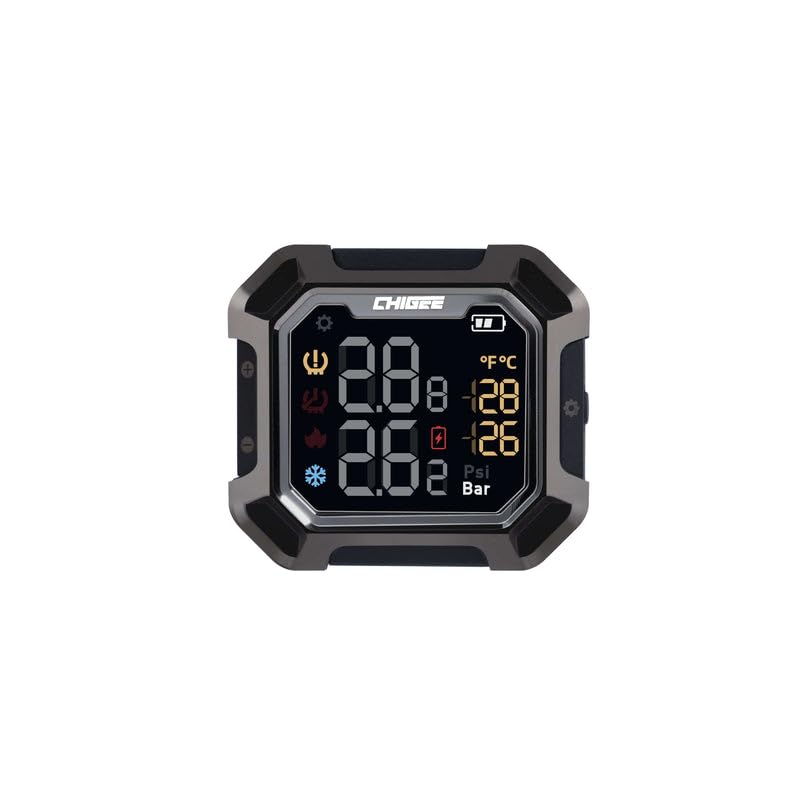
Once installed, the CHIGEE G3 monitor provides continuous real-time data. Here’s how to interpret and use the display:
- Real-time Display: The digital display shows current tire pressure (in PSI or Bar) and temperature (in °C or °F) for each monitored tire. The unit automatically updates readings as you drive.
- Alerts: The system is designed to alert you to abnormal conditions. This includes:
- Low Pressure Alert: An audible and visual warning if tire pressure drops below a safe threshold.
- High Pressure Alert: An audible and visual warning if tire pressure exceeds a safe threshold.
- High Temperature Alert: An audible and visual warning if tire temperature rises excessively.
- Sensor Battery Low Alert: Indicates when a sensor's battery needs replacement or recharging.
- Unit Switching: Refer to the device's specific buttons or menu options to switch between pressure units (PSI/Bar) and temperature units (°C/°F) if desired.
4. Maintenance
Proper maintenance ensures the longevity and accuracy of your CHIGEE G3 Tire Pressure Monitor:
- Battery Life: The monitor unit boasts a long battery life, up to 5 months on a single charge. Recharge the unit promptly when the low battery indicator appears. Magnetic charging makes this process convenient.
- Sensor Durability: The sensors are designed to be durable and weather-resistant. They are rated IP67 waterproof, meaning they can withstand dust and immersion in water up to 1 meter for 30 minutes.
- Cleaning: Clean the display unit and sensors with a soft, damp cloth. Avoid using harsh chemicals or abrasive materials that could damage the surfaces.
- Storage: If storing the device for an extended period, ensure it is fully charged and kept in a cool, dry place.


5. Troubleshooting
If you encounter issues with your CHIGEE G3 Tire Pressure Monitor, refer to the following common solutions:
| Problem | Possible Cause | Solution |
|---|---|---|
| No display/Device not turning on | Low battery; Device off | Charge the monitor fully. Press and hold the power button to turn on. |
| No sensor readings | Sensors not installed correctly; Sensors out of range; Sensor battery low; Pairing issue | Ensure sensors are securely installed. Move vehicle to ensure sensors are within range. Check sensor batteries. Re-pair sensors if necessary (refer to full manual). |
| Inaccurate readings | Sensor malfunction; External interference | Verify readings with a calibrated manual gauge. If discrepancy persists, contact support. Avoid strong electromagnetic interference. |
| Alerts constantly triggering | Tire pressure/temperature genuinely abnormal; Alert thresholds set too sensitively | Check tire pressure and temperature manually. Adjust alert thresholds if possible (refer to full manual). |
For more detailed troubleshooting or issues not listed here, please refer to the complete product manual or contact CHIGEE customer support.
6. Specifications
| Feature | Detail |
|---|---|
| Brand | CHIGEE |
| Model Number | BIKDISP-O008 |
| Manufacturer Part Number | CHIGE-E008 |
| Product Dimensions | 1.82 x 0.8 x 1.48 cm (Display Unit) |
| Item Dimensions (LxWxH) | 18 x 8 x 15 Millimeters |
| Material | ABS Plastic |
| Colour | Black |
| Country of Origin | India |
| Generic Name | Motorcycle Accessories |
| Net Quantity | 1.0 Count |
7. Warranty and Support
For warranty information, please refer to the documentation included with your purchase or contact the seller directly. CHIGEE products are typically covered by a manufacturer's warranty against defects in materials and workmanship.
For technical support, product inquiries, or to purchase replacement parts, please visit the official CHIGEE India store or contact their customer service:
CHIGEE India Store: https://www.amazon.in/stores/ChigeeIndia/page/68EBCB48-0D97-4599-A731-6FB0D248B094
Please have your product model number (BIKDISP-O008) and purchase details ready when contacting support.


