
Introduction
This manual provides detailed instructions for the installation, operation, and maintenance of your Wuzhi Audio ZK-3002T-W 300W+300W Stereo Power Amplifier Board. Designed with the TPA3255 high-performance Class-D amplifier chip, this board offers robust stereo output, wide voltage input, and versatile audio connectivity options including Bluetooth 5.0, AUX, and USB. Please read this manual thoroughly before use to ensure proper functionality and safety.
Key Features
- TPA3255 Chip-Driven Dual-Channel Output: Delivers 300W+300W stereo output with low distortion and high dynamic range.
- Wide Voltage Input & Dual Power Interfaces: Supports 18-50V DC input via 5.5×2.5mm DC jack or screw terminals.
- 3-Band EQ Control & Multifunction Knob: Independent knobs for treble, bass, and master volume. Master knob controls play/pause, track selection, and power.
- Triple Input Modes: Bluetooth 5.0 (up to 20m stable transmission), 3.5mm AUX input, and USB audio decoding.
- Advanced Protection: Built-in safeguards including undervoltage/overvoltage protection, reverse polarity protection, and thermal shutdown.
Product Components and Connections
Familiarize yourself with the various components and connection points on the amplifier board.

Image Description: An overhead diagram of the ZK-3002T-W amplifier board. Key components are labeled, including Expansion Port 1, Expansion Port 2, Three 0 Ohm Resistors (R38, R32, R30), 3.5mm AUX Input, USB Input, Passive Speaker terminals (R+, R-, L+, L-), Power Input 18-50V DC (5.5-2.5 DC mother base or 2P wiring terminal), Cooling fan + Heat sink, Main Volume/Multi-function knob, Treble Knob, and Bass Knob.
- Power Input (DC 18-50V): Connect your DC power supply here. Supports both a 5.5x2.5mm DC jack and screw terminals.
- Passive Speaker Output (L/R): Connect your passive speakers to these terminals. Ensure correct polarity (L+, L-, R+, R-).
- 3.5mm AUX Input: For connecting external audio sources via a 3.5mm audio cable.
- USB Input: For connecting to a computer as a USB sound card or playing audio from a USB flash drive.
- Bluetooth 5.0 Module: For wireless audio streaming from Bluetooth-enabled devices.
- Main Volume/Multi-function Knob: Controls overall volume and offers additional functions (Play/Pause, Next/Previous Track, Power On/Off/Standby).
- Treble Knob: Adjusts high-frequency audio levels.
- Bass Knob: Adjusts low-frequency audio levels.
- Cooling Fan + Heat Sink: Ensures efficient heat dissipation for stable operation.
- Expansion Ports (1 & 2): For connecting to audio input of MIC front stage board, pure rear stage amplifier input port, reverb output, or Qualcomm decoding board audio output. Note: When using Expansion Port 1 and 2, remove the three 0 Ohm resistors (R38, R32, R30).
Setup and Installation
1. Power Supply Connection
- Ensure the power supply is within the 18-50V DC range. A 36-48V DC power supply with a current of 10A or above is recommended for optimal performance.
- Connect the DC power adapter to the 5.5x2.5mm DC jack or use the screw terminals for direct wiring.
- Caution: This board does not have input anti-reverse protection. Ensure positive and negative poles are connected correctly to prevent damage.
2. Speaker Connection
- Connect your passive speakers to the L+/L- and R+/R- terminals.
- Ensure the speaker impedance is appropriate for the power output. If the input voltage is 50V, the speaker impedance for both channels must be greater than or equal to 4 ohms.
3. Input Mode Connection
- Bluetooth: Power on the board, enable Bluetooth on your device, and search for "BT-AUDIO" to pair.
- AUX: Connect your audio source to the 3.5mm AUX input jack.
- USB: Connect the board to a computer via a USB cable for USB audio decoding, or insert a USB flash drive for direct playback.
4. External Antenna Installation (Optional)
For improved Bluetooth range and stability, an external 2.4G antenna can be installed.

Image Description: A step-by-step diagram illustrating the installation of an external antenna. Step 1 shows moving capacitor C6 (2.7PF) from its original position to C88. Step 2 shows the back of the IPEX Connector Antenna Base and an example of welding the IPEX connector antenna base. Step 3 shows inserting a 2.4G antenna (IPEX 1st generation connector).
- Move capacitor C6 (2.7PF) from its original position to C88.
- Weld the IPEX connector antenna base onto the designated pads, paying attention to the direction of the antenna base.
- Insert a 2.4G antenna (IPEX 1st generation connector) into the newly installed base.
Operating Instructions
1. Power On/Off and Standby
- Power On: Long press the Main Volume/Multi-function knob.
- Power Off/Standby: Long press the Main Volume/Multi-function knob.
2. Input Mode Selection
The amplifier supports multiple audio input modes. The board automatically detects the active input or can be switched via your connected device.

Image Description: A close-up view of the amplifier board highlighting the input options. Labels point to the 3.5mm Aux Input, Bluetooth 5.3 Chip, and USB Sound Card + USB Flash Drive input. The image emphasizes the versatility of multiple input modes.
- Bluetooth Mode: After powering on, the board will enter Bluetooth pairing mode. Search for "BT-AUDIO" on your device and connect.
- AUX Mode: Connect an audio source to the 3.5mm AUX input. The board will automatically switch to AUX mode if a signal is detected.
- USB Mode: Connect to a computer via USB or insert a USB flash drive. The board will function as a USB audio device.
3. Volume and Tone Control
- Master Volume: Rotate the Main Volume/Multi-function knob to adjust the overall output volume.
- Treble Control: Rotate the Treble knob to increase or decrease high-frequency sounds.
- Bass Control: Rotate the Bass knob to increase or decrease low-frequency sounds.
4. Multifunction Knob Operations
- Single Click: Play/Pause audio.
- Double Click: Skip to the next track.
- Triple Click: Go to the previous track.
- Long Press: Power on/off or enter standby mode.
Technical Specifications
| Feature | Specification |
|---|---|
| Chip | TPA3255 |
| Output Power | 300W+300W (at 50V, 4Ω); 160W+160W (at 50V, 8Ω) |
| Adapted Power Supply | 18-50V DC (Recommended: 36-48V DC, 10A or above) |
| Input Mode | Bluetooth 5.0, 3.5mm AUX, USB |
| Protection Mechanism | Input undervoltage/overvoltage, overheating, overcurrent short circuit protection. (No input anti-reverse protection) |
| Package Dimensions | 5.87 x 4.88 x 2.99 inches |
| Item Weight | 10.44 ounces |
| Mounting Type | Surface Mount |
Power Output Test Conditions @ 1kHz
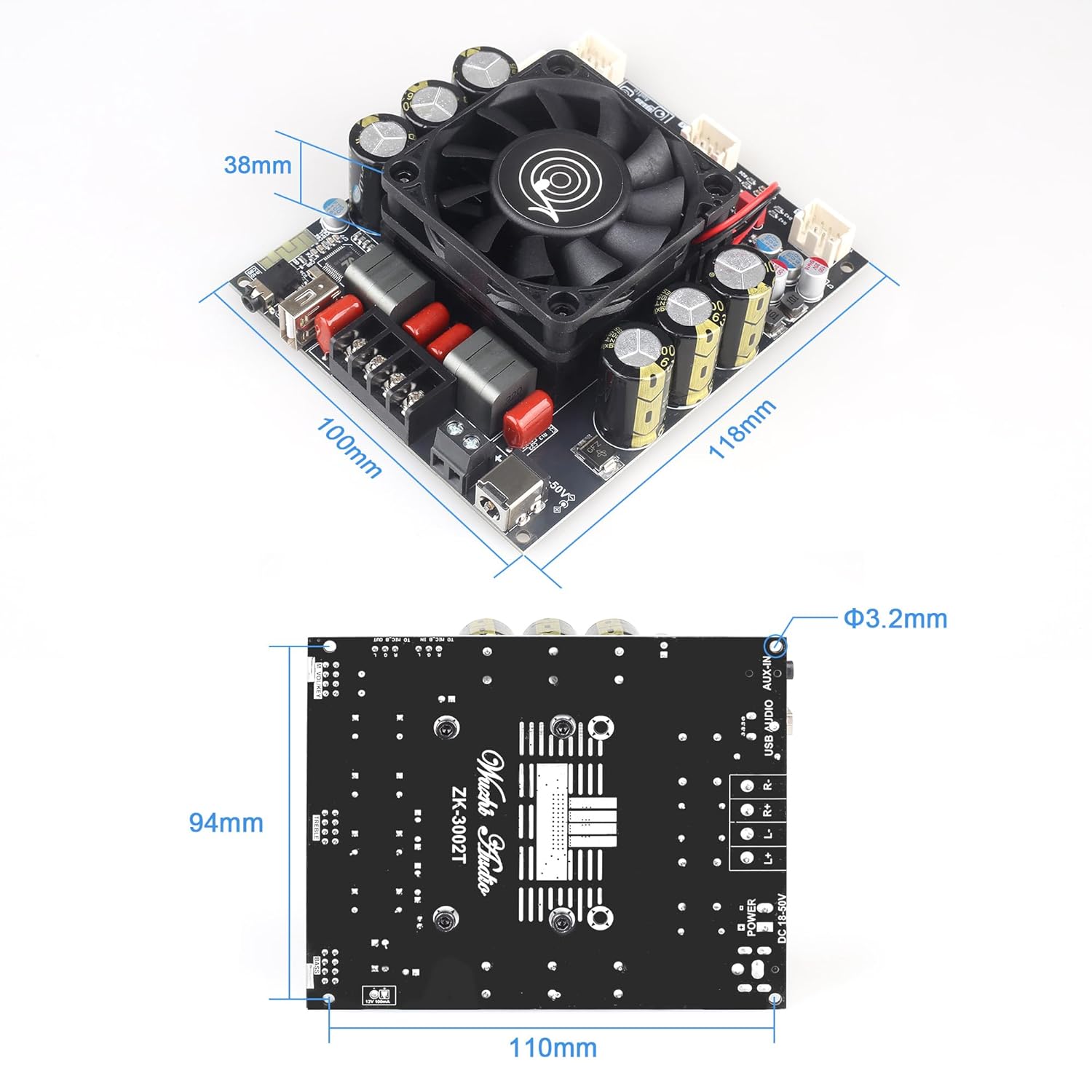
Image Description: A table detailing the power output of the ZK-3002T-W amplifier board under various DC voltage and speaker impedance conditions. It shows that at 24V, R&L channels output 30W+30W (8Ω) and 70W+70W (4Ω). At 36V, it outputs 80W+80W (8Ω) and 160W+160W (4Ω). At 50V, it outputs 160W+160W (8Ω) and 300W+300W (4Ω). A note at the bottom states that if the input voltage is 50V, the speaker impedance for the left and right channels must be greater than or equal to 4 ohms.
Maintenance
- Keep the amplifier board clean and free from dust. Use a soft, dry cloth for cleaning.
- Ensure adequate ventilation around the board to prevent overheating, especially during prolonged use at high power.
- Avoid exposing the board to moisture, extreme temperatures, or direct sunlight.
- Do not attempt to disassemble or modify the board, as this may void the warranty and cause damage.
Troubleshooting
- No Sound Output:
- Check power supply connection and ensure the board is powered on.
- Verify speaker connections and polarity.
- Ensure the correct input mode is selected and the audio source is playing.
- Adjust the master volume knob.
- Bluetooth Connection Issues:
- Ensure the board is in Bluetooth pairing mode ("BT-AUDIO").
- Disable and re-enable Bluetooth on your device.
- Move your device closer to the amplifier board.
- If an external antenna is installed, ensure it is properly connected.
- Distorted Audio:
- Reduce the input volume from your audio source.
- Check speaker impedance compatibility with the power supply voltage.
- Ensure all connections are secure and free from interference.
- Overheating:
- Ensure the cooling fan is operating and not obstructed.
- Provide adequate airflow around the amplifier board.
- Reduce the output volume or operating time.
Warranty and Support
The Wuzhi Audio ZK-3002T-W amplifier board comes with a manufacturer's warranty. For specific warranty terms and conditions, please refer to the product packaging or contact your retailer. Technical support is available 24/7 for troubleshooting and assistance with any product-related inquiries. Please reach out to the seller or manufacturer's support channels for further help.


