Introduction
Thank you for choosing the Insoma 2 Zones WiFi Water Timer with Brass Inlet. This smart device allows you to remotely control and automate your garden watering schedules via a mobile application, voice commands, and manual operation. Its durable brass inlet and dual independent zones provide efficient and reliable irrigation for your plants, lawn, and garden. Please read this manual carefully to ensure proper installation, operation, and maintenance of your water timer.
Product Overview
The Insoma 2 Zones WiFi Water Timer is designed to simplify your watering tasks with advanced features and robust construction.
Key Features:
- Brass Swivel Inlet: Enhanced durability and leak resistance compared to plastic inlets.
- Remote Control by App: Manage watering schedules and view logs from anywhere using the Smart Life APP (2.4GHz WiFi required).
- Voice Control: Compatible with Alexa for hands-free operation.
- 2 Independent Watering Zones: Each zone can be individually programmed with up to 10 watering schedules.
- Two Watering Schedule Types: Timed watering for specific intervals and cyclical watering for repetitive cycles.
- Manual Watering & Rain Delay: On-demand watering without affecting schedules and automatic pausing for 1-7 days during rain.
- Extendable Irrigation System: Connect up to 32 WiFi water timers to a single WiFi hub.
Components:
The package includes the Insoma 2 Zones WiFi Water Timer and a WiFi hub (required for remote functionality). Ensure all components are present before proceeding with installation.

Image: The Insoma 2 Zones WiFi Water Timer, showing its two outlets and brass inlet connection.

Image: A visual comparison highlighting the upgraded brass inlet for improved durability and leak resistance.
Setup
1. Physical Installation:
- Ensure your outdoor faucet is turned off.
- Thread the brass inlet of the water timer onto your garden faucet. Hand-tighten firmly to prevent leaks.
- Connect your garden hoses to the two independent outlets (Zone A and Zone B) of the water timer.
- Turn on your outdoor faucet.
2. App and WiFi Hub Setup:
- Download the "Smart Life" application from your mobile device's app store (available for iOS and Android).
- Register or log in to your Smart Life account.
- Plug in the WiFi hub to a power outlet within range of your 2.4GHz WiFi network. The hub is essential for remote control functionality.
- In the Smart Life app, follow the on-screen instructions to add the WiFi hub. Ensure your phone is connected to a 2.4GHz WiFi network during this process, as the device does not support 5.0GHz WiFi.
- Once the hub is added, use the app to add the Insoma 2 Zones WiFi Water Timer. The app will guide you through pairing the timer with the hub.
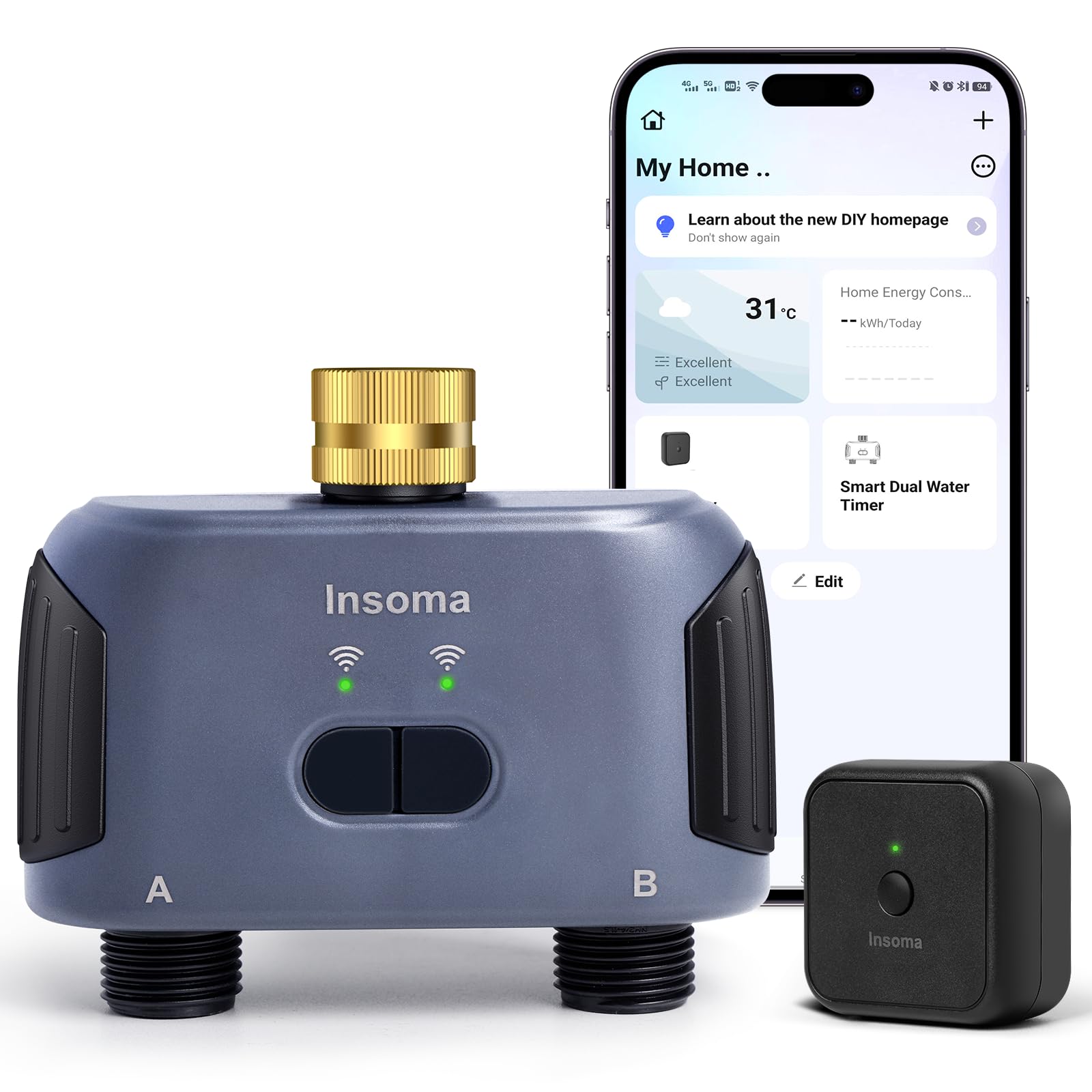
Image: A user interacting with the Smart Life app on a smartphone, demonstrating remote control capabilities. A diagram illustrates the connection between the WiFi router, hub, and water timer, emphasizing 2.4GHz WiFi compatibility.
Operating Instructions
1. App Remote Control:
After successful setup, you can manage your watering schedules from anywhere using the Smart Life app. The app allows you to:
- Create, modify, or delete watering schedules for each zone.
- View watering logs and history.
- Initiate manual watering.
- Activate the rain delay function.

Image: Screenshots of the Smart Life app interface, displaying options for setting watering schedules, viewing logs, and managing zones.
2. Voice Control with Alexa:
Integrate your water timer with Amazon Alexa for convenient voice commands. Once linked, you can use phrases like: "Alexa, open the Smart Dual Water Timer" to manage your watering.

Image: A woman interacting with an Alexa device, demonstrating voice control functionality for the smart water timer.
3. Setting Watering Schedules:
The timer supports two types of watering schedules for each of its two independent zones:
- Timed Watering Mode: Set a specific start time, irrigation duration (1 minute to 24 hours), and frequency (weekly cycle, odd days, even days, or every few days).
- Cyclical Watering Mode: Define a start time, end time, irrigation duration (1 minute to 24 hours), and an interval time (1 minute to 24 hours) for repetitive watering within a set period.
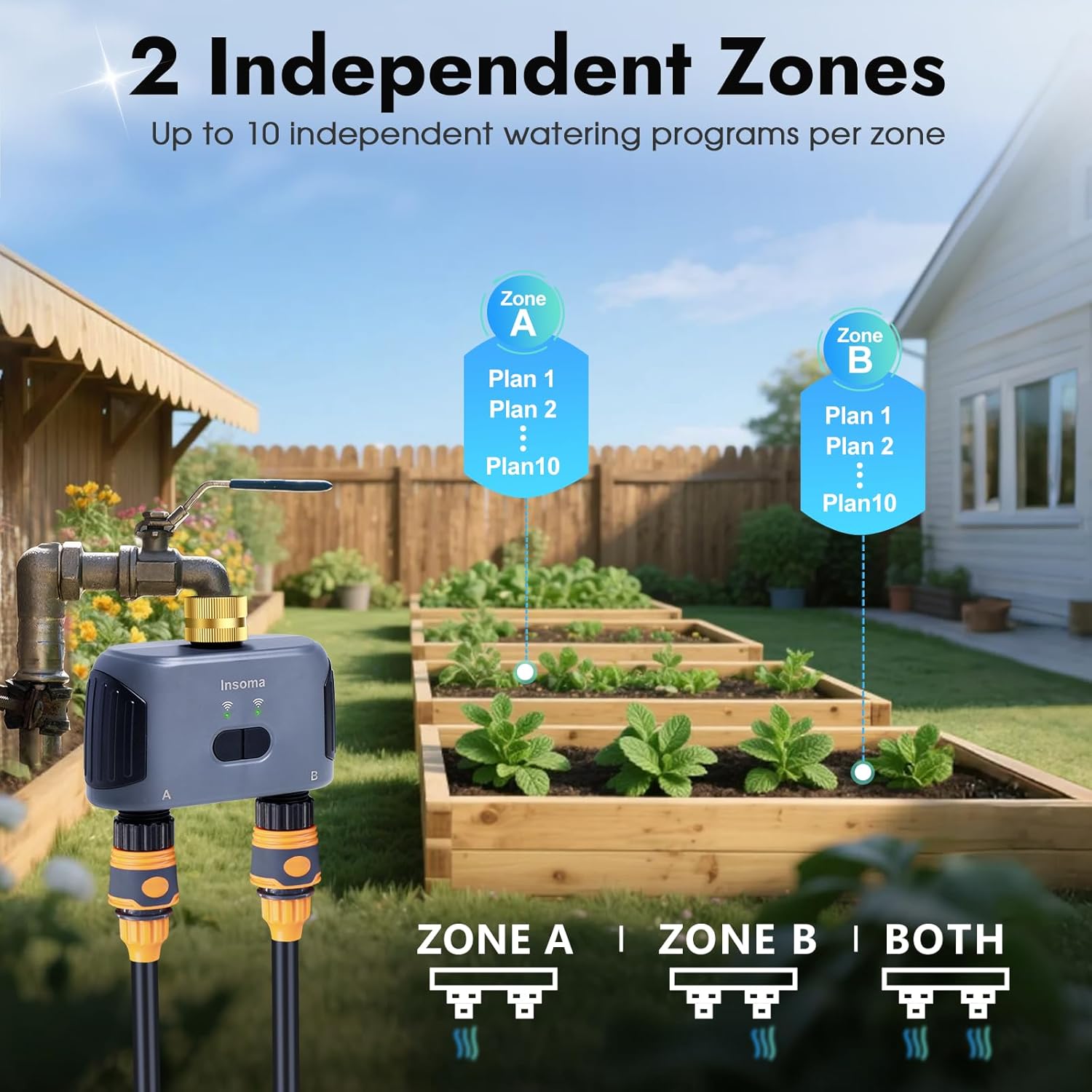
Image: A visual representation of two independent watering zones (Zone A and Zone B) in a garden setting, each capable of supporting up to 10 distinct watering programs.

Image: Screenshots illustrating the app interface for configuring both timed and cyclical watering schedules, including options for start time, duration, and frequency.
4. Manual Watering:
You can initiate watering on demand without affecting your programmed schedules. Manual mode allows watering for up to 23 hours and 59 minutes. This can be done via the Smart Life app or directly using the buttons on the water timer unit.

Image: A graphic demonstrating the two methods for initiating manual watering: through the mobile application or by pressing the physical buttons on the water timer itself.
5. Rain Delay Function:
To prevent overwatering and conserve water, the rain delay function pauses scheduled watering for 1 to 7 days. After the set delay period, schedules will resume automatically. This feature can be activated through the app.
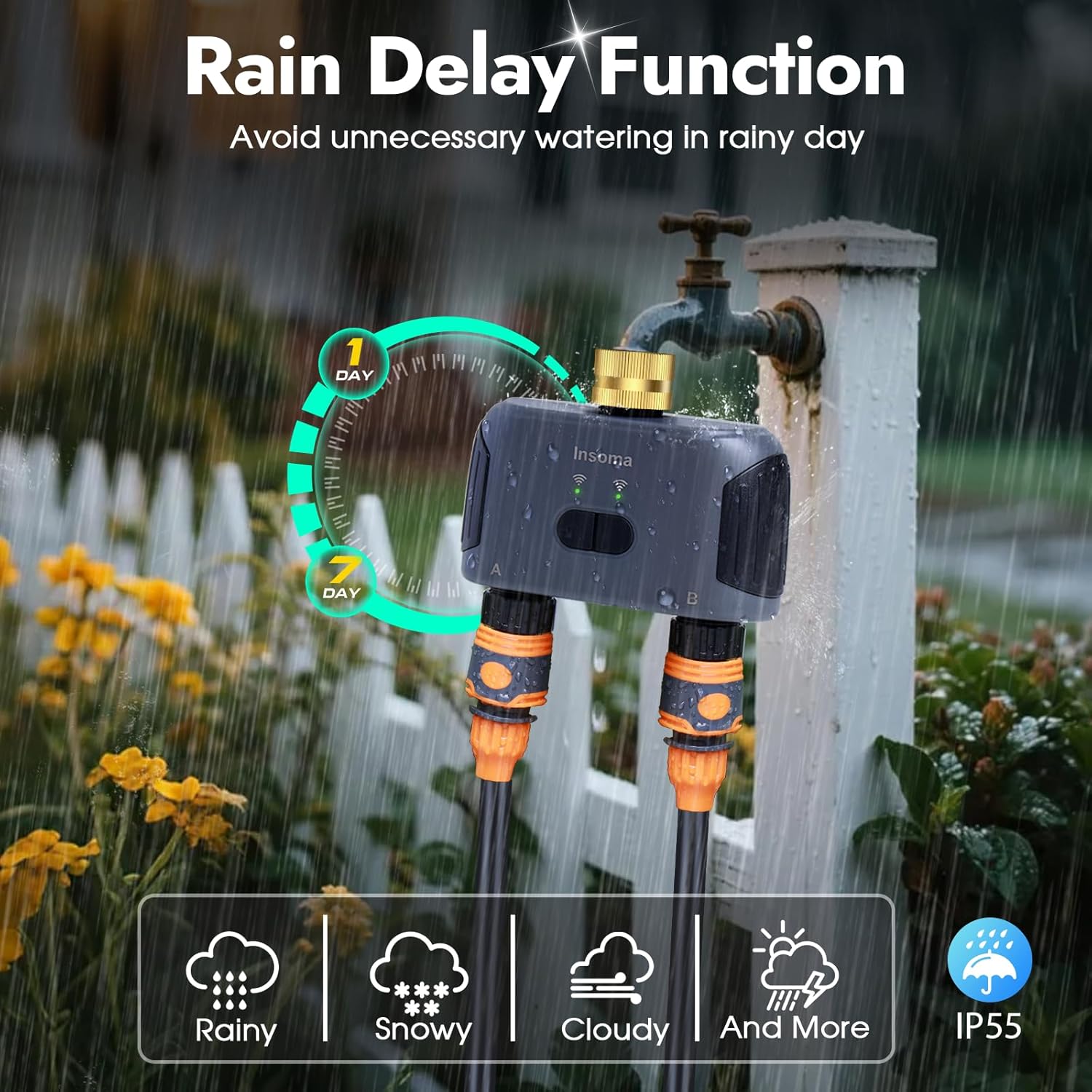
Image: The water timer installed on a faucet, with an overlay illustrating the rain delay function and options to pause watering for 1 to 7 days.
6. Extendable Irrigation System:
One WiFi hub can support up to 32 Insoma WiFi water timers, allowing you to expand your smart irrigation system for larger gardens or multiple watering areas. You can also invite family members to manage the system via the app.

Image: An illustration of a smart home environment with a central WiFi hub connecting and controlling multiple Insoma water timers across different garden areas.
Maintenance
Proper maintenance ensures the longevity and optimal performance of your Insoma WiFi Water Timer.
- Battery Replacement: The water timer operates on batteries. Replace them when the low battery indicator appears in the app or on the device. Use high-quality alkaline batteries for best performance.
- Cleaning: Periodically clean the exterior of the timer with a soft, damp cloth. Do not use abrasive cleaners or immerse the unit in water.
- Winterization: Before freezing temperatures occur, disconnect the water timer from the faucet and store it indoors in a dry, frost-free location. Remove batteries before storage.
- Filter Cleaning: Check the inlet filter periodically for debris and clean it if necessary to maintain proper water flow.
Troubleshooting
If you encounter issues with your Insoma WiFi Water Timer, refer to the following common problems and solutions:
- No WiFi Connectivity:
- Ensure your WiFi network is 2.4GHz. The device does not support 5.0GHz WiFi.
- Verify the WiFi hub is powered on and within range of both your router and the water timer.
- Check your router settings to ensure no firewalls or restrictions are blocking the connection.
- Restart your WiFi router, hub, and water timer.
- App Not Functioning / Incorrect Status:
- Ensure the app is updated to the latest version.
- Check your internet connection.
- If the app shows an incorrect status (e.g., valve open when closed), try refreshing the app or restarting the water timer.
- Sometimes, a temporary loss of communication between the timer and hub can cause discrepancies. Wait a moment for synchronization or re-pair if necessary.
- Water Pressure Decrease:
- If multiple watering systems are running simultaneously, this can naturally decrease water pressure to the timer.
- Check for any blockages in the hose or the timer's inlet filter.
- Rain Delay Issues:
- The weather delay feature relies on local weather data. Ensure your location is correctly set in the app.
- If you experience unexpected delays or non-delays, you may need to adjust or disable the automatic weather delay setting in the app and manage rain delays manually.
- Leaks from Connections:
- Ensure all connections are hand-tightened securely.
- Check for worn-out rubber washers and replace them if damaged.
- The brass inlet is designed to be durable; however, ensure it is not cross-threaded during installation.
Specifications
| Brand | Insoma |
| Model Number | SGW02W-T-03NH-L |
| Color | Gray |
| Material | Brass Inlet - 2 Outlets |
| Product Dimensions | 5.7"D x 5.9"W x 2.4"H |
| Item Weight | 1.23 pounds (0.56 Kilograms) |
| Number of Settings | 42 (referring to various scheduling options) |
| Connectivity | 2.4GHz WiFi (via WiFi Hub) |
| Voice Control Compatibility | Amazon Alexa, Google Assistant |
Warranty and Support
For warranty information or technical support, please refer to the product packaging or contact Insoma customer service directly. Keep your purchase receipt for warranty claims.
Manufacturer: Insoma


