
1. Introduction
This manual provides detailed instructions for the installation, operation, and maintenance of your REVODATA UltraHD 8MP POE IP Camera (Model IPIR-P-A-HS82). This indoor security camera features 8MP resolution, invisible 940nm IR night vision, a built-in microphone for one-way audio, and Power Over Ethernet (POE) functionality. Please read this manual thoroughly before use to ensure proper setup and optimal performance.
2. Package Contents
Verify that all items listed below are included in your package. If any items are missing or damaged, please contact customer support.
- REVODATA UltraHD 8MP POE IP Camera (Model IPIR-P-A-HS82) x 1
- Screws Set x 1
- User Manual x 1
Note: Power supply is not included in this package.

Image: Contents of the product package, showing the camera, mounting screws, and user manual.
3. Product Overview
The REVODATA IPIR-P-A-HS82 is an advanced indoor security camera designed for reliable surveillance. Key features include:
- 8MP UltraHD Resolution: Captures clear and detailed images at 3840x2160 pixels, 20 frames per second.
- 940nm Invisible IR Night Vision: Equipped with 940nm LEDs, providing discreet night vision without visible red glow.
- Built-in Microphone: Records audio around the camera for enhanced security monitoring.
- Power Over Ethernet (POE): Simplifies installation by delivering power and data through a single Ethernet cable.
- Dual H.265/H.264 Encoding: Efficient video compression for reduced bandwidth and storage requirements.
- Motion Detection: Triggers alerts upon detecting movement within its field of view.
- P2P Remote Viewing: Access live and recorded footage via mobile app or VMS software.

Image: Overview of the REVODATA 8MP POE IP Camera highlighting its main features.
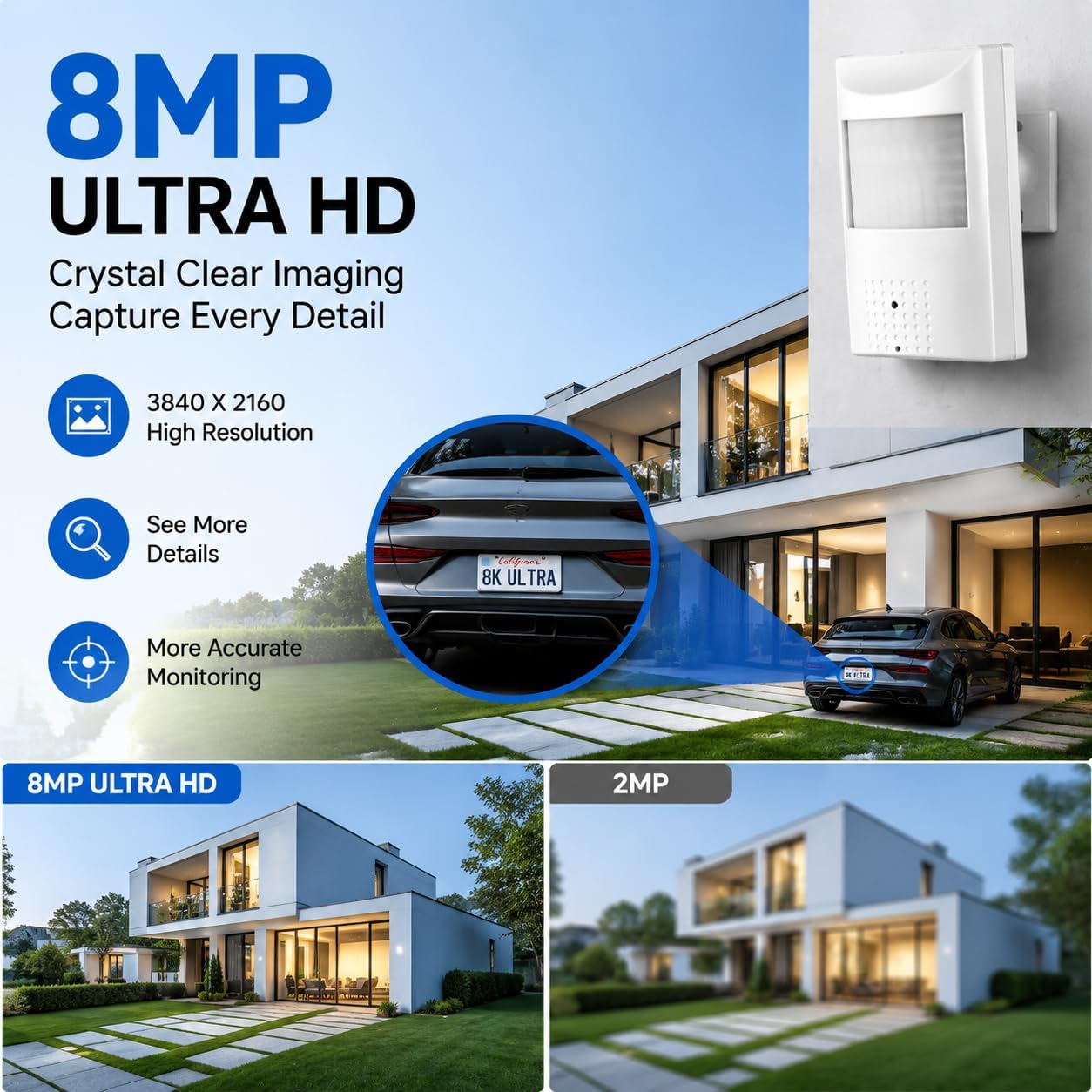
Image: Visual comparison demonstrating the superior detail captured by 8MP Ultra HD resolution compared to 2MP.

Image: Illustration of the camera's invisible IR night vision, showing how it operates in low light without a visible red glow.
4. Setup
4.1 Powering the Camera
The REVODATA IPIR-P-A-HS82 camera supports two power options:
- Power Over Ethernet (POE): Connect an Ethernet cable from a POE-enabled switch or NVR directly to the camera's RJ45 port. This provides both power and data connectivity.
- Auxiliary DC Power: If POE is not available, the camera can be powered by a conventional 12V 2A DC power supply (not included) connected to its DC power port.
Important: This camera is not wireless and does not support Wi-Fi connectivity. A wired Ethernet connection is required for network access.

Image: Icon representing Power Over Ethernet (POE) capability.
4.2 Physical Installation
The camera is designed for indoor ceiling mount installation. Use the provided screws and mounting bracket to securely attach the camera to a suitable surface. Ensure the camera's field of view covers the desired monitoring area.
4.3 Network Connection
Connect the camera to your network using an Ethernet cable. For POE setup, connect the Ethernet cable from a POE switch/NVR. For non-POE setup, connect the Ethernet cable to your router/switch and provide power via the DC port.
5. Operating Instructions
5.1 Accessing the Camera
You can access and manage your camera through various platforms:
- Mobile App: Download the dedicated mobile client app (available for iOS and Android devices) from your respective app store. Follow the in-app instructions to add your camera using its P2P ID.
- VMS Software: For Windows computers, install the provided VMS (Video Management Software). This software allows for comprehensive monitoring and configuration. (Note: Not compatible with MAC OS or Linux).
- Web Browser: Access the camera's web interface by entering its IP address into a web browser on your local network.

Image: Examples of the camera's live view through the mobile application and VMS software.
Video: This video demonstrates how to connect and view the camera feed using software, a web browser, and a smartphone application for remote monitoring.
5.2 Audio Recording
The camera features a built-in microphone to record ambient sound. This one-way audio capability provides additional context to your video surveillance. Audio is recorded simultaneously with video footage.
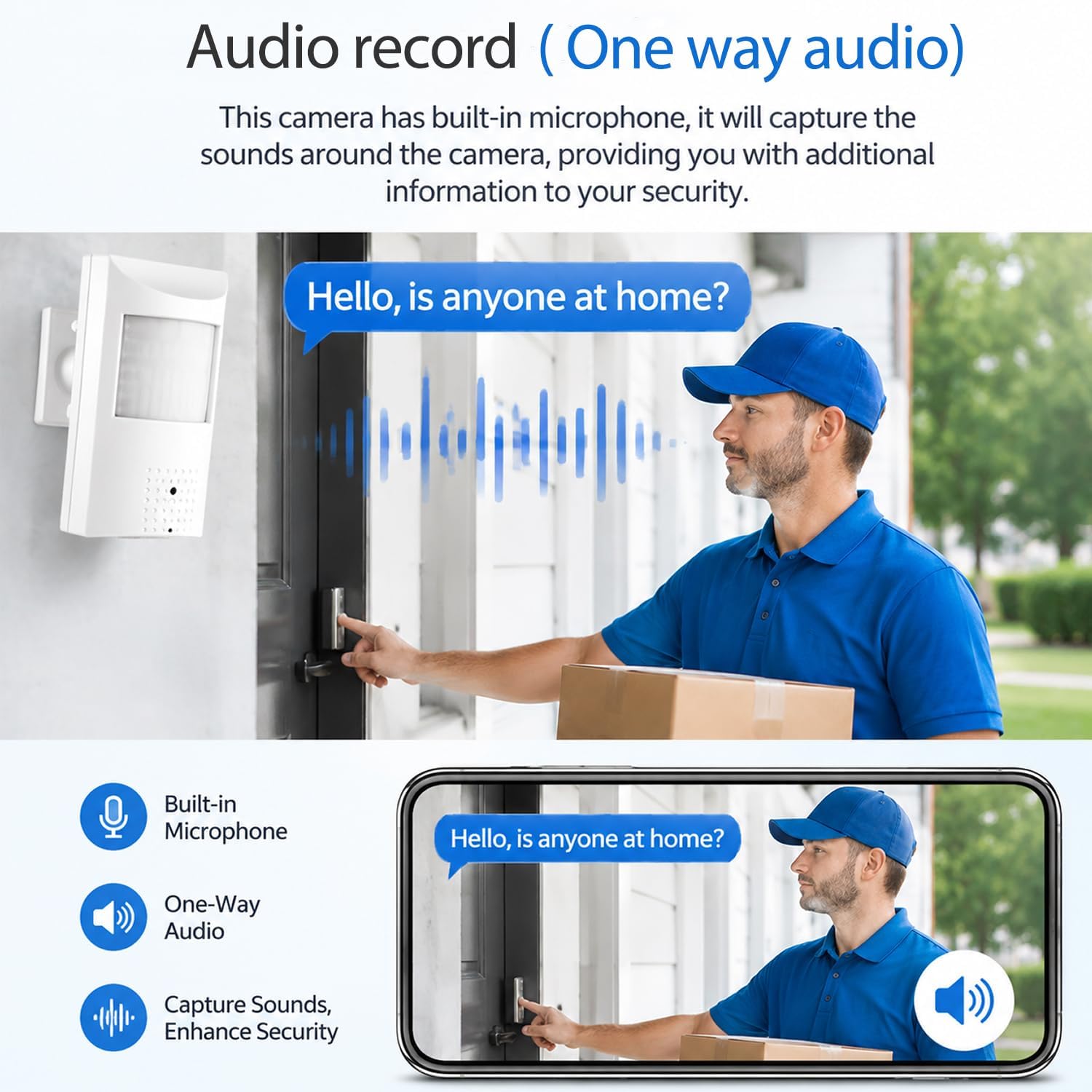
Image: Depiction of the camera's one-way audio recording function, capturing sounds from the monitored area.
5.3 Motion Detection
Configure motion detection settings through the mobile app or VMS software. When motion is detected, the camera can trigger an alarm message notification to your connected smartphone. Adjust sensitivity and detection zones as needed to minimize false alarms.
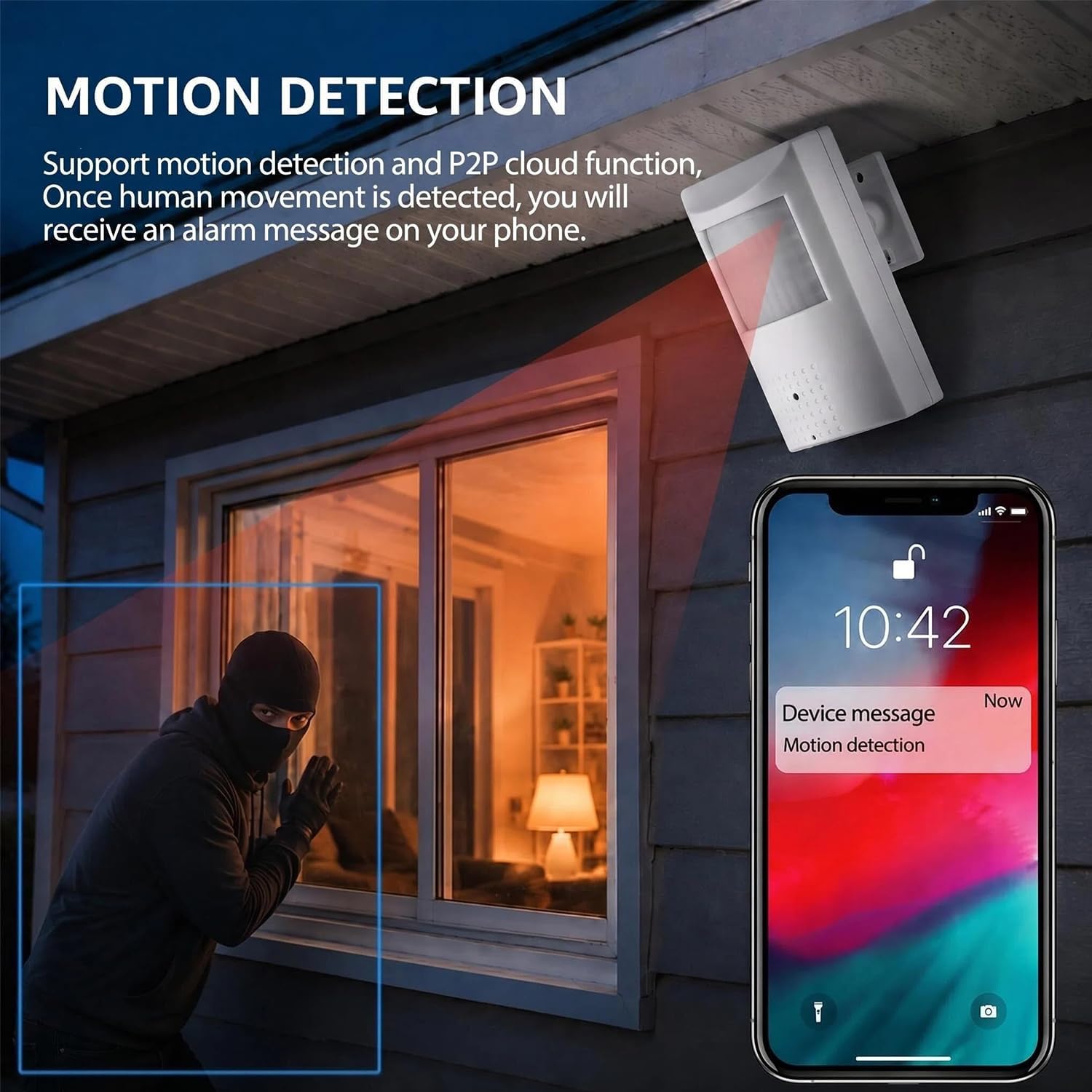
Image: Visual representation of the motion detection feature, showing an alert on a smartphone when movement is detected.
5.4 Night Vision
The camera automatically switches to black and white mode and activates its 940nm invisible IR LEDs when ambient light levels drop. These LEDs emit infrared light that is not visible to the human eye, providing discreet surveillance in complete darkness.
5.5 Video Encoding (H.265/H.264)
The camera supports both H.265 and H.264 video compression standards. H.265 offers more efficient compression, requiring approximately half the bandwidth and storage space compared to H.264 for the same video quality. It is recommended to use H.265 for optimal performance.

Image: Icon illustrating the H.265 video compression standard.
6. Maintenance
- Cleaning: Gently wipe the camera lens and body with a soft, dry cloth. Avoid using harsh chemicals or abrasive materials.
- Firmware Updates: Periodically check the manufacturer's website or app for available firmware updates to ensure optimal performance and security.
- Environmental Conditions: Ensure the camera is used within its specified operating temperature and humidity ranges for indoor use.
7. Troubleshooting
- No Power: Verify that the Ethernet cable is properly connected to a POE source or that the 12V 2A DC power adapter (if used) is correctly plugged in and functional.
- No Video Feed: Check network connectivity. Ensure the camera's IP address is correct and accessible on your network. Confirm that the viewing software/app is properly configured.
- Poor Image Quality: Ensure the lens is clean. Check network bandwidth if experiencing lag or pixelation.
- Motion Detection Not Working: Review motion detection settings in the app/software, including sensitivity and detection zones.
- Cannot Connect Remotely: Verify your internet connection and P2P settings. Ensure the camera has access to the internet.
8. Specifications
| Feature | Specification |
|---|---|
| Model Name | IPIR-P-A-HS82 |
| Effective Still Resolution | 8 MP |
| Video Capture Resolution | 8MP (3840x2160) |
| Frame Rate | 20fps |
| Connectivity Technology | Ethernet (Wired) |
| Power Source | POE (48V 802.3af) or 12V 2A DC (adapter not included) |
| Night Vision | 940nm Invisible IR LED |
| Audio | Built-in Microphone (One-way audio) |
| Video Encoding | H.265/H.264 |
| Indoor/Outdoor Usage | Indoor |
| Mount Type | Ceiling Mount |
| Compatible Devices | Android, iOS, Windows |
| Dimensions | 2.76 x 1.85 x 4.72 inches |
| Enclosure Material | Plastic |
9. Warranty and Support
For warranty information, technical support, or service inquiries, please refer to the contact details provided with your purchase documentation or visit the official REVODATA website. Keep your purchase receipt as proof of purchase for warranty claims.


