
Introduction
This manual provides essential information for the proper setup, operation, maintenance, and troubleshooting of your iTouchless 50 Liter / 13 Gallon Sensor 2.0 Kitchen Trash Can. Please read these instructions carefully before use to ensure optimal performance and longevity of your product.
Product Components
Your iTouchless Sensor 2.0 Kitchen Trash Can includes the following main components:
- Trash Can Body (Stainless Steel)
- Sensor Lid Assembly (with Sensor 2.0 Technology)
- AbsorbX Odor Filter (1 included)
- Removable Inner Liner (for bag retention)
Setup Instructions
1. Unpacking
Carefully remove all components from the packaging. Inspect for any damage. Retain packaging for future transport or storage.
2. Power Installation
The trash can can be powered by batteries or an optional AC adapter.
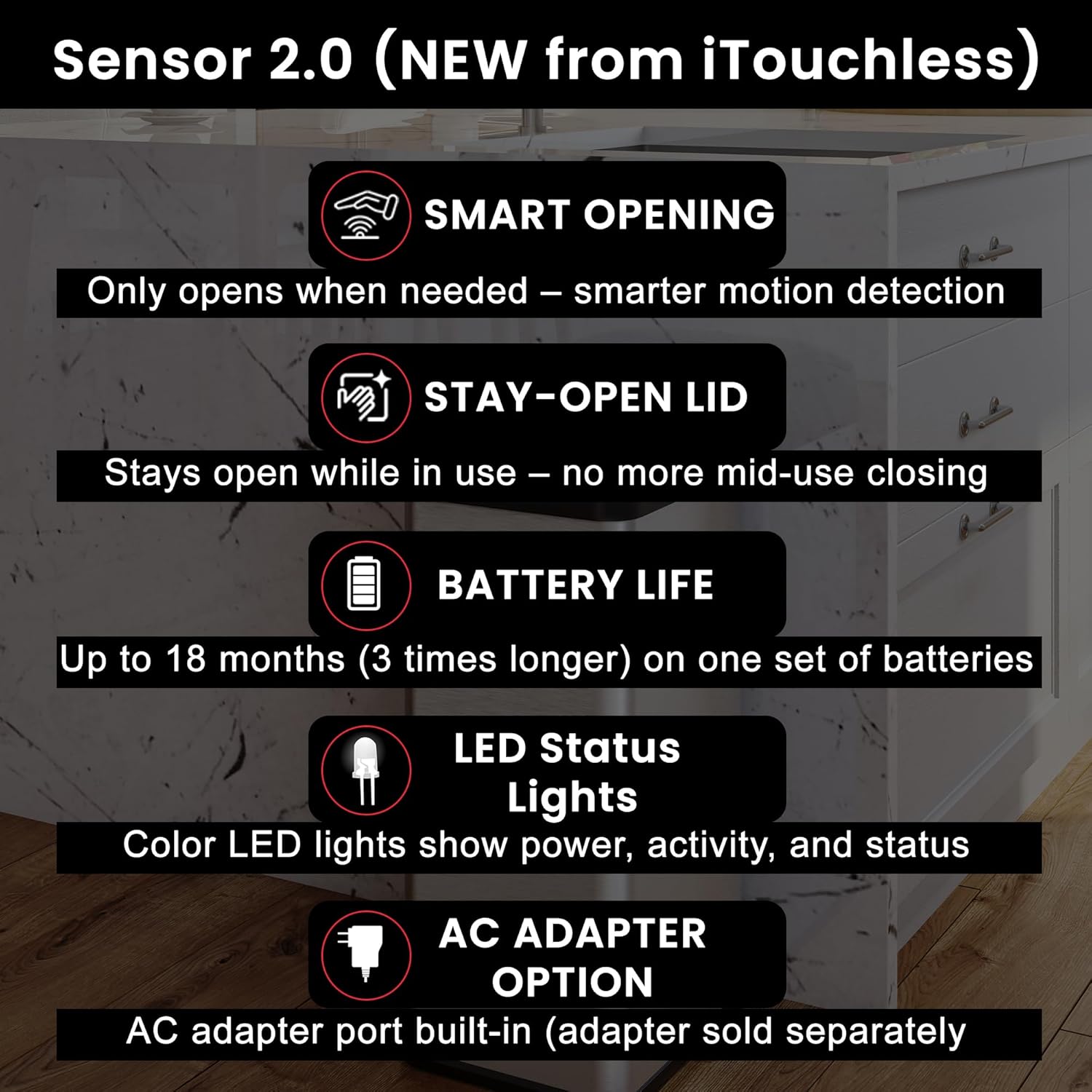
- Battery Installation: Locate the battery compartment on the underside of the lid. Insert 4 D-size batteries (not included), ensuring correct polarity. Close the compartment securely. Batteries can provide power for up to 1.5 years.
- AC Adapter (Optional): For continuous power, an iTouchless AC adapter (sold separately) can be used. Plug the adapter into the designated port on the lid and then into a standard wall outlet.

3. AbsorbX Odor Filter Installation
The AbsorbX Odor Filter helps neutralize odors. One filter is included.
- Locate the filter compartment on the underside of the lid.
- Insert the AbsorbX filter into the designated slot.
- Close the compartment.

4. Trash Bag Installation
The trash can is designed to fit standard 13-gallon trash bags.
- Remove the lid assembly from the trash can body.
- Place a 13-gallon trash bag into the can, ensuring the top edge of the bag is folded over the rim of the inner liner.
- Secure the bag by placing the lid assembly back onto the can. The inner ring of the lid helps hold the bag in place.
Operating Instructions
1. Automatic Lid Operation (Sensor 2.0 Technology)
The Sensor 2.0 technology provides hygienic, touchless operation.
- Opening: Wave your hand approximately 6 inches above the sensor located on the lid. The lid will open automatically.
- Closing: The lid will close automatically after a few seconds of inactivity.
- Stay-Open Feature: The occupant sensor detects prolonged activity near the can, keeping the lid open for extended periods during use, eliminating the need for repeated hand waving.

2. LED Status Ring
The LED status ring provides visual feedback on the lid's operation:
- Green Light: Lid is opening or open.
- Red Light: Lid is closing.
- No Light: Standby mode.
3. Lid Lock Feature
The trash can is equipped with a lid lock feature for convenience, such as when changing trash bags or preventing accidental opening.
- To engage the lid lock, locate the lock switch on the lid and slide it to the locked position.
- To disengage, slide the switch back to the unlocked position.
4. Product Demonstration Video
Maintenance
1. Cleaning
The stainless steel finish is fingerprint-proof and easy to clean.
- Wipe the exterior with a soft, damp cloth and mild detergent.
- Avoid abrasive cleaners or scouring pads, which can damage the finish.
- Clean the sensor area gently with a dry cloth to ensure proper function.
2. AbsorbX Odor Filter Replacement
The AbsorbX filter should be replaced periodically to maintain optimal odor control.
- Replace the filter every 3 months, or sooner if odors persist.
- New filters can be purchased from authorized retailers.
- Sign up for the free text messaging reminder service to receive notifications when it's time to replace your filter.

Troubleshooting
| Problem | Possible Cause | Solution |
|---|---|---|
| Lid does not open automatically. | 1. Batteries are low or incorrectly installed. 2. Sensor is obstructed or dirty. 3. Lid lock is engaged. | 1. Replace batteries or check polarity. Ensure AC adapter is securely plugged in if used. 2. Clean the sensor window with a soft, dry cloth. Ensure no objects are blocking the sensor. 3. Disengage the lid lock. |
| Lid does not close. | 1. Sensor is continuously detecting motion. 2. Obstruction preventing lid closure. | 1. Move away from the sensor area. The lid should close after a few seconds of no motion. 2. Check for any items blocking the lid's path. |
| Unpleasant odors persist. | AbsorbX Odor Filter needs replacement. | Replace the AbsorbX Odor Filter. |
Specifications
- Brand: iTouchless
- Model: Sensor 2.0
- Capacity: 50 Liters / 13 Gallons
- Opening Mechanism: Motion-Sensor
- Material: Stainless Steel (body), Plastic (lid)
- Color: Black, Silver
- Dimensions (L x W x H): 12.7 inches x 10.8 inches x 27.2 inches (35.7 inches Height with lid open)
- Power: 4 D-size batteries (not included) or optional AC Adapter (sold separately)
- Special Features: AbsorbX Odor Filter, Fingerprint-Proof, Smudge-Resistant, Quiet Close, Removable Lid, Lid Lock

Warranty and Support
For warranty information or technical support, please refer to the documentation included with your purchase or visit the official iTouchless website. iTouchless offers 24/7 customer service to assist with any product-related inquiries.


