
Product Overview
The Bushnell Golf Patriot Player Pack Wingman Bundle combines the advanced Tour V6 Shift Rangefinder with the versatile Wingman 2 GPS Speaker to enhance your golf experience. This bundle provides precise distance measurements, audible GPS information, and premium audio for your rounds.
The complete bundle includes:
- Bushnell Tour V6 Shift Rangefinder
- Bushnell Wingman 2 GPS Bluetooth Speaker
- Premium Carrying Case
- Signature Series Magnetic Golf Towel

Figure 1: Components of the Bushnell Golf Patriot Player Pack Wingman Bundle.
Setup and Initial Use
Tour V6 Shift Rangefinder
- Battery Installation: The Tour V6 Shift Rangefinder requires user-supplied batteries. Open the battery compartment, insert the correct battery type (refer to specifications), and close the compartment securely.
- Power On: Press the power button to turn on the rangefinder.
- Unit Selection: Adjust the unit of measurement (yards or meters) as desired through the device settings.
- Slope Feature: The device features a Slope-Switch. Engage or disengage the Slope compensation feature as required for practice or tournament play.
Wingman 2 GPS Speaker
- Charging: Connect the Wingman 2 to a power source using the provided USB-C charging cable. The external battery life indicator will show charging status.
- Power On/Off: Press and hold the power button to turn the speaker on or off.
- Bluetooth Pairing: Activate Bluetooth on your mobile device. On the Wingman 2, press the Bluetooth button to enter pairing mode. Select "Bushnell Wingman 2" from your device's Bluetooth list.
- Remote Pairing: The remote control is designed to pair automatically with the Wingman 2. Ensure the remote is securely attached to the speaker or within range.
- Mounting: Utilize the integrated BITE magnetic mount to securely attach the Wingman 2 to a golf cart bar or any suitable magnetic surface.

Figure 2: Premium Carrying Case.
Operating Instructions
Tour V6 Shift Rangefinder Operation
The Tour V6 Shift Rangefinder offers precise distance measurement and advanced features for golf.
- Measuring Distances: Aim the rangefinder at your target and press the measurement button. The device will display the distance. It measures distances up to 1,300 yards.
- Pinseeker with Visual Jolt: When targeting the flag, the Pinseeker feature isolates the flag from background objects. Visual Jolt technology provides a red ring flash and vibration to confirm flag lock.
- Slope Technology: The patented Slope technology provides compensated distances based on elevation changes. This feature can be toggled on or off to comply with tournament rules.
- Magnification: The rangefinder provides 6x magnification for clear viewing of targets.
- Weather Resistance: The device is IPX6 rated for weather resistance, offering protection against water splashes.

Figure 3: Tour V6 Shift Rangefinder Magnification and Range.

Figure 4: Tour V6 Shift Features.

Figure 5: Pinseeker with Visual Jolt and BITE Magnetic Cart Mount.

Figure 6: Slope Compensation Feature.
Wingman 2 GPS Speaker Operation
The Wingman 2 GPS Speaker provides audible distances and premium audio.
- Audible Distances: Press the button on the Wingman 2 or its remote to receive audible distance readings for the front, center, and back of the green. This feature covers over 38,000 courses worldwide.
- Music Playback: Connect your mobile device via Bluetooth to stream music through the Wingman 2's premium audio speakers.
- Power Bank Function: The Wingman 2 can be used as a power bank to charge your mobile devices via its USB-A port.
- Surround Sound Pairing: Pair the Wingman 2 with another Wingman 2, Wingman Mini, or Wingman View for an enhanced surround sound experience.
- Battery Life: Enjoy over 14 hours of battery life on a full charge, typically sufficient for three rounds of golf.

Figure 7: Wingman 2 Features.

Figure 8: Audible Front, Center, Back Distances from Wingman 2.
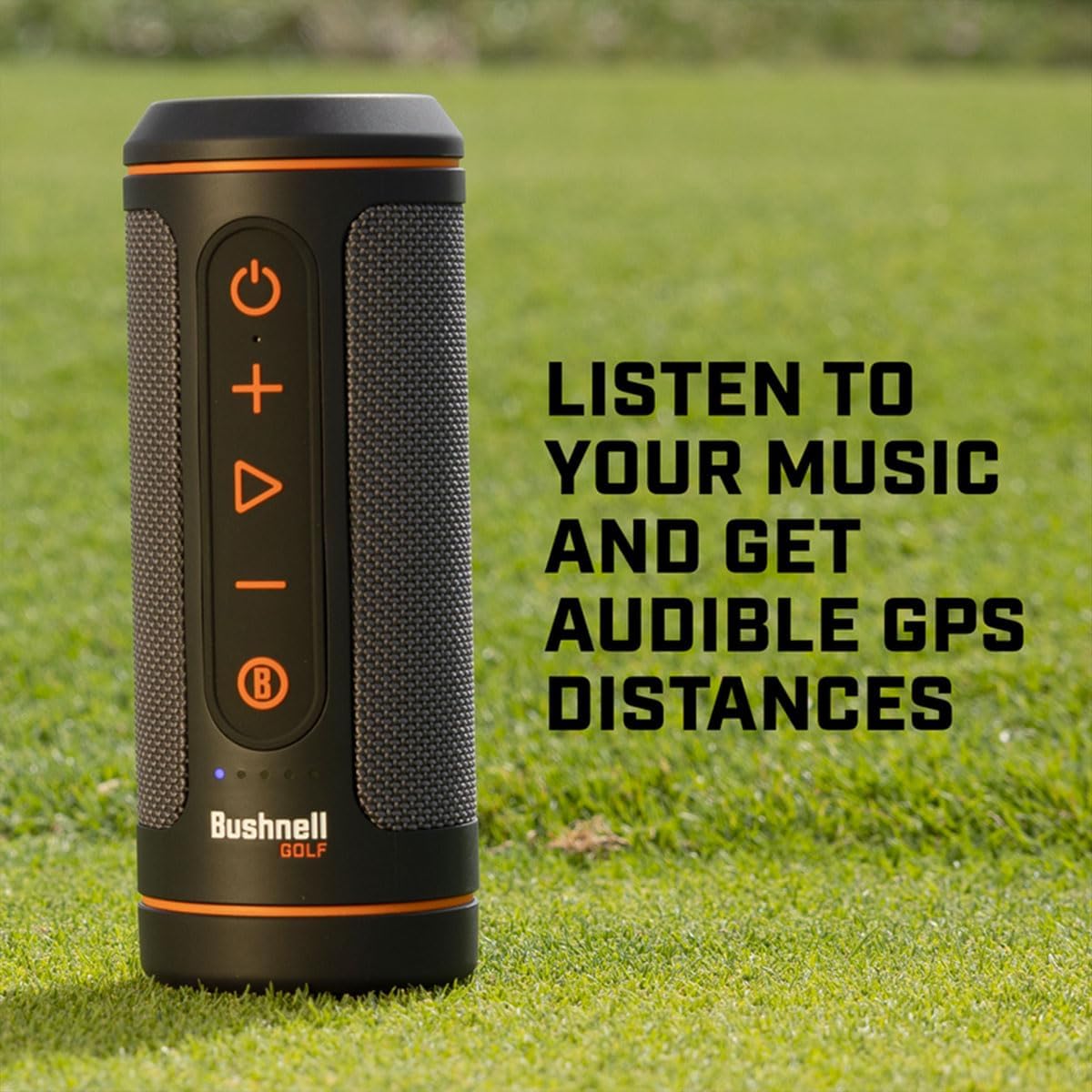
Figure 9: Wingman 2 for Music and GPS Distances.
Bushnell Golf App Integration
Pair your devices with the Bushnell Golf App for enhanced functionality:
- GPS Overview: Access detailed hole layouts with distances to targets.
- 3D Flyovers: View 3D flyovers with total distance information.
- Course Updates: Receive wireless course updates to ensure accuracy.
- Shot Distance & Scorecard Tracking: Track your shot distances and manage your scorecard within the app.

Figure 10: Bushnell Golf App Interface.
Figure 11: Bushnell Golf App Icon.

Figure 12: New Bushnell Golf App Features.
Video 1: Overview of the Bushnell Golf Wingman 2 GPS Speaker features and benefits.
Maintenance
Cleaning
- Rangefinder Lenses: Use a soft, clean microfiber cloth to gently wipe the lenses. Avoid abrasive materials or excessive force.
- Device Body: Wipe the exterior of both the rangefinder and speaker with a damp cloth. Do not use harsh chemicals or solvents.
- Ports: Ensure charging ports are free of debris. Keep the port covers securely closed when not in use to maintain water resistance.
Storage
- Store devices in a cool, dry place away from direct sunlight and extreme temperatures.
- When storing for extended periods, ensure batteries are adequately charged (for rechargeable devices) or removed (for devices with replaceable batteries) to prevent damage.
Troubleshooting
Common Issues and Solutions
- Device Not Powering On:
- Ensure the device is fully charged (Wingman 2) or has fresh batteries (Tour V6 Shift).
- Press and hold the power button for a few seconds. - Inaccurate Distance Readings (Rangefinder):
- Ensure the target is clear and unobstructed.
- Check for proper focus.
- Verify that the Pinseeker feature is correctly identifying the flag. - No Audible Distances (Wingman 2):
- Ensure the Wingman 2 is powered on and connected to the Bushnell Golf App.
- Check the volume level on the speaker and your connected mobile device.
- Confirm that the course data is updated in the app. - Bluetooth Connection Issues (Wingman 2):
- Ensure Bluetooth is enabled on your mobile device.
- Move the Wingman 2 closer to your mobile device.
- Try unpairing and re-pairing the device in your phone's Bluetooth settings. - Remote Not Working (Wingman 2):
- Ensure the remote is charged (if applicable) and properly paired with the speaker.
- Check if the remote's magnet is securely attached to the speaker.
Reset Procedures
If a device is unresponsive, a soft reset may resolve the issue. Refer to the specific device's detailed manual for hard reset instructions if a soft reset is insufficient.
Specifications
| Feature | Specification |
|---|---|
| Brand | Certified Brands (Bushnell Golf) |
| Model Number | TOUR V6 SHIFT Patriot Pack + Wingman 2 |
| Color | Black |
| Material | Metal |
| Sport Type | Golf |
| Rangefinder Magnification | 6x |
| Rangefinder Measuring Range | 1 - 1300 yards |
| Rangefinder Water Resistance Level | IPX6 (Water Resistant) |
| Wingman 2 Battery Type | Rechargeable Lithium-based battery |
| Wingman 2 Battery Life | 14+ hours |
| Wingman 2 Charging Port | USB-C |
| Wingman 2 Power Bank Output | USB-A |
| UPC | 840454608755 |
Warranty Information
This product is covered by a manufacturer's warranty. For detailed information regarding warranty terms, conditions, and registration, please visit the official Bushnell Golf website or contact customer support. Please retain your proof of purchase for warranty claims.
Support
For further assistance, technical support, or service inquiries, please contact Certified Brands customer support. You can also find additional resources, FAQs, and software updates on the official Bushnell Golf website.
- Bushnell Golf App: Download the latest version of the Bushnell Golf App from your device's app store for course updates and additional features.
- Online Resources: Visit www.bushnellgolf.com for product manuals, FAQs, and support contact information.