
Introduction
This manual provides instructions for the safe and efficient use of your Serta baselogic Level 3 Queen Adjustable Base Bed Frame. Please read all instructions carefully before assembly and operation. Retain this manual for future reference.
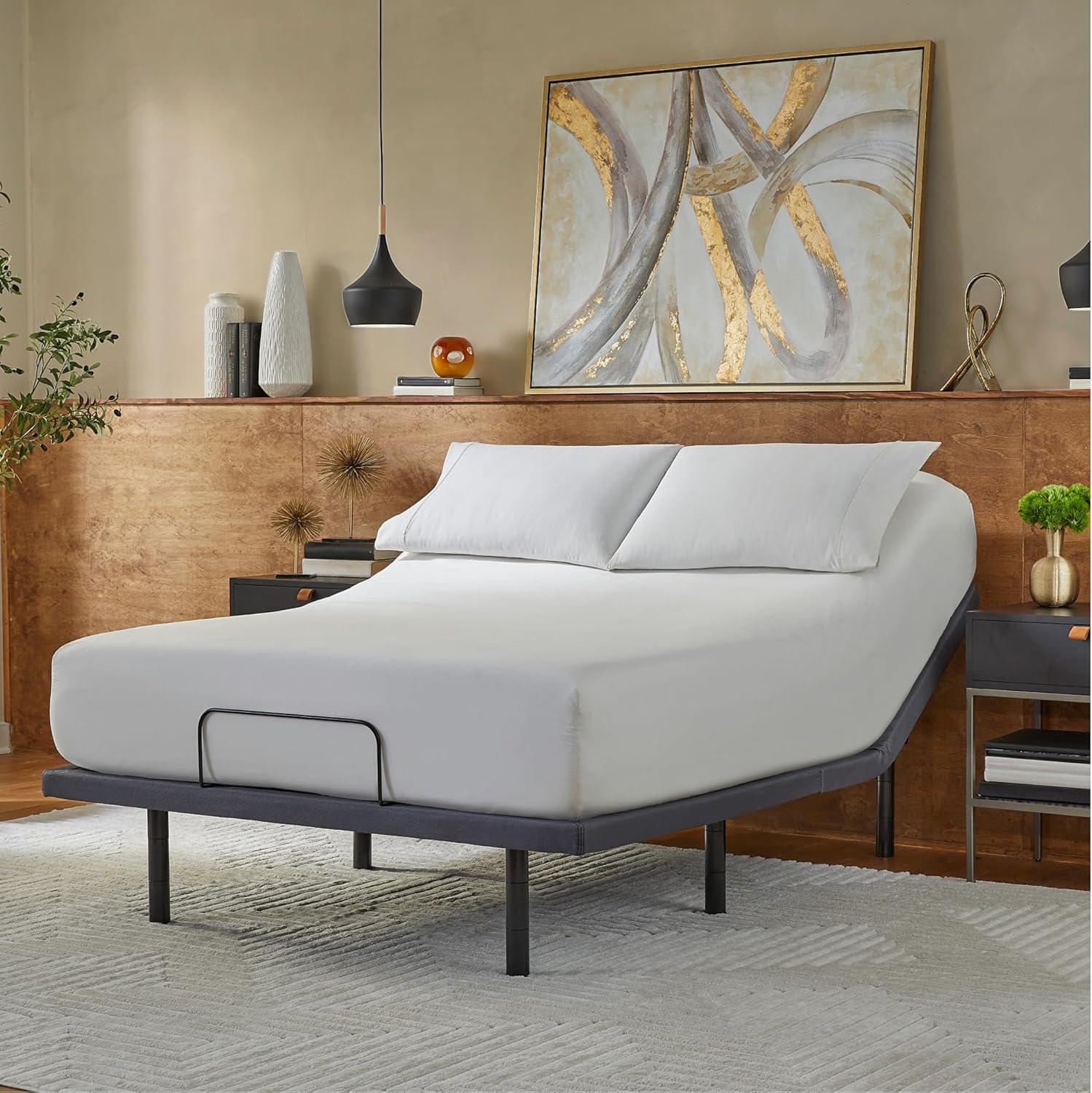
Figure 1: Serta baselogic Level 3 Queen Adjustable Base Bed Frame
Important Safety Information
Observe the following safety guidelines to prevent injury or damage to the product:
- Do not expose the adjustable base to direct sunlight or heat sources.
- Assemble carefully to avoid pinch points and tripping hazards.
- Follow the installation manual for safe assembly.
- Do not exceed the combined weight capacity of the bed and mattress. Refer to the full installation manual for specific weight limits.
Setup and Assembly
The Serta baselogic Level 3 Adjustable Base requires assembly. A detailed installation manual is included with your product. For optimal safety and ease, two or more people are recommended for assembly due to the product's weight (approximately 123.5 pounds for the Queen size).
Assembly Steps Overview:
- Unbox the frame. The frame ships folded in half.
- Plug in the electronic components.
- Twist on the six adjustable legs. The 3-in-1 adjustable legs offer versatile height options (4", 8", 12" increments).
- Insert three AAA batteries into the wireless remote control.
- Carefully turn the frame right-side-up. This step is best performed with two people.

Figure 2: Adjustable Leg Height Options
The adjustable base features a zero-clearance design, allowing you to remove all four legs and place the base directly on most platform frames.

Figure 3: Zero-Clearance Design
Operating Instructions
Your baselogic Level 3 Adjustable Base is designed for enhanced comfort and convenience, featuring head and foot adjustability, a wireless remote, zero-gravity preset, single massage setting, USB A&C charging ports, underbed lighting, and three customizable memory presets.
Wireless Remote Control:
The included wireless remote allows for easy adjustment of the bed's positions and features. Ensure the remote has fresh AAA batteries for optimal performance.

Figure 4: Wireless Remote Control
Key Features:
- Head & Foot Adjustability: Use the dedicated buttons on the remote to raise or lower the head and foot sections independently.
- Zero-Gravity Preset: Press the 'Zero-G' button to automatically adjust the bed to a position that elevates your legs above your heart, designed to relieve pressure points.
- Single Massage Setting: Activate the whisper-quiet massage feature via the remote for a relaxing experience.
- One-Touch Flat Preset: Return the bed to a completely flat position with a single button press.
- Memory Presets: Program up to three of your favorite positions for quick recall. Refer to the full manual for instructions on setting memory presets.
- Underbed Lighting: Illuminate the area beneath your bed for nighttime visibility.
- USB A & C Charging Ports: Conveniently located charging ports allow you to power your devices while in bed.
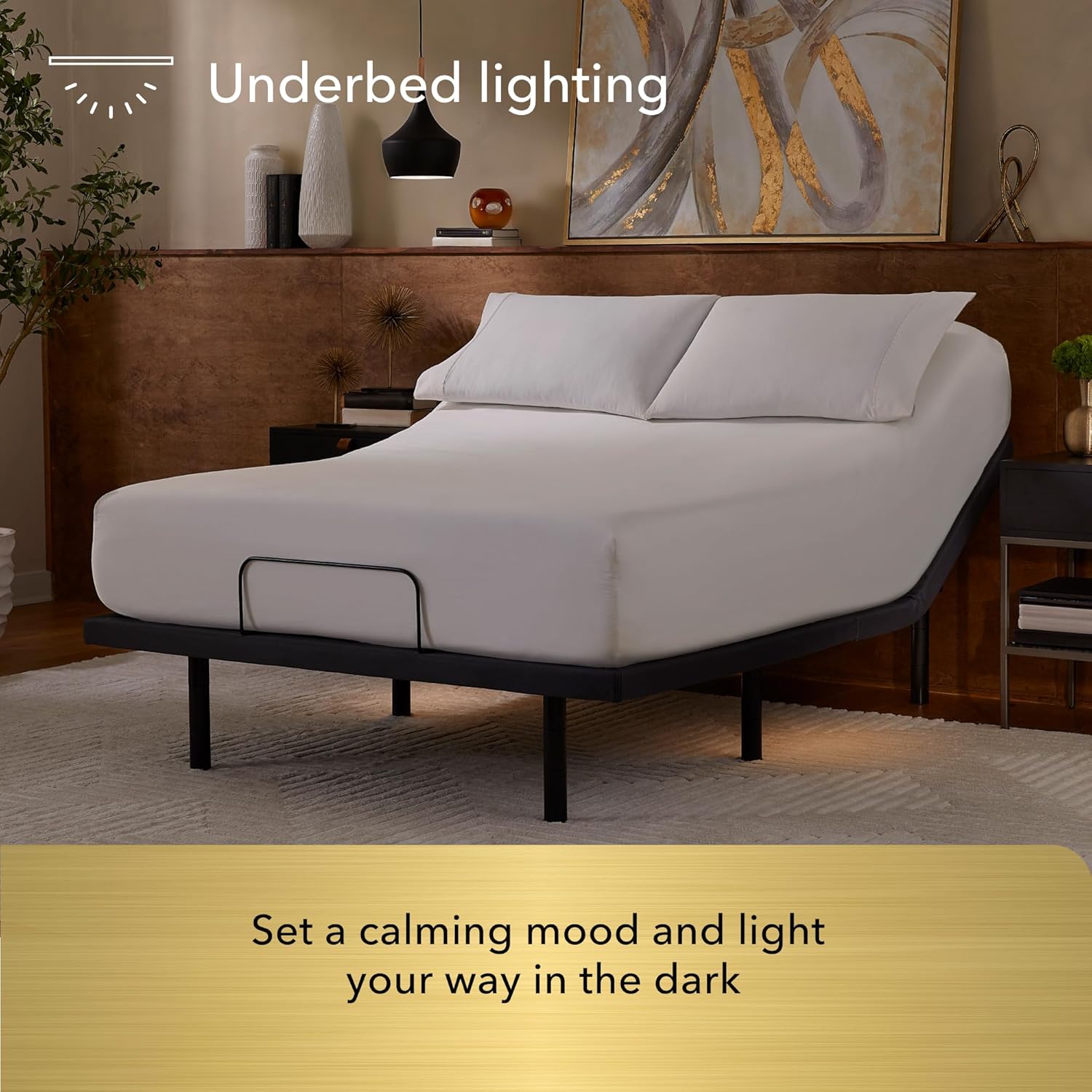
Figure 5: Zero-Gravity Position

Figure 6: Underbed Lighting
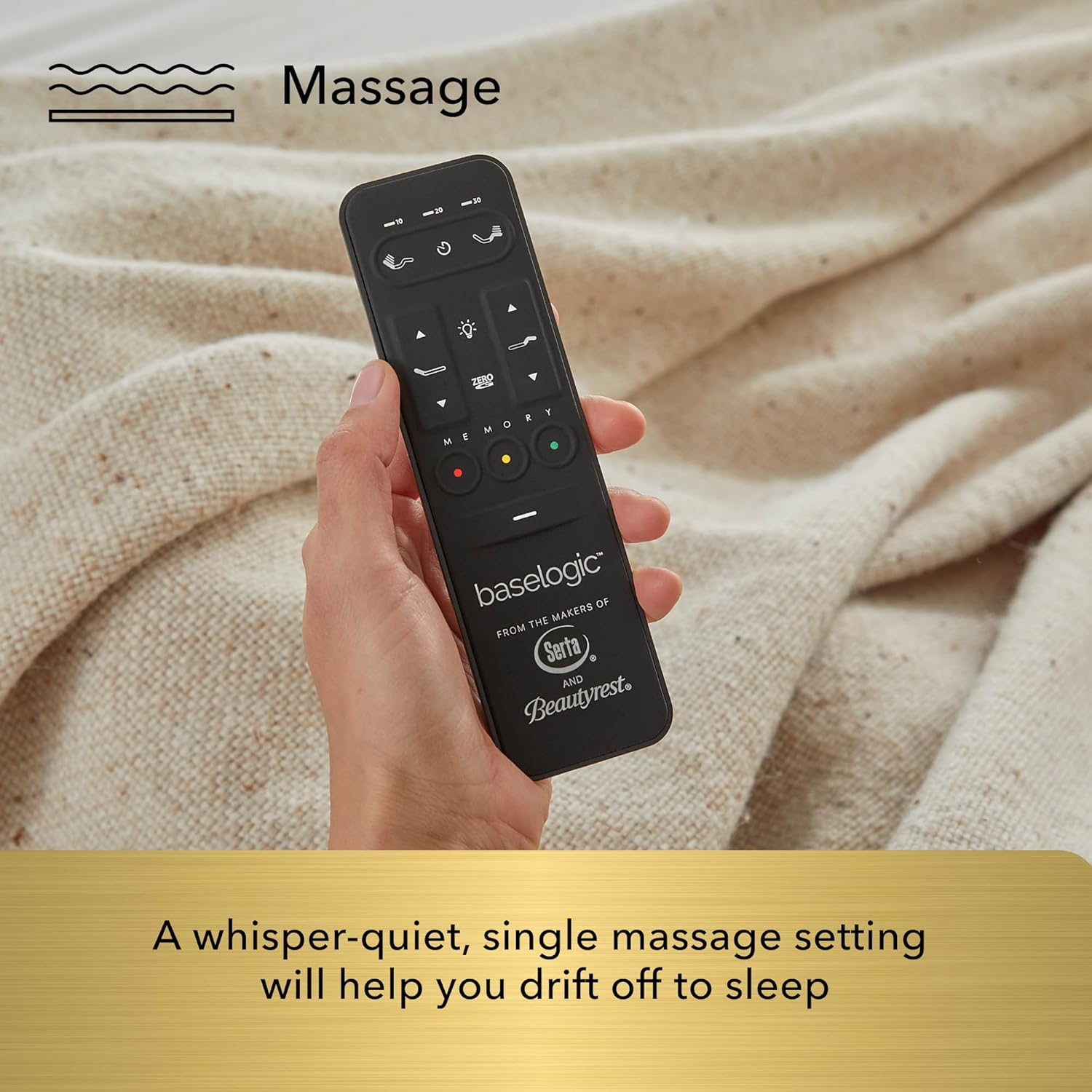
Figure 7: USB A & C Charging Ports
Product Overview Video:
Video 1: baselogic Level 3 Product Overview. This video demonstrates the key features and functionality of the adjustable base, including head and foot adjustability, underbed lighting, wireless remote, massage, memory presets, and USB charging ports.
Maintenance and Care
Proper care will extend the life and appearance of your adjustable base.
Fabric Care:
- To prolong the life of the fabric (Polyester), protect it from direct sunlight whenever possible.
- Keep the base at a minimum of 12 inches (30 cm) away from direct heat sources.
Cleaning Instructions:
- For liquid spills: Blot immediately with a clean, dry cloth. Wipe with a clean cloth dampened with warm water. Do not wet excessively or use abrasive or harsh chemicals.
- For ingrained soil: A soft bristle brush may be used to remove ingrained soil. Avoid scratching by gentle brushing. Wipe with a clean cloth dampened with warm water to remove residues. Dry out of direct sunlight and away from direct heat sources. If persistent marks remain visible after cleaning, seek professional advice.
- For spot cleaning: Wipe the affected area with a lightly damp sponge or vacuum with a soft brush attachment to remove particles.
Troubleshooting
If you experience issues with your adjustable base, refer to the following common solutions. For more detailed troubleshooting, consult the full installation manual.
- No Power/Base Not Responding:
- Ensure the power cord is securely plugged into a working electrical outlet.
- Check if the remote control batteries are correctly installed and have sufficient charge. Replace if necessary.
- Verify all connections to the control box under the bed are secure.
- Remote Control Not Operating:
- Re-pair the remote control with the base if it has lost connection. Refer to the full manual for pairing instructions.
- Ensure there are no obstructions between the remote and the base's receiver.
- Motor Noise:
- Some motor noise during adjustment is normal. If the noise is excessive or unusual, check for any obstructions under the bed.
Specifications
Detailed specifications for the Serta baselogic Level 3 Queen Adjustable Base Bed Frame:
| Feature | Detail |
|---|---|
| Brand | Serta |
| Model Number | 500835019-7550 |
| UPC | 198167032610 |
| Size | Queen |
| Product Dimensions | 80"L x 60"W x 12"H |
| Item Weight | 123.5 pounds |
| Color | Grey |
| Fabric Type | Polyester |
| Special Features | Adjustable, Charging Station, Foldable, Remote Control, Zero Gravity Mode, Underbed Lighting, Single Massage, 3 Memory Presets |
| Assembly Required | Yes |
| Compatible Mattress Size | Queen |

Figure 8: Size and Dimensions Overview
Warranty Information
The Serta baselogic Level 3 Adjustable Base Bed Frame typically comes with a 10-year warranty. For complete details regarding coverage, terms, and conditions, please refer to the warranty documentation included with your product or contact Serta customer support.
Customer Support
For further assistance, questions, or support, please contact Serta customer service. You can also visit the official Serta store online for additional product information and resources.
Online Store: Visit the Serta Store


