1. Introduction to Your LG B3 Series OLED Smart TV
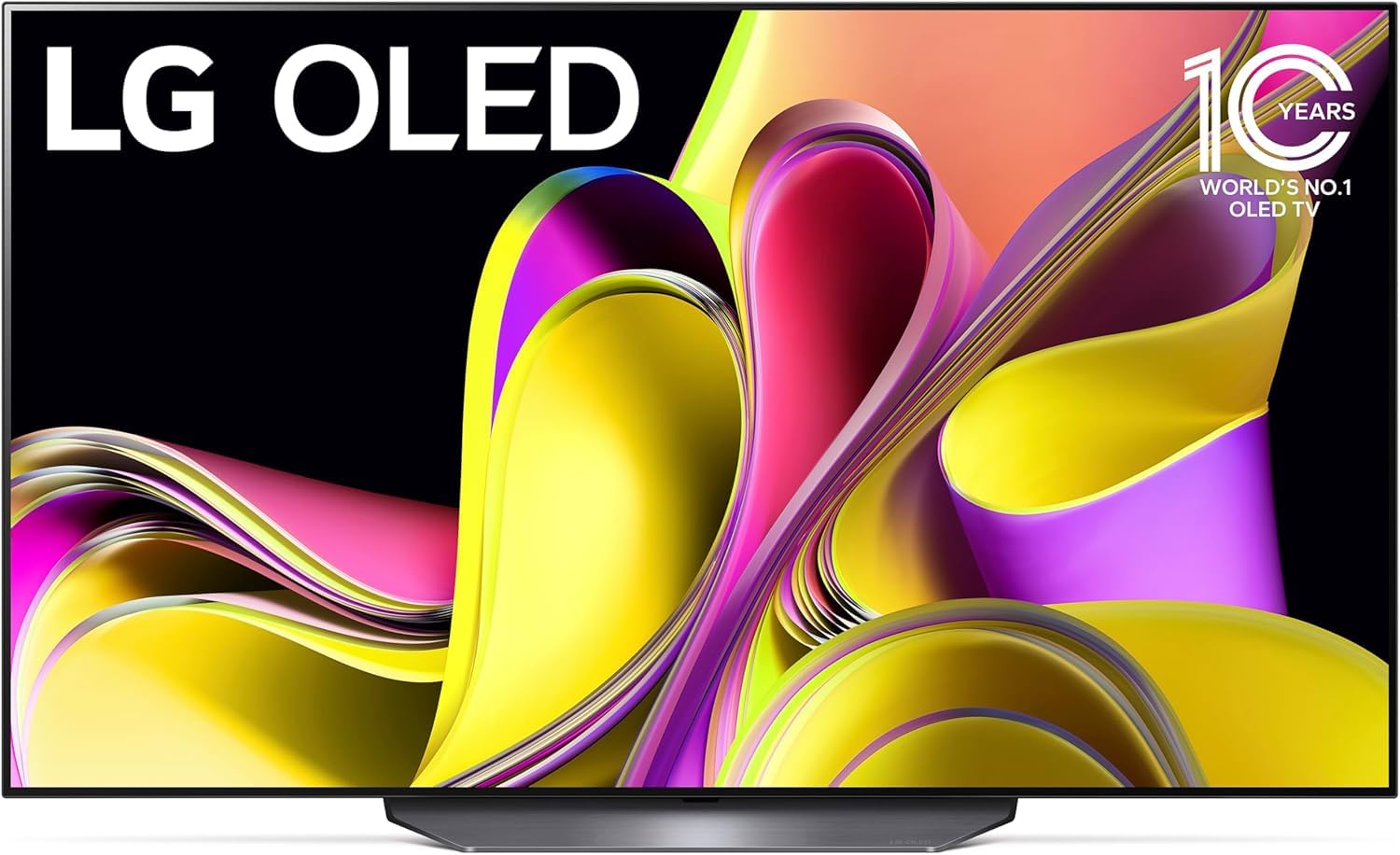
The LG B3 Series 55-Inch Class OLED Smart TV (Model OLED55B3PUA) offers a premium viewing experience with its self-lit OLED 4K display, delivering perfect blacks and vibrant colors. Powered by the α7 AI Processor Gen6, this TV intelligently optimizes picture and sound. It features webOS 23 for streamlined streaming and access to a wide range of content, including fitness, sports, and entertainment. Enhanced with Dolby Vision and Dolby Atmos, it provides an immersive home theater experience. For gamers, the TV boasts a 120Hz refresh rate, 0.1ms response time, NVIDIA G-Sync, AMD FreeSync Premium, VRR, and four HDMI 2.1 inputs, ensuring ultimate gameplay performance.

2. What's in the Box
Upon unboxing your LG B3 Series OLED Smart TV, please ensure all the following components are present:
- Magic Remote
- Remote Control Batteries
- Stand
- Quick Start Guide
- Power Cable
3. Setup
3.1. Unpacking and Placement
- Carefully remove the TV from its packaging. It is recommended to have at least two people for this process due to the size and delicate nature of the screen.
- Choose a suitable location for your TV. Ensure it is on a stable, flat surface if using the stand, or securely mounted to a wall using a compatible VESA mount (sold separately).
- Maintain adequate ventilation around the TV to prevent overheating.
3.2. Attaching the Stand (if applicable)
If you are using the included stand:
- Place the TV screen-down on a soft, clean cloth to protect the screen.
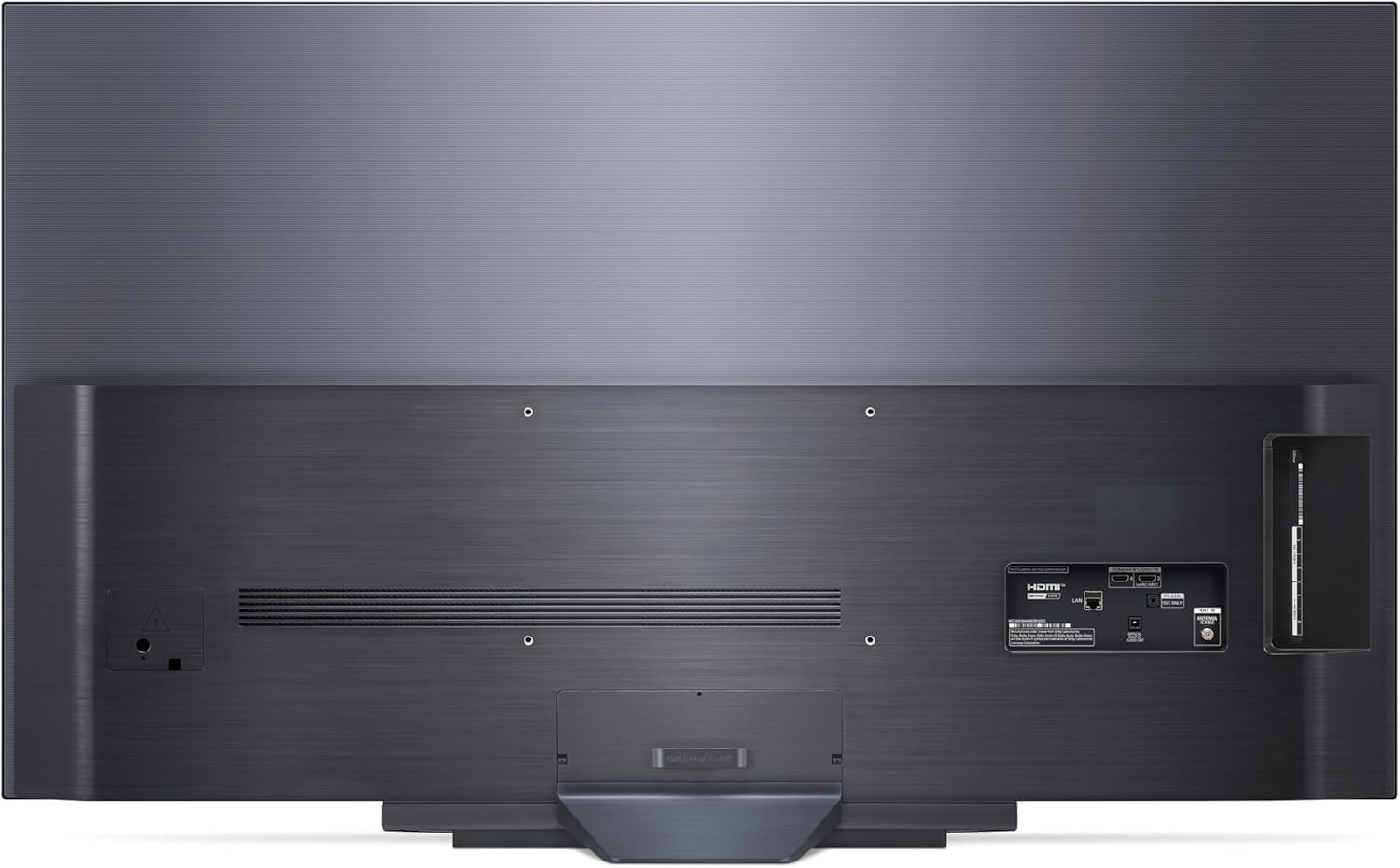
- Align the stand with the mounting holes on the back of the TV.
- Secure the stand using the provided screws. Refer to the Quick Start Guide for detailed illustrations.
3.3. Connecting Peripherals
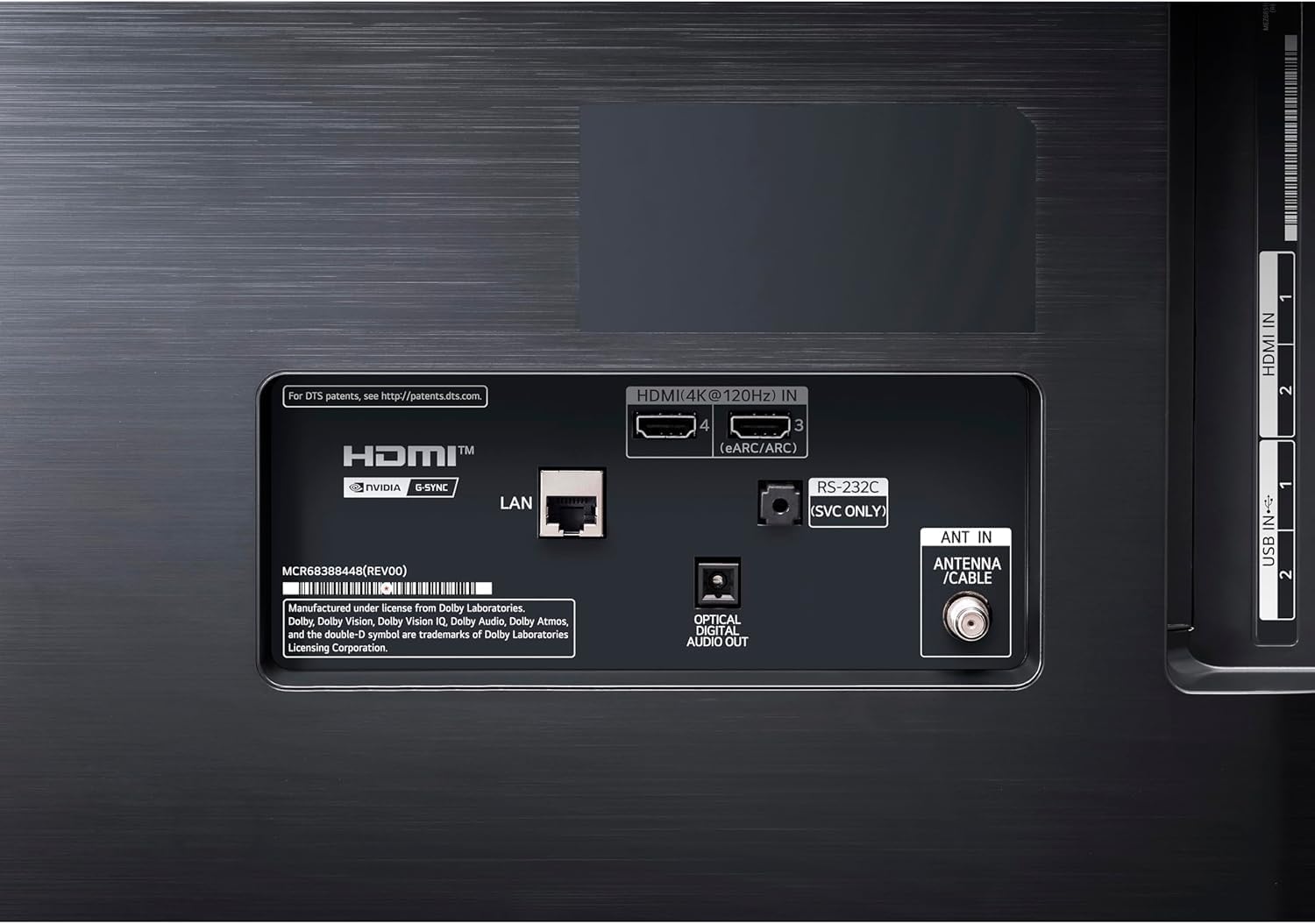
Connect your external devices (cable box, Blu-ray player, gaming console, etc.) to the appropriate ports on the TV. The LG B3 Series features four HDMI 2.1 inputs for high-speed connections, ideal for gaming and 4K content.
- HDMI Ports: Use for high-definition video and audio devices.
- USB Ports: For connecting USB storage devices or other compatible accessories.
- Optical Digital Audio Out: For connecting to a soundbar or home theater system.
- LAN Port: For wired internet connection.

3.4. Power Connection
Plug the power cable into the TV's power input, then into a wall outlet. The TV will automatically power on or enter standby mode.
4. Operating Instructions
4.1. Initial Setup Wizard
The first time you power on your TV, an on-screen setup wizard will guide you through essential settings such as language, network connection (Wi-Fi or Ethernet), and channel tuning. Follow the prompts to complete the initial setup.
4.2. Using the Magic Remote
The LG Magic Remote allows for intuitive control of your TV. Point and click, use voice commands, or navigate with the scroll wheel. The remote features dedicated buttons for popular streaming services and quick access to settings.
4.3. Smart TV Features (webOS 23)
Your LG B3 Series TV runs on webOS 23, offering a user-friendly interface for accessing apps, streaming content, and managing settings. Use Quick Cards to group your favorite apps for easy navigation. Explore LG Channels for over 300 free channels.
4.4. Picture and Sound Settings
Access the TV's settings menu to customize picture and sound. The α7 AI Processor Gen6 automatically enhances content, but you can fine-tune settings like brightness, contrast, color, and clarity to your preference. Dolby Vision and Dolby Atmos provide optimized audio-visual performance for compatible content. FILMMAKER MODE ensures movies are displayed as intended by the director.
4.5. Gaming Features
For an optimal gaming experience, utilize the LG Game Dashboard and Game Optimizer. These features provide quick access to game-specific settings, including a 120Hz refresh rate, 0.1ms response time, NVIDIA G-Sync, AMD FreeSync Premium, and VRR support. The four HDMI 2.1 inputs ensure compatibility with the latest gaming consoles and PCs.
5. Maintenance
5.1. Screen Cleaning
To clean the screen, gently wipe it with a soft, dry microfiber cloth. For stubborn smudges, lightly dampen the cloth with distilled water or a specialized screen cleaner. Avoid using harsh chemicals, abrasive materials, or excessive pressure, as these can damage the OLED panel.
5.2. General Care
- Keep the TV away from direct sunlight and heat sources.
- Ensure proper ventilation to prevent overheating.
- Avoid placing heavy objects on the TV or its stand.
- Unplug the TV during lightning storms or when it will be unused for extended periods.
5.3. Pixel Care (OLED Specific)
OLED TVs include features to protect against pixel degradation and image retention (burn-in). These typically include:
- Pixel Refresher: Automatically runs after a certain number of hours of use to refresh pixels.
- Screen Shift: Slightly moves the screen periodically to prevent static images from affecting pixels.
- Logo Luminance Adjustment: Detects static logos and reduces their brightness to minimize potential image retention.
It is recommended to allow these features to operate as designed and avoid displaying static images for very long durations at high brightness levels.
6. Troubleshooting
| Problem | Possible Cause | Solution |
|---|---|---|
| No power | Power cable disconnected; power outlet issue. | Ensure power cable is securely plugged into TV and outlet. Test outlet with another device. |
| No picture/sound | Incorrect input selected; external device off/disconnected. | Press the "Input" button on the remote to select the correct source. Check power and connections of external devices. |
| Remote control not working | Batteries depleted; obstruction; remote not paired. | Replace batteries. Remove obstructions. Re-pair Magic Remote (refer to Quick Start Guide). |
| Poor picture quality | Source quality; incorrect picture settings. | Check source resolution. Adjust picture settings (e.g., Picture Mode, Brightness, Contrast). |
| No internet connection | Wi-Fi signal weak; router issue; incorrect network settings. | Check Wi-Fi signal strength. Restart router. Reconfigure network settings on TV. |
7. Specifications
| Feature | Detail |
|---|---|
| Brand | LG |
| Model Number | OLED55B3PUA |
| Screen Size | 55 Inches |
| Display Technology | OLED |
| Resolution | 4K (3840 x 2160) |
| Refresh Rate | 120 Hz (Native) |
| Processor | α7 AI Processor Gen6 |
| Special Features | AI Picture, AI Upscaling, FILMMAKER MODE, Dolby Vision, Dolby Atmos, Dynamic Tone Mapping, Dimming Technology, HDR (High Dynamic Range), NVIDIA G-Sync, AMD FreeSync Premium, VRR, Game Dashboard, Game Optimizer |
| Connectivity Technology | Bluetooth, Wi-Fi, 4x HDMI 2.1, USB |
| Operating System | webOS 23 |
| Item Weight | 41 Pounds |
| Product Dimensions | 2"D x 48"W x 28"H (without stand) |
8. Warranty & Support
For detailed warranty information, please refer to the warranty card included with your product or visit the official LG website. For technical support, product registration, or service inquiries, please contact LG customer support through their official channels. Keep your purchase receipt and model number (OLED55B3PUA) handy for faster service.
Additional protection plans may be available for purchase from your retailer.