
Firman T12071
FIRMAN T12071 Tri-Fuel Portable Generator Instruction Manual
Model: T12071

Your guide to safe and efficient operation.
1. Introduction
Thank you for choosing the FIRMAN T12071 Tri-Fuel Portable Generator. This manual provides essential information for the safe operation, maintenance, and troubleshooting of your generator. Please read this manual thoroughly before operating the generator to ensure proper use and to prevent injury or damage.

Image: The FIRMAN T12071 Tri-Fuel Portable Generator, showcasing its robust frame, control panel, and wheels.
The FIRMAN T12071 is a powerful and versatile generator designed to provide reliable electricity for home backup, job sites, and outdoor events. It features tri-fuel capability, allowing it to run on gasoline, propane (LPG), or natural gas (NG), offering flexibility in fuel choice. With 15,000 starting watts and 12,000 running watts, it is equipped to handle heavy-duty equipment and appliances. Key features include an electric start, a 760cc V-Twin engine, a 13-gallon fuel tank for extended runtime, and CO Alert technology for enhanced safety.
2. Safety Information
Operating a generator safely is paramount. Always follow these guidelines to prevent serious injury or death.
Carbon Monoxide (CO) Safety
Generators produce carbon monoxide, a colorless, odorless, poisonous gas. Operating a generator indoors or in partially enclosed spaces can lead to fatal carbon monoxide poisoning.
- ALWAYS operate the generator outdoors in an open area, away from windows, doors, and vents.
- Ensure exhaust fumes are directed away from occupied buildings.
- Install battery-operated carbon monoxide alarms in your home or any enclosed space where the generator's exhaust could potentially enter.

Image: Graphic illustrating the CO Alert system, emphasizing its role in detecting carbon monoxide and shutting down the generator.
Your FIRMAN T12071 generator is equipped with CO Alert technology. This system automatically shuts down the engine if unsafe levels of carbon monoxide are detected around the generator or if a CO Alert system fault occurs. Refer to the CO Indicator Light section for more details.

Image: Close-up of the generator's control panel highlighting the CO Indicator Light, which illuminates to signal engine shutdown due to carbon monoxide accumulation or a system fault.
General Safety Precautions
- Keep children and pets away from the generator.
- Do not operate the generator in wet conditions or expose it to rain.
- Ensure proper grounding of the generator.
- Never refuel a hot or running engine. Allow the generator to cool down before adding fuel.
- Store fuel in approved containers in a well-ventilated area, away from ignition sources.
- Use appropriate extension cords rated for outdoor use and the generator's power output.
3. Setup and Assembly
Before operating your generator, some initial assembly and setup steps are required.
Unpacking and Component Identification
Carefully remove all components from the packaging. Verify that all included items are present:
- FIRMAN T12071 Generator Unit
- Wheel Kit (wheels, axles, pins)
- Folding Handle
- 5.5 ft LPG regulator hose
- Bonus Cover
- Engine Oil Bottle & Oil Funnel
- Spark Plug Wrench
- 12V Battery Charging Cable
- Battery Float Charger
- Tool Kit

Image: A visual representation of all accessories included with the FIRMAN T12071 generator, such as the tool kit, oil funnel, battery, LPG hose, wheels, and lift hook.
Wheel and Handle Assembly
Attach the wheels and folding handle to the generator frame as per the diagrams in the quick start guide. The wheel kit with 12" never-flat wheels and padded handle ensures easy portability.

Image: A graphic highlighting key features including the 13.3-gallon tank, tri-fuel capability, power outlets, CO Alert, and easy portability with the wheel kit and padded handle.
Adding Engine Oil
The engine is shipped without oil. Before first use, add the recommended engine oil (included) using the provided funnel. Do not overfill. Refer to the engine oil capacity in the specifications section.
Connecting Fuel Sources
The T12071 is a tri-fuel generator. Choose your preferred fuel source:
- Gasoline: Fill the 13-gallon fuel tank with unleaded gasoline.
- Propane (LPG): Connect the provided 5.5 ft LPG regulator hose to a propane tank and the generator's LPG inlet.
- Natural Gas (NG): Connect a natural gas line to the generator's NG inlet.
Ensure all connections are secure and free of leaks before starting the generator.
4. Operating Instructions
Follow these steps for safe and efficient operation of your FIRMAN T12071 generator.
Pre-Start Checks
- Ensure the generator is on a level surface outdoors, away from any structures.
- Check engine oil level.
- Verify sufficient fuel (gasoline, propane, or natural gas).
- Ensure all electrical loads are disconnected from the generator outlets.
Starting the Generator (Electric Start)
- Select the desired fuel source using the fuel selector switch.
- Turn the fuel valve to the 'ON' position.
- If starting on gasoline, ensure the choke is set appropriately for cold or warm starts.
- Press and hold the electric start button until the engine starts.
- Once started, slowly return the choke to the 'RUN' position (if used).

Image: The FIRMAN T12071 Tri-Fuel generator positioned outdoors, highlighting its capability to run on multiple fuel types for various scenarios.
Connecting Electrical Loads
Once the generator is running stably, you can connect your electrical devices. Do not overload the generator. Refer to the generator's rated running wattage and the wattage requirements of your devices.
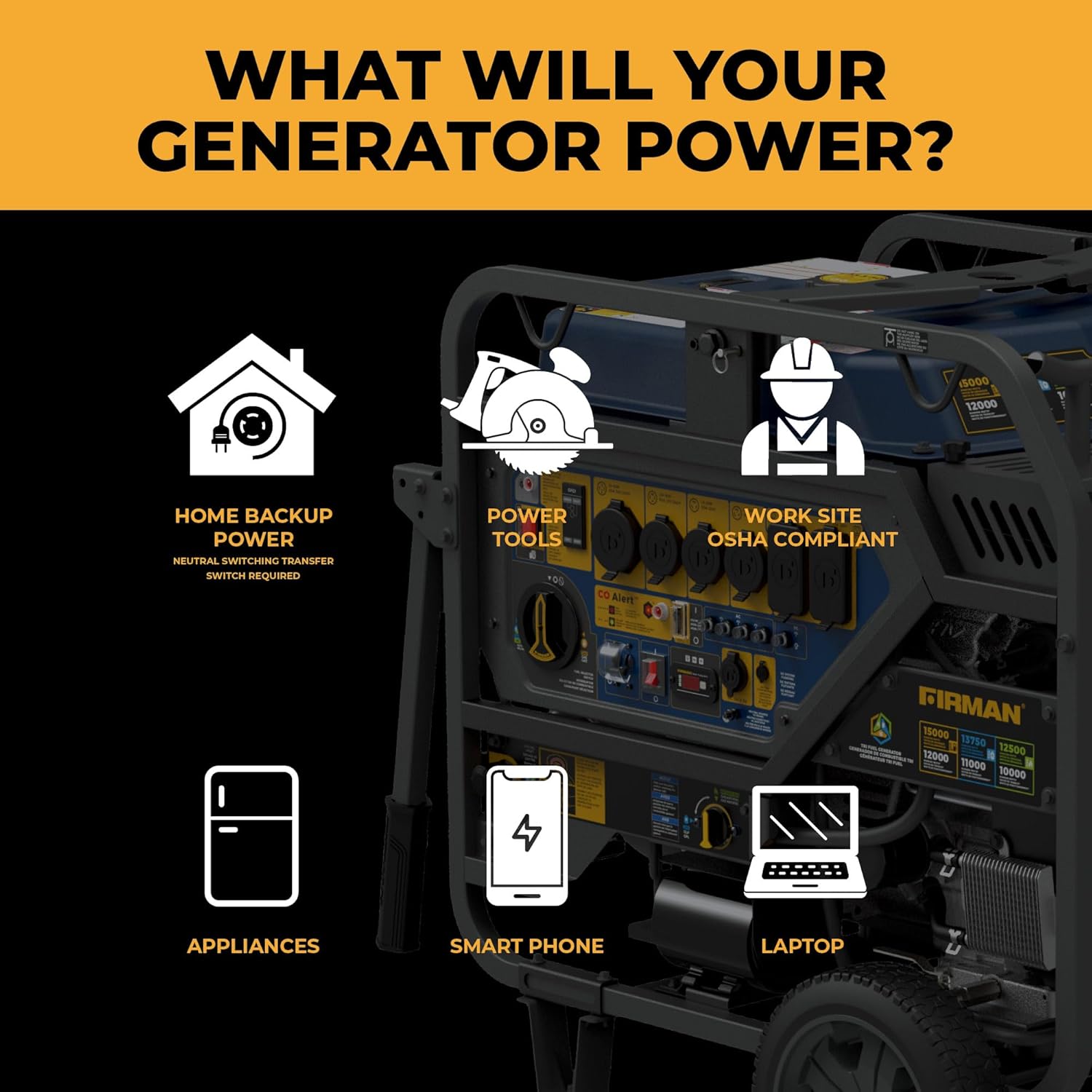
Image: A graphic illustrating various applications the generator can power, including home backup, power tools, appliances, smartphones, and laptops.
Shutting Down the Generator
- Disconnect all electrical loads from the generator outlets.
- Allow the generator to run for a few minutes without load to cool down.
- Turn the fuel valve to the 'OFF' position.
- Allow the engine to run until it runs out of fuel (if using gasoline) or until it stops (if using propane/natural gas). This helps prevent fuel-related issues during storage.
- Turn the engine switch to the 'OFF' position.
5. Maintenance
Regular maintenance is crucial for the longevity and optimal performance of your generator.
Maintenance Schedule
- Before Each Use: Check engine oil level, inspect air filter, check fuel level, inspect for loose fasteners or damage.
- First 20 Hours / First Month: Change engine oil.
- Every 50 Hours / Every 3 Months: Clean air filter, check spark plug, check valve clearance (professional service recommended).
- Every 100 Hours / Every 6 Months: Change engine oil, replace spark plug, inspect fuel filter.
- Every 300 Hours / Annually: Replace air filter, inspect fuel lines, clean combustion chamber (professional service recommended).
Storage
For extended storage, prepare your generator to prevent issues:
- Drain the fuel tank and carburetor (if using gasoline) or run until fuel is depleted.
- Change the engine oil.
- Remove the spark plug and pour a small amount of engine oil into the cylinder. Rotate the engine a few times to distribute the oil, then reinstall the spark plug.
- Clean the exterior of the generator.
- Store in a clean, dry, well-ventilated area.
6. Troubleshooting
This section provides solutions to common operational issues. For problems not listed here, contact customer support.
| Problem | Possible Cause | Solution |
|---|---|---|
| Engine will not start | No fuel; Low oil level; Spark plug issue; Choke setting incorrect; Battery low (for electric start) | Add fuel; Add oil; Clean/replace spark plug; Adjust choke; Charge/replace battery |
| No power output | Circuit breaker tripped; Overload; Faulty outlet/cord | Reset circuit breaker; Reduce load; Check/replace outlet/cord |
| Engine runs rough | Stale fuel; Clogged fuel filter; Dirty air filter; Spark plug issue | Drain/replace fuel; Clean/replace fuel filter; Clean/replace air filter; Clean/replace spark plug |
| CO Alert shutdown | High carbon monoxide levels detected; CO sensor fault | Move generator to a well-ventilated area; Allow to cool; If problem persists, contact service. |
7. Specifications
Detailed technical specifications for the FIRMAN T12071 Tri-Fuel Portable Generator.
- Model Name: Tri Fuel Portable Generator
- Model Number: T12071
- Engine Type: 760cc V-Twin Engine, Internal Combustion
- Starting Wattage: 15,000 Watts (Gas) / 13,750 (LPG) / 12,500 (NG)
- Running Wattage: 12,000 Watts (Gas) / 11,000 (LPG) / 10,000 (NG)
- Voltage: 120/240 Volts
- Fuel Type: Gasoline, Propane (LPG), Natural Gas (NG)
- Fuel Tank Volume: 13 Gallons
- Runtime: Up to 11 hours at 50% load (Gasoline)
- Starting System: Electric Start
- Noise Level: 83dB
- Item Weight: 390 Pounds
- Product Dimensions: 36"L x 31.9"W x 40"H
- Special Features: Automatic Shut Down (CO Alert), CO Sensor, Tri-Fuel
- Included Components: 5.5 ft LPG regulator hose, bonus cover, engine oil bottle & oil funnel, spark plug wrench, 12V battery charging cable, battery float charger, wheel kit, folding handle, tool kit.

Image: A visual representation of the generator's dimensions (36"L x 31.9"W x 40"H) and weight (390 lbs).
8. Warranty and Support
FIRMAN Power Equipment stands behind its products with comprehensive support.
Warranty Information
The FIRMAN T12071 Tri-Fuel Portable Generator comes with a 3-year warranty. This warranty covers defects in material and workmanship under normal use and service. Please retain your proof of purchase for warranty claims.

Image: A graphic detailing 'The Firman Promise', which includes 3-year protection, immediate spare parts access, and 24/7 expert guidance.
Customer Support
For technical assistance, parts, or warranty inquiries, please contact FIRMAN Power Equipment customer service. Refer to the contact information provided on the FIRMAN website or your product registration card.
No official product videos were available from the seller for inclusion in this manual.
Related documentsT12071


Ask a question about this manual
Ask about setup, troubleshooting, compatibility, parts, safety, or missing instructions. Manuals+ will review the question and use this page’s manual context to help answer it.