
Product Overview
The VECELO Ergonomic Gaming Chair is designed for extended periods of use, offering comfort and support for gaming, working, or relaxing. It features a robust construction with adjustable elements to suit individual preferences.
- All-Day Comfort: Built with thick sponge padding, PU leather, and an ergonomic design for comfortable use over many hours.
- Multi-Position Recline: Adjust seat height (18.11–22.05 inches) and backrest angle (90°–135°), with the ability to lock into the perfect position.
- Premium Quality: Constructed with a heavy-duty steel frame, durable PU leather, and a sturdy metal base, supporting up to 300 lbs for daily use.
- Relaxing Support: Includes a supportive headrest, adjustable lumbar pillow, and a retractable footrest for full-body comfort.
- Quick Assembly: Designed for simple setup with clear instructions and labeled parts, requiring no expert tools or skills.
Safety Information
Please read and adhere to the following safety guidelines to ensure safe operation and longevity of your VECELO Gaming Chair:
- Ensure all screws are properly tightened during assembly. Regularly check and re-tighten screws as needed.
- Do not adjust height, recline, or footrest while actively sitting or putting full weight on the chair, especially if doing so quickly or forcefully.
- Keep the chair away from direct heat sources, open flames, and sharp objects to prevent damage to the PU leather and internal components.
- Do not exceed the maximum weight capacity of 300 lbs.
- Use the chair on a flat, stable surface to prevent tipping.
Setup and Assembly
Your VECELO Gaming Chair is designed for quick and straightforward assembly. All necessary tools and a user manual with detailed instructions are included in the package.
Before You Begin:
- Unpack all components and verify against the parts list in the included manual.
- Lay out all parts on a clean, soft surface to prevent scratches.
- Familiarize yourself with the labeled parts and hardware.
Assembly Steps (General):
- Attach the casters to the metal base.
- Insert the gas lift into the center of the base.
- Secure the armrests to the seat cushion.
- Attach the backrest to the seat cushion.
- Mount the assembled seat and backrest onto the gas lift.
- Attach the headrest and lumbar support pillows using their straps.
- Ensure all screws are tightened securely before use.

Image: Detailed product dimensions for assembly planning.
Operating Instructions
Your VECELO Gaming Chair offers several adjustable features for personalized comfort:
- Seat Height Adjustment: Locate the lever under the right side of the seat. Pull the lever upwards to raise the seat. While seated, pull the lever upwards to lower the seat. Release the lever at your desired height. The seat height can be adjusted from 18.11 inches to 22.05 inches.
- Backrest Recline: Use the recline lever on the side of the chair. Pull the lever to unlock the backrest, lean back to your desired angle (between 90° and 135°), and release the lever to lock it in place.
- Lumbar Support and Headrest: The lumbar pillow and headrest are adjustable via straps. Position them to provide optimal support for your lower back and neck.
- Retractable Footrest: Pull the footrest out from under the seat when desired. Push it back in to store it.
- Swivel Function: The chair features a 360-degree swivel for easy movement and access to your surroundings.

Image: Demonstrating the chair's recline function.

Image: Ergonomic design features providing support.
Maintenance
Proper maintenance will extend the life and appearance of your VECELO Gaming Chair:
- Cleaning: Wipe clean with a damp cloth. For stubborn stains on the PU leather, use a mild soap solution and wipe dry immediately. Avoid harsh chemicals or abrasive cleaners.
- Hardware Check: Periodically check all screws and bolts to ensure they are tight. Re-tighten as necessary to maintain stability and safety.
- Caster Care: Keep the casters free of hair and debris to ensure smooth rolling.
- Avoid Direct Sunlight: Prolonged exposure to direct sunlight can cause the PU leather to fade or crack.
Troubleshooting
If you encounter any issues with your VECELO Gaming Chair, please refer to the following common solutions:
| Problem | Possible Cause | Solution |
|---|---|---|
| Chair wobbles or feels unstable. | Loose screws or uneven assembly. | Check and tighten all assembly screws. Ensure the chair is on a flat surface. |
| Gas lift not adjusting height. | Lever not fully engaged or gas lift malfunction. | Ensure the height adjustment lever is fully pulled. If the issue persists, contact customer support. |
| Casters not rolling smoothly. | Debris caught in casters. | Turn the chair over and remove any hair, dust, or debris from the caster wheels. |
| Backrest not reclining or locking. | Recline mechanism jammed or not fully engaged. | Ensure the recline lever is fully operated. Check for any obstructions. |
If these solutions do not resolve the issue, please contact VECELO customer support for further assistance.
Specifications
| Feature | Detail |
|---|---|
| Product Title | Gaming Chair – Ergonomic Black PU Leather Computer Chair |
| Color | Black |
| Material | Upgraded iron and thickened steel frame with high-density foam padding, PU Leather upholstery |
| Base | Metal |
| Gas Lift | Class-3 gas lift |
| Seat Height Adjustment | 18.11 inches – 22.05 inches |
| Backrest Recline | Adjustable and lockable from 90° to 135° |
| Weight Capacity | 300 lbs |
| Product Dimensions (D x W x H) | 25.59"D x 19.69"W x 50.79"H |
| Item Weight | 13.92 pounds |
| Special Features | Adjustable Headrest, Adjustable Height, Arm Rest, Back Support, Ergonomic, Foot Rest, Head Support, High Back, Rolling |
| Included Components | Gaming Chair, User Manual, Installation Tool |

Image: VECELO Ergonomic Gaming Chair.

Image: VECELO Gaming Chair in a typical use environment.
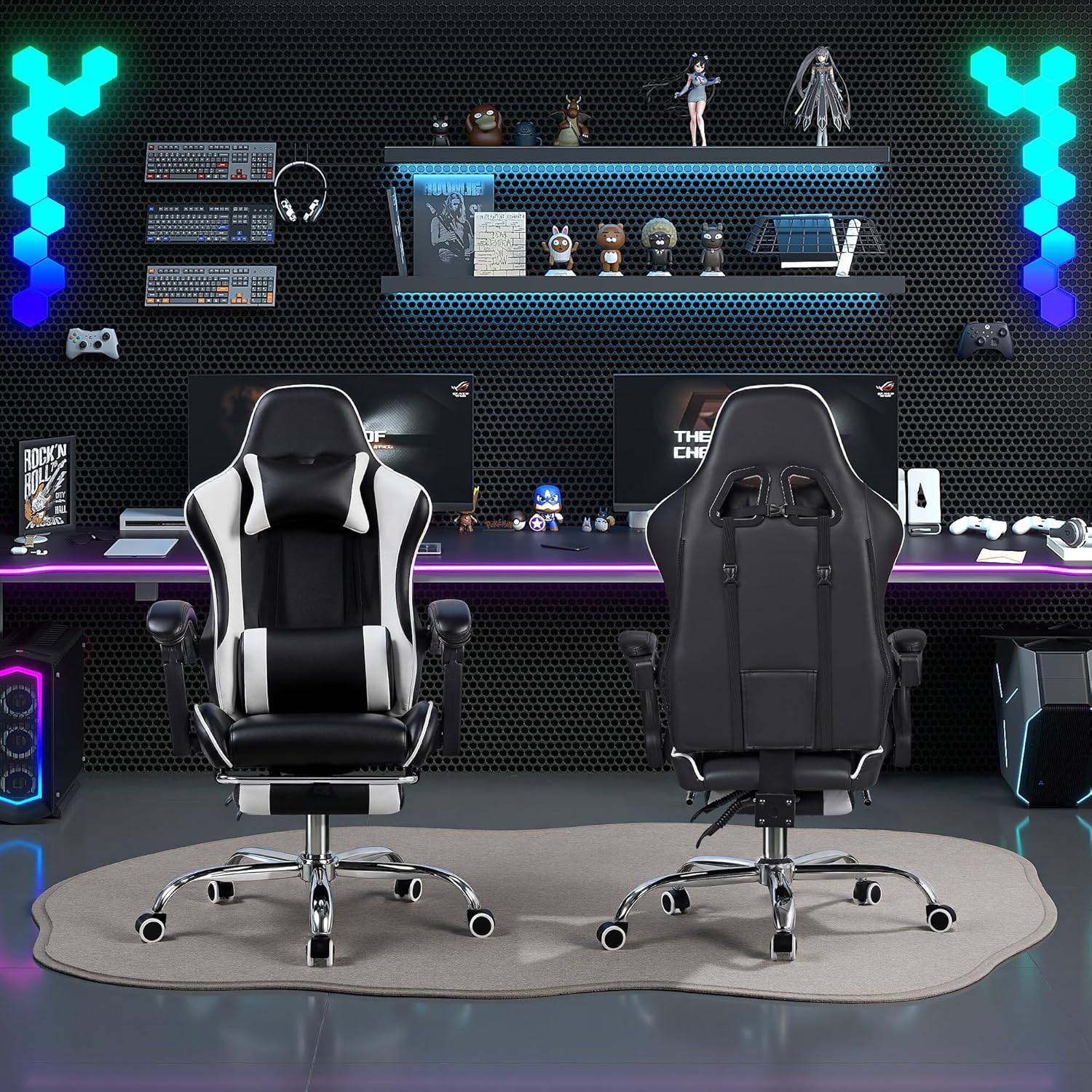
Image: Front and back perspective of the gaming chair.
Warranty and Support
For warranty information, product support, or to purchase replacement parts, please contact VECELO customer service. Refer to the contact details provided in the original product packaging or visit the official VECELO website.
VECELO Notes:
- Please allow slight measurement differences due to manual sizing.
- For best performance, ensure all screws are properly tightened during assembly.