
JOYING JY-UTD15N8
JOYING 15.1 Inch Double Din Car Stereo User Manual
Model: JY-UTD15N8
1. Product Overview
The JOYING 15.1 Inch Double Din Car Stereo (Model: JY-UTD15N8) is an advanced car head unit featuring Android 13, Apple CarPlay, and Android Auto compatibility. It offers a large, high-resolution display, robust processing capabilities, and extensive connectivity options for an enhanced in-car entertainment and navigation experience.
Key features include a built-in 4G module, precise GPS navigation, optical fiber and coaxial digital output for superior sound, and a fast boot-up time.
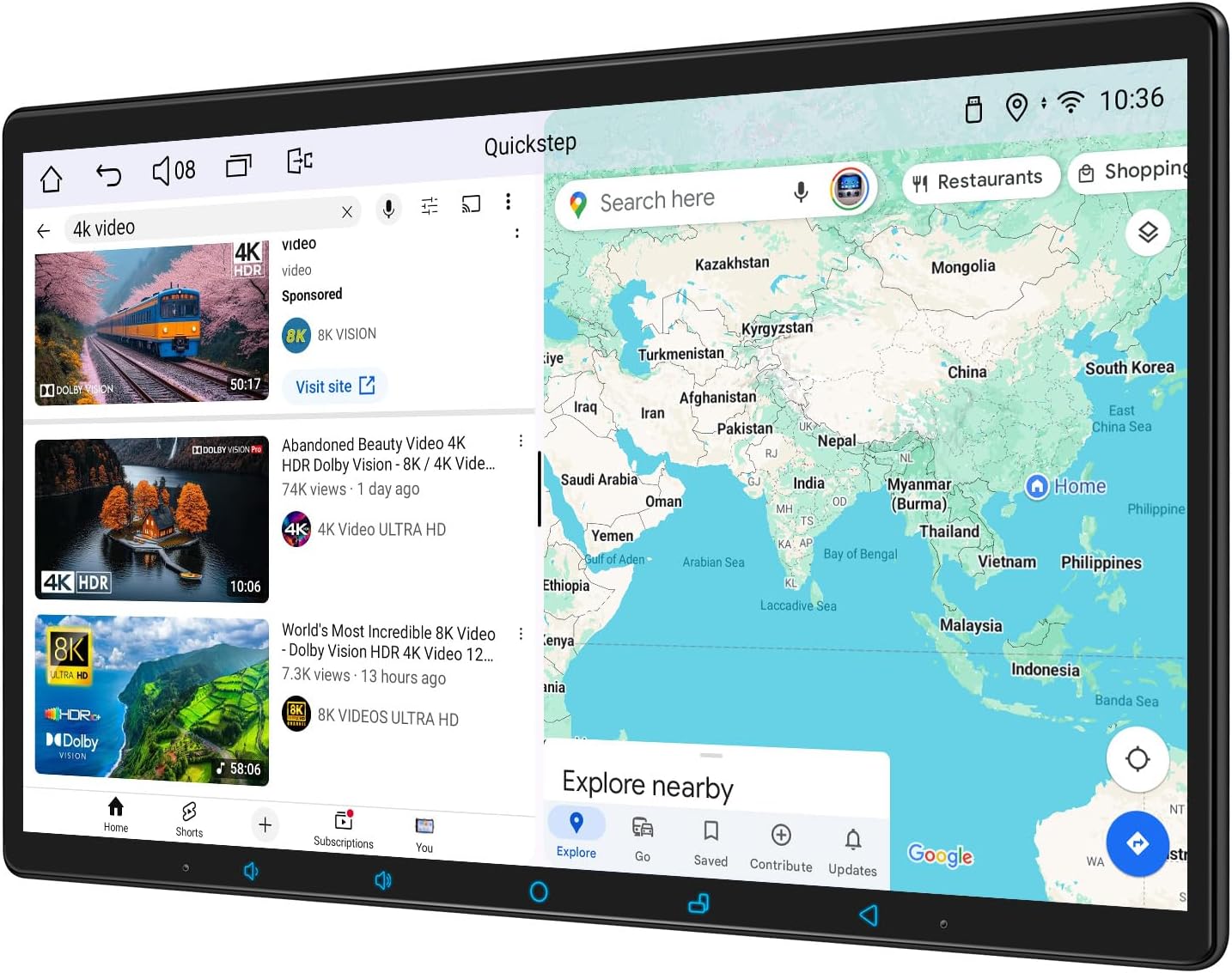
Figure 1.1: Front view of the JOYING 15.1 Inch Double Din Car Stereo, showing its large display with split-screen functionality for media and navigation.
2. Package Contents
Verify that all items listed below are included in your package. If any items are missing or damaged, please contact customer support.
- 15.1" Radio Unit
- Double Din Cage
- Left & Right Bracket
- Reinforced Shims
- Plastic Trim Out
- Installation Manual
- WiFi Antenna (x1)
- GPS Antenna (x1)
- 4G Antenna (x2)
- External Microphone (x1)
- USB Cable (x2)
- AR Cable (x1)
- Screen Ribbon Cable (x1)
- ISO Cable (x1)
- User Manual (this document)
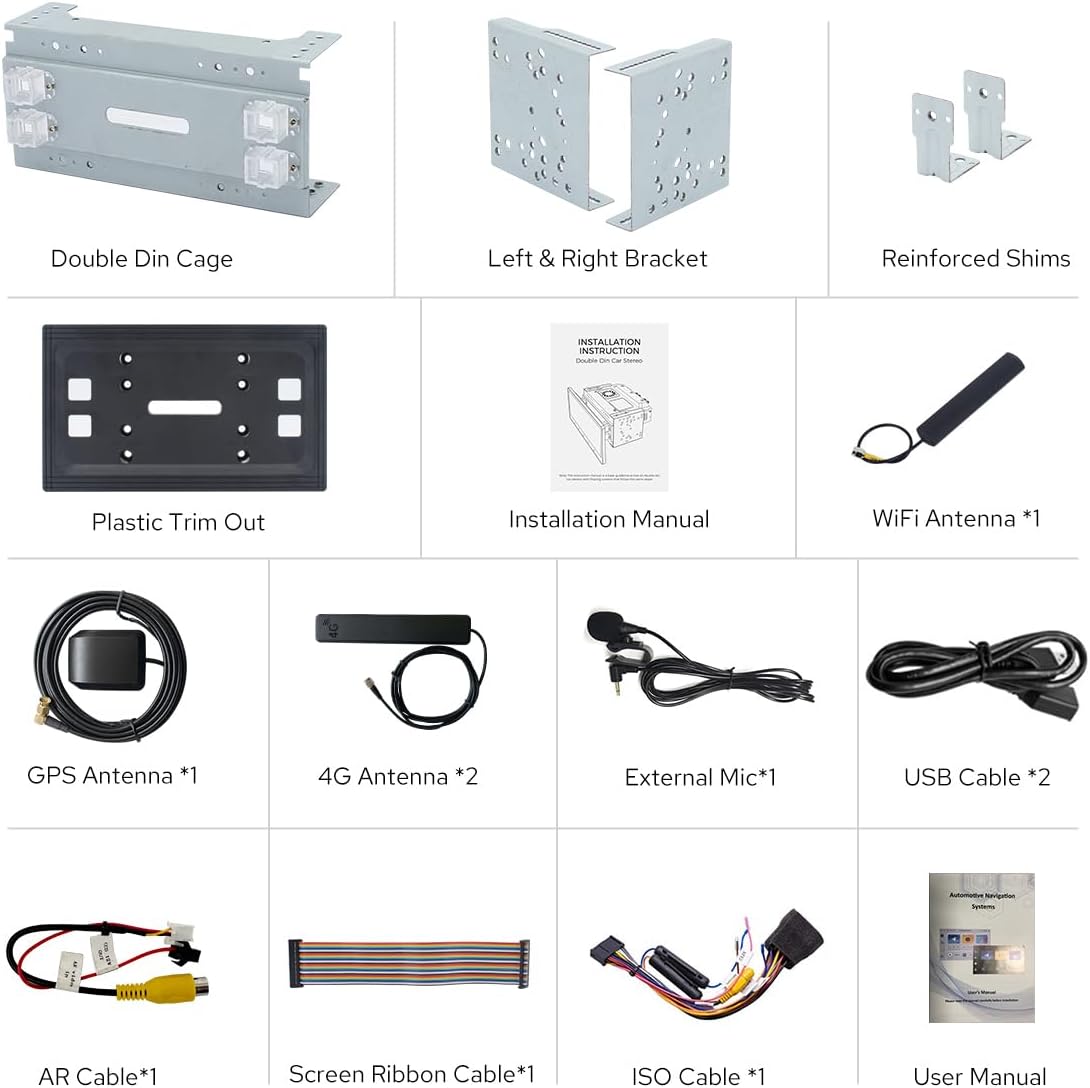
Figure 2.1: Visual representation of all included accessories and components.
3. Installation Guide
Installation of the JOYING 15.1 Inch Double Din Car Stereo requires technical knowledge and may vary depending on your vehicle model. It is recommended to seek professional installation if you are not familiar with car audio systems.
3.1 Pre-Installation Considerations
- You may need an installation frame kit with an inner size of 178 x 102mm, a special ISO harness, an amplifier adapter, or a CANbus decoder depending on your car's specific requirements.
- This unit does not support factory car GPS antenna, backup rear camera, Bluetooth, USB, or microphone. Only JOYING accessories are supported for these functions.
- Ensure the vehicle's battery is disconnected before beginning installation to prevent electrical damage.
3.2 Physical Installation
The unit features an upgraded installation structure allowing the fixing position of the left and right brackets to be extended or telescoped. This adaptability ensures a wider range of vehicle compatibility.

Figure 3.1: Illustration of the upgraded installation structure with adjustable brackets for optimal fitting.
Note: If your car is a Hyundai or Kia brand, please contact JOYING customer support for specific bracket information.
3.3 Wiring Connections
Refer to the included Installation Manual for detailed wiring diagrams specific to your vehicle type. Ensure all connections are secure and correctly matched.

Figure 3.2: Rear panel of the head unit displaying various input/output ports including HDMI, USB, RCA, and antenna connections.
- Power Connection: Connect the ISO cable to your vehicle's power harness.
- Antennas: Connect the GPS antenna and 4G antennas to their respective ports. The unit features an independent WiFi antenna for stable signal quality.
- USB Ports: Two USB cables are provided for connecting external devices.
- Audio Output: The unit supports optical fiber and coaxial digital output for direct connection to external amplifiers. It also provides 4 audio outputs, 1 SUB output, and a center channel output.
- HDMI Output: Connect an HDMI cable (not included) for projection screen display or on-screen display to external monitors.

Figure 3.3: Illustration of the independent WiFi antenna for enhanced internet access.

Figure 3.4: HDMI output functionality for connecting to projection screens or other displays.
4. Operating Instructions
4.1 Initial Boot-up and Fast Boot
The first boot-up of the system may take approximately 30-40 seconds. Subsequent boot-ups, once the car key is inserted, will typically take about 2 seconds to enter the user interface.
4.2 User Interface and Personalization
The unit runs on Android 13 and features a customizable user interface. You can switch between Left-Hand Drive (LHD) and Right-Hand Drive (RHD) user interfaces.
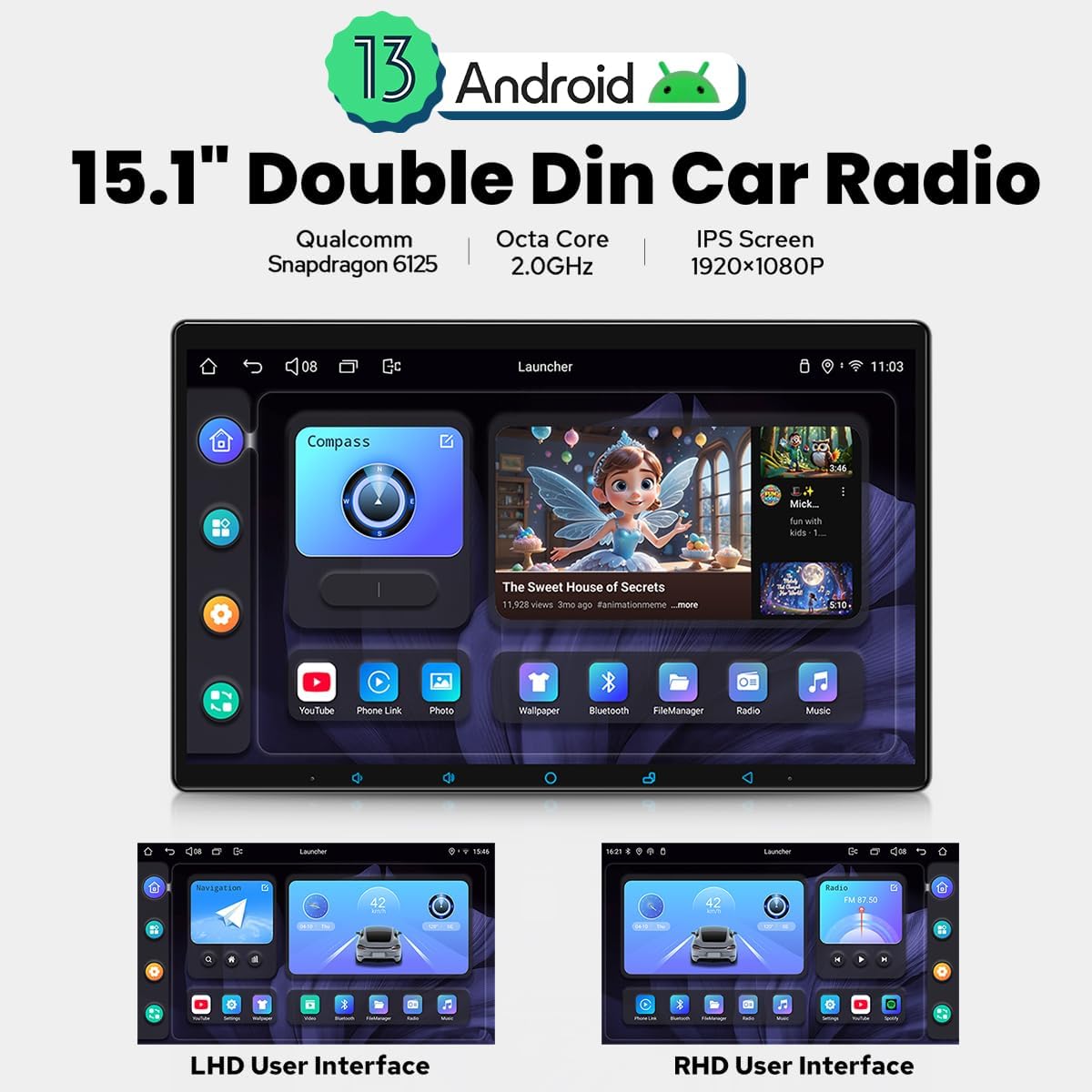
Figure 4.1: Android 13 interface with options for LHD and RHD user layouts.
Personalization options include:
- Car Boot Logo: Customize the logo displayed during system startup.
- Customizable Wallpapers: Select from various wallpapers or upload your own.
- Changeable Button Color: Adjust the color of the physical buttons.
- Adjustable Screen Brightness: Control screen brightness for optimal visibility.
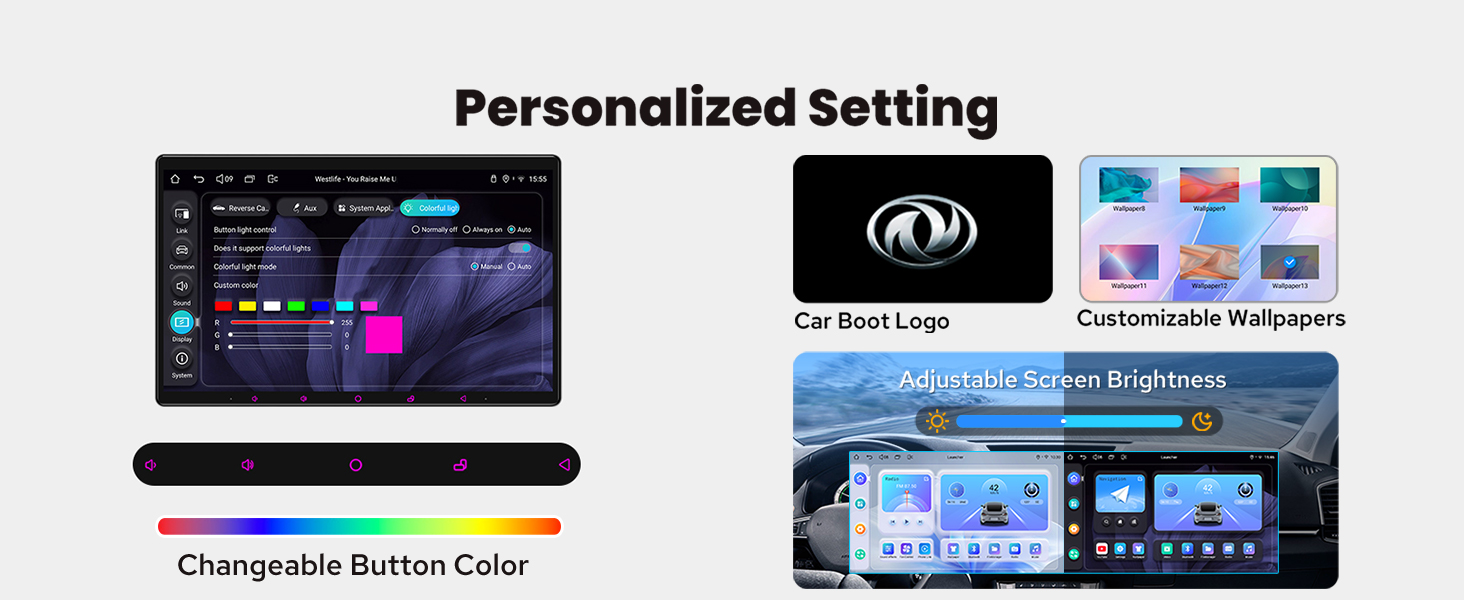
Figure 4.2: Personalized settings menu showing options for boot logo, wallpapers, button colors, and screen brightness.
4.3 Apple CarPlay & Android Auto
Connect your mobile phone via USB cable or Bluetooth to utilize built-in Apple CarPlay and Android Auto. This allows you to access navigation, make phone calls, and listen to music through the head unit's larger screen.

Figure 4.3: Apple CarPlay and Android Auto interfaces displayed on the head unit.
4.4 GPS Navigation
The unit includes precise GPS engines and an antenna for accurate positioning and real-time navigation. Offline maps are supported; you can download map data for specific areas and use them without an internet connection. Mobile phone map data can also be synchronized via CarPlay/Android Auto.
4.5 Audio Features
Experience high-quality sound with the TDA7851 DSP Chip and a 48-band graphic equalizer. The unit provides a maximum output power of 4x50W and supports aftermarket amplifiers via optical fiber or coaxial digital input for ultimate sound quality.

Figure 4.4: Audio settings interface and details on sound output capabilities.
4.6 Split-screen Multitasking
The unit supports split-screen functionality, allowing you to run two applications simultaneously, such as navigation and media playback.
- Tap the recent apps icon.
- Find the app you want to run in split-screen function, click the app icon to bring up the split-screen button, and tap it.
- The first app you have selected will display on the left side, then choose the second app in recent apps.

Figure 4.5: Step-by-step guide for activating and using split-screen mode.
4.7 Steering Wheel Control (SWC)
The unit supports steering wheel control, enabling easy switching of songs, radio channels, and volume adjustment for a safer driving experience. Note: If your car has a CAN system, an additional CANbus cable may be required to enable this feature.
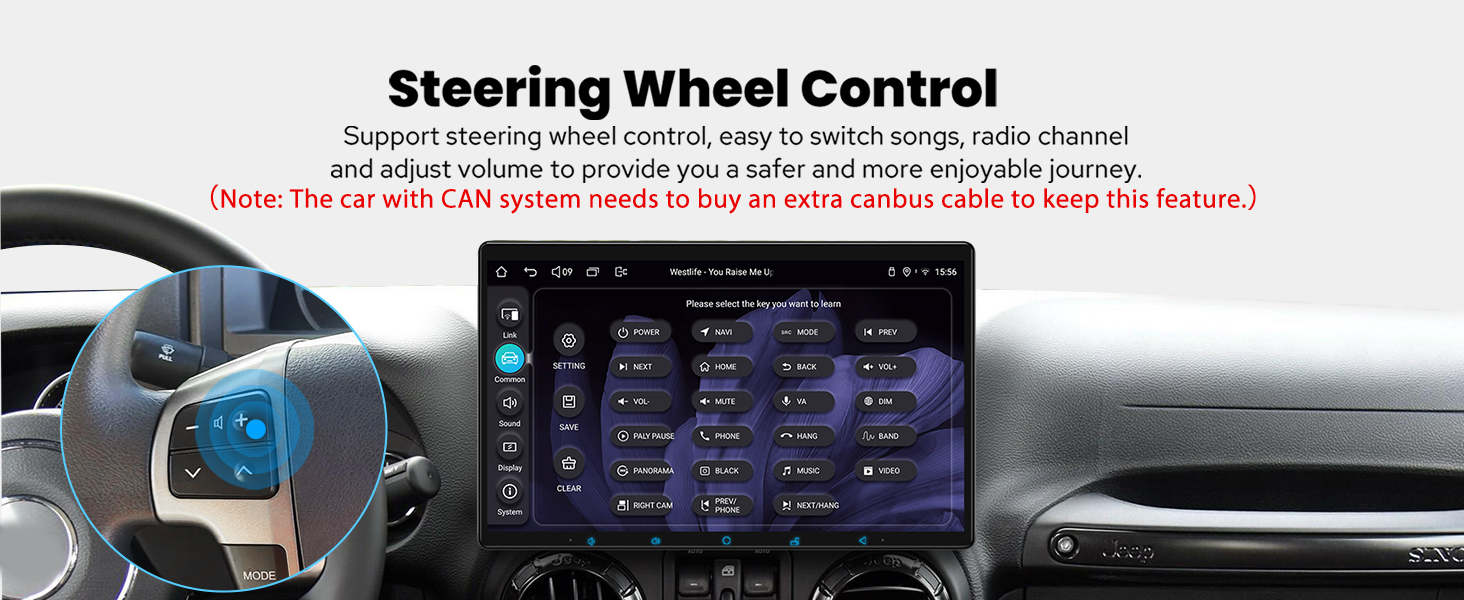
Figure 4.6: Steering wheel control interface for convenient operation.
4.8 Other Features
- Built-in 4G Module: Insert a SIM card for internet access (does not support phone calls or SMS). Supports FDD-LTE: B2/B4/B5/B7/B12/B13/B14/B17/B25/B26/B38/B66/B71 and TDD-LTE: B41.
- AM/FM Radio: Standard radio functionality.
- Hands-free Call: Bluetooth connectivity for hands-free calling.
- Picture-in-Picture: Display a smaller video window while using other applications.
- 3 USB Ports: For connecting various USB devices.
- Micro SD Card Slot: For expandable storage.
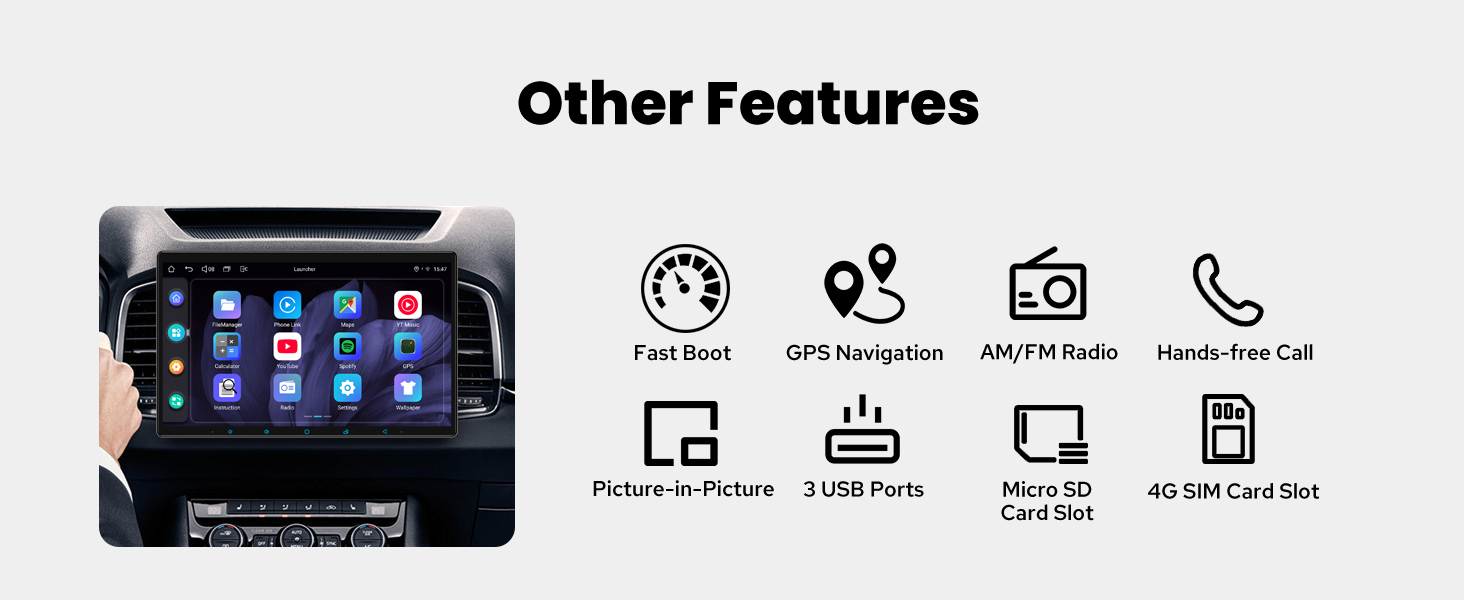
Figure 4.7: Overview of additional features including 4G, GPS, AM/FM, Hands-free, Picture-in-Picture, USB, and Micro SD.
5. Maintenance
5.1 Cooling System
The unit features a dual heat sink design for superior heat dissipation, improved temperature control, and enhanced performance stability. It can be configured to automatically turn on the cooling fan if the CPU temperature or radio's volume exceeds a set warning value, preventing overheating.

Figure 5.1: Internal view of the cooling system with dual heat sinks and fan.
5.2 General Care
- Clean the screen with a soft, lint-free cloth. Avoid abrasive cleaners.
- Keep the unit free from dust and debris.
- Ensure proper ventilation around the unit to aid in heat dissipation.
6. Troubleshooting
- Slow Boot-up: The first boot-up takes 30-40 seconds. Subsequent boots should be around 2 seconds. If consistently slow after initial setup, check power connections.
- No GPS Signal: Ensure the GPS antenna is securely connected and placed in an area with clear sky view.
- No 4G/WiFi Connection: Verify SIM card insertion (for 4G) and proper connection of the 4G/WiFi antennas. Check network settings in the unit.
- Steering Wheel Controls Not Working: Confirm that your vehicle's CAN system is compatible and that an additional CANbus cable (if required) is correctly installed.
- Overheating: The unit has an automatic cooling fan. If overheating persists, ensure proper ventilation and check for any obstructions around the unit's heat sinks.
- Accessory Compatibility: Remember that the unit only supports JOYING brand accessories (DVR, OBDII scanner, reverse camera, TPMS, steering wheel controller). Third-party accessories may not function correctly.
For further assistance, refer to the detailed Installation Manual or contact JOYING customer support.
7. Specifications
| Feature | Detail |
|---|---|
| Model Number | JY-UTD15N8 |
| Operating System | Android 13 |
| Display Size | 15.1 Inches |
| Screen Resolution | 1920x1080 (IPS) |
| Processor | Qualcomm Snapdragon 6125, Octa Core 2.0GHz |
| Memory/Storage | 8GB RAM + 128GB Storage |
| Audio Chip | TDA7851 DSP Chip |
| Max Output Power | 4x50W |
| Connectivity | Bluetooth, Ethernet, HDMI, USB, Wi-Fi, Built-in 4G Module |
| WiFi Standard | 802.11a/b/g/n/AC (2.4GHz/5GHz) |
| Map Type | North America (Offline support) |
| Item Weight | 2.65 pounds |
| Package Dimensions | 15.25 x 10.37 x 6.59 inches |
8. Optional Accessories
The following accessories are not included in the standard package but can be ordered separately to enhance your experience. Please note that only JOYING brand accessories are supported.
- OBD2 (ASIN: B076CD78HT): Connects via Bluetooth to retrieve real-time data and trouble codes from your vehicle computer.
- AR Front Camera (ASIN: B0CBX4N6V8): Records the front road in the background automatically while driving.
- AR Rear Camera (ASIN: B0CBX39S8M): Switches to reverse display automatically when reversing the car.
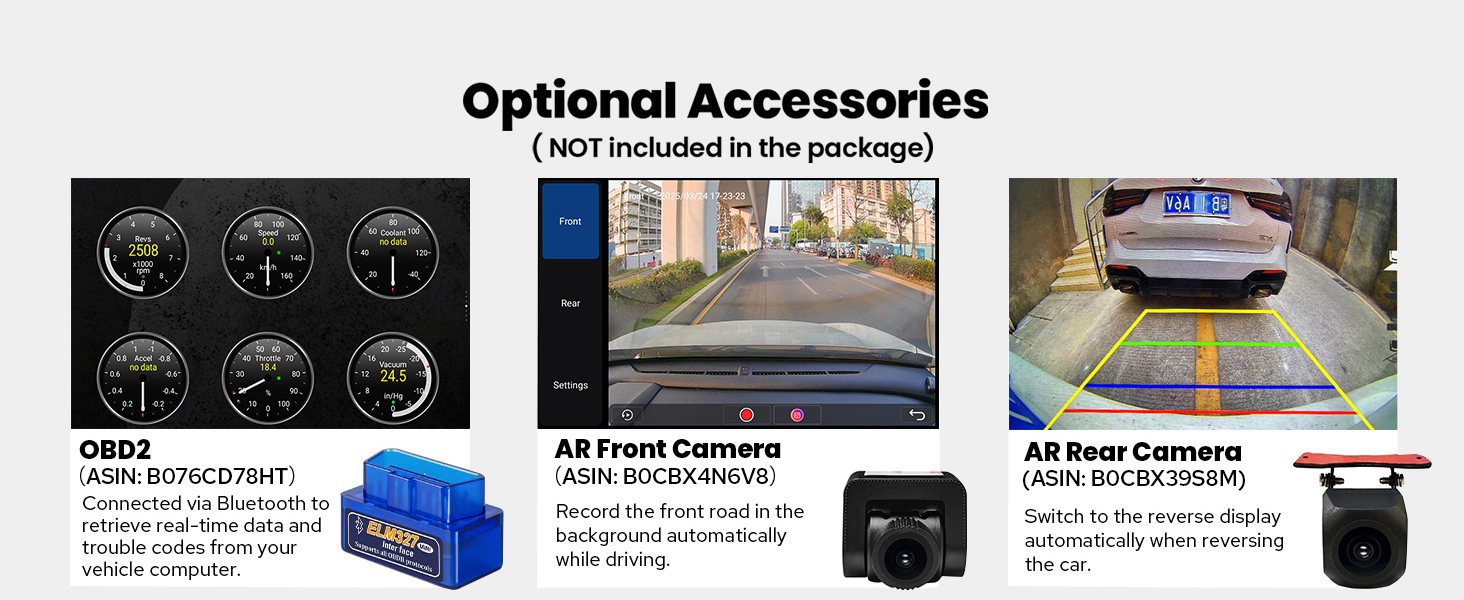
Figure 8.1: Optional accessories available for purchase.
9. Warranty and Support
The JOYING 15.1 Inch Double Din Car Stereo (Model: JY-UTD15N8) comes with a 2-Year Warranty from the date of purchase.
For technical support, troubleshooting, or warranty claims, please contact JOYING customer service through their official channels. Refer to the contact information provided in the product packaging or on the official JOYING website.
For additional resources and FAQs, visit the JOYING Store on Amazon.
Ask a question about this manual
Ask about setup, troubleshooting, compatibility, parts, safety, or missing instructions. Manuals+ will review the question and use this page’s manual context to help answer it.