
Introduction
The Flagfront N2-ht Laser Rangefinder is a versatile optical instrument designed for precise distance measurement in various outdoor activities. It features 6x magnification and can measure distances up to 1200 yards with an accuracy of ±1 yard. This device integrates multiple functions including distance, speed, angle, and height measurements, making it suitable for hunting, shooting, and golf. Its compact and waterproof design ensures reliable performance in diverse environmental conditions.

Image: Flagfront N2-ht Laser Rangefinder, featuring a camouflage finish.
Package Contents
Verify that all items listed below are included in your package:
- 1x Flagfront N2-ht Laser Rangefinder
- 1x Type-C Charging Cable
- 1x Storage Case
- 1x Lens Cleaning Cloth
- 1x Instruction Manual
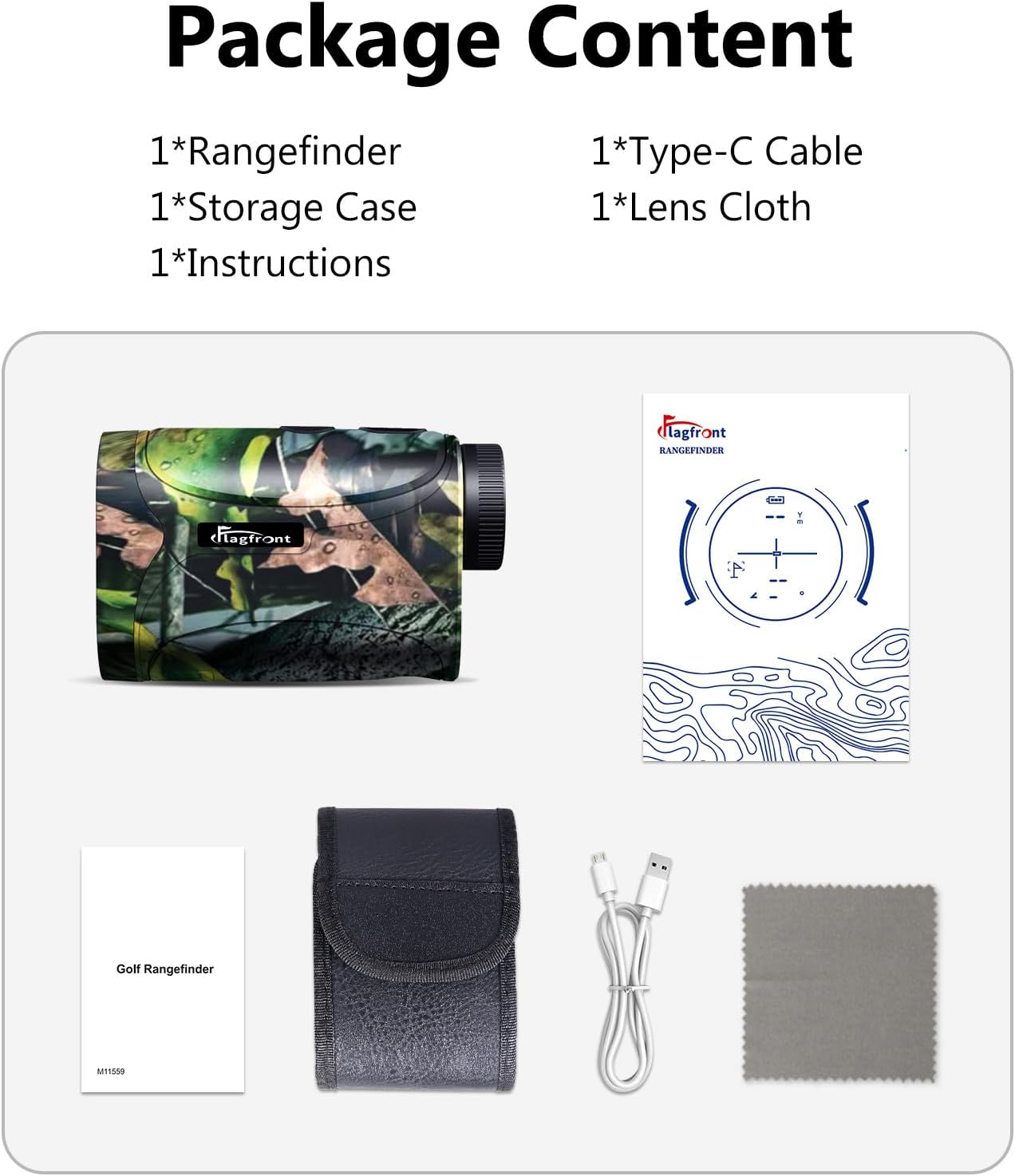
Image: All components included in the Flagfront N2-ht package.
Setup
Charging the Device
The Flagfront N2-ht Laser Rangefinder is equipped with a rechargeable battery. Before initial use, fully charge the device using the provided Type-C cable. Connect the Type-C cable to the rangefinder's charging port and the other end to a standard USB power adapter (not included). The charging indicator will show the charging status and turn off when fully charged.
Powering On/Off
To power on the device, press the Power button briefly. The display will illuminate. To power off, press and hold the Power button for a few seconds until the display turns off. The device may also enter standby mode automatically after a period of inactivity to conserve battery.
Operating Modes
The Flagfront N2-ht Laser Rangefinder offers multiple measurement modes. Press the 'Mode' button to cycle through the available functions. The device retains the last used mode upon powering off and on.
1. Ranging Mode (Distance Measurement)
This is the standard mode for measuring the straight-line distance to a target. Aim the crosshairs at the target and press the Power button. The distance will be displayed instantly.

Image: Display view in Ranging Mode, showing distance and angle to target.
2. Speed Measurement Mode
In this mode, the device calculates the speed of a moving target. Aim at the moving object and press the Power button. The speed will be displayed in kilometers per hour (KM/H).
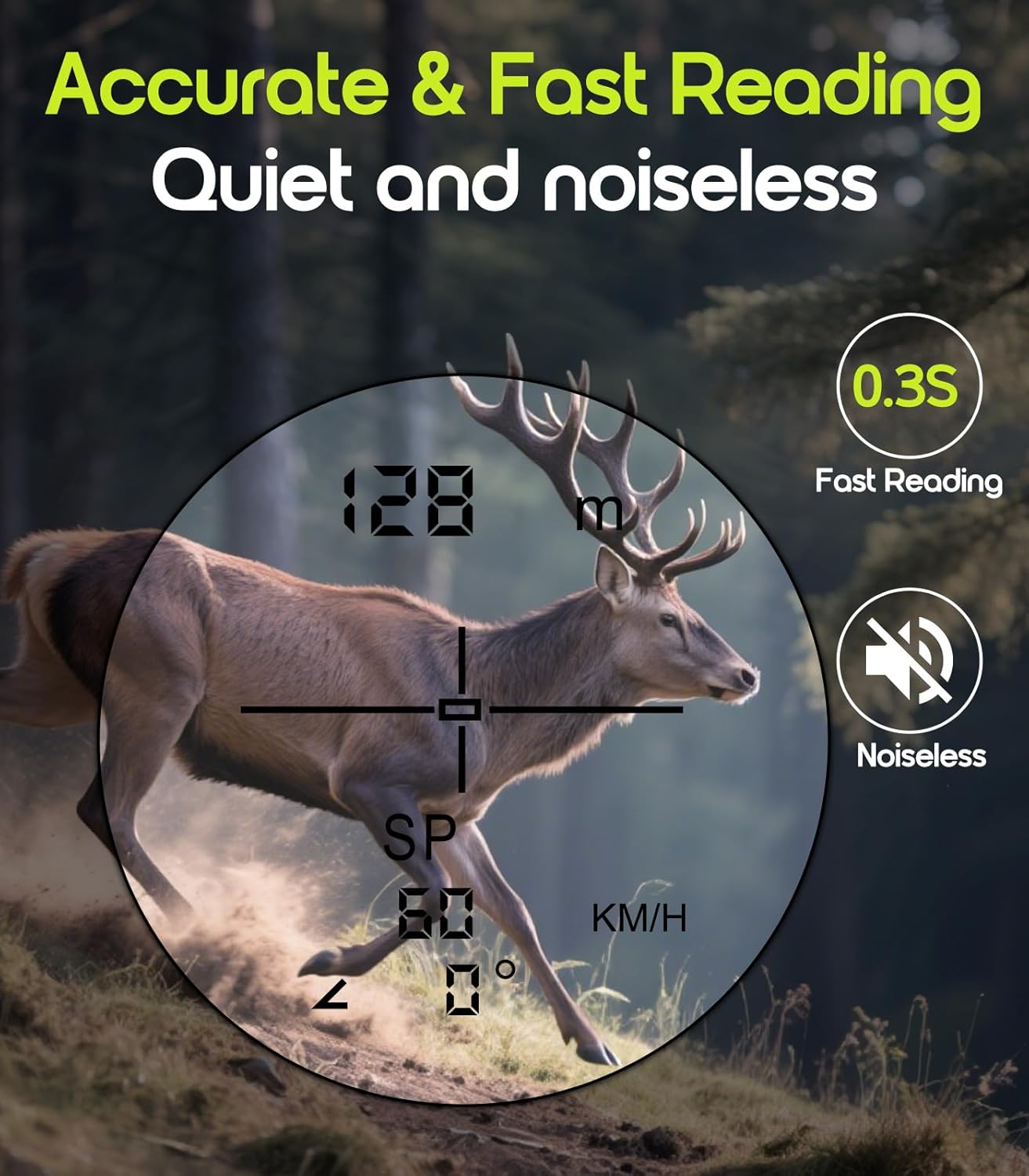
Image: Display view in Speed Measurement Mode, showing target speed.
3. Horizontal Distance Mode
This mode measures the horizontal distance to a target, compensating for elevation changes. It is particularly useful in situations where the line of sight is not level with the target.
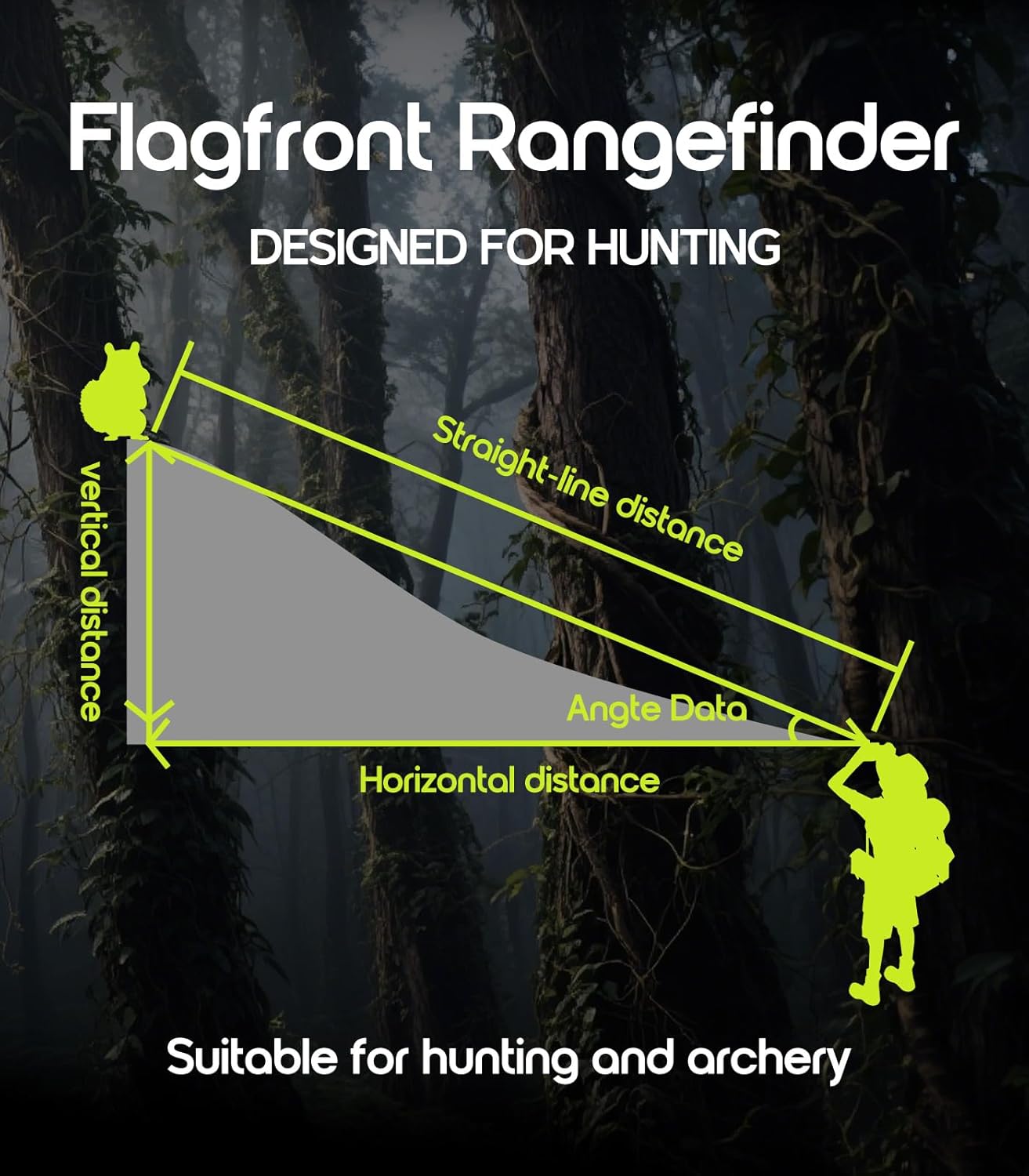
Image: Diagram explaining horizontal distance calculation.
4. Two-Point Height Measurement Mode
This mode allows for calculating the height of an object by measuring the distance to its base and its top. Follow the on-screen prompts to take two measurements.
5. Nearest Distance Measurement Mode
Designed to identify the closest object in a group of targets. Useful in cluttered environments to ensure measurement of the intended target.
6. Farthest Distance Measurement Mode
Designed to identify the furthest object in a group of targets. Useful for measuring beyond foreground obstructions.
7. Golfer Distance Compensation Mode
This mode provides a compensated distance reading for golf, taking into account the slope of the terrain to suggest an adjusted distance for club selection.
8. Mode Memory Function
The rangefinder is equipped with a memory function that activates the mode used prior to the last shutdown, streamlining operation for frequent users.

Image: Overview of various working modes displayed on the rangefinder screen.
Maintenance
Cleaning
To clean the lens, use the provided lens cloth or a soft, clean, lint-free cloth. Gently wipe the lens surface to remove dust or smudges. For stubborn dirt, a small amount of lens cleaning solution can be applied to the cloth, not directly to the lens. Do not use abrasive materials or harsh chemicals.
Storage
When not in use, store the rangefinder in its protective storage case in a cool, dry place, away from direct sunlight and extreme temperatures. Ensure the device is powered off before storing. Avoid exposing the device to excessive moisture or humidity.

Image: The rangefinder's waterproof design, emphasizing durability.
Troubleshooting
- No Display/Device Not Powering On: Ensure the battery is fully charged. Connect the device to a power source using the Type-C cable and allow it to charge for at least 30 minutes before attempting to power on again.
- Inaccurate Readings: Verify that the lens is clean and free from obstructions. Ensure you are targeting a reflective surface. Extreme weather conditions (heavy fog, rain) can affect accuracy.
- Target Not Locking: Ensure the target is within the specified measurement range (5-1200 yards). Avoid aiming at highly reflective or transparent surfaces that may scatter the laser.
- Battery Not Charging: Check the Type-C cable for damage and ensure it is securely connected to both the device and the power adapter. Try a different USB power adapter if available.
Specifications
| Feature | Specification |
|---|---|
| Brand | Flagfront |
| Model Name | N2-ht |
| Measuring Range | 5-1200 yards |
| Accuracy | ±1 yard |
| Magnification | 6X |
| Item Weight | 180 Grams |
| Material | Plastic |
| Battery Type | Rechargeable (Type-C) |
| Functions | Ranging, Speed, Horizontal Distance, Two-Point Height, Nearest Distance, Farthest Distance, Golfer Compensation |
| Waterproof | Yes |
Warranty and Support
The Flagfront N2-ht Laser Rangefinder comes with a 1-year warranty from the date of purchase. This warranty covers manufacturing defects and malfunctions under normal use. It does not cover damage caused by misuse, accidents, unauthorized modifications, or improper maintenance.
For warranty claims, technical support, or any inquiries regarding your device, please contact Flagfront customer service through the retailer where the product was purchased or refer to the contact information provided in the product packaging.