
Introduction
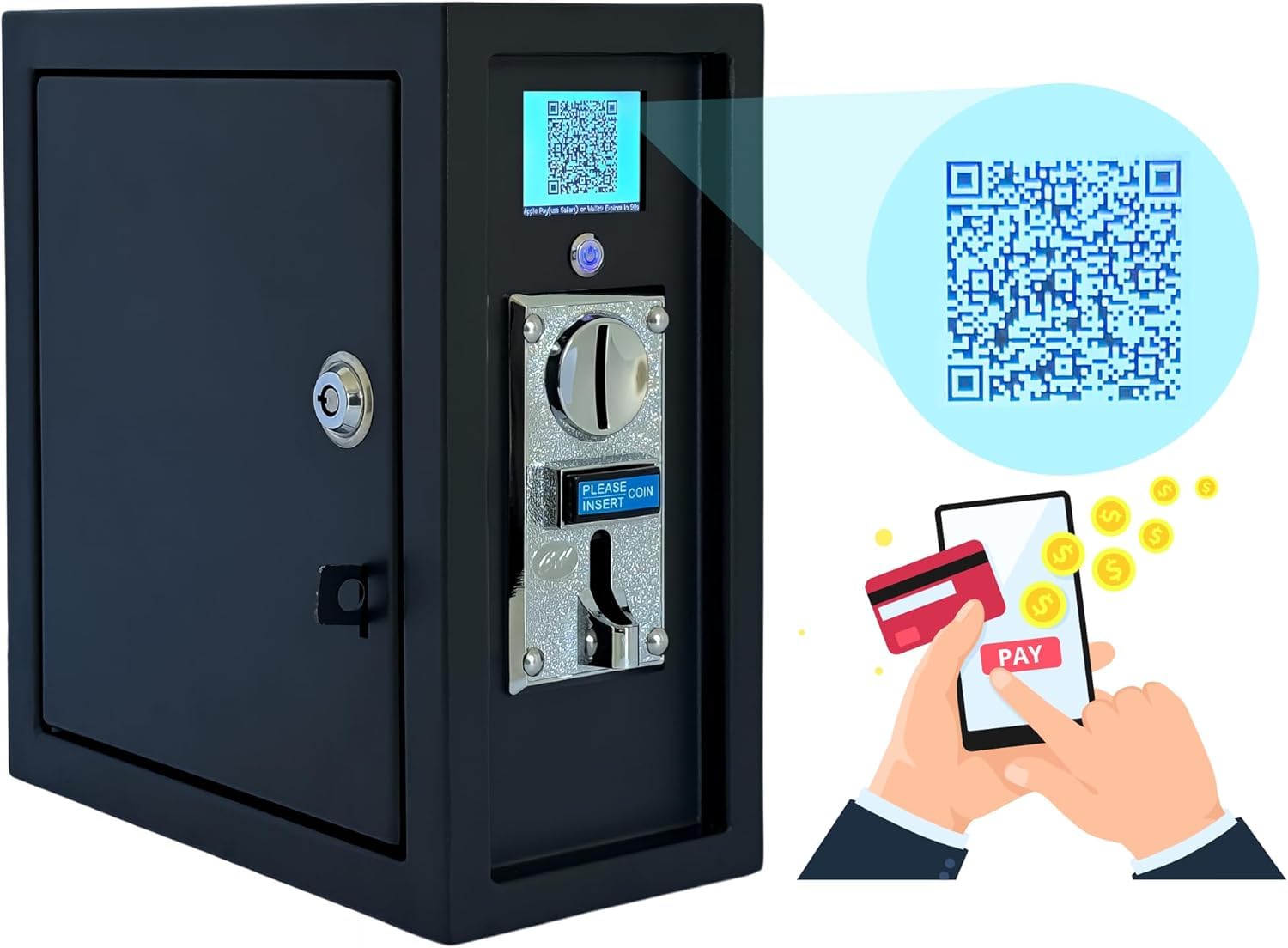
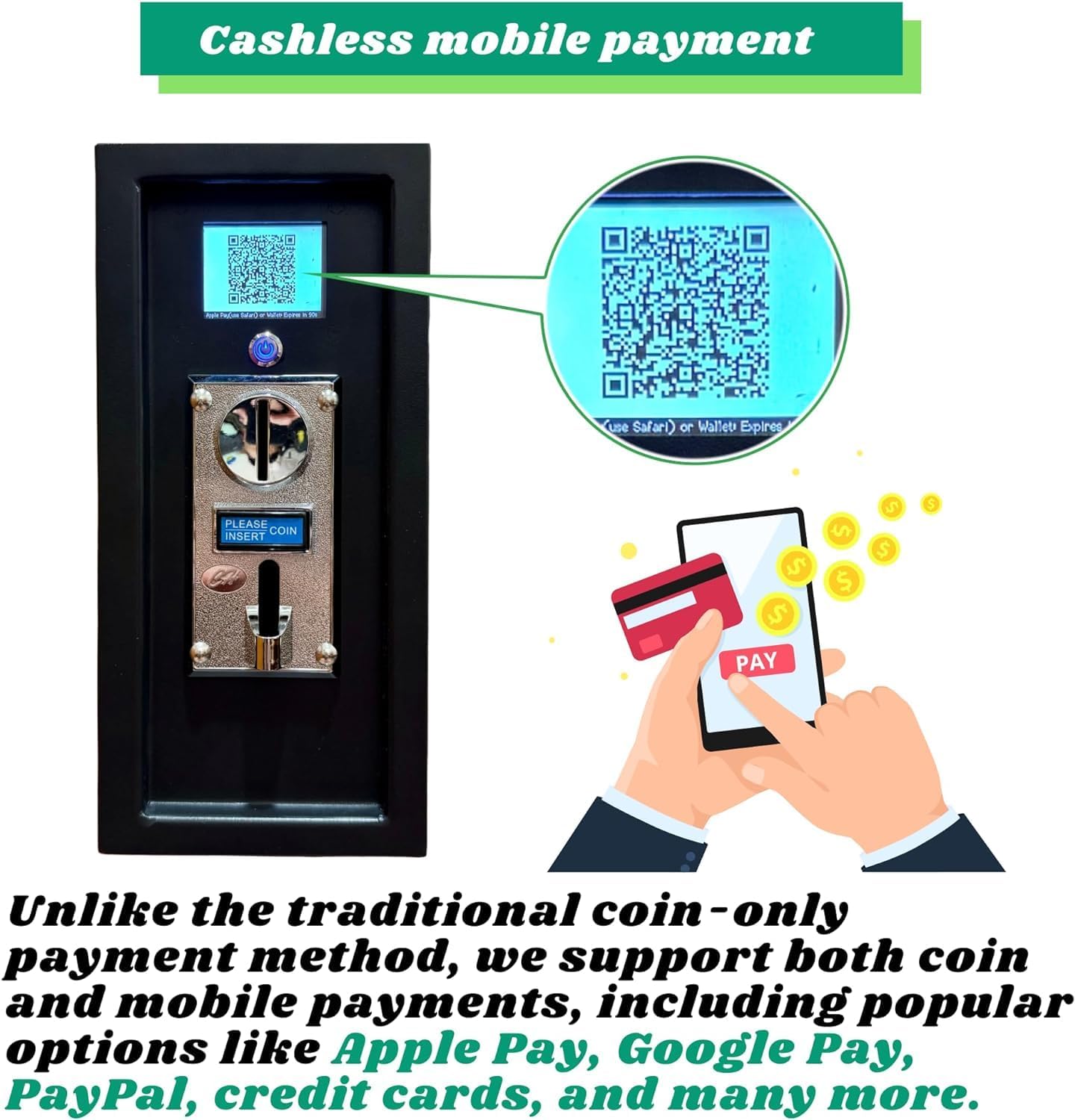
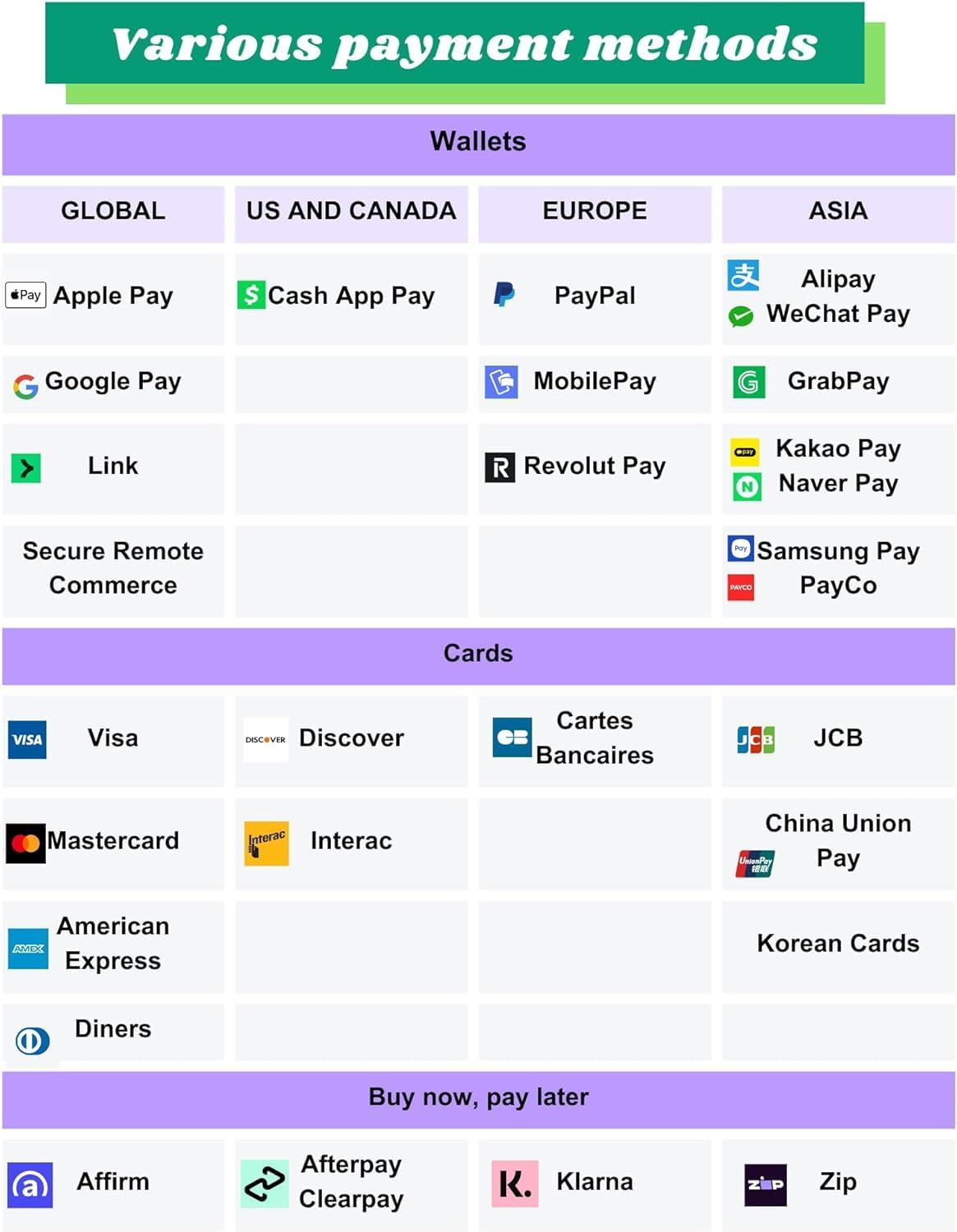
The Sintron ST-004 is an advanced timer control power box designed for various electronic devices operating on 110V. It integrates both traditional coin-operated payment and modern mobile contactless payment options, including Apple Pay, Google Pay, PayPal, Venmo, Cash App, and credit/debit cards. This device ensures that connected appliances, such as washing machines, massage chairs, and hair dryers, are activated only after successful payment, streamlining operations and enhancing revenue potential for businesses.
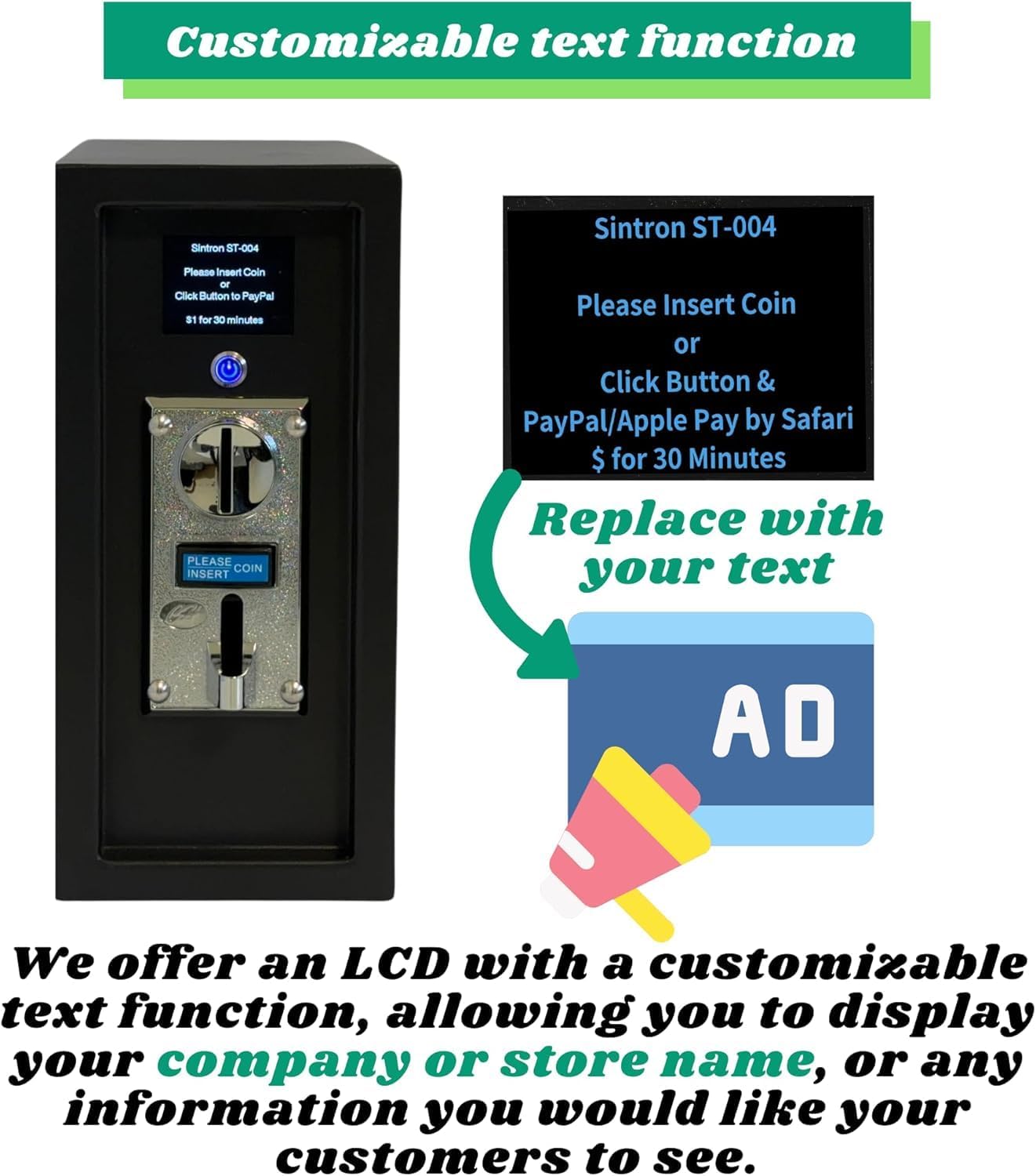
The ST-004 features a customizable LCD display and supports Over-The-Air (OTA) firmware updates, ensuring adaptability and longevity. It is built to handle up to 16A, making it suitable for heavy-duty appliances.
Setup
1. Mounting the Device
The ST-004 is designed for secure installation. It features pre-drilled holes on the back for wall mounting. Ensure the mounting surface is sturdy enough to support the device's weight (approximately 12.38 pounds).
2. Power Connection
Connect the ST-004 to a standard 110V power outlet using its 3-prong plug. The device supports up to 16A, making it compatible with most US/Canada electronic devices, including washers and dryers.
3. Appliance Connection
Connect your appliance to the power output of the ST-004. The ST-004 acts as a power provider, controlling the power supply to the connected appliance based on payment.
4. Initial Configuration (LCD Customization)
The 2.4-inch LCD screen can be customized to display your store name, contact number, or specific instructions. Refer to the device's internal settings for text personalization options.
Operating Instructions
1. Powering On the ST-004
Ensure the ST-004 is properly connected to a power source and the appliance is connected to the ST-004. The LCD screen will display initial instructions.
2. Selecting Payment Method
The ST-004 supports both coin and mobile contactless payments.
- Coin Payment: Insert the required coins into the coin slot. The device is compatible with up to six different coin types.
- Mobile Payment: Press the button below the screen to generate a QR code.

3. Completing Mobile Payment
Use your smartphone to scan the QR code displayed on the ST-004 screen. You will be directed to a payment portal supporting various options such as Apple Pay, Google Pay, PayPal, Venmo, Cash App, and credit/debit cards. Complete the transaction on your phone.

4. Appliance Activation
Upon successful payment, the ST-004 screen will display "Payment Successful" followed by a countdown timer indicating the purchased usage time. The connected appliance will then be powered on and ready for use. The appliance will remain powered for the duration of the countdown.
5. Usage Scenarios
The ST-004 is versatile and can be used with a wide range of appliances in various public and commercial settings:
- Washing Machines & Dryers
- Massage Chairs
- Hair Dryers
- Arcade Games
- Phone Charging Stations
- Kiddie Rides
- Treadmills
- Shoe Polishers
Video Demonstrations:
This video demonstrates how the Sintron ST-004 timer control box can be used to manage power to various appliances, ensuring they only operate after payment is received.
Watch how a standard household washing machine is converted into a commercial, payment-enabled unit using the Sintron ST-004, showcasing the setup and operation.
A detailed demonstration of the mobile payment features of the Sintron ST-004, including scanning QR codes and completing transactions via smartphone.
An introductory video to the Sintron ST-004, highlighting its dual mobile and coin payment capabilities and overall functionality.
Maintenance
1. Cleaning
Regularly wipe the exterior of the ST-004 with a soft, dry cloth. Avoid using abrasive cleaners or solvents that could damage the finish or electronic components.
2. Coin Mechanism
Periodically check the coin mechanism for any obstructions or foreign objects. Ensure the coin collection bin is emptied as needed to prevent jams.
3. Software Updates (OTA)
The ST-004 supports Over-The-Air (OTA) firmware updates. Ensure the device is connected to a stable Wi-Fi network to receive the latest firmware, which may include new features, bug fixes, or security enhancements. Follow on-screen prompts or consult support for update procedures.
Troubleshooting
Appliance Not Powering On After Payment
- Verify that the ST-004 is powered on and the timer is counting down.
- Check the connection between the ST-004 and the appliance.
- Ensure the appliance itself is in a ready state (e.g., door closed for a washing machine).
QR Code Not Appearing or Scanning
- Ensure the ST-004 screen is clean and free from glare.
- Check your smartphone's camera and internet connection.
- Try pressing the mobile payment button again to regenerate the QR code.
Coin Not Accepted
- Ensure you are using the correct coin type and it is inserted correctly.
- Check the coin slot for any obstructions.
- If the display shows a message like "Insert Bills" or indicates coins are needed, the internal coin dispenser might be empty.
Device Not Responding
- Unplug the ST-004 from the power outlet, wait 10 seconds, and plug it back in.
- If the issue persists, contact customer support.
Specifications
| Feature | Detail |
|---|---|
| Model | ST-004 |
| Operating Voltage | 110V (US/Canada specific) |
| Max Current Rating | 16A |
| Display | 2.4-inch LCD (Customizable) |
| Payment Methods | Coin, Apple Pay, Google Pay, PayPal, Venmo, Cash App, Credit/Debit Cards |
| Firmware Updates | Over-The-Air (OTA) |
| Dimensions (L x W x H) | 12.84 x 12.6 x 7.13 inches |
| Item Weight | 12.38 pounds |
| Manufacturer | Sintron |
Warranty
Specific warranty duration details are not provided. However, Sintron offers a service guarantee, prioritizing customer satisfaction. The product is designed to meet safety regulations, and a patent has been applied for its technology.
Support
For any problems, questions, or additional functionalities, please contact Sintron customer service. Your satisfaction is our priority, and we are committed to providing the best service and resolving issues promptly.
Contact information can typically be found on the manufacturer's official website or through your purchase platform.