
Proster MT36S
Proster Moisture Meter User Manual
Model: MT36S
1. Introduction
The Proster MT36S Moisture Meter is a non-destructive device designed for accurately detecting moisture content in various building materials such as walls, floors, and ceilings. Utilizing a spherical probe, it measures moisture without causing damage to the surface. Its multi-mode functionality, 3-color LCD display, and audible alarm system make it an essential tool for identifying potential moisture issues in your home or professional environment.
This manual provides detailed instructions on how to set up, operate, maintain, and troubleshoot your Proster MT36S Moisture Meter to ensure optimal performance and longevity.
2. Safety Information
- General Safety: Always handle the device with care. Do not expose it to extreme temperatures, direct sunlight, or excessive moisture.
- Electrical Safety: The device contains a rechargeable battery. Use only the provided charging cable or a compatible USB-C charger. Do not attempt to open or modify the device.
- Measurement Precautions: When measuring, ensure the spherical probe does not come into contact with metal objects, screws, nails, or electrical wires within the wall, as this can affect measurement accuracy and potentially damage the device.
- Storage: Store the moisture meter in a dry, cool place, away from dust and corrosive materials.
3. Product Overview
The Proster MT36S Moisture Meter features a user-friendly design with a clear LCD display and intuitive button layout.

Figure 3.1: Proster MT36S Moisture Meter and included accessories (storage bag, USB-C cable, manual).
Components:
- Spherical Probe: The sensor used for non-destructive moisture detection.
- LCD Display: A 3-color screen showing measurement values, modes, and indicators.
- Power Button: Turns the device on/off.
- MEAS Button: Initiates calibration and measurement.
- MODE Button: Cycles through different measurement modes (INDEX, Concrete, Cement, Plaster, Wood).
- REF Button: Sets a reference point for comparative measurements.
- APO Button: Toggles the Automatic Power Off function.
- HOLD Button: Freezes the current measurement reading on the display.
- USB-C Charging Port: For recharging the internal battery.
Display Indicators:
- Battery Indicator: Shows remaining battery life.
- APO Indicator: Shows if Automatic Power Off is active.
- REF Indicator: Shows if a reference point is set.
- HOLD Indicator: Shows if the reading is frozen.
- Moisture Level Indicators: Analog bars and text (DRY, MOIST, WET) indicate the moisture level.
- Numerical Display: Shows the percentage of moisture or INDEX value.
- Mode Indicator: Displays the currently selected material mode (e.g., Wood, Plaster).

Figure 3.2: The 3-color LCD display provides visual humidity alerts, with green for dry, yellow for risk, and red for wet conditions. An audible alarm also sounds when moisture exceeds a set threshold.
4. Setup
4.1 Charging the Device
Before first use, or when the battery indicator shows low power, charge the moisture meter using the provided USB-C cable.
- Connect the USB-C end of the cable to the charging port on the bottom of the moisture meter.
- Connect the USB-A end of the cable to a standard USB power adapter (not included) or a computer USB port.
- The battery indicator on the display will show charging status. Charging is complete when the battery icon is full.

Figure 4.1: The Proster MT36S Moisture Meter features a convenient Type-C charging port for easy recharging.
4.2 Initial Calibration
Calibration is required before each use to ensure accurate readings. This process sets the baseline for dry conditions.
- Turn on the device by pressing the Power button.
- Hold the device in the air, ensuring the spherical probe is at least 10 cm away from any objects, including your hands.
- Press the MEAS button. The LCD will display "CAL" and then return to "00.0%". This indicates successful calibration.

Figure 4.2: During instrument startup calibration, press the MEAS button. Ensure the spherical probe is kept at least 10 cm away from any objects to avoid interference.
5. Operating Instructions
5.1 Power On/Off
- To turn on: Press the Power button.
- To turn off: Press and hold the Power button for approximately 3 seconds. The device also features an Automatic Power Off (APO) function.
5.2 Selecting Measurement Modes
The MT36S offers five measurement modes tailored for different materials:
- INDEX Mode: For quick comparative measurements on uncertain materials.
- Concrete Mode: Optimized for concrete surfaces.
- Cement Mode: Optimized for cement-based materials.
- Plaster Mode: Optimized for plaster and drywall.
- Wood Mode: Optimized for various types of wood.
To select a mode, press the MODE button repeatedly until the desired material type appears on the display.

Figure 5.1: The easy-to-read 3-color screen display, analog bar graph, and mode select display make operation simple. The device supports Concrete, Cement, Plaster, and Wood measurement modes, along with an INDEX mode.
5.3 Performing Measurements
After calibration and mode selection, you can begin measuring moisture content.
- Ensure the device is calibrated (as per Section 4.2).
- Select the appropriate measurement mode for the material you are testing.
- Place the spherical probe firmly against the surface of the material you wish to measure. Ensure the probe is positioned at least 10 cm from edges or corners for optimal accuracy.
- Read the moisture percentage or INDEX value displayed on the LCD. The 3-color display and analog bars will provide an immediate visual indication of the moisture level (Dry, Risk, Wet).
- If the measured value exceeds a certain threshold, the display will turn red and an audible alarm may sound (if enabled).
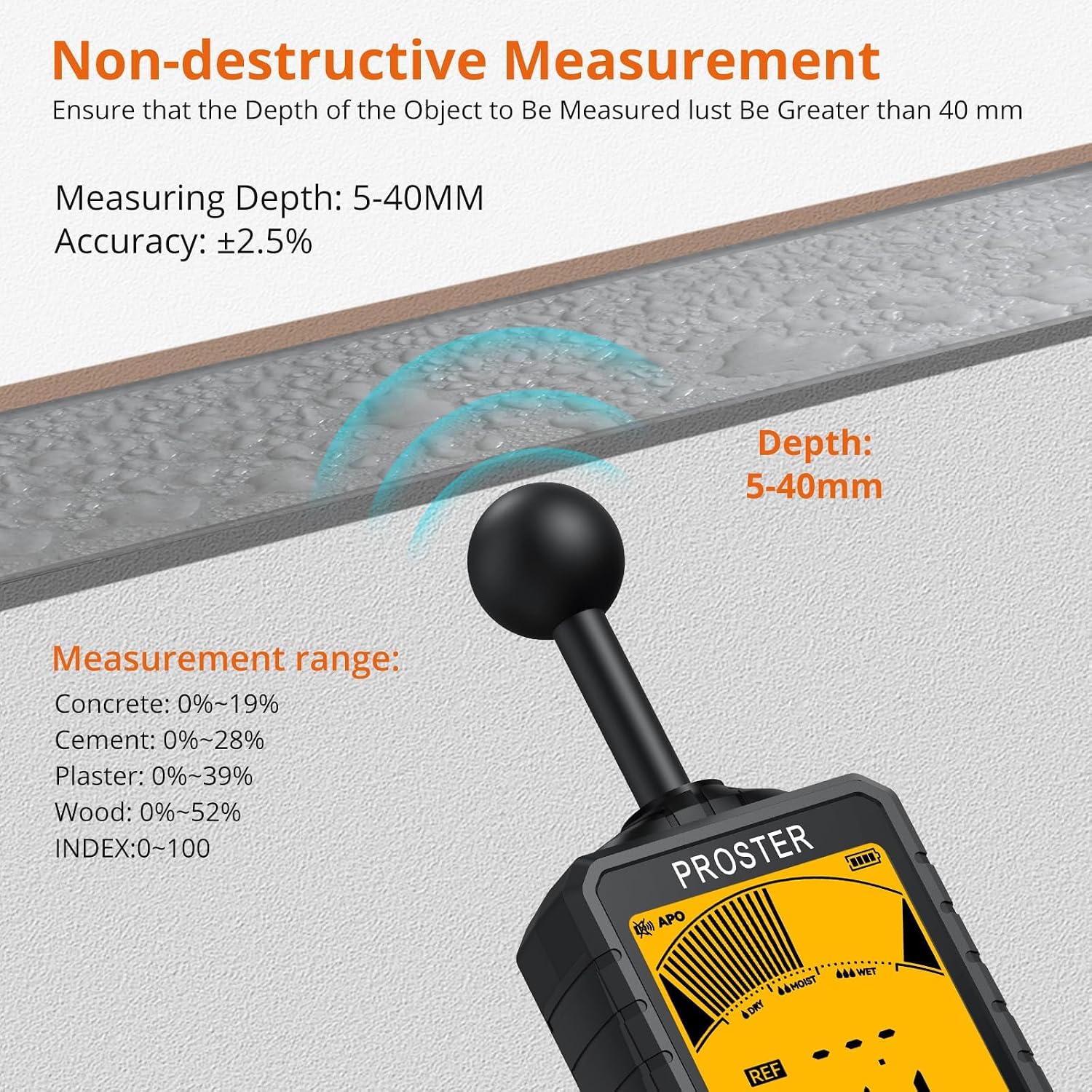
Figure 5.2: The Proster MT36S provides non-destructive measurements with an analysis depth of 5-40mm and an accuracy of ±2.5%. It is crucial to avoid metal objects within the measurement area.
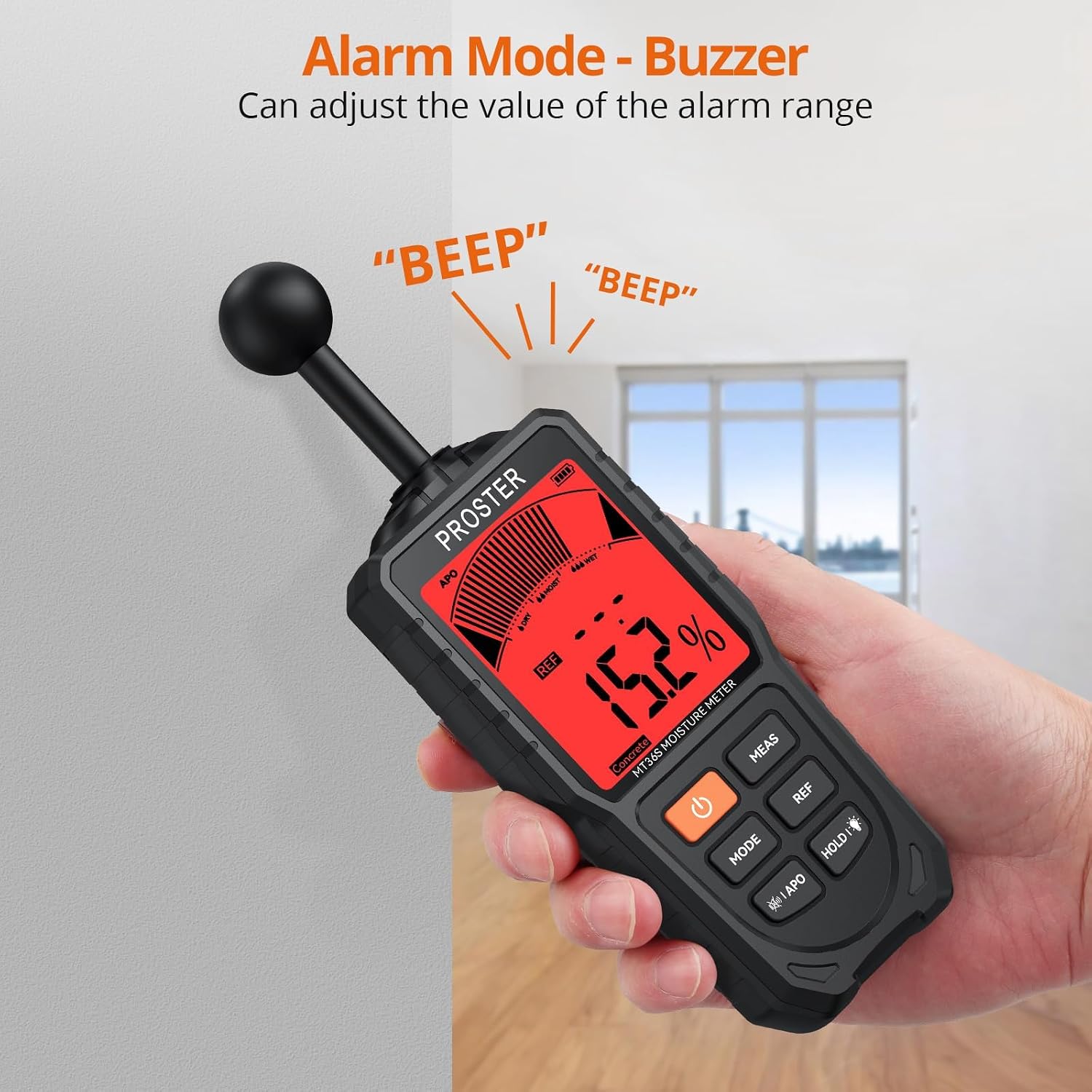
Figure 5.3: The device features an alarm mode with a buzzer that activates when moisture levels exceed predefined thresholds, providing immediate alerts for wet conditions.
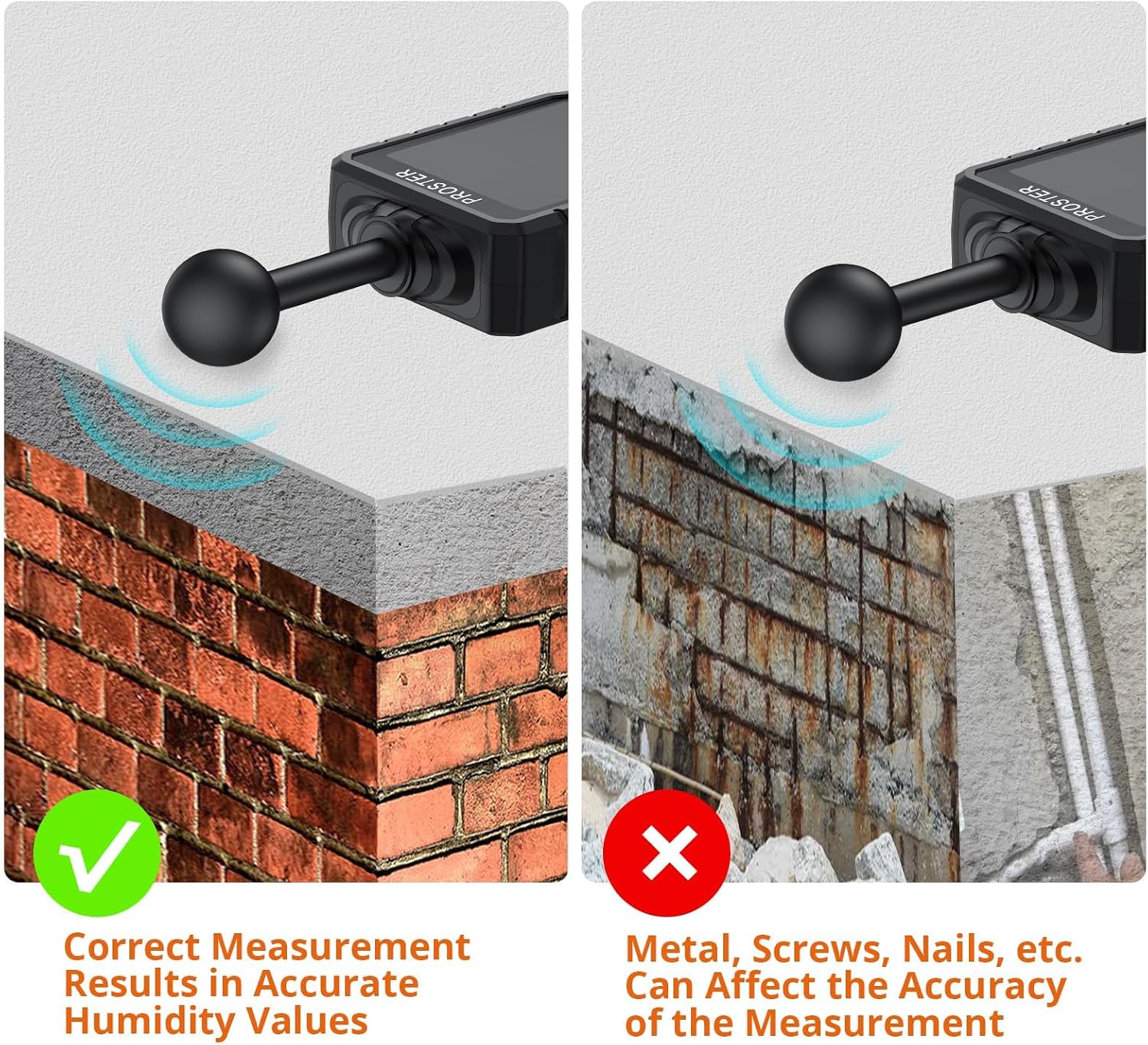
Figure 5.4: For accurate humidity values, ensure the measurement area is free from metal, screws, nails, or other metallic objects, as these can significantly affect readings.
5.4 REF Function (Reference Value)
The REF function allows you to set a dry point as a reference value, enabling quick comparison of humidity differences in other areas.
- To set a reference: Place the probe on a known dry area and press the REF button. The display will indicate that a reference point has been set.
- To clear the reference: Press the REF button again.
5.5 HOLD Function (Data Hold)
The HOLD function allows you to freeze the current measurement value on the display for easier reading or recording.
- To activate HOLD: Press the HOLD button during a measurement. The reading will be frozen.
- To deactivate HOLD: Press the HOLD button again.
5.6 Automatic Power Off (APO)
To conserve battery life, the device is equipped with an Automatic Power Off function, which turns off the meter after approximately 30 minutes of inactivity.
- To toggle APO: Press the APO button. An indicator on the display will show if APO is active.
5.7 Operational Video Guide
Video 5.1: This video demonstrates the non-destructive measurement capabilities of the Proster Spherical Moisture Meter, including its startup calibration, mode selection, and how it displays moisture levels with audible alerts.
6. Maintenance
6.1 Cleaning
To ensure accurate readings and prolong the life of your device:
- Wipe the device and spherical probe with a soft, dry cloth after each use.
- Do not use abrasive cleaners, solvents, or immerse the device in water.
6.2 Storage
When not in use, store the moisture meter in its protective storage bag in a cool, dry place, away from direct sunlight and extreme temperatures.
6.3 Battery Care
To maintain battery health:
- Recharge the battery regularly, even if the device is not used frequently.
- Avoid completely draining the battery before recharging.
7. Troubleshooting
| Problem | Possible Cause | Solution |
|---|---|---|
| Device does not turn on. | Low battery. | Charge the device using the USB-C cable. |
| Inaccurate readings. | Not calibrated correctly. | Perform calibration as per Section 4.2, ensuring the probe is clear of objects. |
| Inaccurate readings. | Probe touching metal objects or electrical wires. | Ensure the measurement area is free from metallic obstructions. |
| Inaccurate readings. | Incorrect measurement mode selected. | Select the appropriate mode for the material being tested (e.g., Wood, Concrete). |
| Audible alarm not sounding. | Alarm function disabled or volume too low. | Check device settings for alarm activation. |
| Display is dim or flickering. | Low battery. | Charge the device. |
8. Specifications
| Feature | Specification |
|---|---|
| Model Number | MT36S |
| Measuring Range | 5 - 40 mm |
| Accuracy | ±2.5% |
| Measurement Modes | INDEX, Concrete, Cement, Plaster, Wood |
| Display | 3-Color LCD |
| Power Source | Rechargeable Lithium Metal Battery (USB-C) |
| Item Weight | 6 ounces |
| Package Dimensions | 9.53 x 3.82 x 2.05 inches |
| Manufacturer | Proster Trading Limited |
9. Warranty and Support
For warranty information, please refer to the documentation included with your product packaging or visit the official Proster website. If you encounter any issues or require technical assistance, please contact Proster customer support. Contact details can typically be found on the product packaging or the manufacturer's website.
You can also visit the Proster Store on Amazon for more product information and support resources.
Related documentsMT36S


Ask a question about this manual
Ask about setup, troubleshooting, compatibility, parts, safety, or missing instructions. Manuals+ will review the question and use this page’s manual context to help answer it.