
1. Introduction
Thank you for choosing the Aheaplus L Shaped Gaming Desk. This manual provides essential information for the safe assembly, operation, and maintenance of your new desk. Please read these instructions carefully before beginning assembly and retain them for future reference.
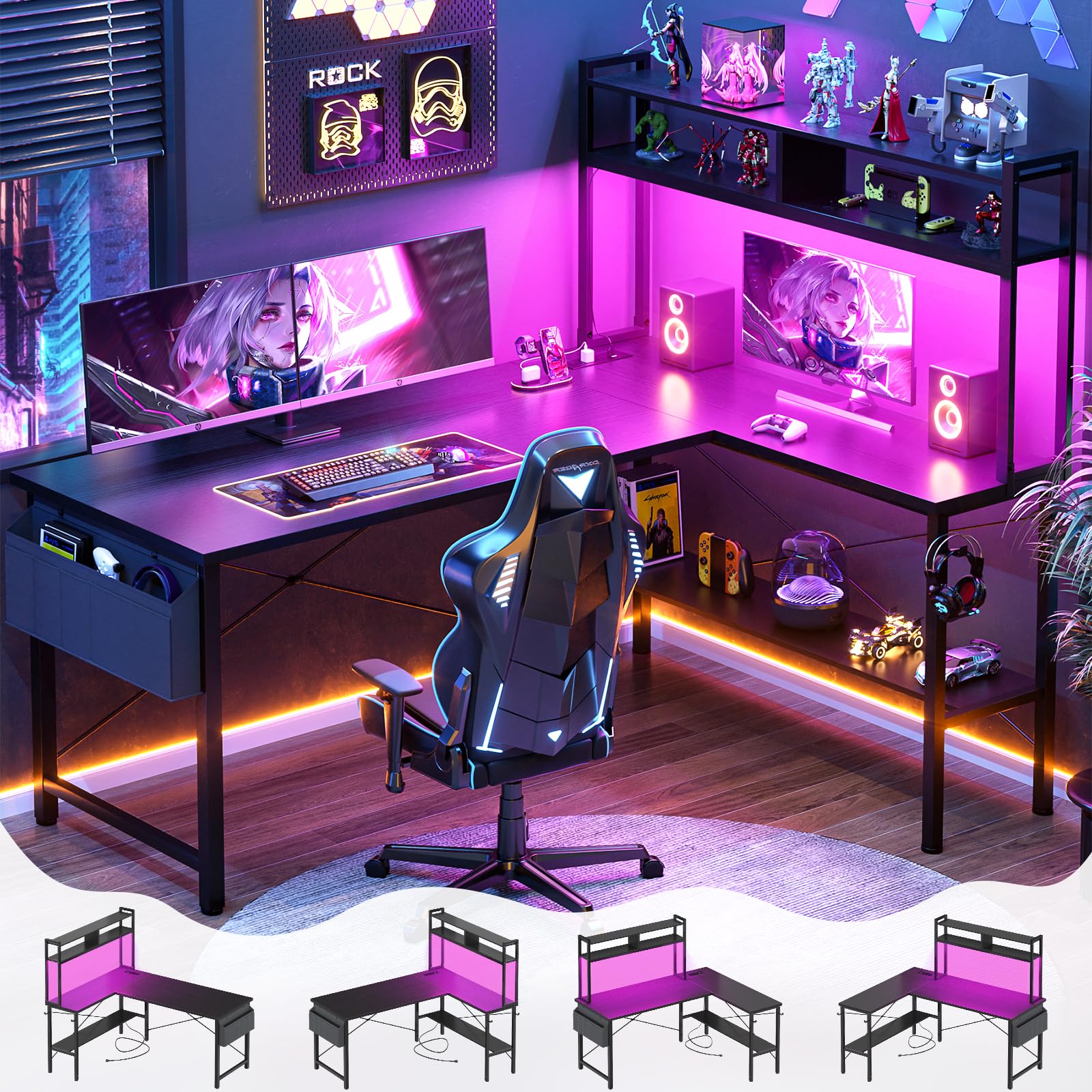
Image 1.1: The Aheaplus L Shaped Gaming Desk, showcasing its design with LED lights and integrated power outlet.
2. Safety Information
Always assemble the desk according to the instructions provided. Do not overload the desk or place heavy objects on the edges to prevent tipping. Be cautious when using the power outlets and USB ports to avoid electrical hazards. If the desk is to be used in a high-traffic area, consider securing it to the wall for added stability.
3. Product Features
- Reversible L-Shaped Design: This 59-inch L-shaped desk can be configured with the hutch on either the left or right side to fit your space requirements.
- Integrated Power Outlets & USB Ports: Equipped with 3 AC outlets and 2 USB ports for convenient charging of electronic devices. A 6.5ft power cord is included.
- Smart LED Lighting: Features built-in LED lighting with smart app control, offering over 60,000 colors and multiple flashing modes. Includes a music sync function and timer.
- Ample Storage: Includes 4 tiers of open shelves, a fabric storage bag, and headphone hooks to keep your workspace organized.

Image 3.1: Detailed view of the desk's storage solutions, including shelves for gaming gear, a fabric bag for documents, and hooks for headphones.

Image 3.2: The desk with its LED lights activated, creating an immersive gaming or work environment.

Image 3.3: The integrated power strip with 3 AC outlets and 2 USB ports for convenient device charging.
4. Setup and Assembly
The Aheaplus L Shaped Gaming Desk requires assembly. All necessary hardware, tools, and clear instructions are included in the package. Follow the step-by-step guide provided to ensure correct and stable assembly. The reversible design allows you to choose the orientation of the L-shape during assembly.

Image 4.1: Illustration of the desk's reversible design, showing how it can be assembled in two different L-shaped orientations.

Image 4.2: Detail of the adjustable storage shelf, highlighting its flexibility for different storage needs.
5. Operating Instructions
5.1 LED Lights
The integrated LED lights can be controlled via a smart app. Download the designated app (refer to the included quick start guide for app details) to access over 60,000 colors, multiple flashing modes, music sync functionality, and a timer function. Ensure the LED strip is properly connected to a power source.
5.2 Power Outlets & USB Ports
Plug the desk's 6.5ft power cord into a standard 120V/12A wall outlet. Use the 3 AC outlets for devices requiring standard power and the 2 USB ports (5V/2A) for charging compatible USB devices. Avoid overloading the outlets.
6. Maintenance
To maintain the desk's appearance and longevity, wipe surfaces with a dry cloth. Avoid using harsh chemicals or abrasive cleaners that may damage the finish. Regularly check all screws and connections to ensure they remain tight and secure.
7. Troubleshooting
- LED Lights Not Working: Ensure the power cord for the LED strip is securely plugged into the desk's power outlet and the wall. Check the app connection.
- Power Outlets/USB Ports Not Functioning: Verify the desk's main power cord is firmly plugged into a working wall outlet. Check for tripped circuit breakers.
- Desk Wobbles: Ensure all assembly screws are tightened. Adjust the foot pads on the bottom of the desk legs to stabilize it on uneven floors.
8. Specifications
| Brand | Aheaplus |
| Model Number | AP-59DGJDK-B |
| Shape | L-Shape |
| Product Dimensions | 18.9"D x 59"W x 59.13"H |
| Color | Black |
| Material | Engineered Wood, Alloy Steel |
| Number of Shelves | 4 |
| Special Features | Built-In USB Outlet, LED Lights, Reversible, Storage Shelves |
| Power Outlet | 3 AC Outlets, 2 USB Ports (5V/2A) |
| Power Cord Length | 6.5 ft |
| Item Weight | 20.48 Kilograms |

Image 8.1: Detailed product dimensions for the Aheaplus L Shaped Gaming Desk.
9. Warranty and Support
For warranty information or customer support, please refer to the documentation included with your purchase or contact Aheaplus customer service directly. Our experienced customer service team is available to assist with any issues regarding damaged, scratched, or missing parts within 24 hours.
