
Introduction
The HW HAOWORKS S100 Pro is a versatile 70W portable Bluetooth speaker system designed for clear and powerful audio projection. It includes two wireless microphones, making it suitable for various applications such as teaching, public speaking, events, and singing. This manual provides detailed instructions for setting up, operating, and maintaining your S100 Pro Voice Amplifier.
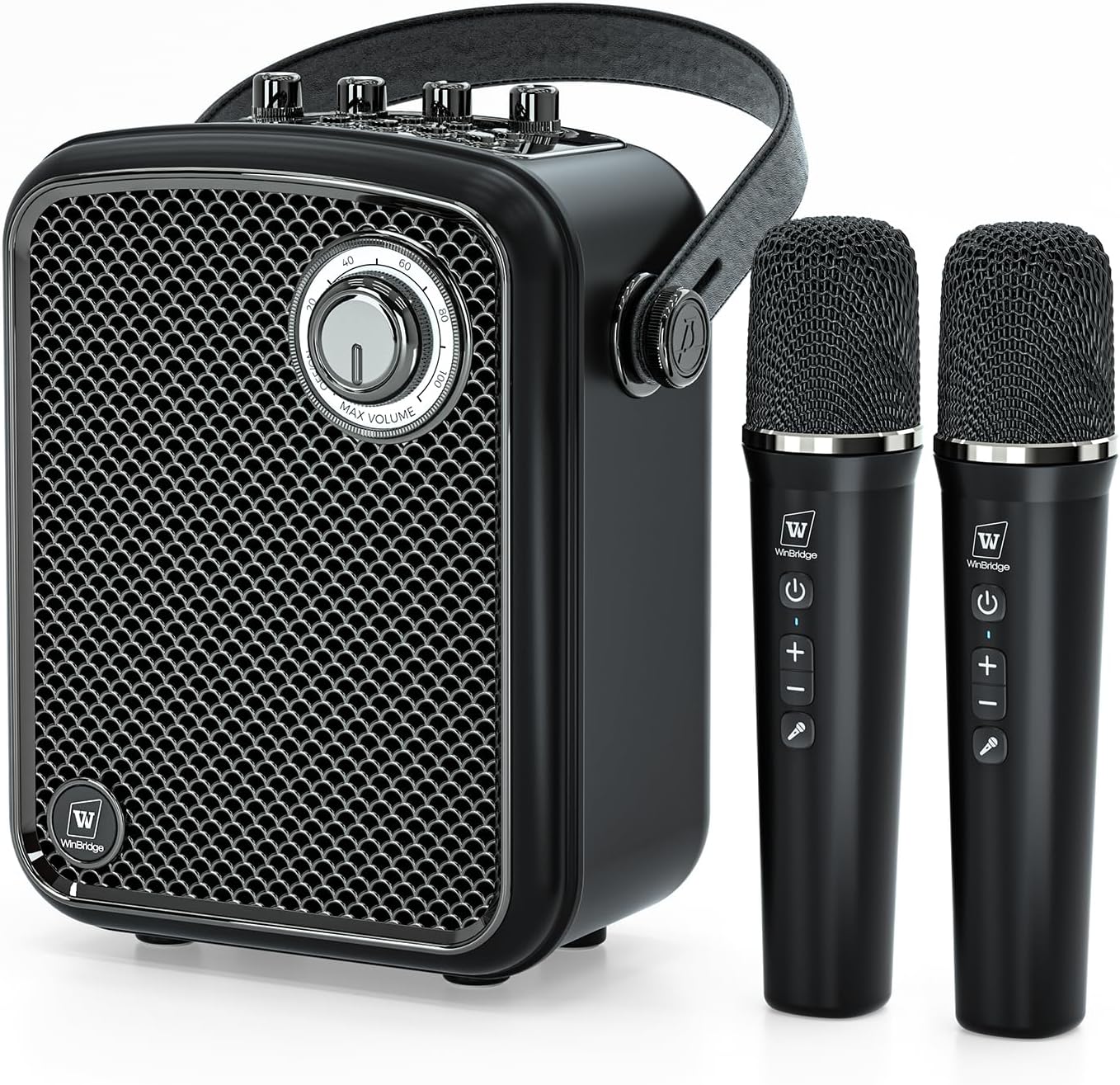
Image: The S100 Pro Voice Amplifier unit with its two accompanying wireless microphones.
What's in the Box
Upon unpacking your S100 Pro Voice Amplifier, please ensure all the following items are present:
- 1x Amplifier Speaker
- 2x Wireless Handheld Microphones
- 1x Type-C Charging Cable
- 1x Aux Cable
- 1x User Manual
Product Features
The S100 Pro Voice Amplifier is equipped with several features to enhance your audio experience:
- Crystal-Clear Audio with 70W Power: Delivers a balanced sound profile with deep bass, crisp treble, and smooth mid-range for optimal clarity.
- All-in-One Audio Solution: Supports multiple input options including Bluetooth 5.3, USB, TF card, AUX, and a 6.35mm mic interface. Features headphone monitoring, live streaming ports, and a dedicated instrument input for guitars.
- Long-Lasting Performance: The speaker provides up to 6 hours of battery life, while the wireless microphones offer over 10 hours of use.
- User-Friendly Control: Intuitive 5-dial control panel for adjusting monitoring, instrument levels, ECHO, microphone, and speaker volumes. Includes a one-touch mute function.
- Versatile 4-Mode Microphones: Cordless handheld microphones offer Acoustic, Professional, Popular, and Hip-hop sound modes, switchable with a button.
- Durable and Portable Design: Crafted with a high-quality metal exterior, compact, lightweight, and features an ergonomic handle for easy transport.

Image: Overview of the S100 Pro's comprehensive connectivity and features.
Setup Instructions
- Unpacking: Carefully remove all components from the packaging. Retain the packaging for future storage or transport.
- Charging the Speaker: Connect the provided Type-C charging cable to the charging port on the back of the amplifier and to a suitable USB power adapter (not included). The LED display will indicate charging status. A full charge typically takes 5-6 hours.
- Charging the Microphones: The wireless microphones also charge via USB. Connect them using their respective charging cables. Charging time is approximately 2.5 hours.
- Power On: Press and hold the power button on the amplifier until the display lights up. For the microphones, press and hold their power buttons until the indicator light turns green. The microphones should automatically pair with the amplifier.

Image: Dimensions and battery life information for the S100 Pro speaker and microphones.
Operating Instructions
Control Panel Overview
The S100 Pro features an intuitive control panel with dials and buttons for easy audio management.

Image: The S100 Pro's control panel with labeled dials and buttons.
Connecting via Bluetooth
- Ensure the amplifier is powered on and in Bluetooth mode (indicated on the LED display).
- On your device (smartphone, tablet, etc.), enable Bluetooth and search for "S100 Pro".
- Select "S100 Pro" to pair. A confirmation sound will indicate successful pairing.
- Play audio from your device. Adjust the master volume on the amplifier and your device as needed.
Using Wireless Microphones
- Power on the microphones. They should automatically connect to the amplifier.
- Adjust the "MIC VOL" dial on the amplifier to control microphone volume.
- Use the buttons on the microphone to switch between 4 sound modes: Acoustic, Professional, Popular, and Hip-hop.
- Adjust the "ECHO VOL" dial for desired echo effect.
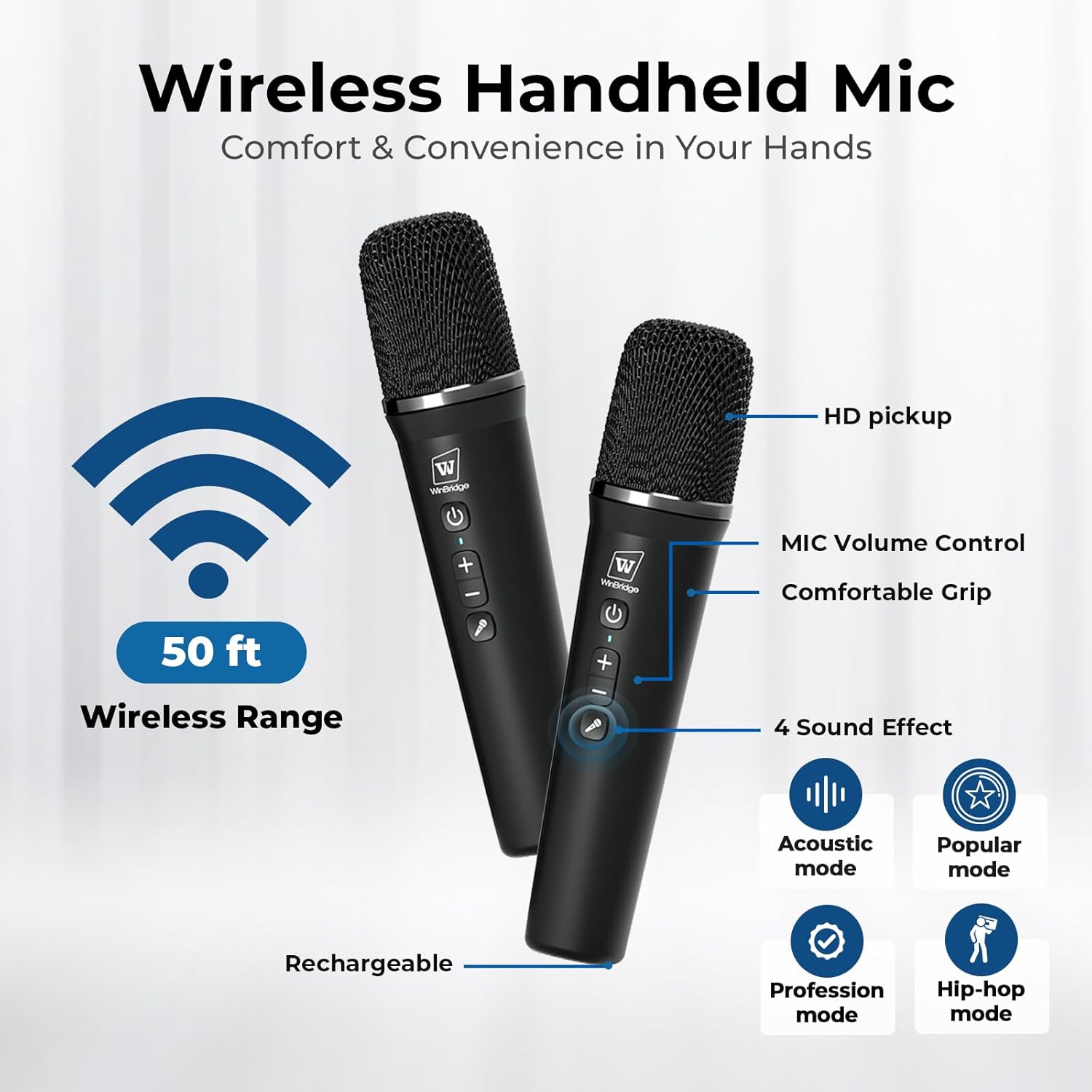
Image: Wireless microphones with mode and volume controls.
Connecting Instruments (e.g., Guitar)
- Connect your instrument to the 6.35mm instrument input jack on the back of the amplifier.
- Adjust the "INSTRUMENT VOL" dial on the amplifier to set the instrument's volume.
USB/TF Card/AUX Playback
- Insert a USB drive or TF card into the corresponding port on the back of the amplifier. The system will automatically switch to the respective mode and begin playback.
- For AUX input, connect your audio device using the provided AUX cable to the AUX port.
- Use the playback control buttons (Play/Pause, Next, Previous, Single/All Loop) on the amplifier to manage your audio.
Monitoring and Live Streaming
- Monitoring: Connect headphones to the "MON" (Monitor) jack to listen to your audio output directly. Adjust "MON VOL" for headphone volume.
- Live Streaming: Use the "LIVE" port to connect to a compatible device for live audio streaming. (Live cable not included).
Official Product Video: Sing & Play Guitar with S100 PRO Portable Microphone Speaker
Video: This video demonstrates how to use the S100 Pro speaker for singing along to music via Bluetooth and playing a guitar through its instrument input, showcasing its versatility for musicians and performers.
Maintenance
- Cleaning: Use a soft, dry cloth to clean the exterior of the amplifier and microphones. Do not use liquid cleaners or abrasive materials.
- Storage: Store the device in a cool, dry place away from direct sunlight and extreme temperatures when not in use.
- Battery Care: To prolong battery life, avoid fully discharging the device frequently. Charge regularly, even if not in constant use.
Troubleshooting
- No Sound:
- Check if the amplifier and microphones are powered on and charged.
- Ensure volume levels (master, mic, instrument) are not set to zero.
- Verify Bluetooth connection or proper cable insertion for AUX/USB/TF.
- Microphone Not Connecting:
- Ensure microphones are charged and powered on.
- Restart both the amplifier and microphones to re-establish connection.
- Distorted Sound:
- Reduce volume levels on both the amplifier and the connected audio source.
- Ensure microphones are not too close to the speaker to avoid feedback.
Specifications
| Product Model | S100 Pro |
| Output Power | 70W |
| Frequency Range | 60Hz-18KHz |
| SNR | ≥70dB |
| Battery (Speaker) | 4500mAh |
| Input Voltage | 5V-3A |
| Charging Time (Speaker) | 5-6 Hours |
| Charging Time (Microphone) | 2.5 Hours |
| Working Time (Speaker) | 4-6 Hours |
| Working Time (Microphone) | 10+ Hours |
| Connectivity Technology | AUX, Bluetooth, USB, Wireless |
| Material | Acrylonitrile Butadiene Styrene (ABS), Metal |
| Item Weight | 2.45 Kilograms (5.39 pounds) |
| Dimensions | 12.28 x 9.13 x 6.22 inches |
Warranty and Support
HW HAOWORKS is committed to product quality and customer satisfaction. The S100 Pro Voice Amplifier comes with lifetime after-sales support and a 24-hour response service for any inquiries or issues.
For support, please refer to the contact information provided in the included user manual or visit the official HW HAOWORKS website.


