
BaldrTherm HCS0565ARF-V4
Contents
BaldrTherm Digital Floating Pool Thermometer User Manual
Model: HCS0565ARF-V4
Product Overview
The BaldrTherm Digital Floating Pool Thermometer is designed for accurate and convenient water temperature monitoring in various aquatic environments. Its innovative design allows for easy reading and reliable performance.
- 360° Reading: Features an angled design for quick data reading from any position around the pool or in the water.
- Accurate and Sensitive: Equipped with high-precision sensors for reliable data (Accuracy: ±1°F/°C), updating every 5 seconds.
- IPX7 Waterproof & Anti-Fog: Fully sealed with waterproof rings and ultrasonic technology, ensuring no water leakage and clear readings even when submerged.
- Versatile Applications: Ideal for swimming pools, hot tubs, aquariums, baby baths, spas, and koi ponds.

Image: The BaldrTherm Digital Floating Pool Thermometer, showcasing its sleek design and digital display.
Setup
Follow these steps for initial setup of your BaldrTherm Pool Thermometer:
- Unpack: Carefully remove the thermometer from its packaging.
- Battery Installation: The thermometer requires Nonstandard Battery batteries. Locate the battery compartment, typically at the base of the unit. Ensure proper polarity when inserting batteries.
- Power On: The device should automatically power on once batteries are installed. Verify the digital display is active.
- Placement: Gently place the floating thermometer into the water of your pool, hot tub, or other desired aquatic environment. Ensure it floats freely.
- Initial Reading: Allow a few minutes for the thermometer to stabilize and provide an accurate temperature reading.

Image: An exploded view of the thermometer showing the battery compartment, highlighting the double waterproof protection.
Operating Instructions
Using your BaldrTherm Pool Thermometer is straightforward:
- Reading Temperature: The thermometer features a 360° angled display, allowing you to read the water temperature from multiple angles without needing to retrieve the device from the water.
- Temperature Units: To switch between Celsius (°C) and Fahrenheit (°F), locate the conversion button, typically a small button near the display. Press it to toggle between units.
- Automatic Updates: The thermometer automatically updates the temperature data every 5 seconds, providing real-time readings.
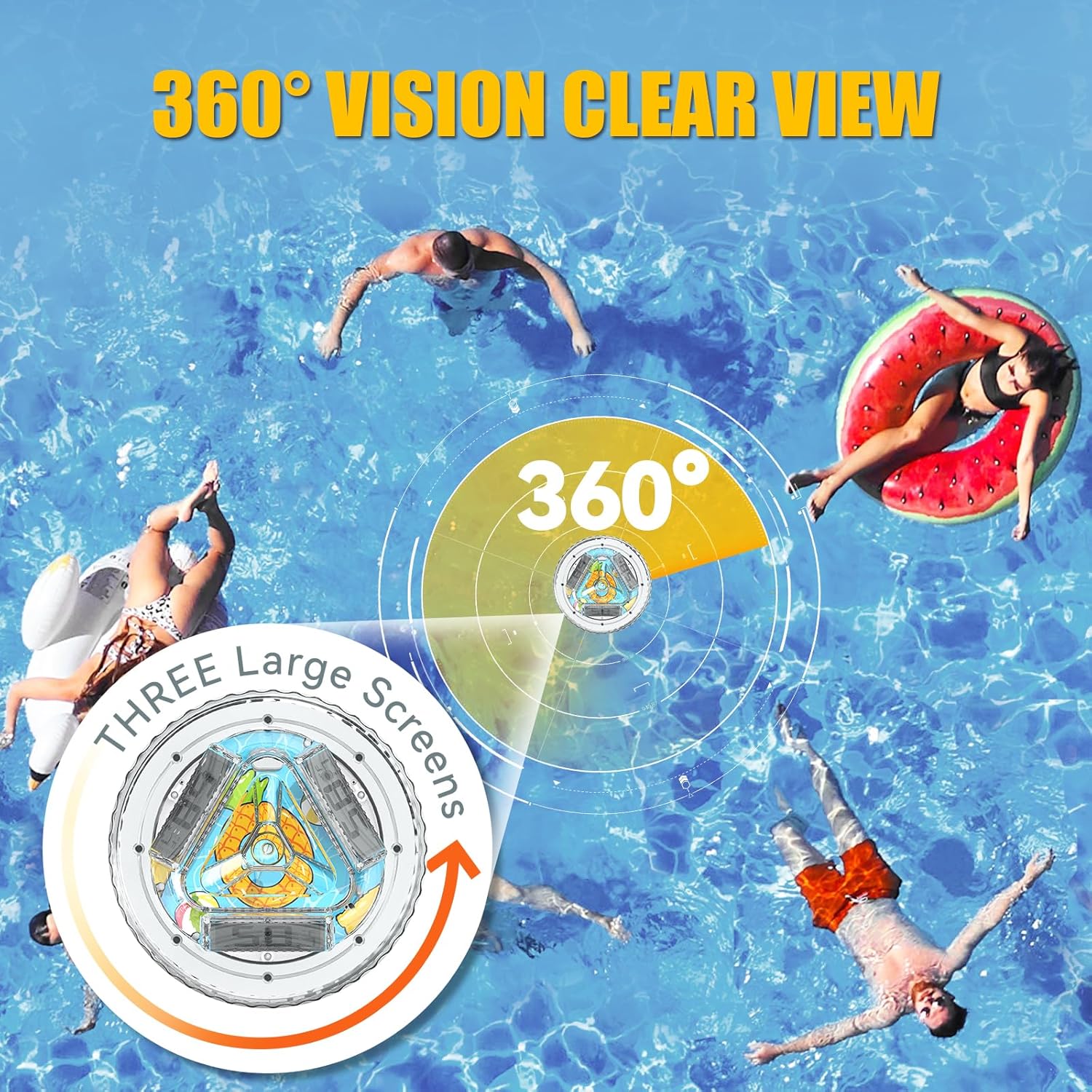
Image: An aerial view of a pool with the thermometer floating, illustrating its 360° visibility from various angles.
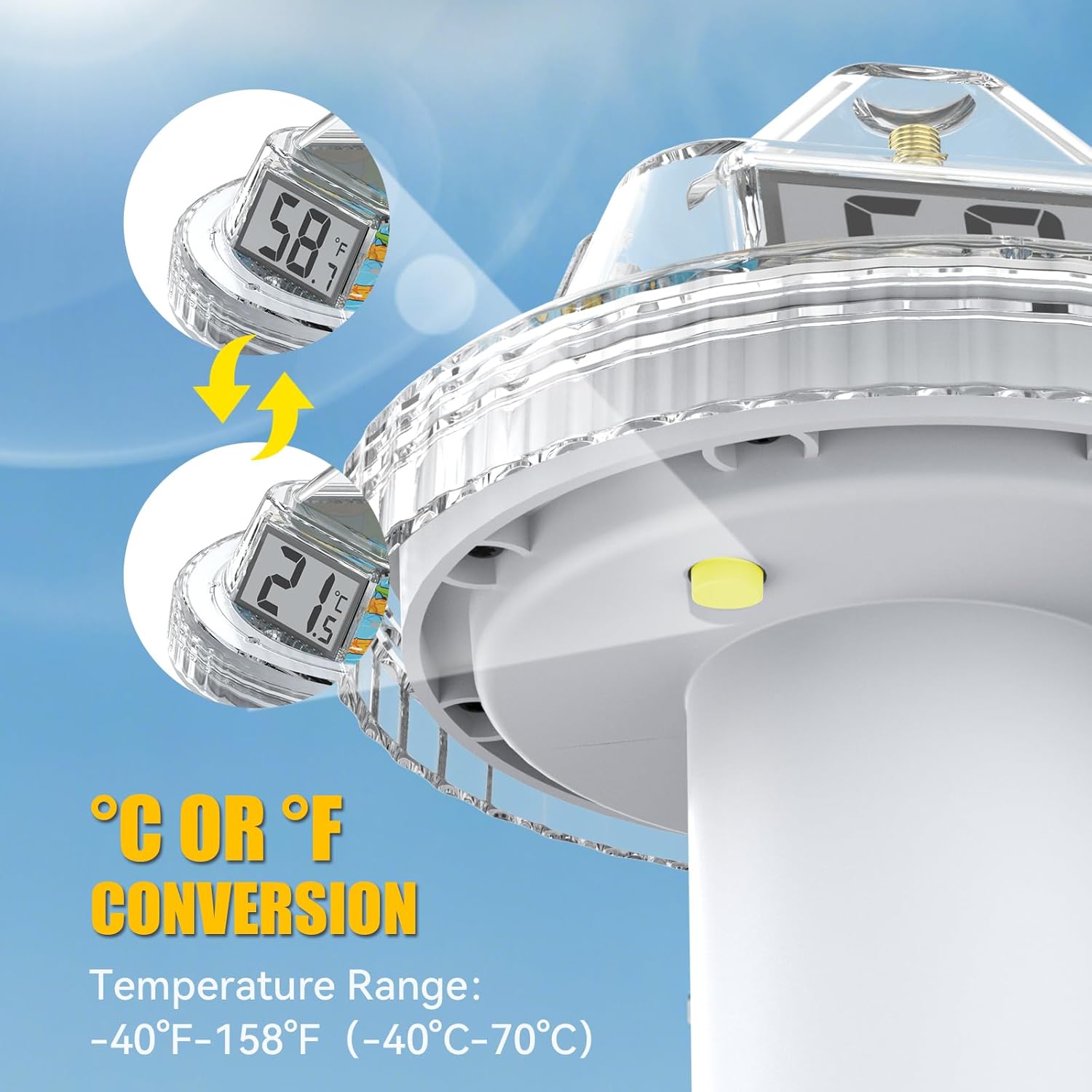
Image: Close-up of the thermometer display, demonstrating the conversion between Celsius and Fahrenheit readings.
Official Product Video: Pool Digital Thermometer

Video: An official product video from BaldrTherm demonstrating the features and usage of the Pool Digital Thermometer, including its floating capability and clear display.
Maintenance
To ensure the longevity and accuracy of your BaldrTherm Pool Thermometer, follow these maintenance guidelines:
- Cleaning: Periodically wipe the thermometer with a soft, damp cloth to remove any residue, algae, or mineral deposits. Avoid abrasive cleaners.
- Storage: When not in use for extended periods, especially during off-season, remove the thermometer from the water, clean it thoroughly, and store it in a cool, dry place away from direct sunlight.
- Battery Replacement: Replace batteries when the display becomes dim or the readings become inconsistent. Refer to the "Setup" section for battery installation instructions.
- Inspect Seals: Occasionally check the waterproof seals around the battery compartment and display for any signs of wear or damage to maintain IPX7 waterproof integrity.

Image: The thermometer partially submerged in water, illustrating its IPX7 waterproof design and anti-fog display.
Troubleshooting
If you encounter issues with your BaldrTherm Pool Thermometer, refer to the common problems and solutions below:
| Problem | Possible Cause | Solution |
|---|---|---|
| No display or dim display | Low or dead batteries; incorrect battery installation. | Replace batteries with new ones, ensuring correct polarity. |
| Inaccurate temperature readings | Sensor obstruction; extreme water conditions; device not stabilized. | Ensure the sensor is clean and unobstructed. Allow device to stabilize for several minutes. Verify water conditions are within operating range. |
| Display fogging up | Compromised waterproof seal. | Ensure all seals are properly closed and undamaged. If fogging persists, contact customer support. |
| Device not floating correctly | Water ingress; physical damage. | Check for cracks or openings. If water has entered, dry thoroughly and check seals. If damaged, replacement may be necessary. |

Image: A close-up of the thermometer's probe, emphasizing its high-sensitivity and ultra-precision temperature sensor.
Specifications
| Feature | Detail |
|---|---|
| Model Number | HCS0565ARF-V4 |
| Dimensions | 7.32 x 4.33 x 4.29 inches |
| Weight | 10.93 ounces |
| Power Source | Nonstandard Battery (batteries required) |
| Material | Acrylonitrile Butadiene Styrene |
| Display Type | Digital |
| Temperature Accuracy | ±1°F/°C |
| Update Frequency | Every 5 seconds |
| Waterproof Rating | IPX7 |
| Country of Origin | China |

Image: A collage showing the thermometer in different aquatic settings like swimming pools, hot tubs, and aquariums, demonstrating its multi-scenario applications.
Warranty and Support
BaldrTherm is committed to your satisfaction. We offer comprehensive after-sales support for your product:
- Warranty: This product comes with an extensive 3-year warranty from BaldrTherm.
- Instruction Manual: A detailed instruction manual is included with each package to guide you through setup and usage.
- Online Support: Our 24/7 online support team is available to assist with any inquiries or issues you may have. Please refer to the product packaging or official BaldrTherm website for contact details.
Documents and downloads
Ask a question about this manual
Ask about setup, troubleshooting, compatibility, parts, safety, or missing instructions. Manuals+ will review the question and use this page’s manual context to help answer it.