
1. Introduction
The MAMBASNAKE M3 Wireless Gaming Mouse is designed for high-performance gaming and versatile use across various platforms. Featuring a lightweight design, advanced optical sensor, and triple-mode connectivity, it offers precision and comfort for extended use.
2. Product Features
2.1. Pro-Grade Precision: PAW3395PRO Sensor & 40K DPI
Equipped with PixArt’s custom PAW3395PRO optical sensor, the M3 mouse provides pixel-perfect tracking at up to 40,000 DPI, 700 IPS speed, and 60G acceleration. This ensures accurate and responsive cursor movements, crucial for competitive gaming.

Image: Internal view of the MAMBASNAKE M3 mouse highlighting the PixArt PAW3395PRO sensor, indicating high precision tracking capabilities.
2.2. Featherlight 39g Design & Ice-Cool Grip
Constructed with an ultralight, durable ergonomic shell and a sweat-resistant "ice coating" texture, the M3 mouse weighs approximately 39g. This design minimizes wrist fatigue during intense gaming sessions and provides a comfortable, secure grip.

Image: Two MAMBASNAKE M3 mice, one black and one white, resting on a textured surface, illustrating their compact and lightweight form factor.
2.3. Triple-Mode Pro Connectivity: 2.4G / Bluetooth / Wired
The M3 mouse supports three connection modes: Type-C wired with the included coiled cable, 2.4GHz wireless via a USB receiver, and Bluetooth for pairing with compatible devices. This versatility ensures stable connections with a 1000Hz polling rate and near-zero latency, suitable for gaming, office, and creative tasks.

Image: Diagram illustrating the three connectivity modes (wired, 2.4G wireless, Bluetooth) of the MAMBASNAKE M3 mouse.
2.4. Durable Mechanical Micro Switches & F-Switch Encoder
Equipped with advanced OMRON micro-switches rated for over 100 million clicks with a 0.2ms response time, and paired with an F-Switch encoder for tactile feedback and enhanced durability. The built-in 300mAh rechargeable battery provides long-lasting use (2-3 hours for a full charge).

Image: Cutaway view of the MAMBASNAKE M3 mouse showing the internal mechanical switches and encoder, emphasizing their durability and responsiveness.
2.5. AI-Powered Cloud Driver & DIY Customization
Utilize the web-based driver (bit.ly/3GXKSkI) for customization without installation. Remap buttons, adjust polling rate, create macros, and fine-tune settings. The mouse also supports custom aviator cables, anti-slip grip tape, and 100% pure Teflon high-speed feet for personalized control.
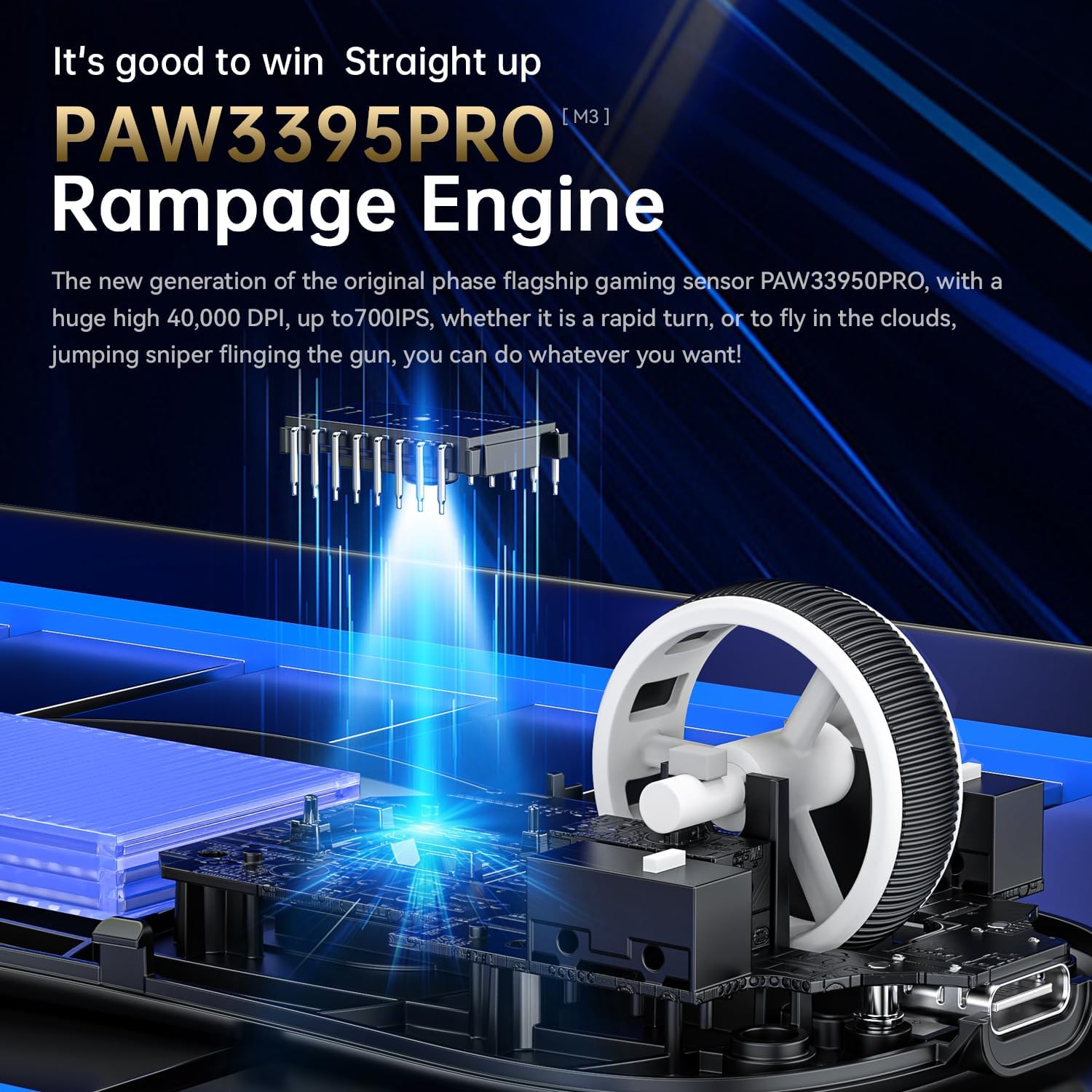
Image: The MAMBASNAKE M3 mouse displayed alongside a graphical user interface for its cloud-based customization software, showing options for button remapping and settings adjustments.
3. Setup Guide
3.1. Connecting the Mouse
The MAMBASNAKE M3 offers three connection methods:
- Wired Connection: Connect the included Type-C coiled cable to the mouse and to a USB port on your computer. The mouse will operate in wired mode.
- 2.4GHz Wireless Connection: Insert the USB receiver into an available USB port on your computer. Slide the switch on the bottom of the mouse to the "2.4G" position. The mouse will automatically connect.
- Bluetooth Connection: Slide the switch on the bottom of the mouse to the "BT" position. Long-press the DPI button for 3 seconds until "BLE" appears (flashing) on the mouse's indicator. On your device, search for "MAMBASNAKE M3" in Bluetooth settings and pair.

Image: Underside of the MAMBASNAKE M3 mouse, showing the mode switch (2.4G, OFF, BT) and DPI switch button.
3.2. Charging the Mouse
Connect the Type-C coiled cable to the mouse's charging port and the other end to a USB power source. A fully depleted battery takes approximately 2-3 hours to fully charge. The mouse can be used while charging in wired mode.

Image: Internal view of the MAMBASNAKE M3 mouse highlighting its 300mAh battery and indicating a 2-3 hour full charge time.
4. Operating Instructions
4.1. DPI Adjustment
Use the DPI switch button on the bottom of the mouse to cycle through preset DPI levels. The current DPI value may be displayed via the mouse's indicator light or through the customization software.
4.2. Button Programming & Customization
The MAMBASNAKE M3 features programmable buttons. To customize button functions, adjust polling rates, or create macros, visit the web-based driver at bit.ly/3GXKSkI. This software allows for advanced personalization of your mouse settings.
4.3. Power On/Off
To turn off the mouse, slide the mode switch on the bottom to the "OFF" position. This will conserve battery life when the mouse is not in use.
5. Maintenance
- Cleaning: Use a soft, dry cloth to clean the mouse. Avoid using harsh chemicals or abrasive materials.
- Storage: Store the mouse in a cool, dry place away from direct sunlight and extreme temperatures.
- Battery Care: For optimal battery longevity, avoid fully discharging the mouse frequently. Charge it when the battery indicator shows low power.
6. Troubleshooting
- Mouse not responding:
- Ensure the mouse is powered on and correctly connected (wired, 2.4G, or Bluetooth).
- Check battery level and charge if necessary.
- For 2.4G wireless, ensure the USB receiver is securely plugged in.
- For Bluetooth, ensure the mouse is paired correctly and within range.
- Lag or Disconnection:
- Ensure the 2.4G receiver or Bluetooth device is not obstructed by other wireless signals or metal objects.
- Try connecting the mouse in wired mode to rule out wireless interference.
- Update mouse drivers via the MAMBASNAKE cloud driver.
- Buttons not working:
- Check button assignments in the customization software.
- Ensure no physical debris is obstructing the buttons.
7. Specifications
| Feature | Detail |
|---|---|
| Model | M3 |
| Sensor | PixArt PAW3395PRO Optical Sensor |
| DPI | Up to 40,000 DPI |
| IPS Speed | 700 IPS |
| Acceleration | 60G |
| Weight | Approx. 39g |
| Connectivity | Tri-Mode (2.4GHz Wireless, Bluetooth, USB-C Wired) |
| Polling Rate | 1000Hz (2.4G/Wired), 125Hz (Bluetooth) |
| Switches | OMRON Mechanical Micro Switches (100M Clicks) |
| Battery | 300mAh Rechargeable |
| Charging Time | 2-3 Hours for full charge |
| Special Features | Programmable Buttons, Ultra Lightweight, Ergonomic Design, AI-Powered Cloud Driver |
8. Warranty and Support
For warranty information, technical support, or further assistance, please refer to the official MAMBASNAKE website or contact customer service through your point of purchase. Keep your purchase receipt for warranty claims.
9. Official Product Videos
ATTACK SHARK X3MAX Esports Wireless Gaming Mouse

Video: A video showcasing the ATTACK SHARK X3MAX Esports Wireless Gaming Mouse, highlighting its features and design. This video is provided by the seller.