
1. Product Overview
The EUQQ Wireless Earbuds (Model YYK-Q10) are designed to provide a high-quality audio experience with advanced features such as Active Noise Cancellation (ANC), Environmental Noise Cancellation (ENC), and Transparency Mode. These earbuds utilize Bluetooth 5.4 technology for stable connectivity and offer an ergonomic design for comfort and IPX7 waterproofing for durability.

Image: EUQQ Wireless Earbuds (Model YYK-Q10) in their charging case, displaying battery levels on an LED screen.
2. Package Contents
- EUQQ Wireless Earbuds (L/R)
- Charging Case
- USB-C Charging Cable
- S/M/L Ear Tips (Medium pre-installed)
- User Manual
3. Setup and Initial Use
3.1 Charging the Earbuds and Case
- Place the earbuds into the charging case. Ensure they are correctly seated, and the charging indicators illuminate.
- Connect the USB-C charging cable to the charging port on the case and the other end to a USB power adapter (not included).
- The LED display on the charging case will show the battery level. A full charge for the earbuds takes approximately 1 hour. The case provides up to 36 hours of total playtime.

Image: The charging case with an LED display indicating battery levels and the total playtime capacity.
3.2 Pairing with a Device
- Open the charging case. The earbuds will automatically enter pairing mode.
- On your device (smartphone, tablet, computer), enable Bluetooth.
- Search for available Bluetooth devices and select "YYK-Q10" from the list.
- Once connected, the earbuds will automatically pair with your device for future use after the initial pairing.

Image: A smartphone screen displaying Bluetooth settings, with "YYK-Q10" listed as an available device for connection, alongside the earbuds in their charging case.
3.3 Selecting Ear Tips
For optimal sound quality and comfort, choose the ear tips that best fit your ears. The package includes S, M, and L sizes. Experiment to find the most secure and comfortable fit.

Image: A woman wearing the earbuds, illustrating their ergonomic design and highlighting features like 3.8g weight per earbud and IPX7 waterproof rating.
4. Operating the Earbuds
4.1 Touch Controls
The earbuds feature touch-sensitive controls for various functions:
- Play/Pause: Tap twice on either earbud.
- Next Track: Press and hold the right earbud for 2 seconds.
- Previous Track: Press and hold the left earbud for 2 seconds.
- Answer/End Call: Tap twice on either earbud.
- Reject Call: Press and hold either earbud for 2 seconds.
- Activate Voice Assistant: Tap three times on either earbud.
- Volume Up: Single tap on the right earbud.
- Volume Down: Single tap on the left earbud.
4.2 Noise Control Modes
The earbuds offer three noise control modes: Active Noise Cancellation (ANC), Normal Mode, and Transparency Mode.
- Active Noise Cancellation (ANC): Reduces external noise for an immersive listening experience.
- Normal Mode: Standard audio playback without active noise control.
- Transparency Mode: Allows ambient sounds to pass through, enabling awareness of your surroundings.
To switch between modes, long press the touch button on either earbud.
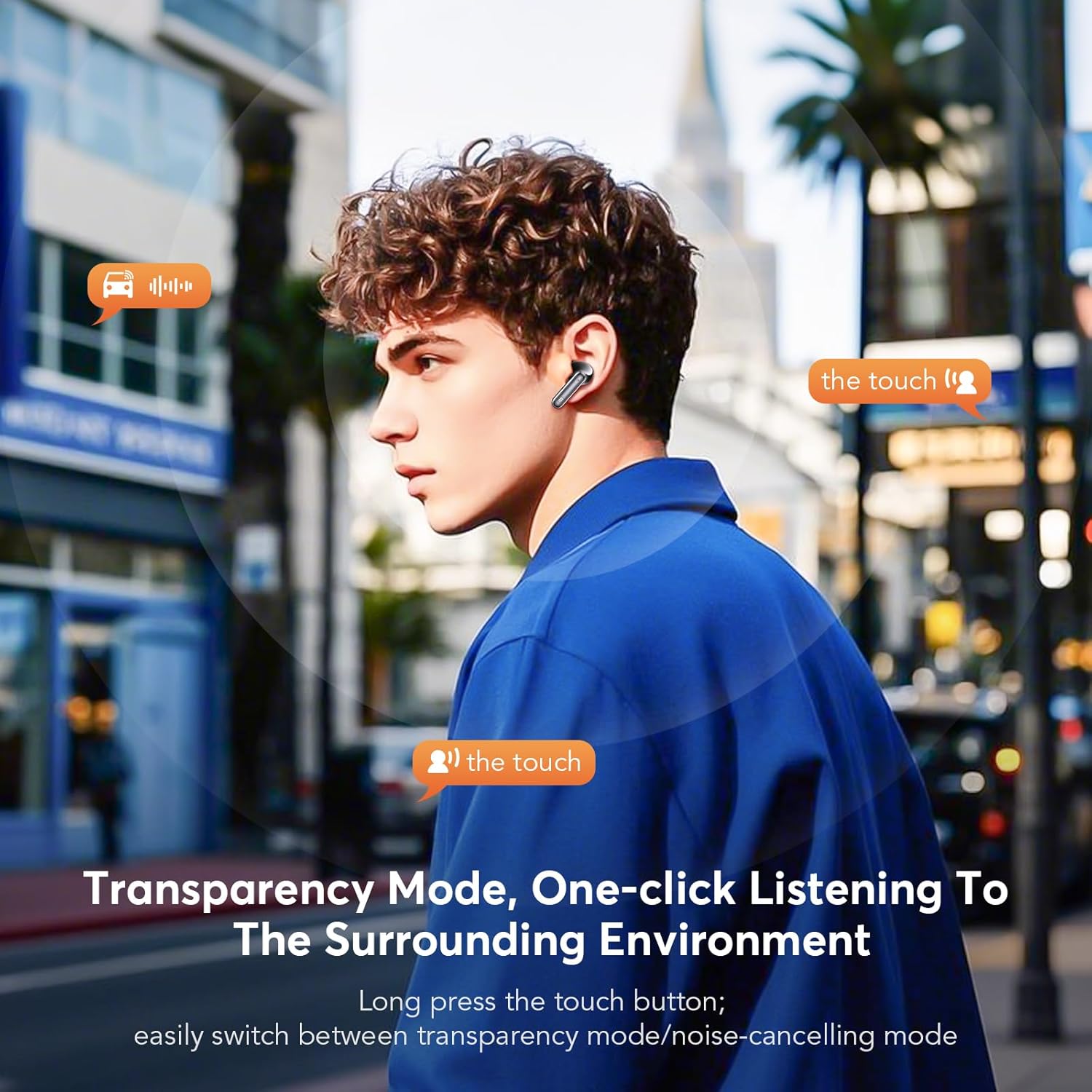
Image: A man demonstrating the touch control for activating Transparency Mode, allowing him to hear his surroundings while wearing the earbuds.

Image: An illustration showing the effectiveness of ANC+ENC noise cancellation, depicting how external noise is reduced and offering options for Noise Reduction, Normal, and Transparency modes.
4.3 Making Calls
The earbuds feature CVC 8.0 Environmental Noise Cancellation and multiple microphones for clear call quality, even in noisy environments.
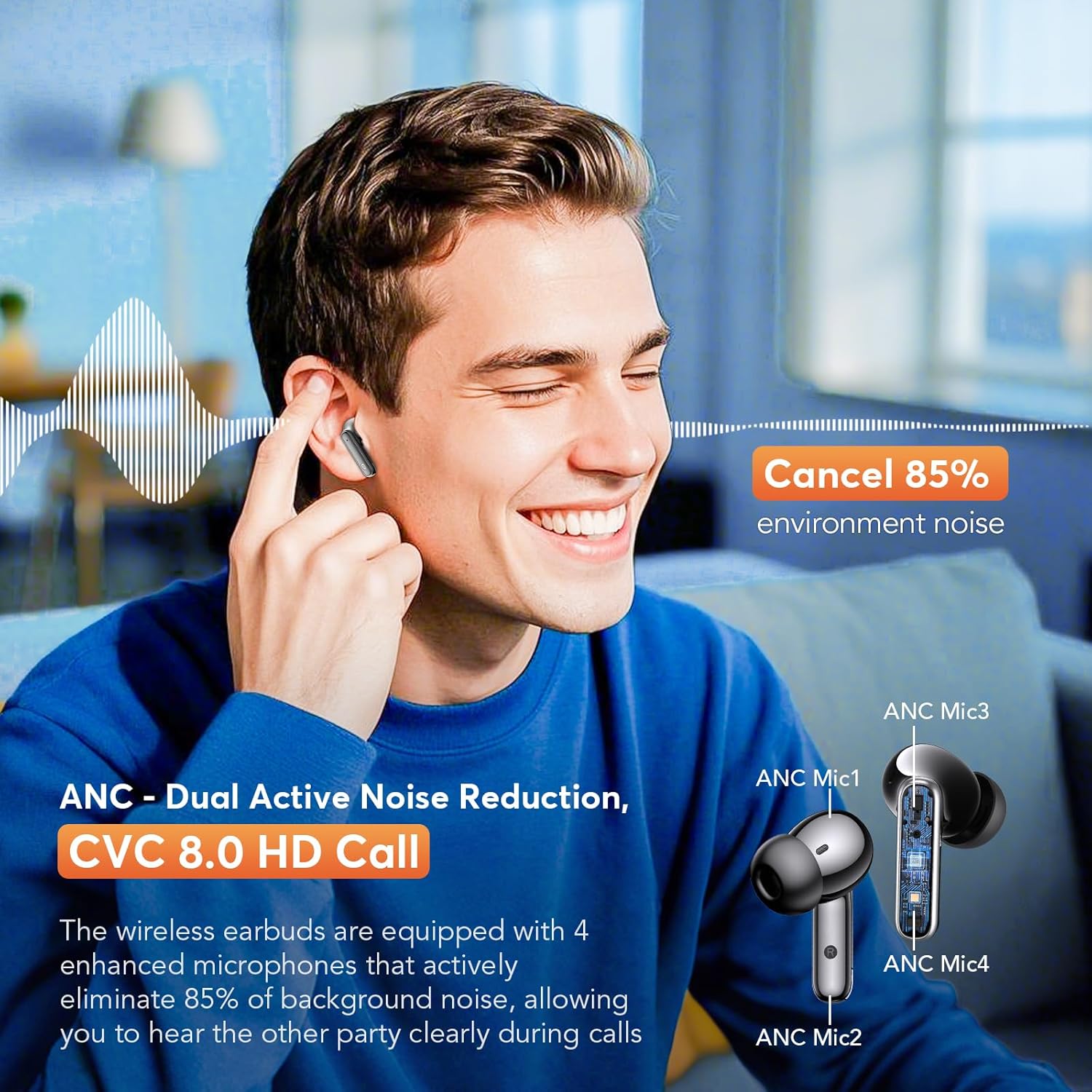
Image: A man smiling while using the earbuds for a call, with an inset diagram highlighting the placement of ANC microphones (ANC Mic1, ANC Mic2, ANC Mic3, ANC Mic4) for dual active noise reduction and CVC 8.0 HD call quality.
5. Maintenance
5.1 Cleaning
Regularly clean your earbuds and charging case to ensure optimal performance and hygiene.
- Use a soft, dry, lint-free cloth to wipe the earbuds and charging case.
- Gently remove any earwax or debris from the ear tips and speaker mesh using a small, soft brush or cotton swab.
- Do not use abrasive materials, alcohol, or chemical cleaners.
5.2 Water Resistance
The earbuds are rated IPX7 waterproof, meaning they can withstand immersion in water up to 1 meter for 30 minutes. This makes them suitable for workouts and rainy conditions. However, the charging case is not waterproof. Ensure earbuds are dry before placing them back into the charging case.
6. Troubleshooting
- Earbuds not pairing: Ensure both earbuds are charged and out of the case. Turn off and on your device's Bluetooth. If issues persist, try resetting the earbuds (refer to manufacturer's website for specific reset instructions).
- No sound from one earbud: Place both earbuds back into the charging case, close the lid, then open it again. Check if both earbuds are connected to your device.
- Poor sound quality: Ensure ear tips provide a good seal. Clean any debris from the speaker mesh. Check your device's audio settings.
- Charging issues: Ensure the charging cable is securely connected to both the case and the power source. Check if the charging port is clean.
7. Specifications
- Model: YYK-Q10
- Bluetooth Version: 5.4
- Bluetooth Range: Up to 15 meters (49 feet)
- Noise Control: Dual Active Noise Cancellation (ANC), Environmental Noise Cancellation (ENC), Transparency Mode
- Driver Size: 13.0mm dynamic drivers
- Call Technology: CVC 8.0 HD Call
- Earbud Playtime: 6-7 hours (single charge)
- Total Playtime (with case): Up to 36 hours
- Earbud Charging Time: Approximately 1 hour
- Waterproof Rating: IPX7 (earbuds only)
- Earbud Weight: 3.8g (single earbud)
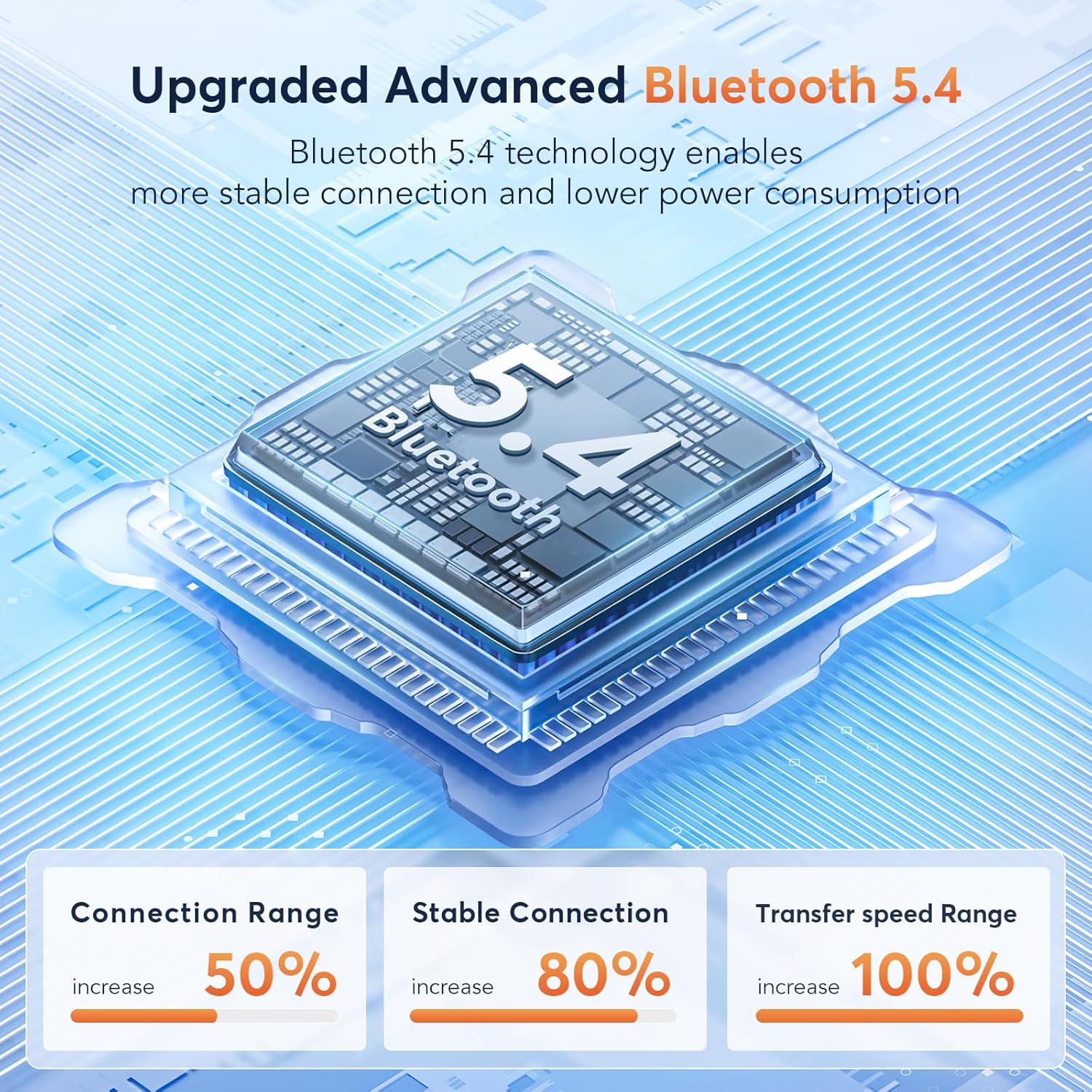
Image: A diagram illustrating the advanced Bluetooth 5.4 technology, highlighting increased connection range, stable connection, and transfer speed range improvements.
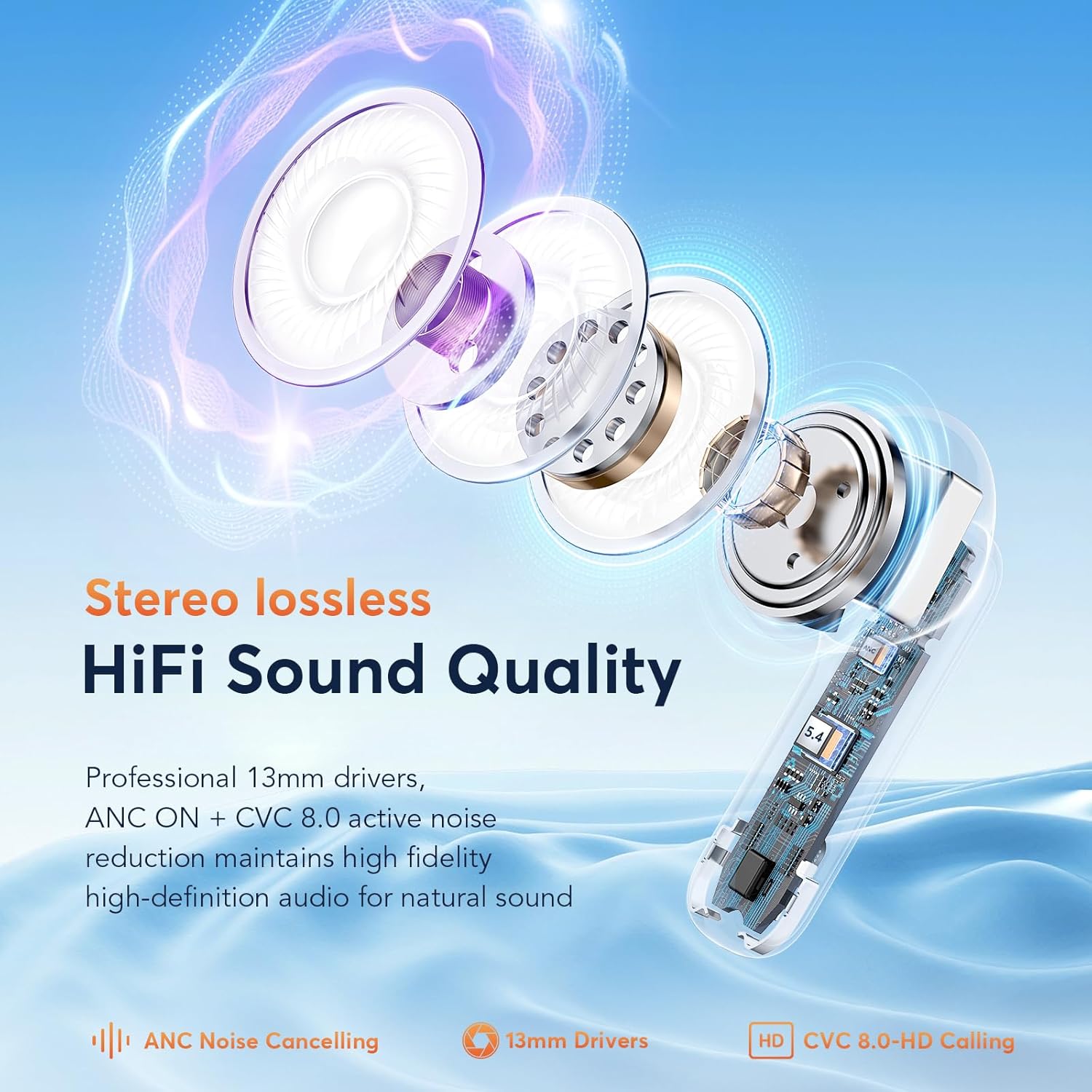
Image: An exploded view of an earbud, showcasing its internal components including the 13mm drivers, ANC, and CVC 8.0 technology for HiFi sound quality.
8. Warranty and Support
For warranty information and customer support, please refer to the documentation included with your purchase or visit the official EUQQ website. Keep your proof of purchase for warranty claims.


