
KNKA D032-05PtA2-A1-D
KNKA 21-Pint Dehumidifier User Manual
Model: D032-05PtA2-A1-D
Introduction
Thank you for choosing the KNKA 21-Pint Dehumidifier. This manual provides essential information for the safe and efficient operation of your new appliance. Designed to remove up to 21 pints of moisture daily from spaces up to 1,600 sq. ft., this dehumidifier helps create a healthier and more comfortable environment by preventing excess humidity in areas like basements, bedrooms, bathrooms, and living rooms.
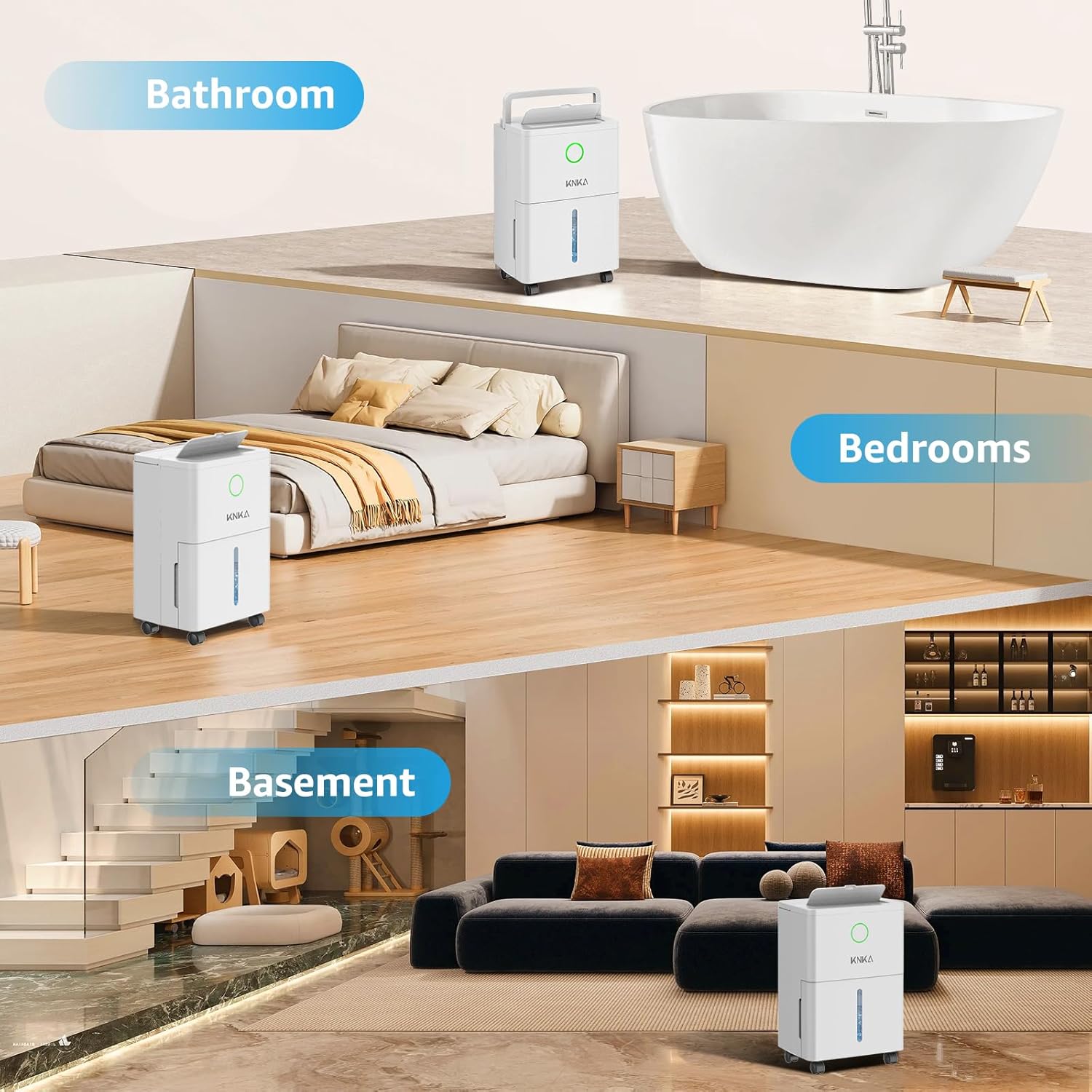
Image: KNKA Dehumidifier shown in a bathroom, bedroom, and basement, illustrating its versatility across different living spaces.
Safety Information
Please read all instructions carefully before using the dehumidifier. Keep this manual for future reference.
- Ensure the unit is placed on a stable, level surface to prevent tipping.
- Do not block air inlets or outlets. Maintain at least 8 inches of clearance around the unit.
- Do not operate the dehumidifier near heat sources or in direct sunlight.
- Always unplug the unit before cleaning or performing any maintenance.
- Keep out of reach of children and pets. Utilize the child lock feature for added safety.
- Do not use in areas where water may splash onto the unit.
- If the power cord is damaged, it must be replaced by the manufacturer or a qualified service agent.
Package Contents
Verify that all items are included in your package:
- KNKA 21 Pints Dehumidifier x 1
- Detachable & Washable Filter x 1 (pre-installed or inside water tank)
- Power Cord x 1
- Drain Hose x 1
- Visible Water Tank x 1 (pre-installed)
- 360° Rotatable Wheels (may be pre-installed or require attachment)
Product Overview
Familiarize yourself with the main components of your dehumidifier.

Image: Front view of the KNKA 21-Pint Dehumidifier, highlighting its compact design and visible water tank.
- Control Panel: Top-mounted touchscreen for all settings.
- Air Outlet: Top-mounted with 90° adjustable deflector for optimized airflow.
- Water Tank: Front-facing, visible 1.7L (0.45 Gallons) tank for manual drainage.
- Air Inlet/Filter: Located at the rear, housing the washable filter.
- Continuous Drain Port: Rear port for hose connection.
- Handle: Integrated lift-up handle for easy portability.
- Wheels: 360° rotatable wheels for effortless movement.
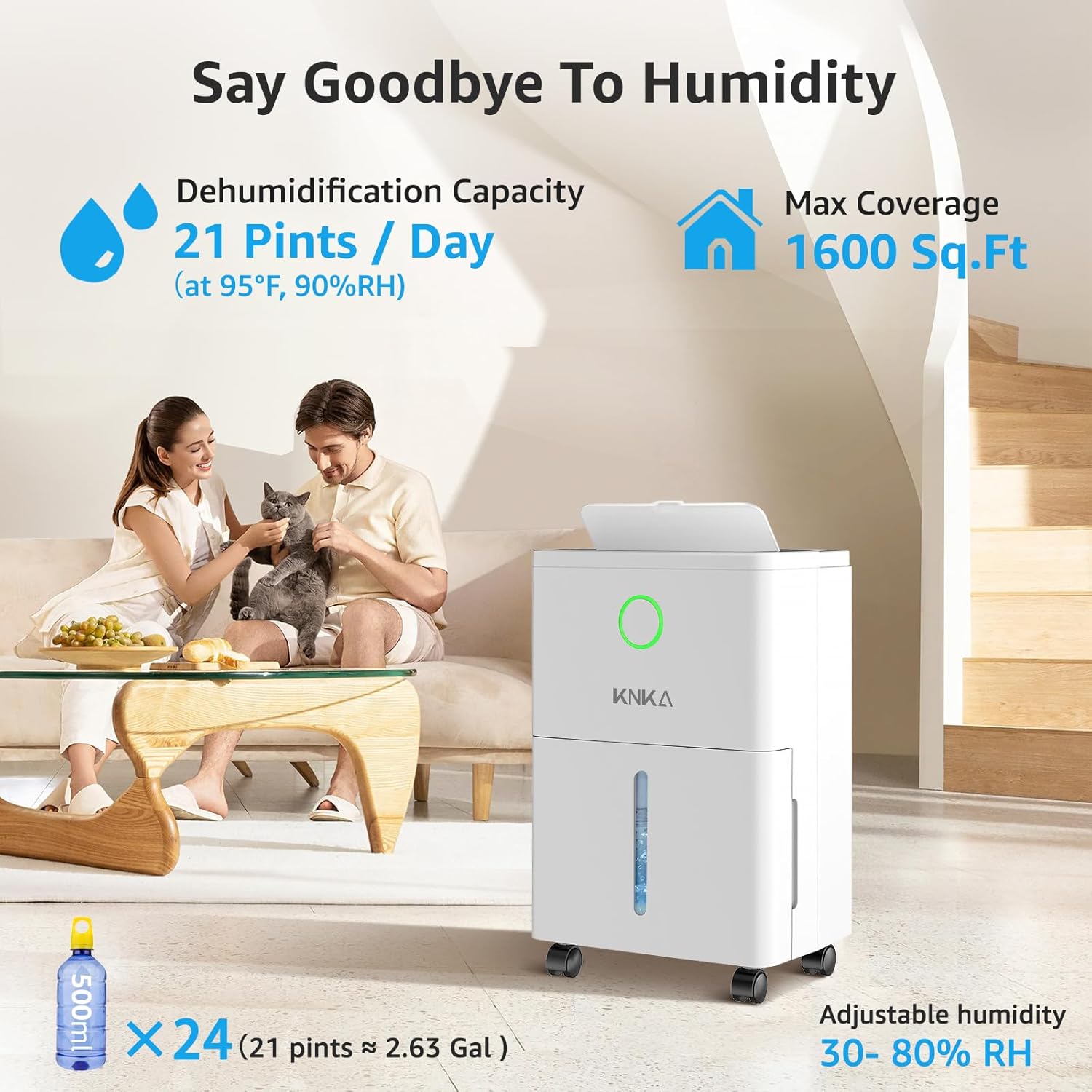
Image: Visual representation of the dehumidifier's capacity to remove 21 pints of moisture per day and cover up to 1600 sq. ft.
Setup
1. Unpacking and Placement
- Carefully remove the dehumidifier from its packaging.
- Check the water tank for any accessories (wheels, drain hose) that may be stored inside.
- Place the unit upright on a firm, level surface. Ensure there is at least 8 inches of space around all sides for proper airflow.
2. Attaching Wheels (if not pre-installed)
- Gently tilt the unit to access the bottom.
- Insert the 360° rotatable wheels into the designated slots on the base until they click securely into place.
- Return the unit to an upright position.

Image: Close-up of the dehumidifier's features for easy mobility and compact design, including the handle and wheels.
Operating Instructions
Control Panel Overview

Image: Detailed view of the smart touchscreen control panel and LCD display, showing various function icons.
- Power Button: Turns the unit ON/OFF.
- Humidity Setting (HUMI): Adjusts desired humidity level (30%-80% RH).
- Fan Speed (HIGH/LOW): Toggles between high and low fan speeds.
- Timer: Sets operation time from 1 to 24 hours.
- Sleep Mode: Activates quiet operation (40 dB) and turns off display lights.
- Child Lock: Prevents accidental changes to settings. Press and hold for 3 seconds to activate/deactivate.
- Water Full Indicator: Illuminates when the water tank is full, and the unit will automatically shut off.
- Humidity Indicator Light: Changes color based on real-time humidity levels (e.g., Blue for 45%, Green for 45%-65%, Red for 65%).
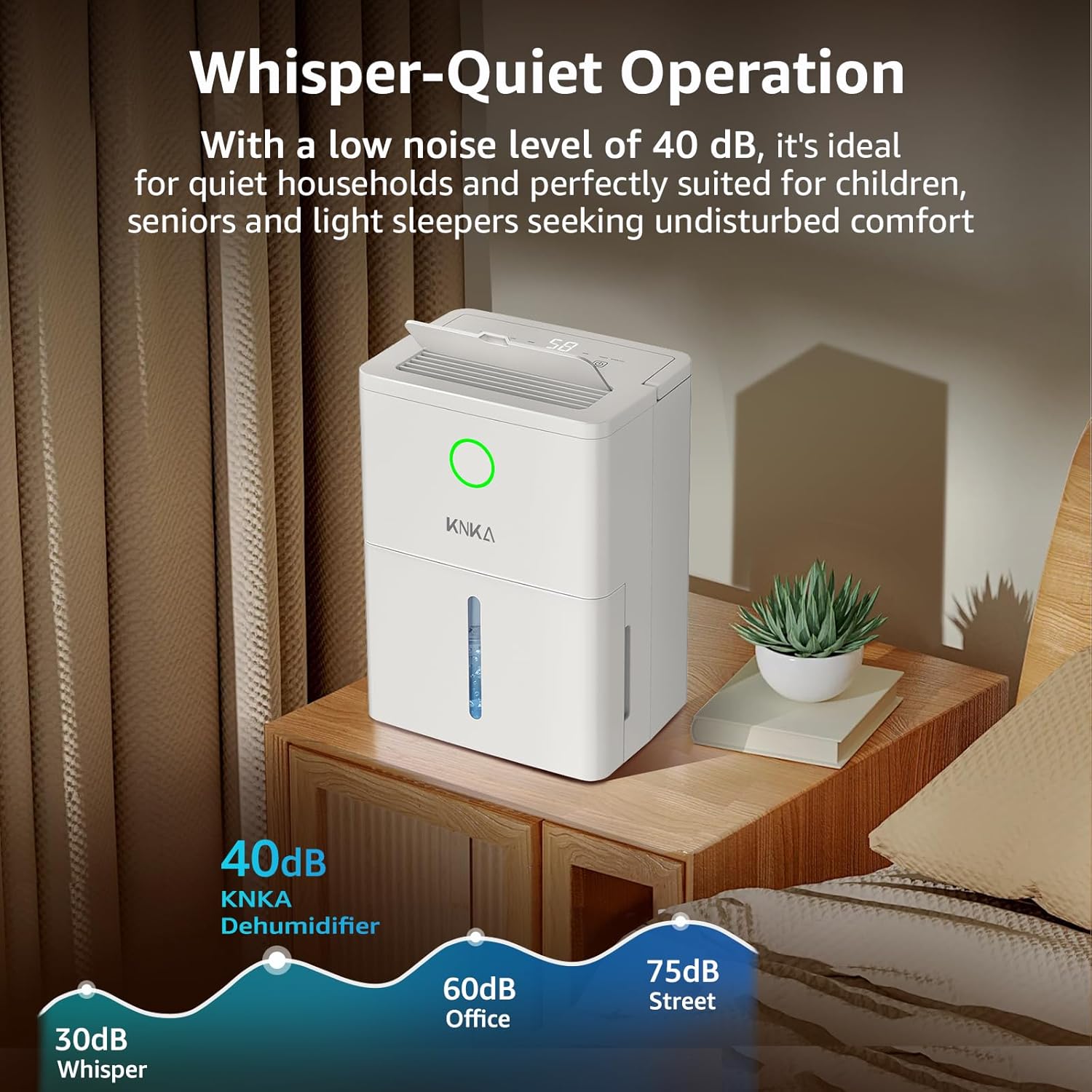
Image: The dehumidifier operating in a bedroom, emphasizing its quiet operation at 40 dB.

Image: Smart Humidity Indicator LED Light displaying different colors (Blue, Green, Red) to visually represent humidity levels.
Drainage Options
Your KNKA dehumidifier offers two convenient drainage methods:
1. Manual Drainage (Water Tank)
- The unit collects water in its 1.7L (0.45 Gallons) visible water tank.
- When the tank is full, the "Water Full" indicator will light up, and the unit will automatically shut off to prevent overflow.
- Carefully pull out the water tank from the front of the unit.
- Empty the collected water into a sink or drain.
- Slide the empty tank back into the unit until it clicks into place. The dehumidifier will resume operation.
2. Continuous Drainage (Drain Hose)
For long-term, hands-free operation, use the included drain hose for continuous drainage.
- Locate the continuous drain port at the back of the unit.
- Remove the rubber stopper from the drain port.
- Connect the provided 2.13 ft drain hose to the port, ensuring a secure fit.
- Direct the other end of the hose into a suitable drain (e.g., floor drain, large bucket, sink). Ensure the hose is sloped downwards to allow gravity drainage.
- The unit will now continuously drain water, eliminating the need to manually empty the tank.

Image: Illustration of the two drainage methods: using the built-in water tank or connecting the gravity drain hose for continuous operation.
Maintenance
Regular maintenance ensures optimal performance and longevity of your dehumidifier.
Cleaning the Air Filter
- It is recommended to clean the air filter every two weeks or more frequently depending on usage and air quality.
- Turn off and unplug the dehumidifier.
- Locate the air filter cover at the back of the unit. Gently pull to remove it.
- Remove the filter from its slot.
- Clean the filter using a vacuum cleaner to remove dust and debris. For a deeper clean, wash it with warm, soapy water.
- Rinse thoroughly and allow the filter to air dry completely before reinserting.
- Place the dry filter back into its slot and reattach the filter cover.
General Cleaning
- Wipe the exterior of the unit with a soft, damp cloth. Do not use harsh chemicals or abrasive cleaners.
- Clean the water tank regularly to prevent mold and mildew growth.
Troubleshooting
If you encounter issues with your dehumidifier, refer to the following common problems and solutions:
| Problem | Possible Cause | Solution |
|---|---|---|
| Dehumidifier does not turn on. | No power; Water tank full or incorrectly placed. | Check power connection; Empty and properly reinsert water tank. |
| No water collected. | Humidity level too low; Room temperature too low; Air filter clogged. | Adjust desired humidity higher; Ensure room temp is above 41°F (5°C); Clean air filter. |
| Unit is noisy. | Unit not on a level surface; Air filter clogged. | Place on a flat, stable surface; Clean air filter. |
| Frost on coils. | Low room temperature. | Unit has Auto Defrost function; allow it to defrost automatically. |
Specifications
| Feature | Detail |
|---|---|
| Brand | KNKA |
| Model Name | D032-05PtA2 - A1-D Dehumidifier |
| Dehumidification Capacity | 21 Pints per Day |
| Floor Area Coverage | 1600 Square Feet |
| Tank Volume | 0.45 Gallons (1.7L) |
| Product Dimensions | 7.28"D x 9.98"W x 13.39"H |
| Item Weight | 16.5 Pounds |
| Wattage | 110 watts |
| Noise Level (Sleep Mode) | 40 dB |
| Special Features | Continuous Draining, Digital Display, Adjustable Humidity Control, Quiet Operation, Automatic Defrost, Child Lock, Washable Filter, Hidden Handle, Removable 360° Universal Wheels, Automatic Shutoff, Sleep Mode |
| Included Components | Detachable & Washable Filter x 1, Power Cord, Drain Hose, Visible Water Tank x 1, KNKA 21 Pints Dehumidifier x 1 |
| UPC | 762849536224 |
Warranty & Support
KNKA products are designed for reliability and performance. For warranty information or technical support, please refer to the contact details provided on the product packaging or visit the official KNKA website. Keep your purchase receipt as proof of purchase for warranty claims.
For additional support, you may also visit the KNKA Brand Store on Amazon.
Ask a question about this manual
Ask about setup, troubleshooting, compatibility, parts, safety, or missing instructions. Manuals+ will review the question and use this page’s manual context to help answer it.