
1. Product Overview
The MAHANCRIS Narrow Nightstand (Model ETNA30E01) is a compact and functional end table designed for small spaces. It features an integrated charging station and multiple storage shelves, making it suitable for bedrooms, living rooms, and dorms.
- Ultra-Slim Design: With a 7.9-inch (20 cm) width, it fits into tight spaces.
- Integrated Charging Station: Includes 2 AC outlets, 1 USB port, and 1 Type-C port for convenient device charging.
- Versatile Storage: Three open shelves provide adaptable storage for various items.
- Durable Construction: Made from premium particleboard for stability and easy maintenance.

Image 1.1: The MAHANCRIS Narrow Nightstand in a living room setting, demonstrating its compact design and utility.
2. Safety Information
Please read and understand all safety instructions before assembly and use. Failure to follow these instructions may result in injury or damage to the product.
- Weight Capacity: Do not exceed the maximum weight capacity of 44 lb (20 kg) on the nightstand.
- Assembly: Ensure proper assembly to prevent tipping. All fasteners must be securely tightened.
- Placement: Place the nightstand on a flat, stable surface.
- Electrical Safety: Do not overload the charging station. Use only with compatible devices and within specified electrical limits. Keep liquids away from electrical outlets.
3. Setup and Assembly
The MAHANCRIS Narrow Nightstand is designed for easy assembly. All necessary tools and instructions are included. Please follow these steps carefully.
3.1. Unpacking
- Open the packaging and carefully remove all components.
- Verify that all parts listed in the included accessory kit are present.
- Lay out all parts on a clean, soft surface to prevent scratches.
3.2. Assembly Steps
Tools recommended for assembly: Allen Key, Screwdriver (included).
- Identify all wooden panels and hardware components using the provided diagram.
- Attach the side panels to the base and top panels using the designated screws and an Allen key.
- Insert the middle shelf into the pre-drilled holes, securing it with fasteners.
- Install the charging station into the designated slot on the top panel. Ensure the cable is routed through the back cable hole.
- Tighten all screws to ensure the nightstand is stable. Do not overtighten.

Image 3.1: Exploded view of nightstand components for assembly.
4. Operating Instructions
The integrated charging station provides convenient power access for your electronic devices.
4.1. Using the Charging Station
- Plug the nightstand's power cord into a standard wall outlet.
- The charging station features 2 AC outlets, 1 USB-A port, and 1 USB-C port.
- Connect your devices to the appropriate ports for charging.
- The back cable hole helps manage cables, keeping your desktop tidy.

Image 4.1: Detail of the integrated charging station.
4.2. Storage Usage
Utilize the three open shelves for organizing various items such as books, headphones, decorative objects, or personal essentials.

Image 4.2: Example of storage utilization on the nightstand.
5. Maintenance
Proper care will ensure the longevity and appearance of your nightstand.
- Cleaning: Wipe the surface with a dry cloth. Avoid abrasive cleaners or harsh chemicals that may damage the finish.
- Spills: Immediately wipe up any spills to prevent moisture damage.
- Inspection: Periodically check all fasteners and tighten if necessary to maintain stability.

Image 5.1: The smooth surface of the nightstand is easy to clean.
6. Troubleshooting
If you encounter any issues with your MAHANCRIS Narrow Nightstand, refer to the following common solutions.
6.1. Stability Issues
- Wobbling: Check all assembly screws and ensure they are securely tightened. Make sure the nightstand is placed on a level surface.
6.2. Charging Station Not Working
- No Power: Ensure the nightstand's power cord is fully plugged into a functional wall outlet. Check if the wall outlet is receiving power by testing it with another device.
- Device Not Charging: Verify that your device's charging cable is properly connected to both the device and the charging station port. Try a different port or cable to rule out a faulty cable or device.
- Slow Charging: Some USB ports may provide lower current. For faster charging, use the AC outlets with your device's original power adapter.
7. Specifications
| Feature | Detail |
|---|---|
| Model Number | ETNA30E01 |
| Brand | MAHANCRIS |
| Product Dimensions (D x W x H) | 20D x 29W x 60H centimetres (7.9D x 11.4W x 23.6H inches) |
| Item Weight | 4.7 kg (10.36 lbs) |
| Maximum Weight Recommendation | 19.96 kg (44 lb) |
| Frame Material | Engineered Wood |
| Color | Natural |
| Charging Station | 2 AC Outlets, 1 USB-A Port, 1 USB-C Port |
| Assembly Required | Yes (Tools Included) |
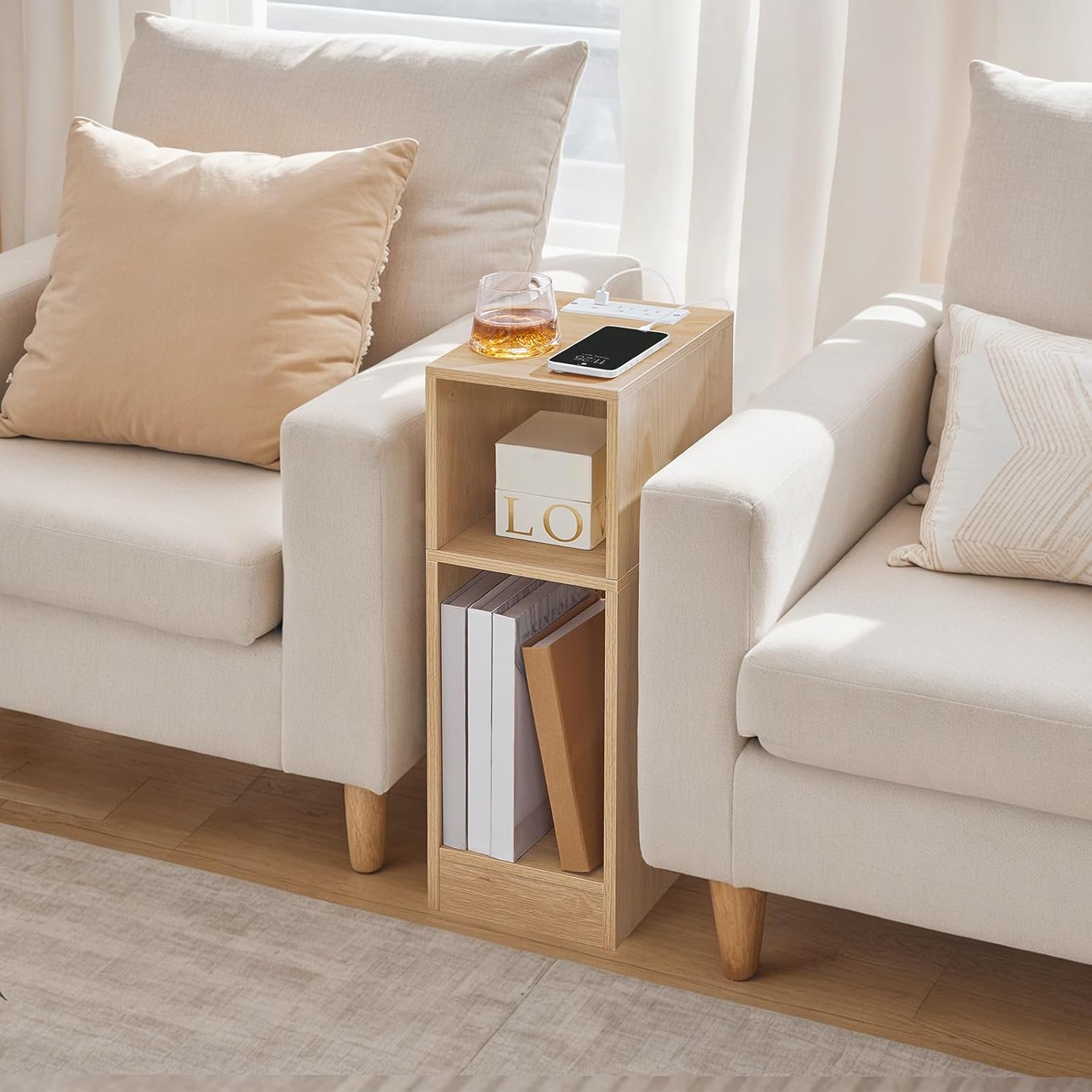
Image 7.1: Product dimensions and weight capacity.
8. Warranty and Support
For warranty information or technical support, please contact MAHANCRIS customer service. Refer to your purchase documentation for specific warranty terms and contact details.
You can also visit the official MAHANCRIS store for more information: MAHANCRIS Store