
Introduction
Welcome to the UGREEN 140W 2-in-1 USB C to USB C Cable instruction manual. This document provides essential information for the safe and efficient use of your new cable. Please read this manual thoroughly before using the product and retain it for future reference.
Product Overview
The UGREEN 140W 2-in-1 USB C to USB C Cable is designed for fast charging and data transfer across multiple devices. Its unique 2-in-1 design allows for simultaneous charging of two USB-C devices from a single power source.

Image: The UGREEN 140W 2-in-1 USB C to USB C Cable, featuring a braided design and two split USB-C connectors.
Key Features:
- 140W Max Fast Charging: Capable of delivering up to 140W for single device charging, such as a MacBook Pro 2024.
- 2-in-1 Charging Cable: Allows simultaneous charging of two USB-C devices, reducing cable clutter.
- Intelligent Power Distribution: Built-in chips intelligently distribute power between two connected devices.
- Durable Construction: Features tough nylon braided material and an aluminum alloy shell, tested for over 10,000 bends.
- Fast Data Transfer: Supports data transfer speeds up to 480Mbps.
Setup
Setting up your UGREEN 140W 2-in-1 USB C to USB C Cable is straightforward. No software installation is required.
- Connect to Power Source: Plug the main USB-C connector of the cable into a compatible USB-C power adapter (e.g., a 140W PD charger) or a device with a power output port.
- Connect to Devices: Plug the split USB-C connectors into your desired devices (e.g., smartphone, laptop, tablet, gaming console).
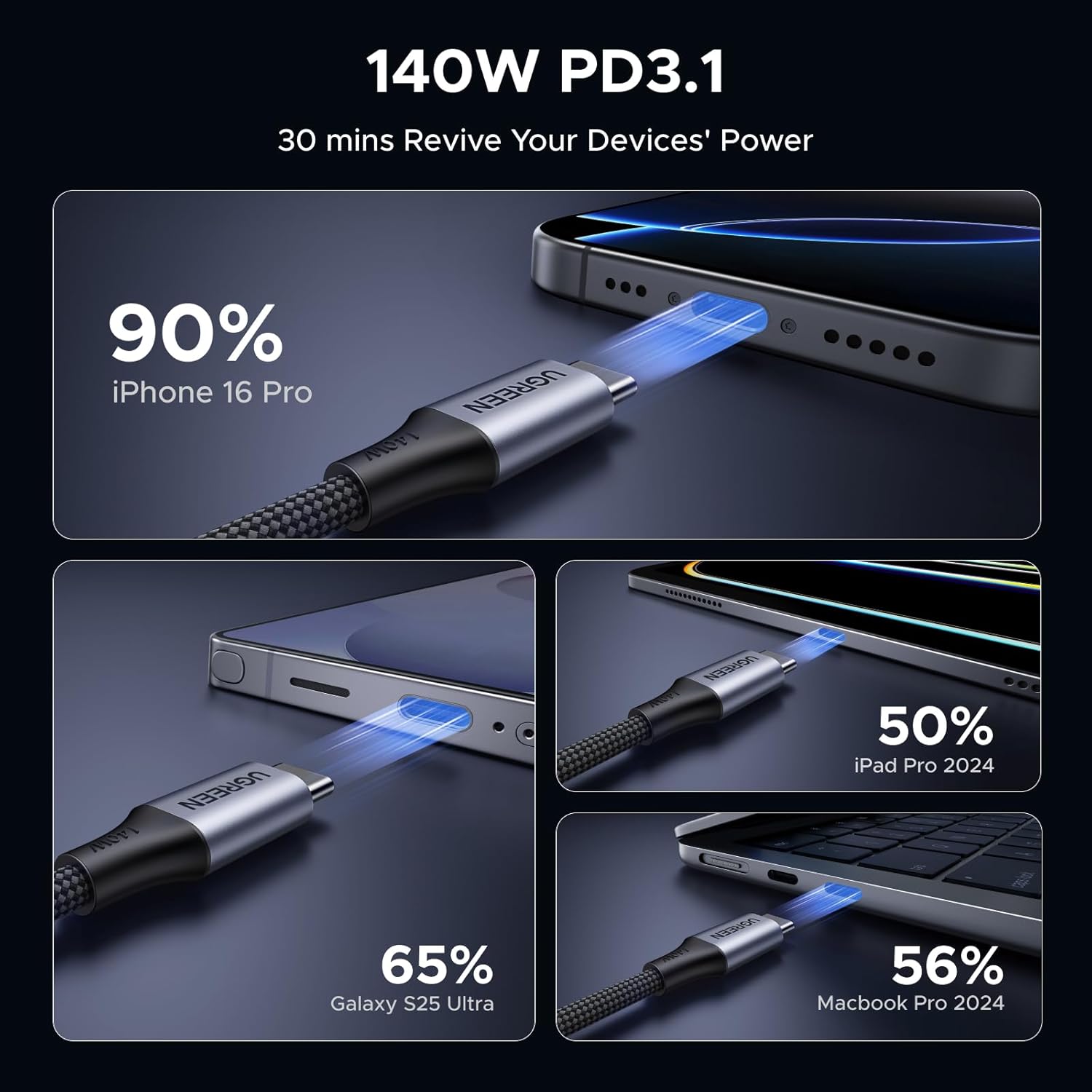
Image: An illustration showing the UGREEN 2-in-1 USB C cable connected to two devices for simultaneous charging.
Operating Instructions
Charging
This cable supports high-speed charging for a variety of USB-C enabled devices.
- Single Device Charging: When only one device is connected to the split end, the cable can deliver up to 140W of power, provided your power adapter and device support this wattage. For example, a MacBook Pro 2024 can charge from 0% to 56% in approximately 30 minutes.
- Dual Device Charging: When two devices are connected, the cable's intelligent power distribution system will allocate power based on the connected devices' needs and the power adapter's capacity.

Image: A laptop screen displaying '140W Max Single Device Charging' and a progress bar showing 56% charge in 30 minutes for a MacBook Pro 2024.
Intelligent Power Distribution Table:
The following table illustrates the typical power distribution when using various power adapters with two devices connected:
| Recommended Adapter Power | Single Plug | Dual Plug | Device 2 Connected | |
|---|---|---|---|---|
| Max 1 | Max 2 | |||
| 140W | 140W Max | 110W Max | 30W Max | Laptop/iPad/iPhone |
| 100W | 100W Max | 70W Max | 30W Max | Laptop/iPad/iPhone |
| 65W | 65W Max | 45W Max | 18W Max | Laptop/iPad/iPhone |
| 30W Max | 30W Max | iPad/iPhone | ||
| 45W | 45W Max | 27W Max | 18W Max | iPad/iPhone |
| 22.5W Max | 22.5W Max | iPad/iPhone | ||
| 30W | 30W Max | 13.5W Max | 13.5W Max | iPad/iPhone |
| 18-20W | 20W Max | 9W Max | 9W Max | iPad/iPhone |
Image: A table detailing intelligent power distribution based on adapter wattage and connected devices.
Data Transfer
The cable supports data transfer at speeds up to 480Mbps, allowing for quick transfer of files.
- Connect one of the split USB-C ends to your source device and the other to your target device.
- Note: This cable only supports one-to-one data transmission. The first device connected will be the one capable of data transfer. It does not support video output.

Image: A smartphone connected to a laptop via the UGREEN USB C cable, illustrating 480Mbps data transfer. Icons for various file types are shown.
Maintenance
Proper care and maintenance will extend the lifespan of your UGREEN cable.
- Storage: Store the cable in a neat, untangled manner. The tangle-free design makes it easy to coil and pack.
- Handling: Avoid excessive bending, twisting, or pulling on the cable, especially near the connectors. The cable is designed for durability with over 10,000 bend tests, but extreme force can still cause damage.
- Cleaning: Keep the cable and its connectors clean and dry. Use a soft, dry cloth to wipe away dust or debris. Avoid using liquid cleaners.
- Environment: Do not expose the cable to extreme temperatures, direct sunlight, or high humidity.
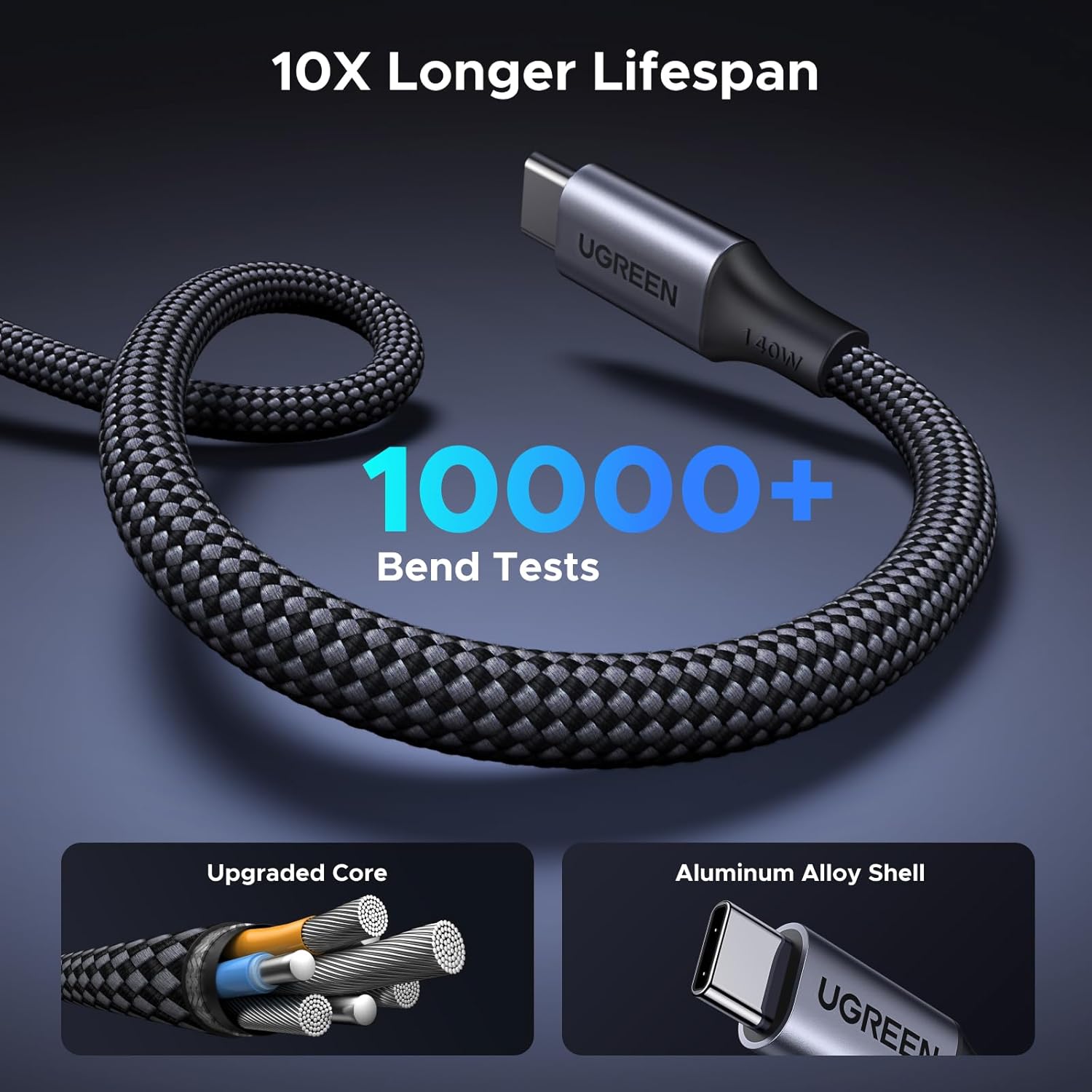
Image: A coiled UGREEN braided cable with text indicating '10000+ Bend Tests' and close-ups of its upgraded core and aluminum alloy shell.
Troubleshooting
If you encounter issues with your UGREEN 140W 2-in-1 USB C to USB C Cable, please refer to the following common solutions:
- No Charging or Slow Charging:
- Ensure both ends of the cable are securely plugged into the devices and the power adapter.
- Verify that your power adapter provides sufficient wattage for the connected devices, especially when charging two devices simultaneously. Refer to the Intelligent Power Distribution table.
- Check if your devices support the Power Delivery (PD) charging protocol for fast charging.
- Try using a different power adapter or a different USB-C port on your device to rule out issues with the power source or device port.
- Data Transfer Not Working:
- Confirm that both the source and target devices support data transfer via their USB-C ports.
- Remember that this cable supports one-to-one data transmission only. Ensure the correct device is connected for data transfer.
- This cable does not support video output. If you require video output, a different cable type is needed.
- Intermittent Connection:
- Inspect the USB-C connectors for any visible damage, bent pins, or debris. Clean the ports gently if necessary.
- Try using the cable with different devices or power sources to determine if the issue lies with the cable or the connected equipment.
Specifications
Detailed technical specifications for the UGREEN 140W 2-in-1 USB C to USB C Cable (Model 75005).
| Feature | Detail |
|---|---|
| Brand | UGREEN |
| Model Number | 75005 |
| Connector Type | USB Type C |
| Cable Type | USB |
| Power Delivery | Up to 140W (Max) |
| Data Transfer Speed | Up to 480Mbps |
| Special Features | Braided, Data Transfer, Fast Charging, 2-in-1 Design, Intelligent Power Distribution |
| Compatible Devices | Gaming Console, Laptop, Smartphone, Tablet (USB-C enabled) |
| Package Dimensions | 9.45 x 7.13 x 0.71 inches |
| Item Weight | 3.21 ounces |
| Manufacturer | Ugreen Group Limited |
| Date First Available | April 24, 2025 |
What's in the Box:
- 140W 2-IN-1 USB-C to USB-C Cable Fast Charging cable × 1
Warranty and Support
UGREEN products are designed with quality and reliability in mind. For specific warranty details and to register your product, please visit the official UGREEN website.
If you require technical assistance, have questions about product functionality, or need to report an issue, please contact UGREEN customer support through their official channels. Contact information can typically be found on the UGREEN website or on the product packaging.
Please have your product model number (75005) and purchase information ready when contacting support.