Introduction
Thank you for choosing the MAHANCRIS ETBK25E01 End Table. This versatile piece of furniture is designed to enhance your living space with its integrated charging station and convenient LED sensor light. This manual provides detailed instructions for assembly, operation, maintenance, and troubleshooting to ensure optimal use and longevity of your product. Please read this manual thoroughly before assembly and use, and retain it for future reference.
Product Features
- Convenient Charging Station: Equipped with 2 standard power outlets, 2 USB ports, and a 1.5-meter power cable, allowing you to charge multiple devices simultaneously. A cable management hole helps keep cords tidy.
- LED Sensor Light: Features a rechargeable LED sensor light with two modes: motion induction and always-on. Flexible installation options are provided with included accessories.
- Versatile Functionality: Can be used as an end table, nightstand, or coffee table. Multiple storage compartments of varying heights offer organized storage and efficient space utilization.
- Sturdy and Durable Construction: Manufactured from high-quality particle board, ensuring a robust structure and excellent durability. The table supports a load capacity of up to 15 kg (approximately 33 lbs).
- Easy Assembly: Comes with illustrated instructions, clearly numbered parts, and all necessary tools for quick and straightforward assembly.
Package Contents
Before beginning assembly, please verify that all components listed below are present and undamaged. If any parts are missing or damaged, please contact customer support.
- Table Panels (various sizes)
- Hardware Pack (screws, dowels, connectors)
- Integrated Charging Station (with power cable)
- Rechargeable LED Sensor Light
- Assembly Tools (e.g., Allen wrench)
- Instruction Manual
Setup and Assembly Instructions
Follow these general steps for assembly. Refer to the detailed, illustrated instructions included in your package for specific part identification and sequence.
- Unpack Components: Carefully remove all parts from the packaging and lay them out on a clean, soft surface to prevent scratches.
- Identify Parts: Match each panel and hardware piece to the corresponding labels in the instruction manual.
- Assemble Frame: Begin by connecting the main structural panels using the provided hardware. Ensure all connections are secure but do not overtighten screws initially.
- Install Shelves: Insert the shelves into their designated slots or attach them with the appropriate hardware.
- Integrate Charging Station: Carefully place the charging station into its designated cutout on the top panel. Ensure the power cable is routed through the cable management hole.
- Attach LED Light: Install the LED sensor light in the desired compartment using the provided accessories.
- Final Tightening: Once all components are in place, gently tighten all screws to ensure stability.

Image: Dimensions of the MAHANCRIS ETBK25E01 End Table. The table measures 29cm (11.4") wide, 20cm (7.9") deep, and 60cm (23.6") high. The top compartment is 19cm (7.5") high, and the lower compartment is 32cm (12.6") high. The base is 7cm (2.8") high. Maximum load capacity is 20kg (44lb).

Image: The MAHANCRIS ETBK25E01 End Table positioned between two armchairs in a living room, showcasing its compact design and integrated charging capabilities with a smartphone on top.
Operating Instructions
Using the Charging Station
The integrated charging station provides convenient power access for your electronic devices.
- Connect to Power: Plug the 1.5-meter power cable from the charging station into a standard wall outlet.
- Charge Devices: Use the two standard power outlets for lamps or other appliances, and the two USB ports for charging smartphones, tablets, or other USB-powered devices.
- Cable Management: Utilize the cable management hole to route charging cables neatly, reducing clutter.

Image: A detailed view of the charging station on the MAHANCRIS ETBK25E01 End Table, featuring two standard power outlets and two USB ports for convenient device charging.
Using the LED Sensor Light
The rechargeable LED sensor light offers illumination with motion detection or continuous light.
- Charging: Before first use, fully charge the LED light using a standard USB charger (not included). A charging indicator will typically show when charging is complete.
- Installation: Attach the LED light to the desired compartment using the provided magnetic accessories or adhesive.
- Mode Selection: The light typically has a switch or button to toggle between modes:
- Induction Mode (Motion Sensor): The light will automatically turn on when motion is detected in low-light conditions and turn off after a period of inactivity.
- Always-On Mode: The light remains continuously illuminated until manually switched off or the battery depletes.

Image: A close-up view of the rechargeable LED sensor light installed within a compartment of the MAHANCRIS ETBK25E01 End Table, providing soft illumination.
Maintenance
Proper care ensures the longevity and appearance of your end table.
- Cleaning: Wipe the table surfaces with a soft, damp cloth. Avoid using harsh chemicals or abrasive cleaners, which can damage the finish.
- Spills: Immediately wipe up any spills to prevent staining or water damage to the particle board.
- Load Capacity: Do not exceed the maximum load capacity of 15 kg (33 lbs) to prevent structural damage.
- LED Light Care: Recharge the LED light as needed. Keep the light dry and avoid exposing it to extreme temperatures.
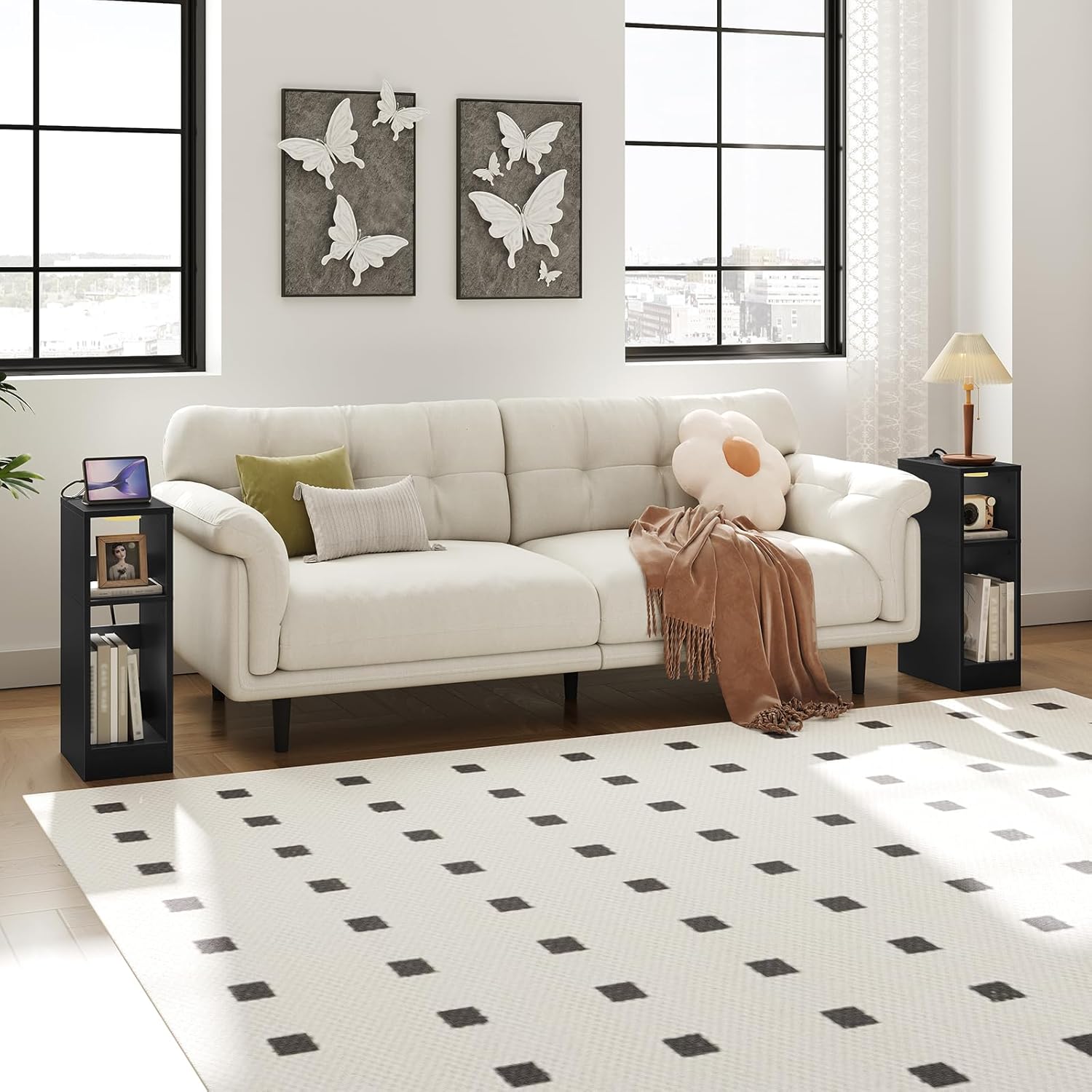
Image: An illustration demonstrating the ease of cleaning the MAHANCRIS ETBK25E01 End Table with a soft cloth, highlighting its resistance to scratches and water.
Troubleshooting
If you encounter issues with your end table, refer to the following common problems and solutions:
- Charging Station Not Working:
- Ensure the power cable is securely plugged into both the charging station and a functional wall outlet.
- Check if the wall outlet is receiving power by testing it with another device.
- LED Sensor Light Not Turning On:
- Verify that the LED light is fully charged.
- Check the mode setting; ensure it is set to either induction (motion sensor) or always-on mode.
- In induction mode, ensure there is sufficient darkness and motion for activation.
- Table Feels Unstable:
- Re-check all assembly screws and ensure they are tightened securely.
- Ensure the table is placed on a flat, even surface.
Specifications
| Brand | MAHANCRIS |
| Model Number | ETBK25E01 |
| Color | Black |
| Product Dimensions (L x W x H) | 20 x 29 x 60 cm (7.9 x 11.4 x 23.6 inches) |
| Item Weight | 4.7 Kilograms (10.4 lbs) |
| Maximum Weight Recommendation | 20 Kilograms (44 lbs) |
| Power Cable Length | 1.5 meters |
| Indoor/Outdoor Use | Indoor |
Warranty and Support
Specific warranty information and direct support contact details are not provided in the product data. For warranty claims, technical assistance, or replacement parts, please refer to the documentation included with your purchase or contact the retailer or manufacturer directly through their official website or customer service channels.


