1. Introduction
This manual provides detailed instructions for assembling, operating, and maintaining your Suplanet 5-in-1 Programmable Robot Building Block Set. This educational STEM toy allows for the construction of five distinct robot models, offering both remote control and app-based programming capabilities.
The set is designed to enhance cognitive skills, hands-on abilities, critical thinking, and team collaboration through engaging construction and interactive play.
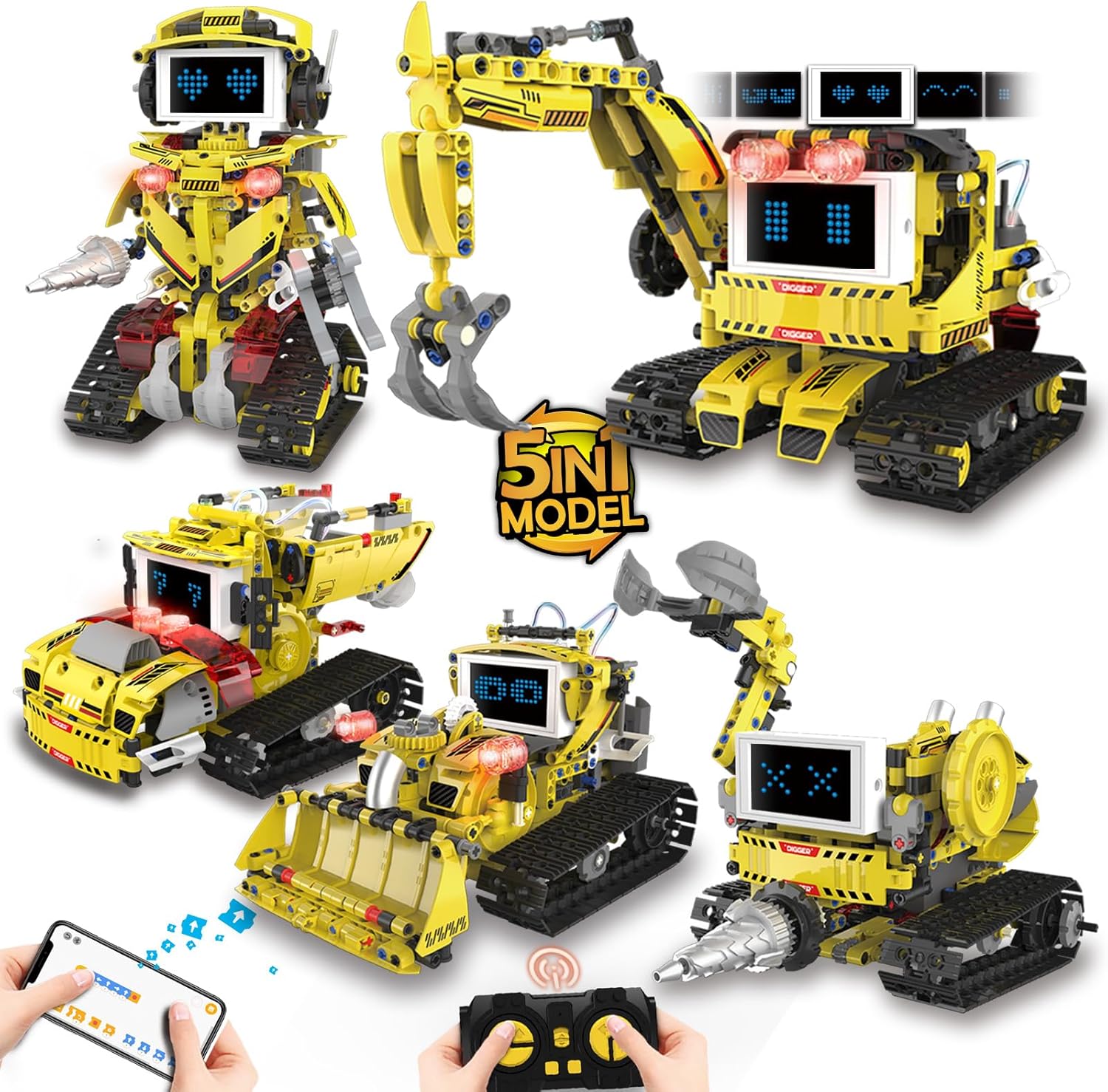
Figure 1.1: Overview of the 5-in-1 Robot Building Block Set models and control options.
2. Safety Information
WARNING: Choking Hazard - Small Parts. Not for children under 3 years of age.
Always supervise children during assembly and play. Ensure all small parts are kept away from young children to prevent accidental ingestion. This product is recommended for ages 8-14 years.
3. Setup and Assembly
The Suplanet Robot Building Block Set includes 660 pieces. Follow the clear, step-by-step instructions provided in the included manual to assemble your chosen robot model. Each bag of parts is individually numbered to simplify the building process.
3.1 Battery Installation
The robot requires one 9V battery (included). Locate the battery compartment on the main control unit and insert the battery according to the polarity indicators. Ensure the compartment cover is securely closed after installation.
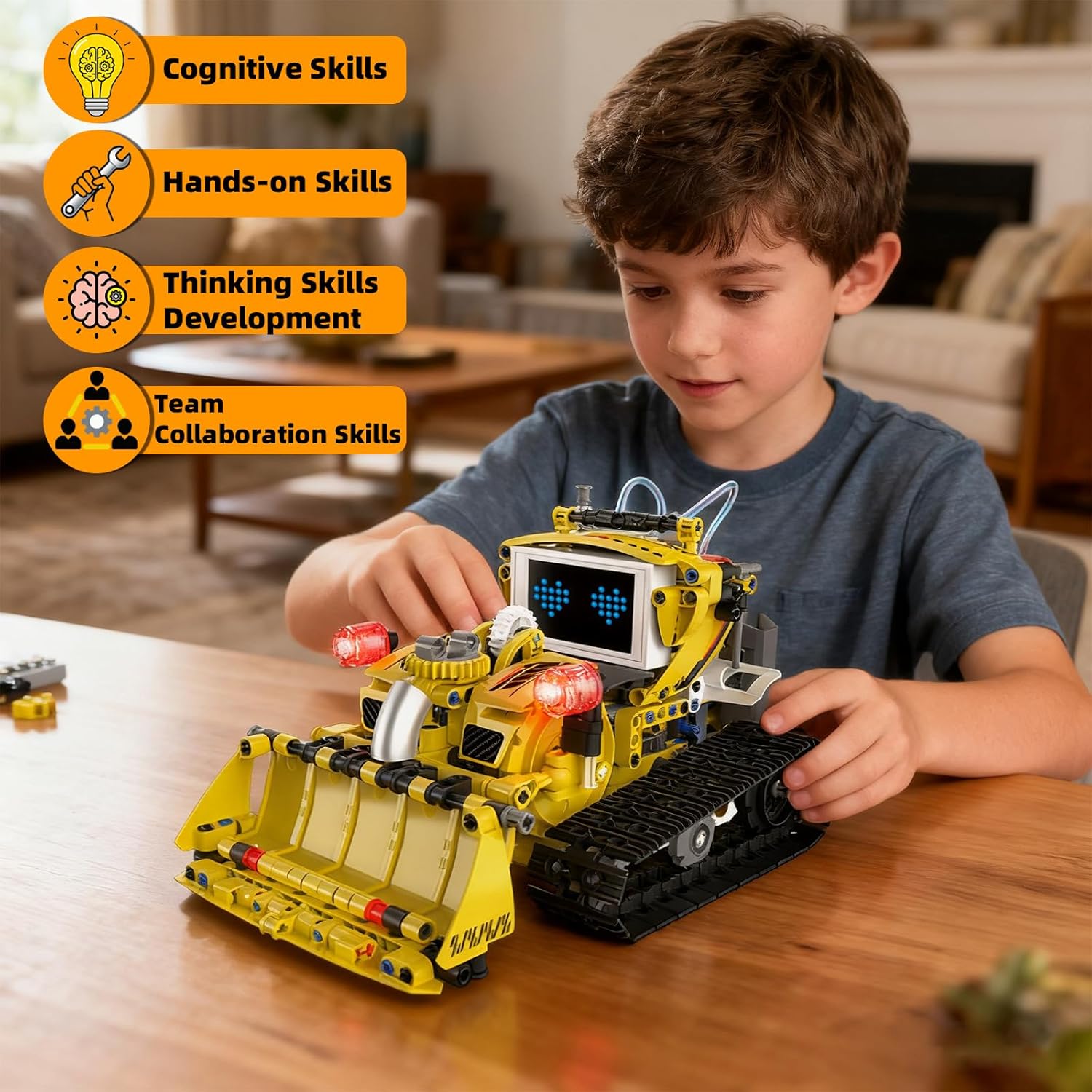
Figure 3.1: Child engaged in assembling a robot model.
4. Operating the Robot
The robot offers multiple control options, including a dedicated remote control and a smartphone application.
4.1 Remote Control Mode
Use the included 2.4GHz remote control to directly maneuver the robot. The remote allows for forward, backward, left, and right movements, as well as controlling specific functions of the robot model (e.g., excavator arm movement).

Figure 4.1: Operating the robot using the remote control.
4.2 App Control and Programming Modes
Download the dedicated Suplanet app to unlock advanced control and programming features. The app provides an intuitive interface for various modes:
- Programmed Mode: Drag-and-drop coding blocks within the app to create sequences of actions for your robot. This introduces basic programming concepts.
- Path Mode: Draw a custom path on your smartphone screen, and the robot will follow the drawn route.
- Gyroscope Mode: Control the robot's movement by tilting your smartphone, utilizing its gravity sensor.

Figure 4.2: Programming the robot via the mobile application.

Figure 4.3: Using Path Mode to guide the robot.

Figure 4.4: Controlling the robot with Gyroscope Mode.
4.3 LED Display Screen
The robot features an eye-catching LED screen that displays various facial expressions. These expressions change dynamically with the robot's movements, adding personality to your creation. The articulated head and arms can also be posed to enhance its character.
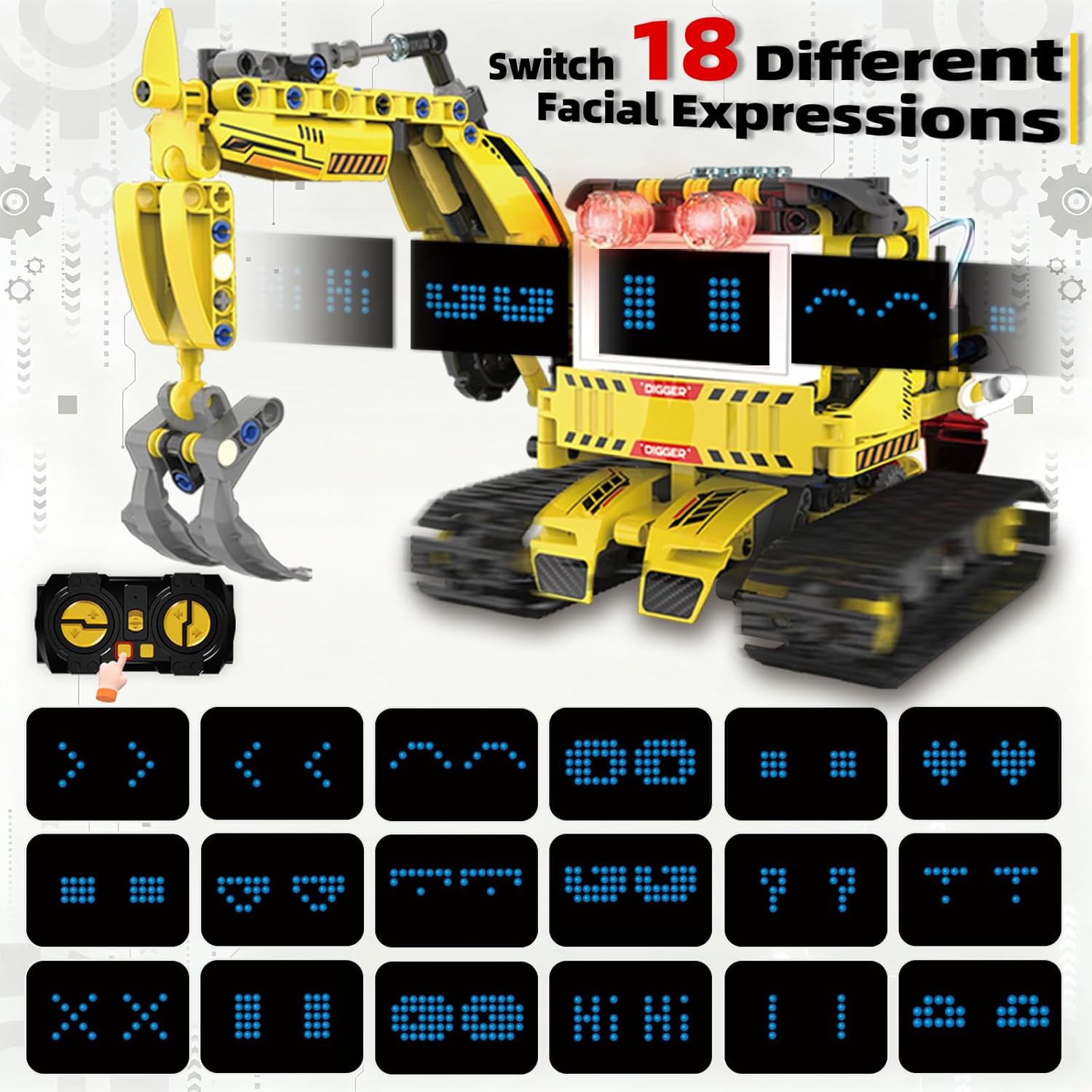
Figure 4.5: Robot's LED screen displaying various facial expressions.
5. Robot Models
The Suplanet K96195 set allows for the construction of five distinct robot models:
5.1 Excavator Robot
A construction-themed robot with a functional excavator arm. Dimensions: Length 10.7 in (27.3 cm), Width 6.3 in (16 cm), Height 6.8 in (17.3 cm).

Figure 5.1: Excavator Robot.
5.2 Engineering Robot
A bipedal robot design, capable of various poses and movements. Dimensions: Length 6 in (15.3 cm), Width 7.8 in (19.3 cm), Height 8.8 in (22.4 cm).

Figure 5.2: Engineering Robot.
5.3 Dump Truck Robot
A robust dump truck model designed for transporting small items. Dimensions: Length 9.6 in (24.4 cm), Width 6.8 in (17.2 cm), Height 5.3 in (13.5 cm).

Figure 5.3: Dump Truck Robot.
5.4 Tunnel Excavation Robot
A specialized robot with a drilling mechanism for simulated excavation tasks. Dimensions: Length 8.26 in (21 cm), Width 7.1 in (18.1 cm), Height 10.3 in (26.3 cm).

Figure 5.4: Tunnel Excavation Robot.
5.5 Bulldozer Robot
A powerful bulldozer model for pushing and clearing simulated obstacles. Dimensions: Length 5.6 in (24.5 cm), Width 6.5 in (16.6 cm), Height 5.6 in (14.3 cm).

Figure 5.5: Bulldozer Robot.
6. Maintenance
To ensure the longevity and optimal performance of your robot building block set, follow these maintenance guidelines:
- Cleaning: Use a soft, dry cloth to gently wipe down the robot and its components. Avoid using water or harsh cleaning agents, as these can damage electronic parts and plastic.
- Storage: When not in use, store the robot and its parts in a cool, dry place away from direct sunlight and extreme temperatures. Keep small parts organized to prevent loss.
- Battery Care: Remove the 9V battery if the robot will not be used for an extended period to prevent leakage.
- Connection Checks: Periodically inspect all connections and moving parts to ensure they are secure and free from obstruction.
7. Troubleshooting
If you encounter any issues with your Suplanet robot, refer to the following common troubleshooting steps:
- Robot Not Responding:
- Check if the 9V battery is correctly installed and has sufficient charge. Replace if necessary.
- Ensure the remote control batteries are functional.
- Verify that the robot and remote/app are properly paired according to the initial setup instructions.
- Movement Issues:
- Inspect the tracks and wheels for any obstructions or loose connections.
- Confirm that all gears and motors are correctly assembled and not jammed.
- App Connectivity Problems:
- Ensure Bluetooth is enabled on your smartphone.
- Restart the app and the robot.
- Check for app updates in your device's app store.
- LED Screen Not Displaying:
- Verify all connections to the LED screen are secure.
- Ensure the main control unit has power.
If problems persist after following these steps, please contact customer support.
8. Specifications
| Feature | Detail |
|---|---|
| Product Dimensions | 7.79 x 9.52 x 6.02 inches |
| Item Weight | 2.64 pounds |
| Model Number | K96195 |
| Manufacturer Recommended Age | 8 - 14 years |
| Batteries | 1 x 9V battery (included) |
| Number of Pieces | 660 |
| Control Methods | Remote Control, Smartphone App (Programmed, Path, Gyroscope Modes) |
| Special Features | 5-in-1 Transformable Designs, LED Display Screen, STEM Educational |
9. Warranty and Support
For any questions, concerns, or assistance with your Suplanet 5-in-1 Programmable Robot Building Block Set, please contact Suplanet customer support. Refer to the product packaging or the official Suplanet website for specific contact details.
While specific warranty details are not provided in this manual, please retain your proof of purchase for any potential warranty claims.