
1. Introduction
Thank you for choosing the DEVAISE Ergonomic Office Chair. This manual provides essential information for the safe assembly, operation, and maintenance of your chair. Please read these instructions carefully before use and retain them for future reference.
Important Safety Information
Attention: Assemble carefully according to the instructions. Do not immerse in water or other liquids. Assemble completely before use and ensure all parts are correctly fixed.
This chair is designed for office and home office use. Maximum weight capacity is 180 kg (396 lbs).
2. Product Overview and Features
The DEVAISE Ergonomic Office Chair is designed to provide optimal comfort and support for long working hours. Key features include:
- C-shaped Segmented Backrest: Ergonomic design with adjustable lumbar support (up to 4 cm depth) to conform to the natural curve of your spine.
- 3-Lock Recline Function: Recline the backrest between 90° and 135°, with lockable positions at 90°, 110°, and 135°.
- 3D Adjustable Headrest: Adjust height up to 10 cm, depth up to 4 cm, and tilt up to 35° for personalized neck support.
- Versatile 3D Armrests: Adjust forward/backward (6 cm), swivel laterally (5°), and fold up 90° for space-saving.
- High-Quality Breathable 3D Mesh: Seat and backrest made with durable, elastic 3D mesh for 95% breathability, preventing heat buildup.
- Durable Construction: Class 4 gas lift (SGS & TÜV certified) and reinforced metal base support up to 180 kg.

Figure 2.1: Front view of the DEVAISE Ergonomic Office Chair.
3. Assembly Instructions
Assembly is quick and straightforward, typically taking about 20 minutes. Please ensure all components are present before beginning.
Package Contents:
Refer to the included assembly diagram for a complete list of parts. Ensure you have all screws, washers, and tools provided.
Step-by-Step Assembly:
- Attach the Casters to the Base: Insert each caster into the holes at the end of the chair base legs until they click securely into place.
- Insert the Gas Lift: Place the gas lift cylinder into the center hole of the chair base.
- Assemble the Seat Mechanism: Attach the seat mechanism to the underside of the seat cushion using the provided screws. Ensure the front of the mechanism faces the front of the seat.
- Attach the Backrest: Secure the backrest to the seat mechanism using the designated screws.
- Connect the Seat to the Gas Lift: Carefully place the assembled seat and backrest onto the gas lift cylinder.
- Install the Armrests: Attach the armrests to the sides of the seat using the appropriate screws.
- Attach the Headrest: Slide the headrest into its designated slot at the top of the backrest and secure it.
After assembly, sit on the chair to ensure the gas lift is properly seated and all connections are firm.
4. Operating Instructions and Adjustments
Your DEVAISE ergonomic chair offers multiple adjustment options to customize your seating experience.
4.1. Seat Height Adjustment
To adjust the seat height, pull the lever located under the right side of the seat upwards. To raise the seat, lift the lever while taking your weight off the chair. To lower the seat, lift the lever while seated.
4.2. Backrest Recline and Lock

Figure 4.2.1: Backrest recline and lock mechanism.
The chair allows reclining between 90° and 135°. Use the lever on the left side of the seat to adjust. Push the lever down to unlock and recline, then pull it up to lock the backrest in one of the three preset positions (90°, 110°, 135°).
To adjust the recline tension, rotate the round knob located under the front of the seat. Turn clockwise to increase tension (harder to recline) and counter-clockwise to decrease tension (easier to recline).
4.3. Lumbar Support Adjustment

Figure 4.3.1: Adjustable lumbar support for lower back comfort.
The C-shaped lumbar support can be adjusted in depth up to 4 cm. Gently push or pull the lumbar support pad on the backrest to find your preferred position for optimal lower back comfort.
4.4. Headrest Adjustment

Figure 4.4.1: Multi-directional headrest adjustments.
The headrest offers three-dimensional adjustments:
- Height Adjustment: Pull the headrest up or push down to adjust its height by up to 10 cm.
- Depth Adjustment: Push the headrest forward or pull it backward to adjust its depth by up to 4 cm.
- Tilt Adjustment: Rotate the headrest up or down to tilt it by up to 35° for optimal neck and head support.
4.5. Armrest Adjustment
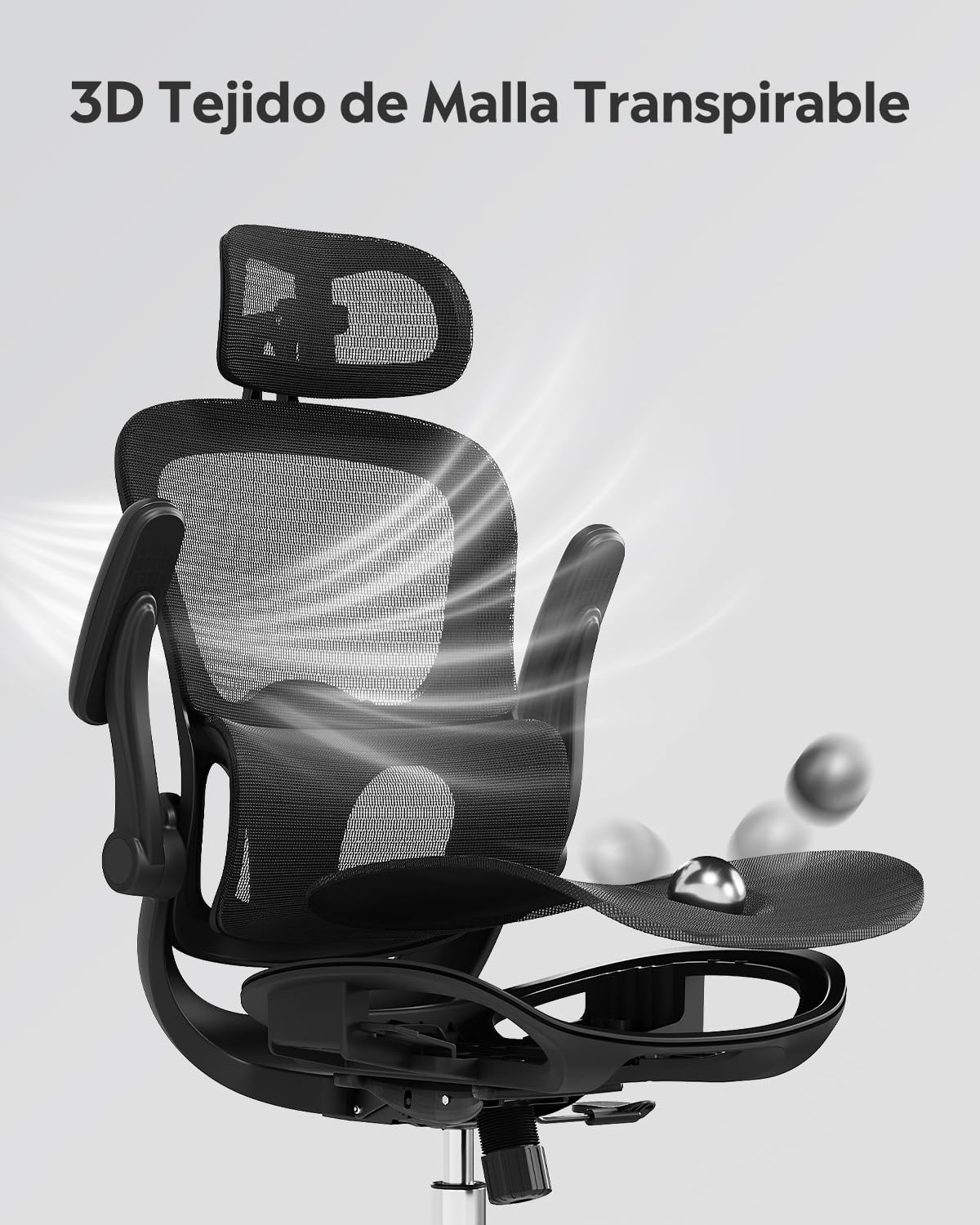
Figure 4.5.1: Versatile 3D armrest adjustments.
The armrests provide multiple adjustment options:
- Forward/Backward Adjustment: Press the button on the side of the armrest and slide it forward or backward by 6 cm.
- Lateral Swivel: Rotate the armrest pad laterally by 5° to find a comfortable angle.
- Fold-up Function: The armrests can be folded up 90° to save space or allow the chair to fit under lower desks.
5. Maintenance
Proper maintenance will extend the life and appearance of your DEVAISE office chair.
- Cleaning: Wipe the chair with a damp cloth. For stubborn stains on the mesh, use a mild soap solution and a soft brush, then wipe clean with a damp cloth and allow to air dry. Avoid harsh chemicals or abrasive cleaners.
- Regular Checks: Periodically check all screws and bolts to ensure they are tight. Re-tighten if necessary to maintain stability and safety.
- Avoid Direct Sunlight: Prolonged exposure to direct sunlight can cause the mesh and other materials to fade or degrade.
- Weight Limit: Do not exceed the maximum weight capacity of 180 kg (396 lbs).
6. Troubleshooting
If you encounter any issues with your chair, please refer to the following common problems and solutions:
| Problem | Possible Cause | Solution |
|---|---|---|
| Chair wobbles or feels unstable. | Loose screws or uneven assembly. | Check and tighten all assembly screws. Ensure the chair is on a flat, even surface. |
| Gas lift does not adjust height. | Gas lift not properly seated or damaged. | Ensure the gas lift is fully inserted into the base and seat mechanism. If still not working, contact customer support. |
| Backrest does not recline or lock. | Recline mechanism locked or tension too high. | Ensure the recline lever is in the unlocked position. Adjust the recline tension knob counter-clockwise to loosen. |
| Armrests are loose. | Mounting screws are loose. | Tighten the screws securing the armrests to the seat. |
If you cannot resolve the issue using the above steps, please contact DEVAISE customer service for assistance.
7. Specifications
| Feature | Detail |
|---|---|
| Brand | DEVAISE |
| Model Number | ABGY506BL |
| Color | Black |
| Product Dimensions | 43 x 64 x 123-133 cm (Width x Depth x Height) |
| Weight | 15 kg |
| Material | High-elastic mesh fabric, Metal frame |
| Special Features | Adjustable Height, Ergonomic Design, Adjustable Headrest, Adjustable Backrest, 3D Armrests, Lumbar Support |
| Gas Lift Class | Class 4 (SGS & TÜV certified) |
| Maximum Load Capacity | 180 kg (396 lbs) |

Figure 7.1: Chair dimensions and weight capacity.
8. Warranty and Support
DEVAISE is committed to providing high-quality products and excellent customer service. For any questions, concerns, or warranty claims regarding your ergonomic office chair, please contact our customer support team.
Our customer service is available to assist you with assembly, operation, or any other inquiries you may have.
Contact Information: Please refer to the contact details provided with your purchase or visit the official DEVAISE website for support options.
