
Introduction
This manual provides detailed instructions for the safe and effective use of your TrustFire TC50 High Lumen Rechargeable LED Flashlight. The TC50 features a versatile dual lighting system, offering both forward (floodlight, spotlight, hybrid) and reverse (warm white, red, blue) lighting modes, a magnetic base, and IPX6 waterproofing. Please read this manual thoroughly before operating the device.
What's in the Box
- TC50 Flashlight x 1
- User Manual x 1
- USB-C Charging Cable x 1
Specifications
| Feature | Value |
|---|---|
| Special Feature | Portable, High Power, Rechargeable |
| Color | Black |
| Power Source | Battery Powered |
| Light Source Type | LED |
| Material | Aluminum |
| White Brightness (Max) | 5100 Lumens |
| Product Dimensions | 3.1"D x 2.5"W x 7.9"H |
| Item Weight | 0.47 Kilograms (1.04 pounds) |
| Water Resistance Level | IPX6 Water Resistant |
| Color Temperature | 5700 Kelvin |
| Bulb Features | Dual lighting system, multiple lighting modes, magnetic base |
| Battery | 1 Lithium Ion battery (included) |
Setup
Initial Charge
Before first use, fully charge the flashlight using the provided USB-C cable. The battery indicator will show charging status.
Battery Installation
The TC50 flashlight comes with a pre-installed Lithium Ion battery. Ensure the battery cap is securely tightened before use.
Operating Instructions
General Operation and Mode Switching
The TrustFire TC50 features a side push-pull button for main mode selection and a neck button for brightness and special mode adjustments within each main mode.
This video demonstrates how to switch between the flashlight's main modes using the side push-pull button and adjust brightness/activate special functions using the neck button.
Main Mode Selection (Side Push-Pull Button)
- Shutdown Mode: Bottom position.
- Work Light Mode (Reverse Light): Middle position. Activates the warm white, red, or blue light.
- Flashlight Mode (Forward Light): Top position. Activates the floodlight, spotlight, or hybrid modes.

This image illustrates the side toggle switch for selecting between the reverse light (work light), forward light (flashlight), and off positions.
Reverse Light Modes (Work Light)
When the side switch is in the middle position, the reverse light is active. Use the neck button to cycle through modes.
Warm White Light
Provides a soft, ambient light suitable for reading, camping, or general area illumination. Click the neck button to cycle through brightness levels (Moonlight, Low, Medium, High, Extremely Bright).

The flashlight provides warm white light, ideal for creating a cozy ambiance or for tasks requiring soft illumination.

This image shows the warm light mode being used in different settings, such as inside a tent for reading or as a bedside lamp.
| Mode | Lumen (LM) | Runtime | Range |
|---|---|---|---|
| Moonlight | 1.5 LM | 600 Hours | / |
| Low | 10 LM | 160 Hours | 4 m |
| Medium | 35 LM | 40 Hours | 7 m |
| High | 250 LM | 480 Min | 20 m |
| Extremely | 1000 LM | 230 Min | 38 m |
Red Light
Press and hold the neck button for 1 second from warm white mode to switch to red light. Click to cycle through modes: Moonlight, High, Slow Flash, Fast Flash, SOS. Useful for preserving night vision or as a warning signal.
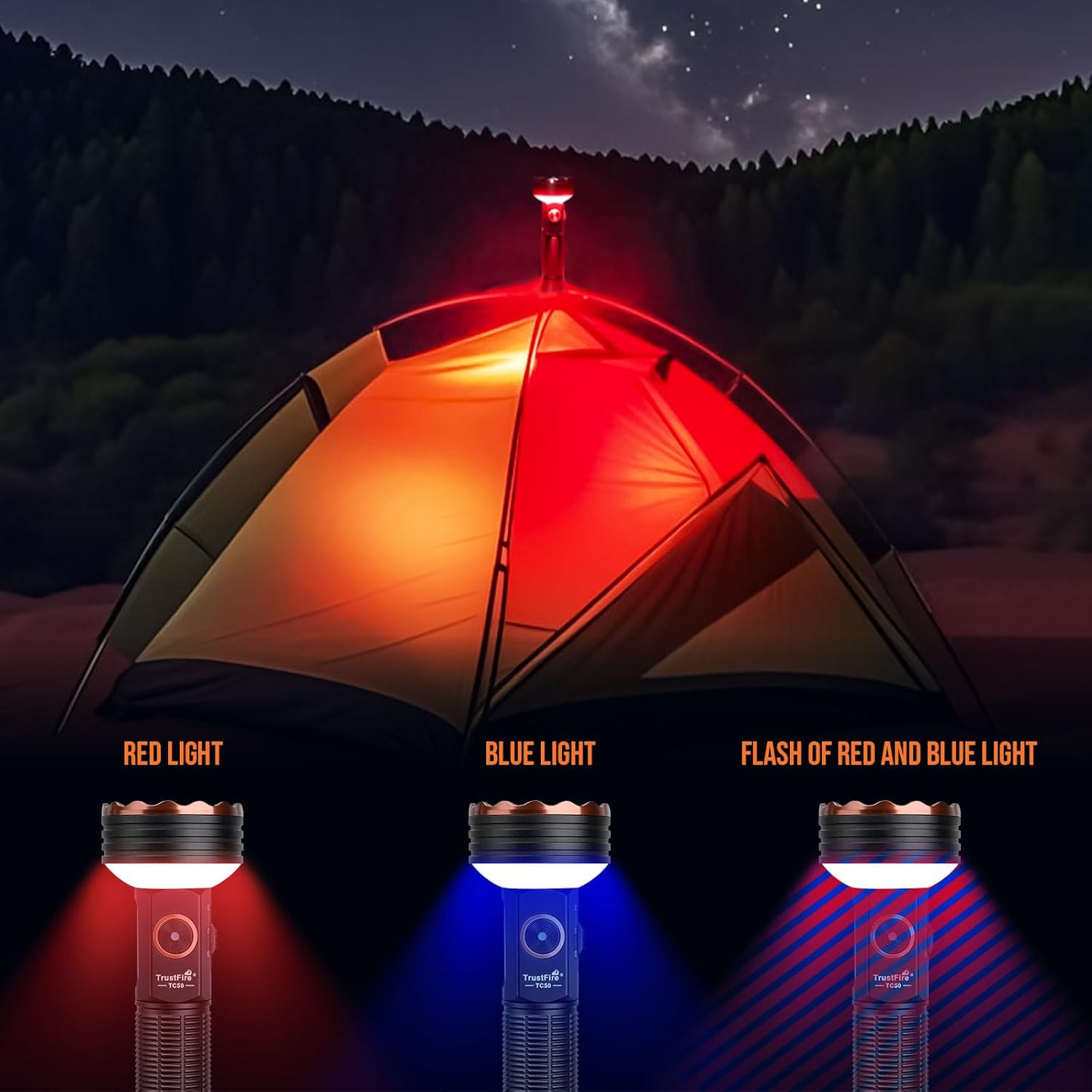
The red light mode is activated, useful for maintaining night vision or as a discreet signal.
| Mode | Lumen (LM) | Runtime |
|---|---|---|
| Moonlight | 0.1 LM | 550 Hours |
| High | 85 LM | 320 Min |
| Slow Flash | 0-85 LM | 600 Min |
| Fast Flash | 0-85 LM | 600 Min |
| SOS | 0-85 LM | 450 Min |
Blue Light
From red light mode, press and hold the neck button for 1 second to switch to blue light. Click to cycle through modes: Moonlight, High, Slow Flash, Fast Flash, SOS. Enhances visibility for tracking or inspection in low-light conditions.
The blue light mode is activated, which can help with tracking or inspecting details in dark environments.
| Mode | Lumen (LM) | Runtime |
|---|---|---|
| Moonlight | 0.1 LM | 550 Hours |
| High | 70 LM | 250 Min |
| Slow Flash | 0-70 LM | 480 Min |
| Fast Flash | 0-70 LM | 480 Min |
| SOS | 0-70 LM | 360 Min |
Red-Blue Alternating Strobe
Double-click the neck button from shutdown mode to enter red and blue light flashing mode. Click to switch between slow and fast alternation. This mode is for emergency signaling.

This image demonstrates the red, blue, and alternating red-blue flashing modes, which can be used as warning lights.
Forward Light Modes (Flashlight)
When the side switch is in the top position, the forward light is active. Press and hold the neck button for 1 second to switch between Floodlight, Spotlight, and Hybrid modes. Click the neck button to adjust brightness within each mode.
Floodlight Mode
Provides a wide beam for illuminating large areas. Click the neck button to cycle through brightness levels (Moonlight, Low, Medium, High, Extreme).

The flashlight in floodlight mode, casting a broad beam to light up a wide area.

This image highlights the ultra-bright front LED floodlight feature with its five distinct brightness modes.
| Mode | Lumen (LM) | Runtime | Range |
|---|---|---|---|
| Moonlight | 3 LM | 500 Hours | 4 m |
| Low | 30 LM | 80 Hours | 15 m |
| Medium | 300 LM | 600 Min | 48 m |
| High | 1200 LM | 140 Min | 100 m |
| Extreme | 5100 LM | 110 Min | 200 m |
Spotlight Mode
Provides a focused beam for long-distance illumination. Press and hold the neck button for 1 second from floodlight mode to switch to spotlight mode. Click the neck button to cycle through brightness levels (Low, Medium, High).

The flashlight in spotlight mode, showing a concentrated beam for illuminating distant objects.

This image illustrates the front long-distance spotlight capability of the flashlight.
| Mode | Lumen (LM) | Runtime | Range |
|---|---|---|---|
| Low | 80 LM | 20 Hours | 130 m |
| Medium | 300 LM | 320 Min | 250 m |
| High | 600 LM | 180 Min | 500 m |
Hybrid Mode (Floodlight + Spotlight)
Press and hold the neck button for 1 second from spotlight mode to switch to hybrid mode. Click the neck button to cycle through brightness levels (Low, Medium, High). This mode combines both floodlight and spotlight for versatile illumination.
The flashlight in hybrid mode, showing a combination of wide and focused beams.

This image illustrates the front floodlight and spotlight working together in hybrid mode.
| Mode | Lumen (LM) | Runtime | Range |
|---|---|---|---|
| Low | 200 LM | 13 Hours | 130 m |
| Medium | 420 LM | 240 Min | 250 m |
| High | 1100 LM | 150 Min | 500 m |
Battery Indicator
When the device is turned off, lightly touch the neck switch to activate the power indicator light for 3 seconds. Different colors represent remaining power:
- Green: 100%-80%
- Yellow: 80%-30%
- Red: 30%-5%
- Flashing Red: 5%-0%

This image displays the battery indicator light, showing different colors corresponding to the remaining power levels.

The battery indicator on the flashlight, with colors indicating power levels from 100% down to 0%.
Charging and Discharging Function
The TC50 supports Type-C charging and discharging.
Charging Instructions:
- Intelligent identification of charging and discharging: Charging and discharging are done through the same Type-C port, and the charging and discharging device can be intelligently identified.
- Charging mode: The red indicator light is always on during charging, and the green indicator light is always on when fully charged.
Discharging Mode:
- In the discharging state, the indicator light will display the current power in real time.
Note:
- When the power level of the flashlight is less than 30%, stop discharging and do not charge other devices.
- Since the battery will slowly self-discharge, it is recommended to charge the product once every four months if the flashlight is not used for a long time to avoid battery damage.

This image illustrates the Type-C charging and discharging capabilities of the flashlight, including the port and charging status.
Magnetic Base & Tripod Mount
The TC50 features a strong magnetic tailcap, allowing it to be attached to metal surfaces for hands-free lighting. It also has a 1/4-inch internal thread at the tail for mounting on a tripod (tripod not included), providing stable and versatile illumination.

The flashlight is shown attached to various metal objects using its magnetic tailcap for hands-free operation.

This image highlights the strong magnetic tailcap, allowing the flashlight to be securely attached to iron objects.

The flashlight is mounted on a tripod, showcasing its 1/4-inch internal thread for stable positioning.

The flashlight is shown mounted on a tripod, providing broader and more stable lighting for outdoor activities.
Waterproofing
The TrustFire TC50 has an IPX6 waterproof rating, ensuring reliable performance against strong jets of water from any direction. It is constructed from anodized aircraft-grade aluminum for superior impact resistance.
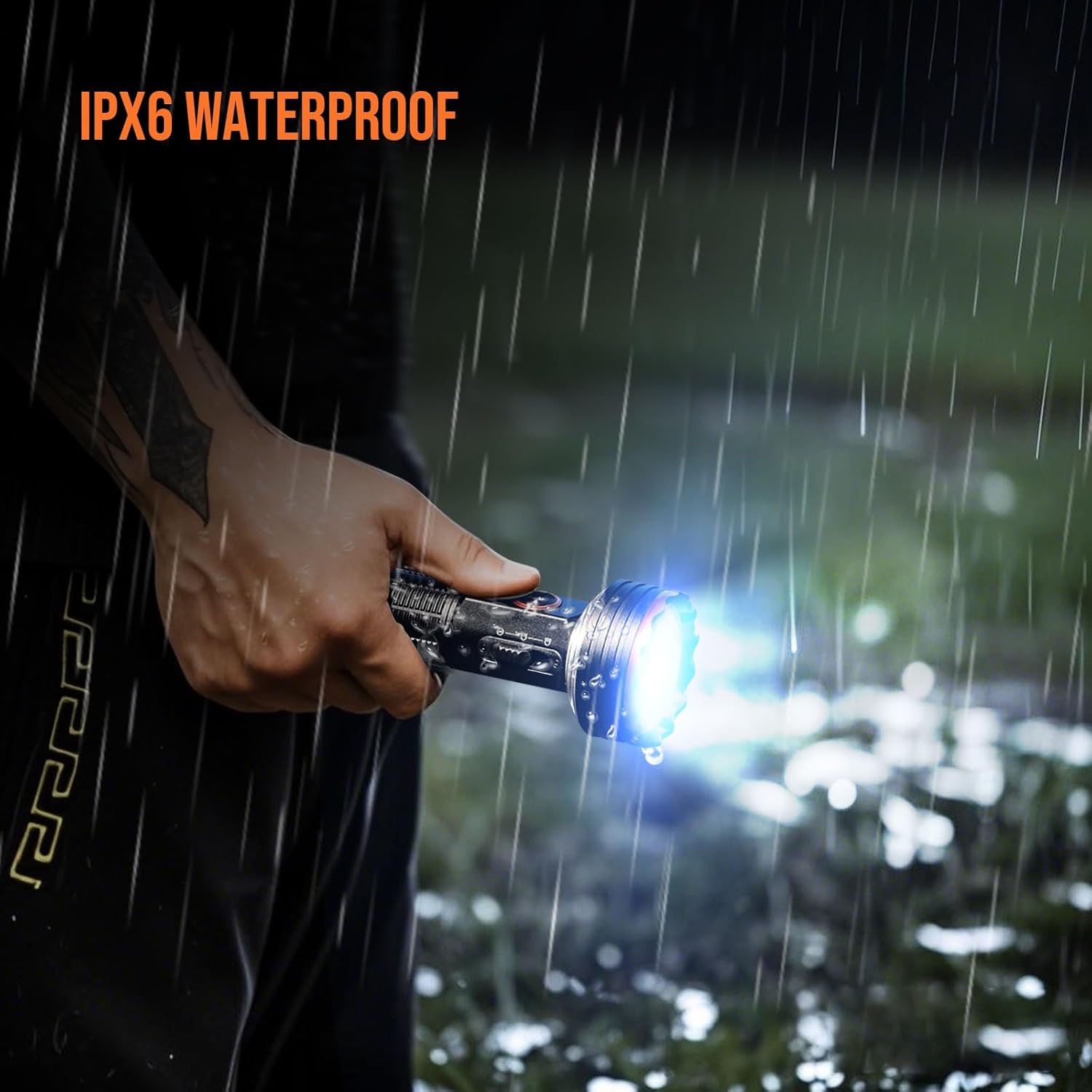
The flashlight is shown being exposed to water, illustrating its IPX6 waterproof capability.

This image shows the flashlight being used in rainy conditions, emphasizing its IPX6 waterproof design.
Maintenance
Cleaning
Wipe the flashlight with a clean, soft cloth. Do not use abrasive cleaners or solvents.
Storage
Store the flashlight in a cool, dry place. If not used for extended periods, charge the battery every four months to prevent damage.
Troubleshooting
Light Not Turning On
- Ensure the battery is charged.
- Check if the battery is correctly inserted.
- Verify the side mode switch is not in the "Shutdown Mode".
Dim Light Output
- Recharge the battery.
- Ensure the desired brightness level is selected using the neck button.
Red-Blue Flashing Not Working
- Ensure the flashlight is in shutdown mode before double-clicking the neck button to activate this feature.
Magnetic Base Not Holding
- Ensure the surface is ferromagnetic and clean.
Warranty and Support
For warranty information or technical support, please refer to the contact details provided in your product packaging or visit the official TrustFire website.

