
1. Introduction
Thank you for choosing the Liretope 4K Hidden Spy Camera. This device is designed for indoor security and monitoring, offering high-resolution video, night vision capabilities, and smart detection features. This manual will guide you through the setup, operation, and maintenance of your camera to ensure optimal performance.

Figure 1: Liretope 4K Hidden Spy Camera and smartphone app interface.
2. What's in the Box
Please verify that all components are present in your package:
- Liretope 4K Hidden Spy Camera
- USB Charging Cable
- Adjustable Mounting Bracket
- Adhesive Pads for Mounting
- Screws and Wall Anchors (for permanent installation)
- User Manual (this document)
Video 1: Unboxing and overview of included accessories for the MW5L camera, demonstrating the camera unit, charging cable, and mounting options.
3. Product Overview
The Liretope 4K Hidden Spy Camera is a compact and versatile device designed for discreet monitoring. Key features include:
- Ultra 4K Clarity with Night Vision: Captures sharp 4K resolution live streaming and clear night vision up to 160° wide-angle.
- Dual Storage Options: Supports local recording via SD card (up to 256GB) and encrypted cloud storage.
- AI Motion Alerts: Smart detection technology sends instant notifications to your phone.
- Extended Battery Life: Built-in 1000mAh battery provides 4-6 hours of cordless recording, with continuous power option.
- Easy Setup: Quick 3-step Wi-Fi configuration via a user-friendly app.

Figure 2: Visual representation of the camera's core features.
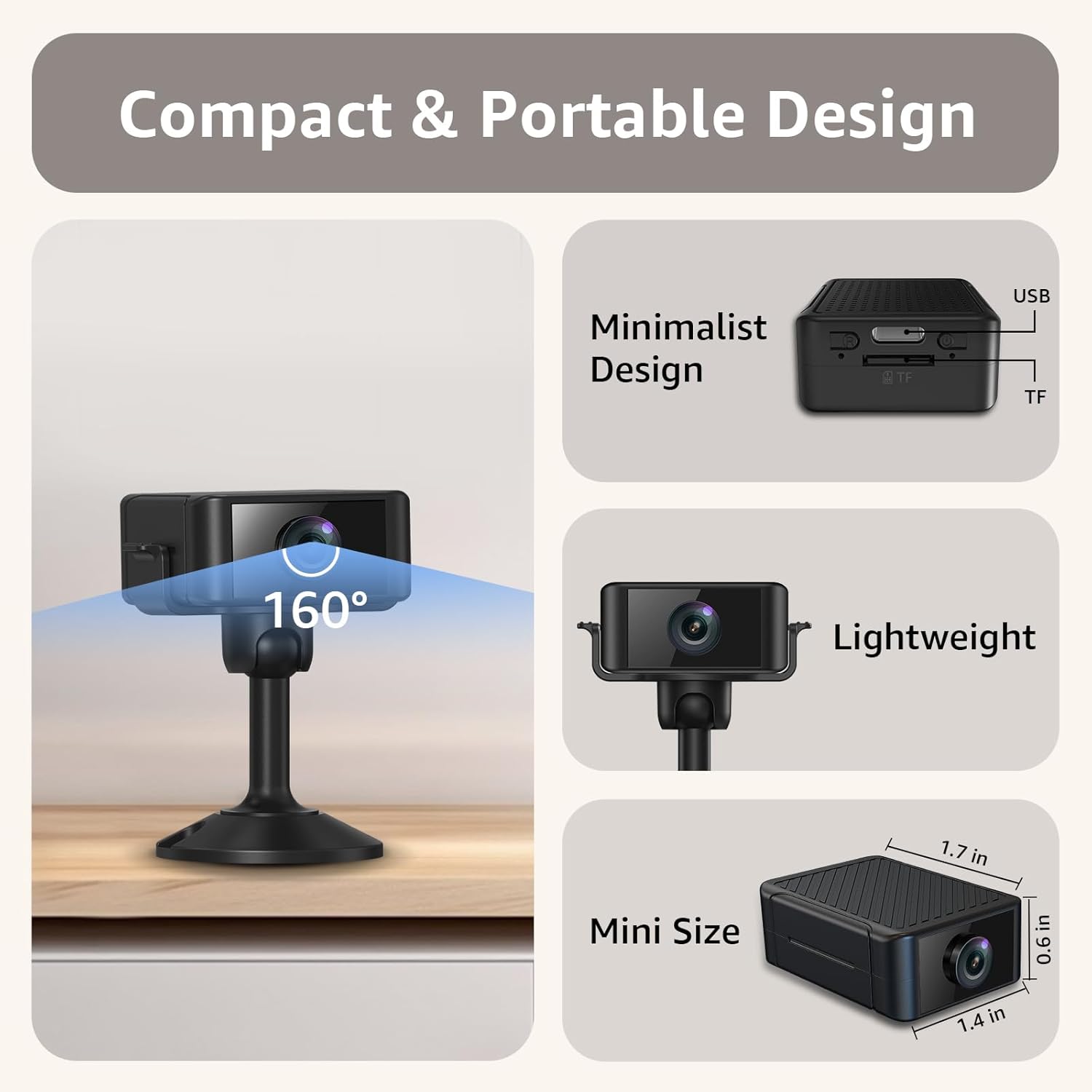
Figure 3: The compact and portable design of the camera, illustrating its small size and wide-angle lens.
Video 2: A brief overview of the hidden camera's features, including its compact size and discreet placement options.
4. Setup Guide
The camera is designed for a quick and easy setup process:
- Charge the Camera: Before first use, fully charge the camera using the provided USB cable.
- Download the App: Scan the QR code in the quick start guide or search for the designated app on your smartphone's app store.
- Power On & Connect: Turn on the camera. Ensure your phone's Bluetooth is enabled. Follow the in-app instructions to connect the camera to your 2.4GHz Wi-Fi network.
- Placement: Once connected, place the camera in your desired monitoring location. The adjustable mounting bracket allows for flexible positioning.
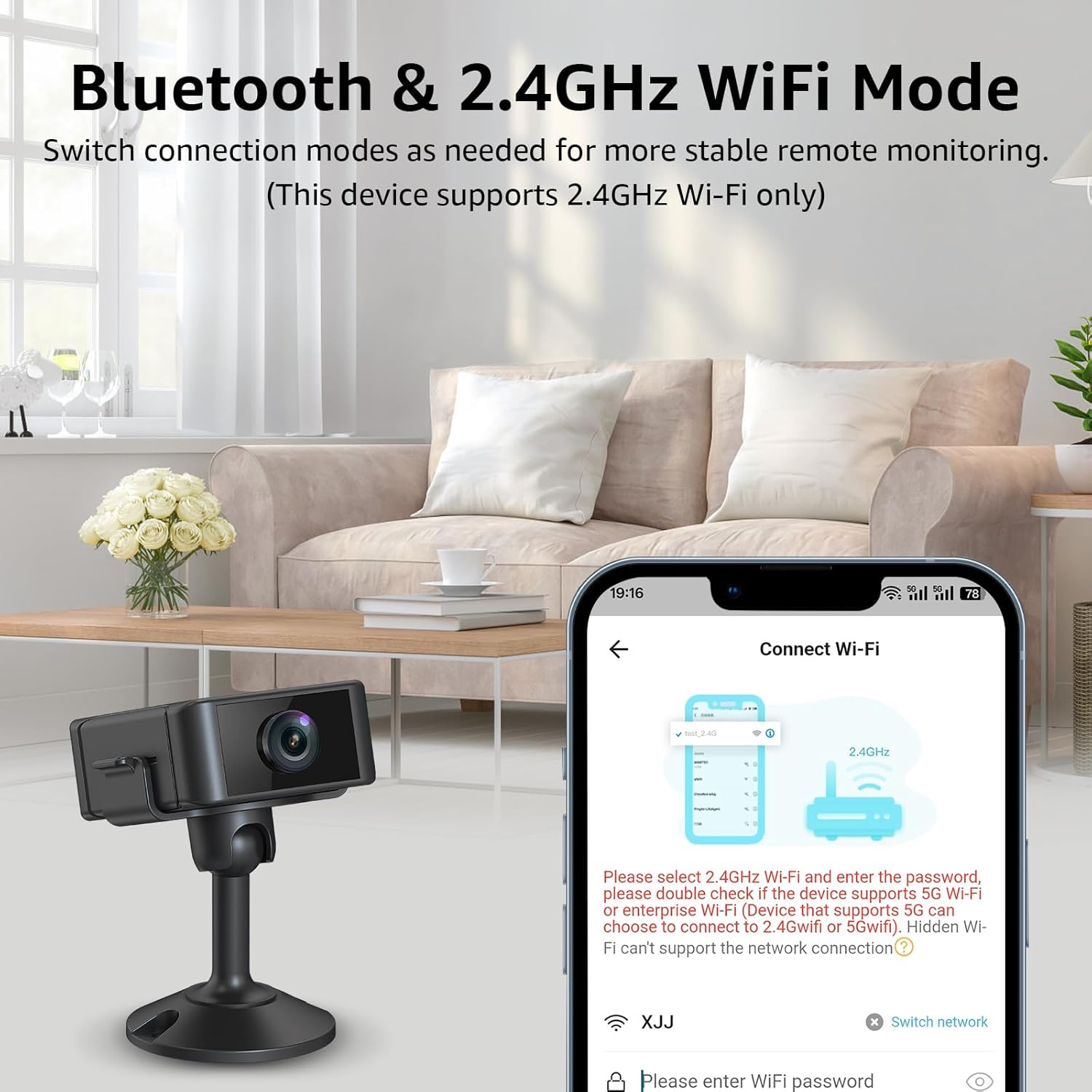
Figure 4: Connecting the camera to a 2.4GHz Wi-Fi network via the mobile application.
Video 3: Demonstrates the easy setup process of the camera, including connecting to the app and viewing live feed.
5. Operating Instructions
5.1. Live View and Recording
Access the live video feed and initiate manual recordings directly from the mobile app. The app allows for real-time monitoring and playback of recorded footage.
5.2. Motion Detection Alerts
Configure motion detection settings within the app. The camera uses AI to analyze movement patterns and send instant notifications to your phone when activity is detected. You can customize detection zones and schedules.
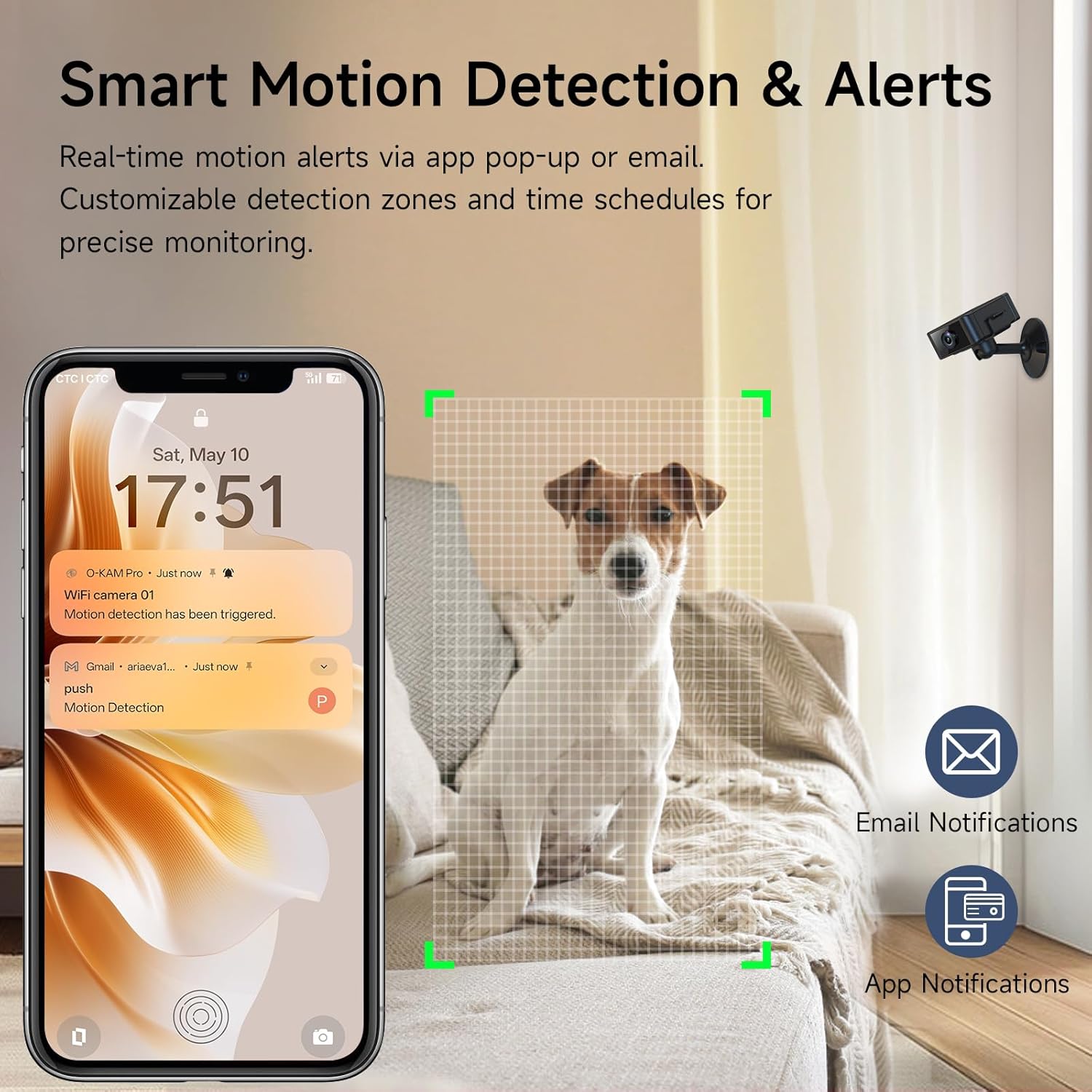
Figure 5: Smartphone notifications for motion detection.
5.3. Night Vision
The camera is equipped with advanced infrared technology for clear 24/7 visibility, even in low-light or no-light conditions. Night vision activates automatically.
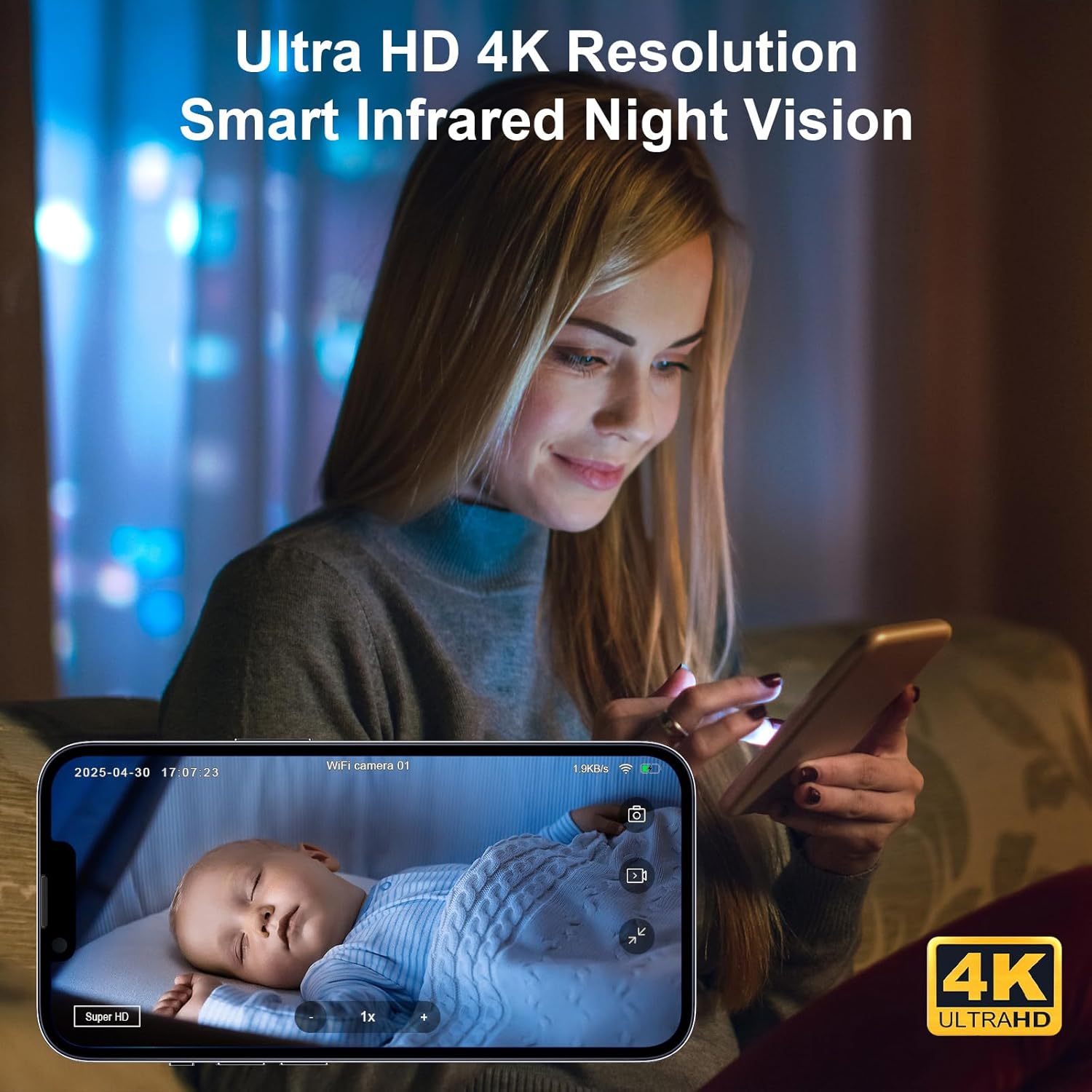
Figure 6: Demonstrating 4K resolution and night vision capabilities.
5.4. Multi-Device App Connectivity
The mobile application supports real-time multi-user sharing, allowing multiple authorized users to view the camera feed simultaneously on iOS and Android devices.
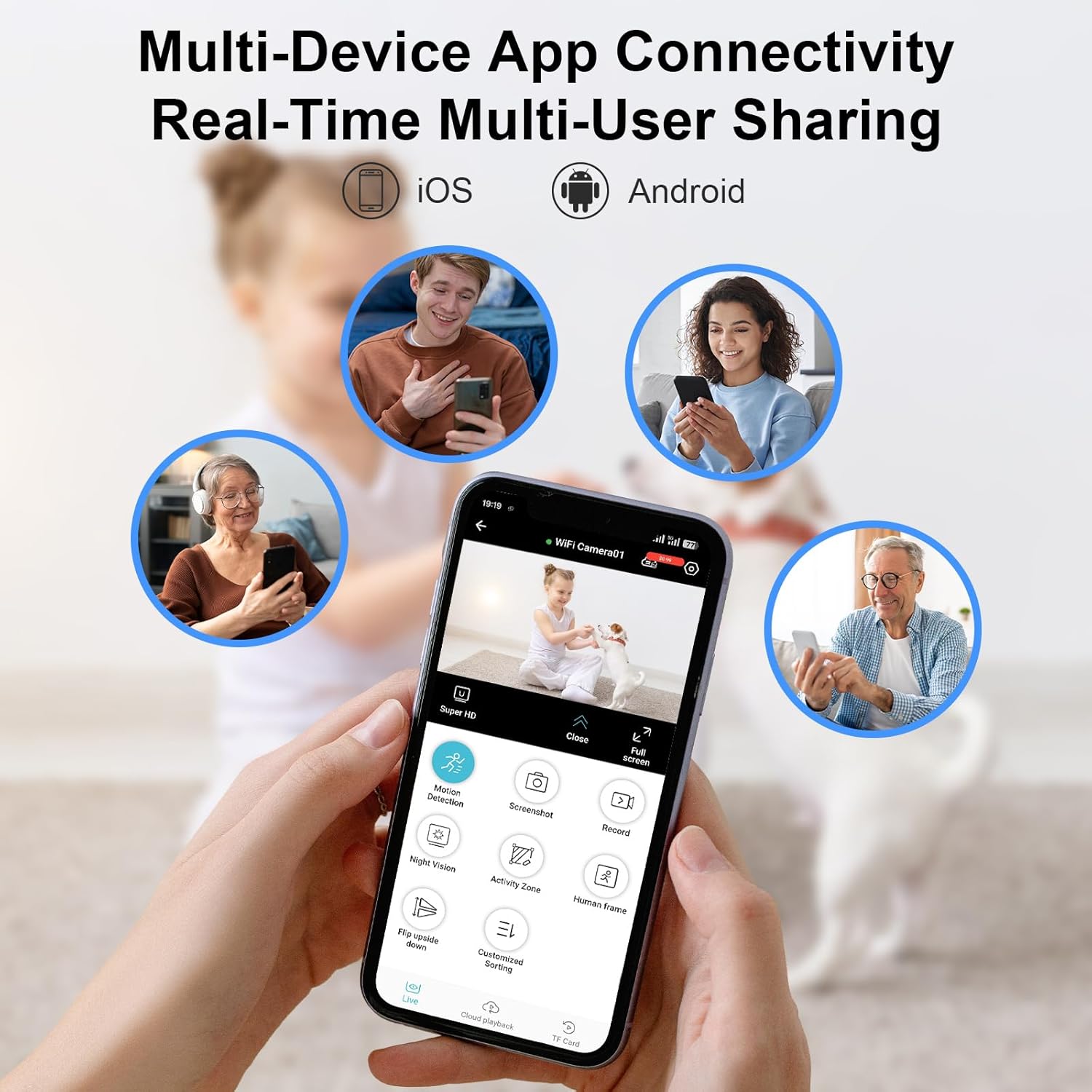
Figure 7: Multiple users accessing the camera feed via the app.
Video 4: A demonstration of the camera's live feed and app interface, showing various features and settings.
6. Storage Options
The camera offers flexible storage solutions:
- SD Card Storage: Insert a microSD card (up to 256GB, not included) for continuous 24/7 local recording.
- Cloud Storage: Securely store critical moments with encrypted cloud storage. A 7-day free trial is typically included.
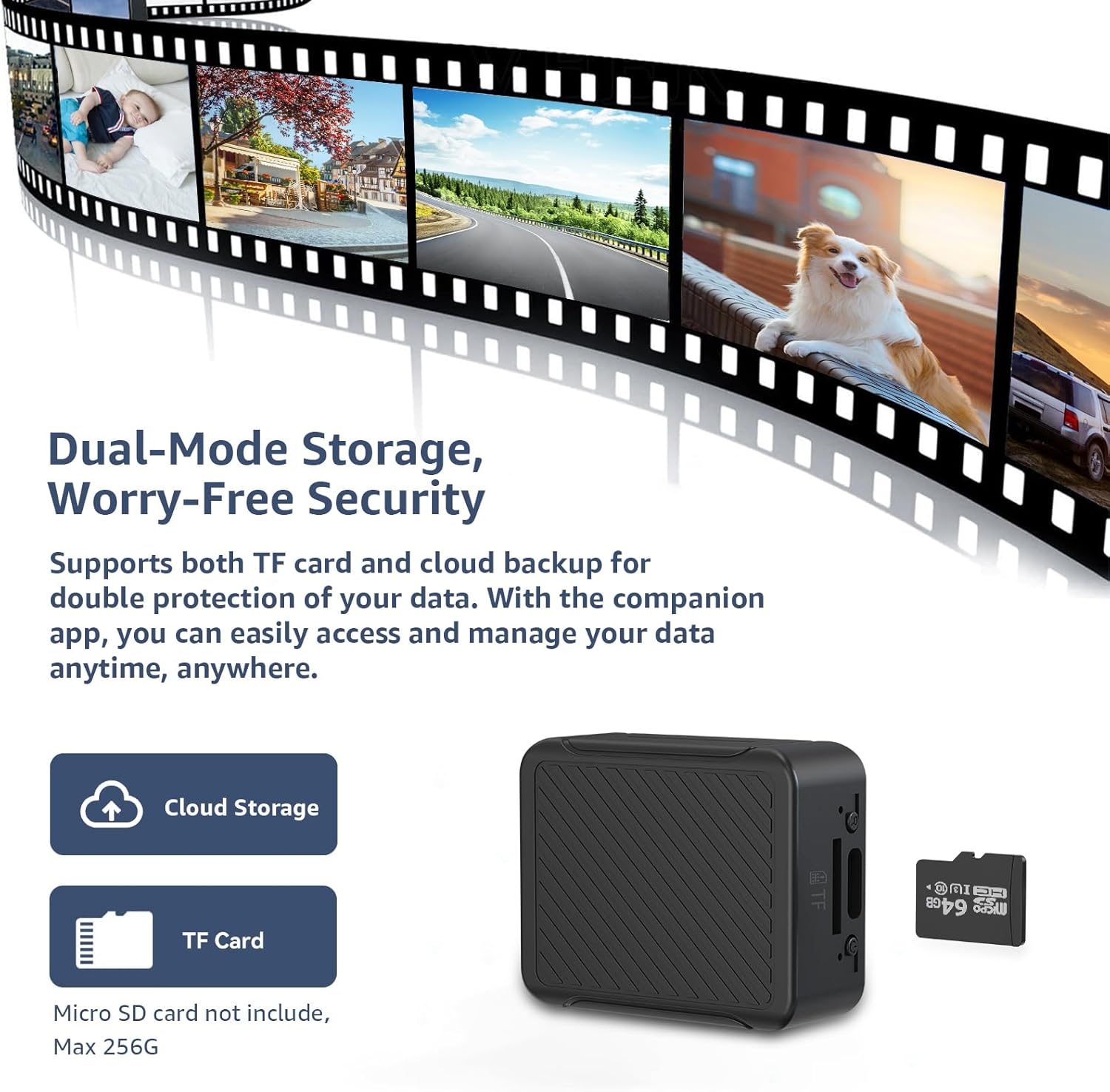
Figure 8: Overview of local (SD card) and cloud storage options.
7. Battery Life and Power
The camera features a robust 1000mAh battery, providing 4-6 hours of cordless recording. For continuous monitoring, the camera can be powered via a power bank or directly from an outlet using the USB charging cable.

Figure 9: The camera's rechargeable battery provides up to 4 hours of operation.
8. Maintenance
To ensure the longevity and optimal performance of your camera:
- Cleaning: Use a soft, dry cloth to clean the camera lens and body. Avoid abrasive cleaners or solvents.
- Placement: Ensure the camera is placed in a stable environment, away from extreme temperatures, moisture, and direct sunlight.
- Software Updates: Regularly check the mobile app for any available firmware updates to ensure the camera has the latest features and security enhancements.
9. Troubleshooting
If you encounter issues with your camera, try the following:
- Camera Not Connecting to Wi-Fi:
- Ensure your Wi-Fi network is 2.4GHz. This camera does not support 5GHz networks.
- Verify the Wi-Fi password is entered correctly in the app.
- Place the camera closer to your Wi-Fi router during setup.
- Restart your router and the camera.
- Poor Video Quality:
- Check your Wi-Fi signal strength in the app. A weak signal can affect video quality.
- Ensure the camera lens is clean and free from obstructions.
- Motion Alerts Not Working:
- Confirm motion detection is enabled in the app settings.
- Adjust the sensitivity of the motion detection.
- Check app notification settings on your smartphone.
- Camera Not Powering On:
- Ensure the battery is fully charged.
- Try connecting the camera directly to a power source using the USB cable.
- Perform a factory reset using the reset button (refer to product overview for location).
10. Specifications
| Feature | Detail |
|---|---|
| Brand | Liretope |
| Model | B0F66QNDQH |
| Video Resolution | 4K Ultra HD |
| Night Vision | Infrared Technology |
| Field of View | 160° Wide-Angle |
| Connectivity | Wi-Fi (2.4GHz only) |
| Power Source | Battery Powered (1000mAh) |
| Battery Life | 4-6 hours (cordless) |
| Storage Options | MicroSD Card (up to 256GB), Cloud Storage |
| Special Features | AI Motion Alerts, Real-Time Alerts, Phone App Control, Adjustable |
| Item Weight | 3.2 ounces |
| Package Dimensions | 6.02 x 3.66 x 0.94 inches |
11. Support
For further assistance or technical support, please refer to the contact information provided in your product packaging or visit the official Liretope website.