
Proster T28C
Proster Digital Multimeter T28C User Manual
Model: T28C
Brand: Proster
1. Introduction and Overview
The Proster T28C Digital Multimeter is a versatile and reliable tool designed for precise electrical measurements. Featuring a 6000-count display and True RMS (TRMS) capability, it provides accurate readings for various parameters including AC/DC voltage, AC/DC current, resistance, capacitance, frequency, duty ratio, and temperature. It also includes specialized functions such as Non-Contact Voltage (NCV) detection, diode testing, continuity testing, and HFE (transistor) testing. Built with safety and convenience in mind, the T28C is an essential instrument for professionals and DIY enthusiasts alike.
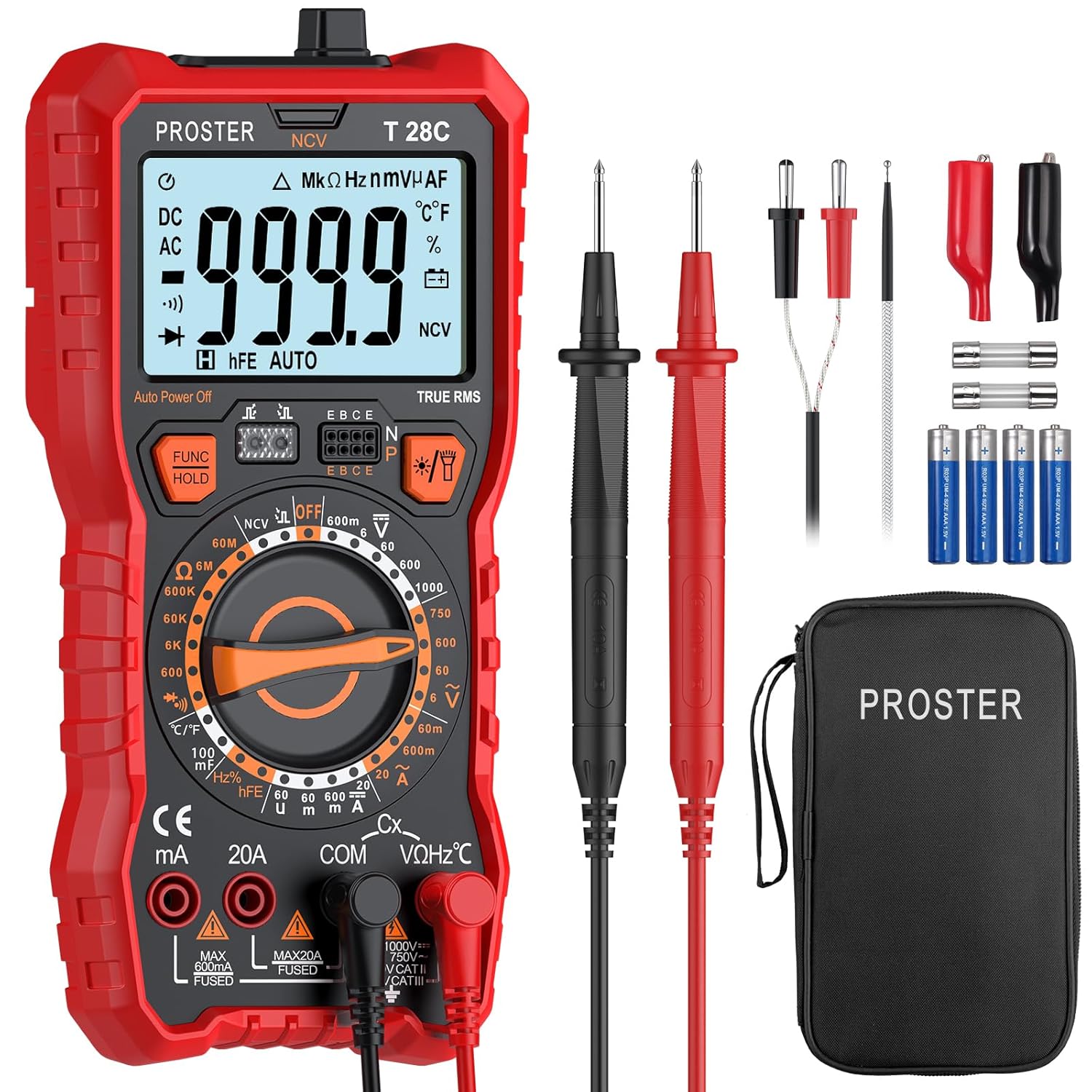
Image: Proster T28C Digital Multimeter and its complete accessory kit.
2. Safety Information
Always adhere to safety precautions when using the multimeter to prevent electric shock or damage to the instrument. This device is designed with overload protection and short-circuit protection for enhanced safety.
- Do not exceed the maximum input values for any measurement range.
- Ensure the test leads are properly connected and the function dial is set to the correct range before making measurements.
- Avoid using the multimeter if it appears damaged or if the test leads are frayed.
- Exercise extreme caution when working with live circuits.
- Always disconnect power to the circuit before measuring resistance, capacitance, or continuity.
- The multimeter is rated for CAT III 1000V and CAT IV 600V. Ensure your application falls within these safety categories.
3. Package Contents
Upon opening the package, please verify that all the following items are included:
- 1 x Proster Digital Multimeter (Model T28C)
- 1 x Pair of Test Probes (Red and Black)
- 1 x Temperature Probe
- 1 x Pair of Alligator Clips
- 2 x Fuses (Spare)
- 4 x 1.5V AAA Batteries (Pre-installed or included separately)
- 1 x Screwdriver
- 1 x User Manual
- 1 x Cloth Storage Bag

Image: All components included in the Proster T28C Multimeter package.
4. Product Features and Functions
The Proster T28C Multimeter is equipped with a range of features to enhance usability and measurement accuracy:
- TRMS Digital Multimeter: Provides accurate readings for non-sinusoidal waveforms.
- 6000 Count Display: Offers high resolution for precise measurements.
- NCV (Non-Contact Voltage) Detection: Safely detects AC voltage without direct contact.
- Data Hold Function: Freezes the displayed reading for easy recording.
- Backlight: Illuminates the display for clear visibility in low-light conditions.
- Flashlight: Integrated LED light for illuminating the test area.
- Auto Power Off: Conserves battery life by automatically shutting down after 15 minutes of inactivity.
- Sturdy Silicone Cover: Protects the device from drops and wear.
- Convenient Foldable Kickstand: Allows for hands-free operation and easy viewing.
- Integrated Storage Slot: Keeps test leads organized and secure.
- Built-in Fuse Protection: Enhances safety by protecting against overloading.

Image: User-friendly designs including kickstand, protective cover, and fuse protection.

Image: Intuitive reading with backlit display, data hold, and auto power off.
5. Setup
5.1 Battery Installation
The Proster T28C Multimeter requires four 1.5V AAA batteries. These are typically pre-installed or included in the package.
- Locate the battery compartment cover on the back of the multimeter.
- Use the included screwdriver to loosen the screw securing the cover.
- Remove the cover and insert the AAA batteries, ensuring correct polarity (+/-).
- Replace the cover and tighten the screw.
5.2 Connecting Test Probes
Connect the test probes to the appropriate input jacks on the multimeter.
- Insert the black test lead into the COM (Common) jack.
- For most measurements (Voltage, Resistance, Capacitance, Frequency, Diode, Continuity, Temperature, HFE), insert the red test lead into the VΩHz°C jack.
- For current measurements (up to 600mA), insert the red test lead into the mA jack.
- For high current measurements (up to 20A), insert the red test lead into the 20A jack.
6. Operating Instructions
6.1 General Operation
- To power on the multimeter, rotate the function selection dial from the OFF position to the desired measurement function.
- The display will illuminate, and the multimeter will be ready for use.
- To power off, rotate the dial back to the OFF position.
6.2 Measurement Functions
Select the appropriate function using the rotary dial and connect the test leads as described in Section 5.2.
6.2.1 AC/DC Voltage Measurement
To measure voltage, rotate the dial to the 'V' position. Use the 'FUNC' button to toggle between AC (~) and DC (—) voltage modes. Connect the test leads in parallel with the circuit or component to be measured.
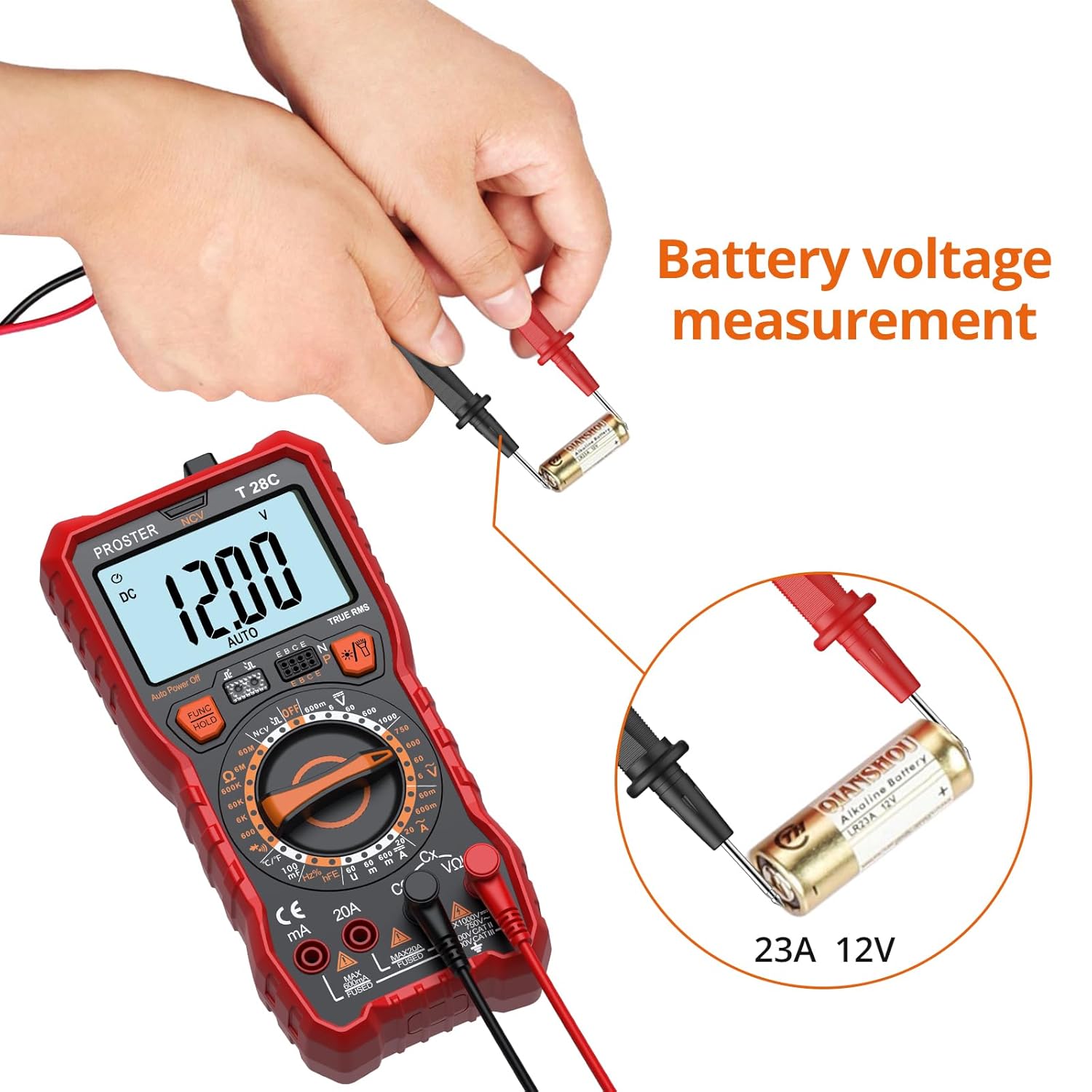
Image: Example of AC Voltage measurement using the multimeter.
6.2.2 AC/DC Current Measurement
Rotate the dial to the 'A' or 'mA' position. Use the 'FUNC' button to toggle between AC (~) and DC (—) current modes. Connect the multimeter in series with the circuit. Ensure the correct input jack (mA or 20A) is used based on the expected current.
6.2.3 Resistance Measurement
Rotate the dial to the 'Ω' position. Ensure the circuit is de-energized before measuring resistance. Connect the test leads across the component.
6.2.4 Capacitance Measurement
Rotate the dial to the 'C/F' position. Ensure the capacitor is discharged before measurement. Connect the test leads across the capacitor terminals.
6.2.5 Frequency and Duty Cycle Measurement
Rotate the dial to the 'Hz/%' position. Connect the test leads to the signal source. The 'FUNC' button may be used to switch between frequency (Hz) and duty cycle (%).
6.2.6 Temperature Measurement
Rotate the dial to the '°C/°F' position. Connect the temperature probe to the multimeter. Place the probe tip on or near the object whose temperature is to be measured. Use the 'FUNC' button to switch between Celsius and Fahrenheit.

Image: Measuring liquid temperature using the included temperature probe.
6.2.7 NCV (Non-Contact Voltage) Detection
Rotate the dial to the 'NCV' position. Place the top of the multimeter near the object suspected of having AC voltage. The multimeter will emit an audible beep and the NCV indicator will light up if voltage is detected.

Image: Demonstrating the Non-Contact Voltage (NCV) detection function.
6.2.8 Diode Test
Rotate the dial to the diode symbol position. Connect the red lead to the anode and the black lead to the cathode of the diode. The display will show the forward voltage drop.
6.2.9 Continuity Test
Rotate the dial to the continuity symbol position. Connect the test leads across the circuit or component. An audible beep indicates continuity (low resistance).
6.2.10 HFE (Transistor) Test
Rotate the dial to the 'hFE' position. Insert the transistor leads (E, B, C) into the corresponding sockets on the multimeter. The display will show the transistor's HFE value.
7. Maintenance
7.1 Cleaning
Wipe the multimeter casing with a damp cloth and mild detergent. Do not use abrasives or solvents. Ensure the device is dry before storage or next use.
7.2 Battery Replacement
When the low battery indicator appears on the display, replace the batteries as described in Section 5.1. Always use four new 1.5V AAA batteries.
7.3 Fuse Replacement
If the current measurement function fails, the fuse may need replacement. The multimeter uses two fuses. Refer to the specifications for fuse ratings.
- Ensure the multimeter is powered off and test leads are disconnected.
- Open the battery compartment cover.
- Carefully remove the old fuse(s) and replace with new ones of the correct type and rating.
- Close the battery compartment cover securely.
7.4 Storage
When not in use for extended periods, remove the batteries to prevent leakage. Store the multimeter and its accessories in the provided cloth bag in a cool, dry place, away from direct sunlight and extreme temperatures.
8. Troubleshooting
If you encounter issues with your Proster T28C Multimeter, refer to the following common problems and solutions:
- No Display or Faint Display:
- Check battery installation and replace if necessary.
- Ensure the multimeter is powered on and the function dial is not in the OFF position.
- Incorrect Readings:
- Verify that the function dial is set to the correct measurement type.
- Ensure test leads are connected to the correct input jacks.
- Check for damaged test leads or poor connections.
- For current measurements, check if the fuse is blown.
- Continuity Test Not Beeping:
- Ensure the circuit is de-energized.
- Verify the component or circuit path is indeed continuous (low resistance).
- NCV Not Detecting Voltage:
- Ensure the NCV sensor at the top of the multimeter is placed close enough to the AC voltage source.
- Confirm the presence of AC voltage with another known method if possible.
If the problem persists after attempting these solutions, please contact Proster customer support.
9. Specifications
| Parameter | Value / Range | Accuracy |
|---|---|---|
| Display Count | 6000 Counts | N/A |
| DC Voltage | 600mV/6V/60V/600V/1000V | ±(0.5%+5) |
| AC Voltage | 600mV/6V/60V/600V/750V | ±(1.0%+4) |
| DC Current | 60mA/600mA/20A | ±(1.2%+5) |
| AC Current | 60mA/600mA/20A | ±(1.5%+5) |
| Resistance | 600Ω/6KΩ/60KΩ/600KΩ/6MΩ/60MΩ | ±(0.8%+5) |
| Frequency | 9.999Hz/99.99Hz/999.9Hz/9.999kHz/99.99kHz/999.9kHz/9.999MHz | ±(1.5%+5) |
| Capacitance | 60nF/600nF/6uF/60uF/600uF/6mF/100mF | ±(4.0%+5) |
| Temperature | -20°C~1000°C (-4°F~1832°F) | ±(1.0%+3) |
| Duty Cycle | 1%~99% | N/A |
| Diode Test | Yes | N/A |
| Continuity Test | Yes | N/A |
| NCV | Yes | N/A |
| HFE Test | Yes | N/A |
| IR Signal Detect | <±15°, 1-30cm | N/A |
| Power Source | 4 x 1.5V AAA Batteries | N/A |
| Product Dimensions | 7.68 x 3.62 x 2.05 inches | N/A |
| Item Weight | 13.4 ounces (380 Grams) | N/A |
| Model Number | T28C | N/A |
Note: Specifications are subject to change without notice.

Image: Comprehensive table of measurement ranges and accuracies.
10. Warranty and Support
Proster products are designed for reliability and performance. For warranty information, technical support, or any inquiries regarding your Proster T28C Digital Multimeter, please refer to the warranty card included in your package or visit the official Proster website for the most up-to-date information and contact details.
Please retain your purchase receipt as proof of purchase for warranty claims.
Related documentsT28C

Ask a question about this manual
Ask about setup, troubleshooting, compatibility, parts, safety, or missing instructions. Manuals+ will review the question and use this page’s manual context to help answer it.