
diymore 5918
diymore Battery Guardian User Manual
Model: 5918
1. Product Overview
The diymore Battery Guardian (Model 5918) is an IP67 waterproof battery capacity monitor designed for a wide range of battery types, including lithium and lead-acid batteries. It provides real-time voltage and remaining capacity display, ensuring you are always aware of your battery's status. This device features a low voltage alarm and power-off memory function for enhanced reliability.

Image 1.1: The diymore Battery Guardian main unit shown with its included mounting accessories, including a handlebar mount, embedded mount bracket, nuts, and a wing nut.
Key Features:
- Wide Voltage Range: Supports DC 7-100V measurement.
- Versatile Battery Compatibility: Compatible with 3-20 series lithium batteries, 3-24 series lithium iron phosphate batteries, and 12V, 24V, 36V, 48V, 60V, 72V, 84V lead-acid batteries.
- IP67 Waterproof Rating: Ensures durability and protection against water ingress.
- LCD Color Display: Features a wide-angle LCD color screen with backlight for clear visibility.
- Dual Installation Options: Includes both handlebar and embedded mounting kits.
- Low Voltage Alarm: Activates when battery power drops below 10%.
- Power-off Memory Function: Retains settings after power interruption.

Image 1.2: The battery monitor is suitable for a wide range of applications, including motorbikes, cars, boats, ATVs, UTVs, campers, RVs, caravans, SUVs, off-road vehicles, travel trailers, marine vessels, ships, and trucks.
2. Specifications
| Parameter | Value |
|---|---|
| Model | 5918 |
| Voltage Measurement Range | DC 7-100V |
| Operating Current | ≤ 15mA |
| Display Type | LCD Color Screen with Wide Viewing Angle |
| Dimensions (Product) | 5.6 x 5.6 x 1.78 cm |
| Weight | 100 grams |
| Waterproof Rating | IP67 |
What's in the Box:
- 1 x Battery Capacity Monitor
- Mounting Accessories (Handlebar mount, embedded mount bracket, nuts, wing nut)

Image 2.1: Detailed dimensions of the diymore Battery Guardian, showing its diameter, thickness, and wire length for installation planning.
3. Setup and Installation
The diymore Battery Guardian offers two primary installation methods: handlebar mounting and embedded mounting. Choose the method that best suits your application.
Installation Options:
- Handlebar Mounting: Ideal for bicycles, motorcycles, or other applications with a suitable handlebar. The kit includes a clamp and necessary hardware to secure the monitor to a cylindrical bar.
- Embedded Mounting: Suitable for flush installation into a panel or dashboard. This method provides a clean, integrated look. The kit includes a bracket and nuts for secure panel mounting.

Image 3.1: Visual guide demonstrating the two installation methods: handlebar mounting (top) and embedded panel mounting (bottom), showing the components and steps involved.
Wiring Connection:
Connect the red wire to the positive (+) terminal of your battery and the black wire to the negative (-) terminal. Ensure connections are secure and insulated to prevent short circuits.
4. Operating Instructions
The Battery Guardian is designed for straightforward operation. Upon initial power-up, the device defaults to a specific battery type. You may need to adjust settings based on your battery type.
Initial Setup and Battery Type Selection:
- Default Setting: For first use, the product defaults to ternary lithium batteries (L03 series mode voltage).
- Lithium-ion Battery (L Type): Measurement range from L03 series to L20 series.
- Lead-acid Battery (P Type): Supports DC12V, 24V, 36V, 48V, 60V, 72V, 84V.
- LiFePO4 Battery (F Type): Measurement range from F03 to F24 series.

Image 4.1: Examples of how the display appears for different battery types (Lithium, Lithium Iron Phosphate, Lead-Acid) and interfaces for setting low and high voltage thresholds.
Button Functions:
- Short Press: On the main page, a short press of the button will switch the display mode (e.g., between voltage and percentage).
- Double Press: From any status indicator page, double-press the button to turn off the display and enter power-saving mode. Short press again to reactivate the display.
- Long Press (2 seconds): From the main page, a long press for 2 seconds will enter the configuration mode. Another long press for 2 seconds will return to the main display page.
Additional Functions:
- Low Voltage Warning: When the battery power drops below 10%, the low voltage alarm will activate, indicated by a flashing battery icon on the display.
- Power Failure Memory: The device retains your function settings even after power is turned off, ensuring your configurations are saved.
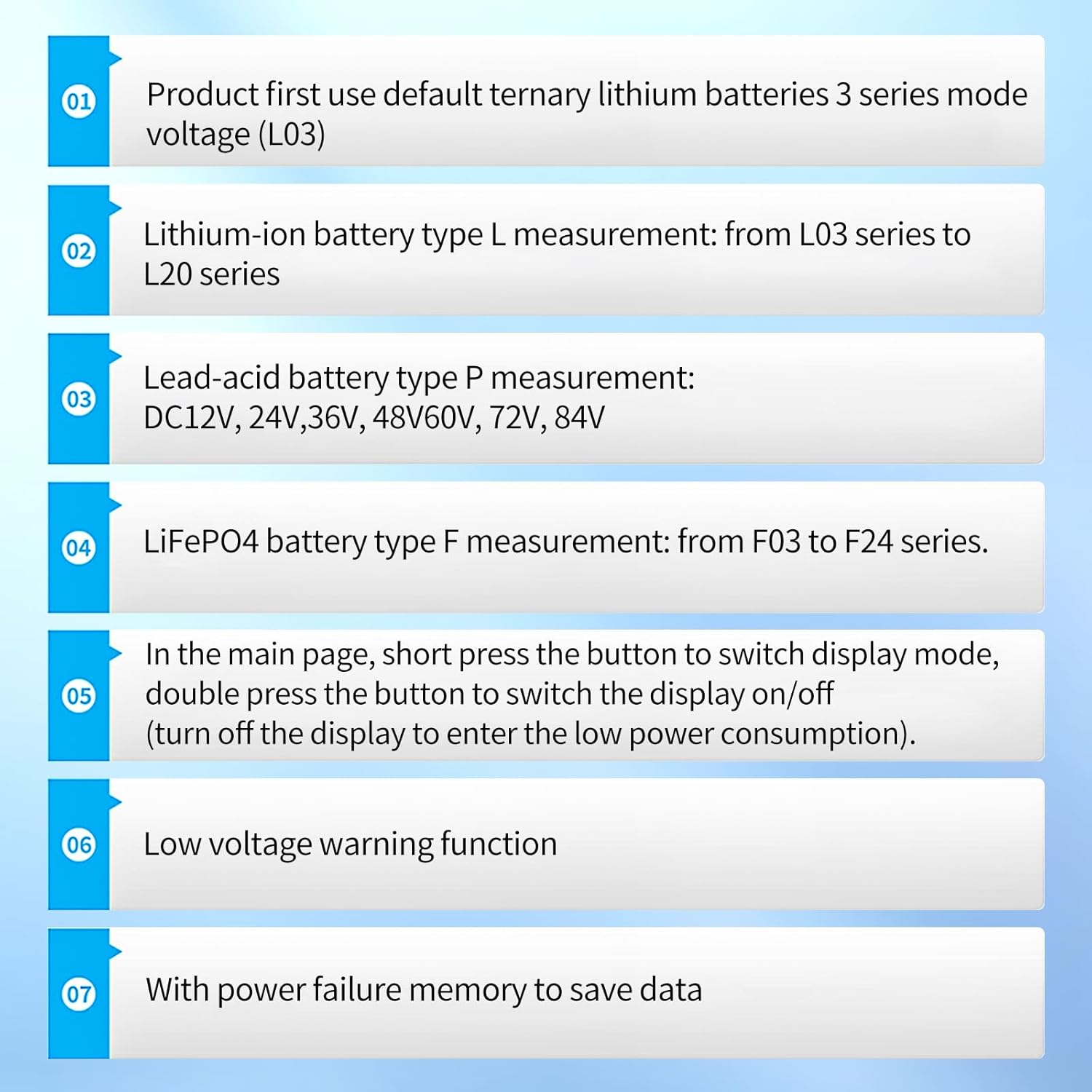
Image 4.2: A summary of key operational aspects, including default settings, battery type measurements, display mode switching, power-saving mode, low voltage warning, and power failure memory.
5. Maintenance
The diymore Battery Guardian is designed for durability and requires minimal maintenance. Its IP67 waterproof rating provides significant protection.
- Cleaning: Wipe the display and casing with a soft, damp cloth. Avoid abrasive cleaners or solvents.
- Water Exposure: While IP67 rated, prolonged submersion or high-pressure water jets should be avoided. Ensure the back cover and wiring connections are sealed properly if exposed to water.
- Storage: When not in use for extended periods, store the device in a dry, cool environment.

Image 5.1: The diymore Battery Guardian submerged in water, illustrating its IP67 waterproof design, which protects it from dust and temporary immersion in water.
6. Troubleshooting
If you encounter issues with your diymore Battery Guardian, refer to the following common problems and solutions:
- No Display/Power:
- Check all wiring connections to ensure they are secure and correctly connected to the battery's positive and negative terminals.
- Verify that the battery voltage is within the DC 7-100V operating range.
- Incorrect Readings:
- Ensure the correct battery type (Lithium, Lead-Acid, LiFePO4) and series setting is configured in the device's settings. Refer to Section 4 for battery type selection.
- Check for any loose connections that might cause voltage drops or inaccurate readings.
- Low Voltage Alarm Constantly On:
- This indicates the battery's charge is below 10%. Recharge your battery immediately.
- If the battery is fully charged and the alarm persists, verify the battery type setting is correct.
- Display Not Turning Off in Power-Saving Mode:
- Ensure you are performing a double-press of the button to activate power-saving mode. A single short press will only cycle display modes.
7. Warranty and Support
Specific warranty information for the diymore Battery Guardian (Model 5918) is not provided within this manual. For warranty claims, technical support, or further assistance, please contact diymore customer service through their official website or the platform where the product was purchased.
Please retain your proof of purchase for any warranty-related inquiries.
Related documents5918


Ask a question about this manual
Ask about setup, troubleshooting, compatibility, parts, safety, or missing instructions. Manuals+ will review the question and use this page’s manual context to help answer it.