
1. Product Overview
The Max Build More Premium Garden Campanula building brick set allows you to construct a beautiful, detailed plant model. This set includes up to 233 pieces to build one Campanula plant, complete with a decorative pot and a wooden stand. It is designed for creative assembly and display.
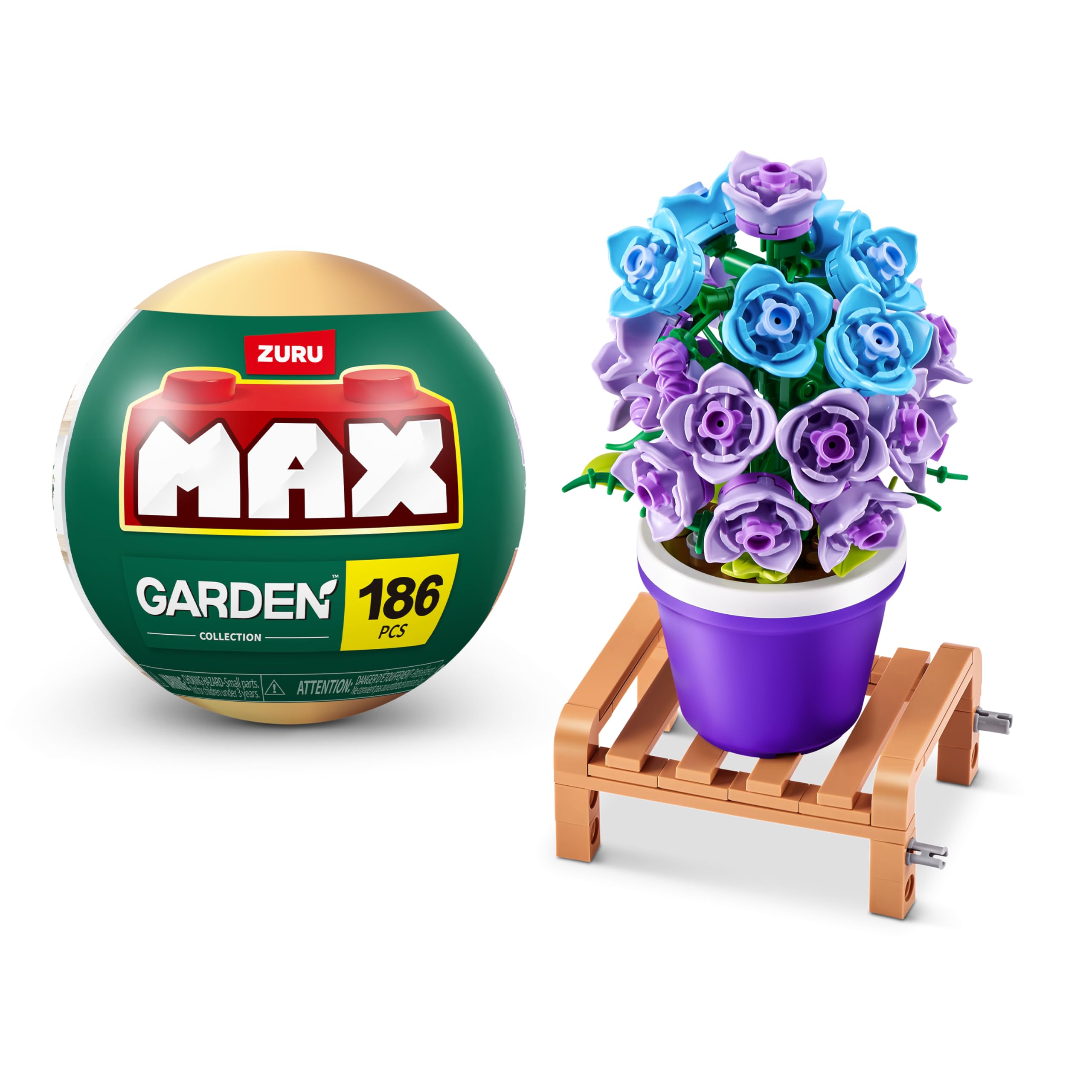
The assembled Campanula plant model, featuring purple and blue brick flowers in a purple pot on a wooden stand.
2. Safety Information
Please read all safety warnings before use. This product contains small parts and poses a choking hazard. It is not suitable for children under 3 years of age.
- Choking Hazard: Small parts. Not for children under 3 years.
- Ensure all pieces are kept away from young children to prevent accidental ingestion.
- Adult supervision is recommended during assembly for younger users.

The reverse side of the product packaging, displaying important details such as safety warnings (choking hazard for children under 3), recycling information, manufacturer details, and the UPC (0193052069092).
3. Package Contents
Each Max Build More Premium Garden capsule contains the following components:
- Up to 233 MAX Premium pieces for creating one garden design.
- One instruction booklet.
A detailed view of one of the assembled plant models, emphasizing the number of pieces (186) used in its construction. This particular model features yellow and orange flowers in a light yellow pot.
4. Assembly Instructions (Setup)
Follow these easy steps to assemble your Max Build More Premium Garden Campanula plant model:
- Step 1: Assemble the Wooden Stand. Connect the wooden plank pieces to form the base stand for your plant pot. Ensure all connections are secure.
- Step 2: Prepare the Pot Base. Place the circular base plate into the pot. This will serve as the foundation for your plant's stem and flowers.
- Step 3: Insert the Main Stem. Attach the main green stem piece into the center of the base plate within the pot.
- Step 4: Add Foliage. Begin adding smaller green leaf and foliage pieces around the base of the main stem.
- Step 5: Construct the Flowers. Assemble the individual flower bricks according to the design shown in the instruction booklet. Attach them to the branches extending from the main stem.
- Step 6: Final Placement. Once the plant is fully assembled, place the pot onto the completed wooden stand.

This visual guide provides a clear, sequential breakdown of the assembly process, from constructing the base stand to placing the final flower bricks into the pot. Each panel shows a distinct stage of construction.
5. Display and Interaction
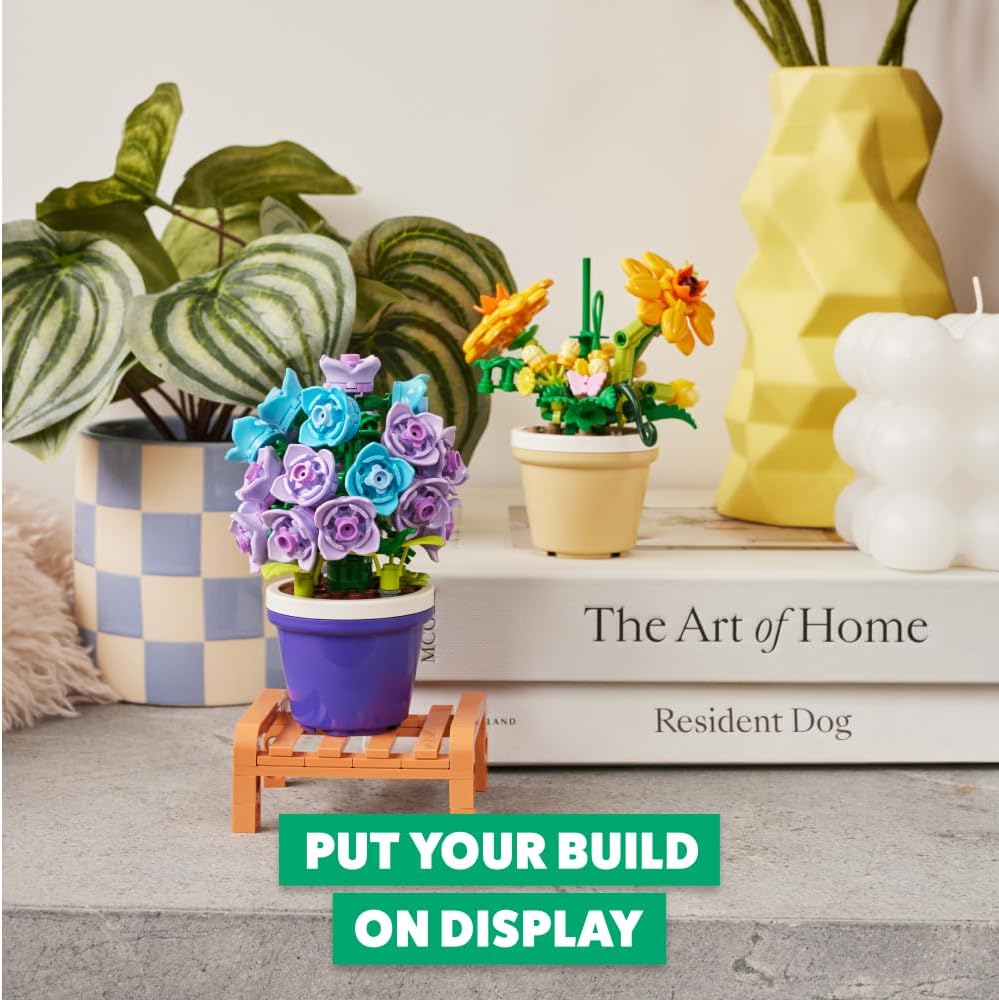
Once assembled, your Max Build More Premium Garden Campanula is ready for display. Place it on a shelf, desk, or any surface where it can be admired. The model is designed for static display but can be gently handled. You can also combine it with other Max Build More Premium Garden sets to create a larger collection.

A finished plant model, featuring purple and blue flowers in a purple pot, elegantly placed on a wooden stand on a shelf, demonstrating how the completed build can be used as a decorative item.
6. Maintenance
To keep your Max Build More Premium Garden model in optimal condition:
- Cleaning: Dust the model regularly with a soft, dry cloth or a soft brush. For more thorough cleaning, gently wipe with a damp cloth and allow to air dry completely. Avoid harsh chemicals or abrasive materials.
- Storage: If disassembling for storage, keep all pieces in a secure container to prevent loss. Store in a cool, dry place away from direct sunlight to prevent color fading.
7. Troubleshooting
If you encounter any issues during assembly or use:
- Missing Pieces: Carefully check the packaging and surrounding area for any small pieces that may have been overlooked. If pieces are genuinely missing, please contact customer support.
- Difficulty Connecting Pieces: Ensure pieces are aligned correctly. Apply gentle, even pressure. Avoid forcing pieces together, as this may cause damage.
- Model Instability: Double-check all connections, especially at the base and stem. Ensure the model is placed on a flat, stable surface.
8. Specifications
| Feature | Detail |
|---|---|
| Brand | Max Build More |
| Model Name | Collection de briques de construction MAX Premium Garden (Campanule, 1 capsule) |
| Model Number | 83183A |
| Material | Plastic |
| Color | Campanula (Purple/Blue) |
| Number of Pieces | Up to 233 (Specific to variant: 186) |
| Item Dimensions (L x W x H) | 11.5 x 11.5 x 11.5 cm |
| Minimum Manufacturer Age | 36 Months |
| Educational Objective | Cognitive Development |
| Special Features | Easy to store, Lightweight, Non-toxic, Portable |
| UPC | 193052078759 |
9. Compatibility
Max Build More Premium bricks are designed to be compatible with leading building brick brands. This allows for seamless integration with existing collections, expanding creative possibilities.

An aerial perspective showcasing several assembled plant models on colorful trays, with text indicating their compatibility with major building brick brands. This allows for integration into existing collections.
10. Additional Information
For more products and information from Max Build More, please visit the official brand store: Max Build More Store.