
1. Introduction
Thank you for choosing the PTHTECHUS S6 Open Ear Headphones. These wireless earbuds are designed for comfort and clear audio, featuring Bluetooth 5.4 connectivity and Environmental Noise Cancellation (ENC) for calls. This manual provides instructions for setup, operation, and maintenance to ensure optimal performance.
2. What's in the Box
- PTHTECHUS S6 Open Ear Headphones (Left and Right)
- Wireless Charging Case
- USB-C Charging Cable
- User Manual

Image: PTHTECHUS S6 Open Ear Headphones and charging case.
3. Charging the Headphones
Before first use, fully charge the headphones and charging case.
- Place the earbuds into the charging case. Ensure they are correctly seated; the indicator lights on the earbuds will show charging status.
- Connect the USB-C charging cable to the charging port on the case and to a power source.
- The charging case takes approximately 1.5 hours to fully charge. The earbuds provide up to 8 hours of playback on a single charge, and the charging case extends total battery life to about 40 hours. A 15-minute quick charge can provide an additional 3 hours of listening time.

Image: The S6 headphones in their charging case, illustrating battery life and fast charging capabilities.
4. Pairing with Your Device
The PTHTECHUS S6 headphones utilize Bluetooth 5.4 for a stable and efficient connection.
- Open the charging case. The earbuds will automatically enter pairing mode.
- On your device (smartphone, tablet, laptop), go to Bluetooth settings and enable Bluetooth.
- Search for available devices and select "PTHTECHUS S6" from the list.
- Once connected, the earbuds will automatically pair with your device when the case is opened in the future. The transmission range is up to 10 meters.

Image: The S6 headphones and charging case next to a laptop, demonstrating Bluetooth 5.4 technology and one-step pairing.
5. Wearing the Headphones
The S6 headphones feature an open-ear clip-on design for comfort and situational awareness.
- Gently place the earbud over your auricle (outer ear).
- Adjust the clip to sit securely and comfortably above your ear. The design is intended to be lightweight and non-intrusive, allowing for long-term wear without ear pain and compatibility with glasses.
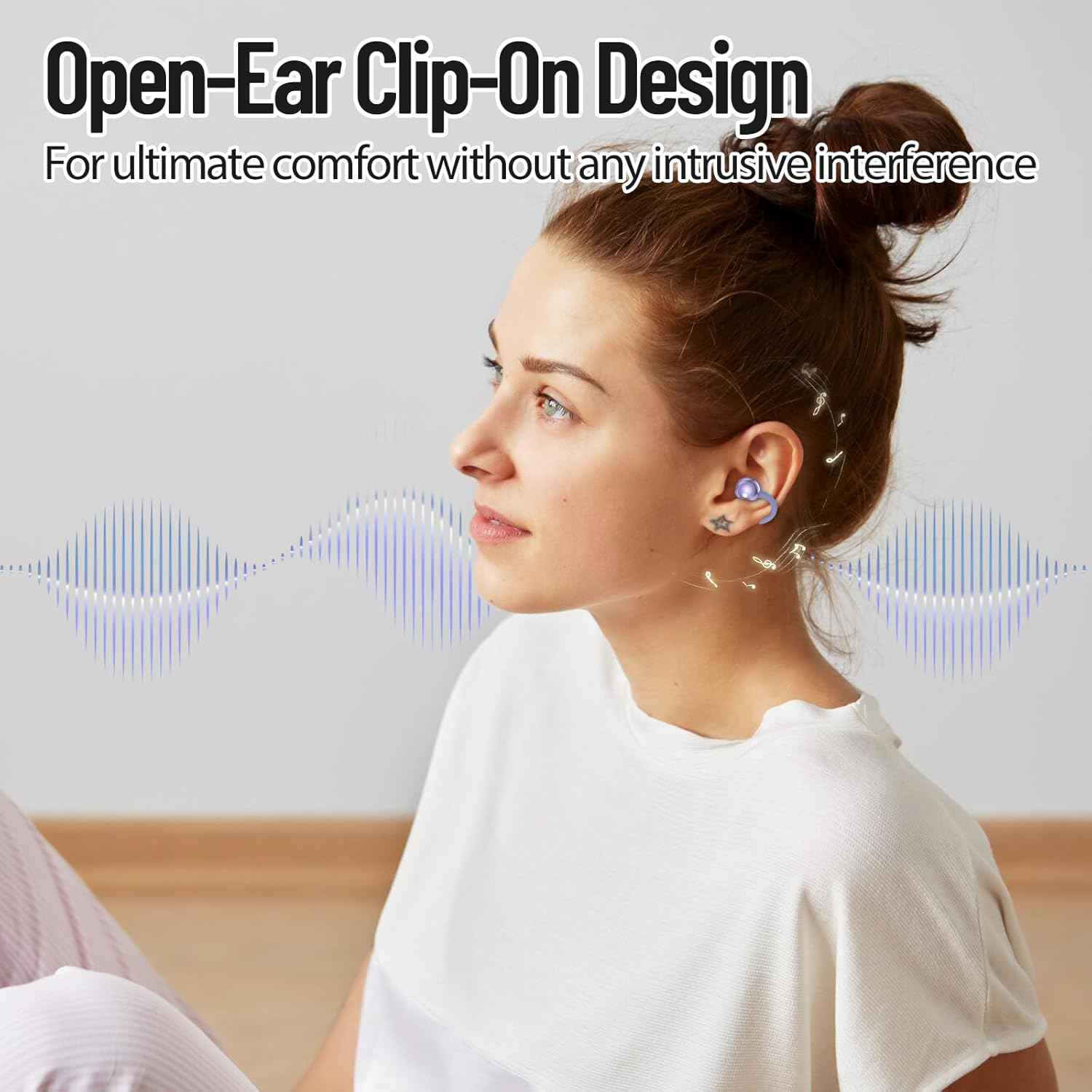
Image: A woman wearing the PTHTECHUS S6 Open Ear Headphones, illustrating the comfortable clip-on design.
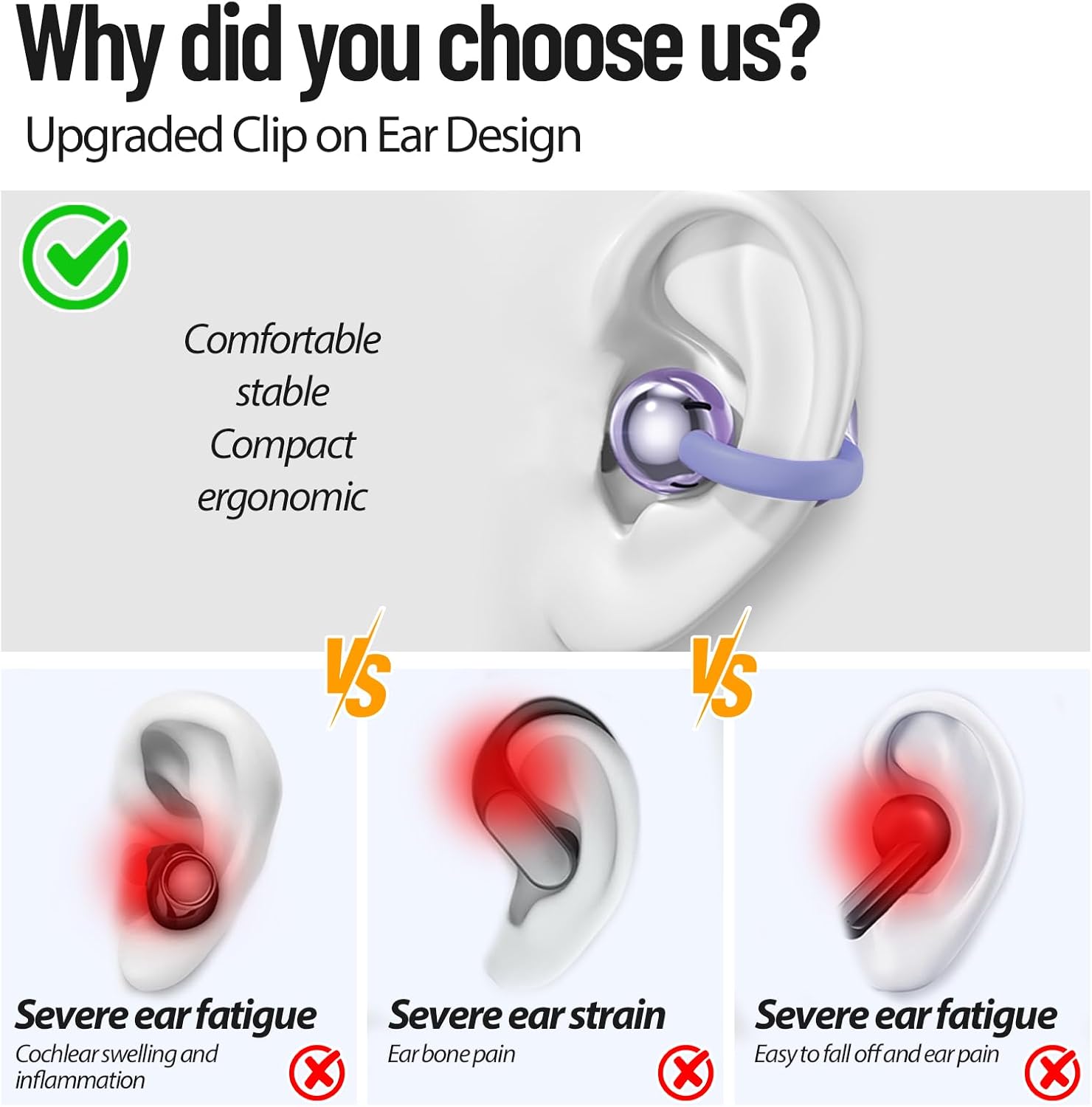
Image: A diagram comparing the comfortable clip-on design of the S6 headphones to traditional in-ear headphones that can cause fatigue or pain.
6. Operating Controls
The S6 headphones feature touch controls for easy management of audio and calls.
- Play/Pause: Double-click either earbud.
- Next Track: Tap the right earbud 3 times.
- Previous Track: Tap the left earbud 3 times.
- Volume Up/Down: Long press either earbud (specific earbud for up/down may vary, refer to quick start guide for precise assignment).
- Answer/End Call: Double-click either earbud.
- Voice Assistant: Long press either earbud.

Image: A diagram illustrating the touch control functions of the S6 headphones.
7. Call Functionality
The S6 headphones are equipped with advanced ENC (Environmental Noise Cancellation) technology. This feature helps to reduce background noise during calls, ensuring clear communication even in noisy environments.
8. Water Resistance
The PTHTECHUS S6 headphones have an IP5 water resistance rating. This means they are protected against low-pressure water jets from any direction, making them suitable for use during workouts or in light rain. They are not designed for submersion in water.

Image: Three pairs of S6 headphones in different colors with water splashing around them, indicating IP5 water resistance.
9. Maintenance and Care
- Clean the earbuds and charging case regularly with a soft, dry cloth.
- Avoid using abrasive cleaners or solvents.
- Store the headphones in their charging case when not in use to protect them and keep them charged.
- Keep the headphones away from extreme temperatures, humidity, and dust.
10. Troubleshooting
| Issue | Possible Solution |
|---|---|
| Headphones not pairing | Ensure headphones are charged. Turn off and on your device's Bluetooth. Place earbuds back in case, close, then reopen to re-enter pairing mode. |
| No sound from headphones | Check device volume and headphone volume. Ensure headphones are connected to the correct device. Try re-pairing. |
| Charging case not charging | Verify the USB-C cable is securely connected to both the case and power source. Try a different cable or power adapter. |
| One earbud not working | Ensure both earbuds are charged. Place both earbuds back in the case, close, then reopen. Try re-pairing the headphones. |
| Call quality issues | Ensure the earbuds are properly worn. Move closer to your connected device. Avoid environments with excessive background noise. |
11. Product Specifications
| Feature | Specification |
|---|---|
| Model Name | S6 |
| Connectivity Technology | Wireless (Bluetooth 5.4) |
| Bluetooth Range | 10 Meters |
| Battery Life (Earbuds) | Up to 8 hours |
| Total Battery Life (with Case) | Approximately 40 hours |
| Charging Time | 1.5 Hours |
| Noise Control | Adaptive Noise Cancellation (ENC for calls) |
| Water Resistance Level | IP5 (Water Resistant) |
| Control Method | Touch |
| Ear Placement | Open Ear |
| Item Weight | 44 Grams (total) |
| Material | Plastic |
12. Official Product Video
Video: An overview demonstrating the features and design of the PTHTECHUS S6 Open Ear Headphones, including battery life, Bluetooth connectivity, and comfortable fit.
13. Warranty and Support
For warranty information and customer support, please refer to the documentation included with your purchase or contact the seller directly. PTHTECHUS is committed to providing quality products and assistance.