
Introduction
This manual provides detailed instructions for the Blue Tees Golf Series 4 Ultra Rangefinder. It covers product setup, operational procedures, maintenance guidelines, and troubleshooting tips to ensure optimal performance and longevity of your device. Please read this manual thoroughly before using the rangefinder.
The Series 4 Ultra Rangefinder is designed for golfers seeking precise distance measurements. Key features include an OLED display, 6x magnification, adaptive slope switch, magnetic strip, and weather resistance.

Image: The Blue Tees Golf Series 4 Ultra Rangefinder in navy blue, showcasing its ergonomic design and textured grip.
Package Contents
The Blue Tees Golf Series 4 Ultra Rangefinder package includes the following items:
- Blue Tees Golf Series 4 Ultra Rangefinder
- Weather-resistant carrying case
- Microfiber cleaning cloth
- Lanyard
- 3 x Non-standard disposable batteries
- Blue Tees sticker
- Carabiner
- Quick Start Guide
- Insert
Setup
1. Battery Installation
- Locate the battery compartment on the rangefinder.
- Open the battery compartment cover.
- Insert the three non-standard disposable batteries, ensuring correct polarity (+/-).
- Close the battery compartment cover securely.
2. Initial Power On
- Press the power button (usually located on the top of the device) to turn on the rangefinder.
- The OLED display will illuminate, indicating the device is ready for use.
Operating Instructions
1. Basic Distance Measurement
- Look through the eyepiece.
- Aim the reticle at your desired target.
- Press the power/measurement button once to activate the laser. The distance will be displayed on the OLED screen.

Image: View through the rangefinder's OLED display, showing a golfer on a course with distance (160 yards) and slope compensation (-3 degrees, 156 yards) clearly visible.
2. Flag Lock Technology with Pulse Vibration
- To use Flag Lock, aim at the flagstick and press and hold the measurement button.
- Slowly scan across the flagstick. The rangefinder will lock onto the flag, filtering out background objects.
- Once locked, the device will provide a short pulse vibration and display the precise distance to the flag.
3. Adaptive Slope Switch
- The Adaptive Slope Switch allows you to toggle between slope-adjusted distances and standard line-of-sight distances.
- Locate the slope switch on the side of the device.
- Slide the switch to enable or disable slope compensation based on course rules or personal preference.
- When slope is enabled, the display will show both the actual distance and the slope-adjusted distance.

Image: A diagram demonstrating the effect of slope adjustment on golf shot distance. It shows how a 156-yard shot uphill (7-degree slope) requires a compensation to 176 yards for an effective shot.
4. Auto-Depth Filter
- The Auto-Depth Filter automatically refines focus and filters out background distractions, ensuring accurate target acquisition.
- This feature operates automatically when measuring, enhancing the clarity of your target.

Image: A rangefinder's view demonstrating the Auto-Depth Filter, clearly isolating a golf flagstick from a lush green background, displaying a distance of 217 yards with a 2-degree slope adjustment to 223 yards.
5. Brightness Control
- The OLED display features adjustable brightness for optimal visibility in various lighting conditions.
- Refer to the Quick Start Guide for specific button combinations to adjust display brightness.

Image: A side-by-side comparison of the rangefinder's OLED display, showing the difference between a lower brightness setting (left) and a higher brightness setting (right) for improved visibility in different light conditions.
6. Magnetic Strip
- The Series 4 Ultra features a strong built-in magnetic strip.
- This allows for secure attachment to a golf cart frame or other metallic surfaces for easy access during play.

Image: The Blue Tees Golf Series 4 Ultra Rangefinder securely attached to the metal frame of a golf cart using its built-in magnetic strip, demonstrating convenient storage during a round.
Features Overview
The Blue Tees Golf Series 4 Ultra Rangefinder incorporates several advanced technologies to enhance your golfing experience:
- Advanced Laser Performance: Provides flag lock precision up to 300 meters (328 yards) and measures distances up to 1200 meters (1312 yards) with +/- 0.9 meter accuracy.
- OLED Display: Crystal-clear display with brightness control for optimal visibility in all lighting conditions.
- 6x Magnification: High-quality optics for clear viewing of distant targets.
- Adaptive Slope Switch: Easily toggle between slope-adjusted and standard distances.
- Auto-Depth Filter: Automatically refines focus and filters background distractions for precise target acquisition.
- Flag Lock with Pulse Vibration: Provides tactile feedback when the flag is successfully locked.
- Active Track: Ensures accurate distance readings even when moving.
- Ultra Magnetic Strip: Strong integrated magnet for secure attachment to golf carts or other metal surfaces.
- IP56 Weather Resistance: Designed to withstand water splashes and dust, ensuring reliable performance in various weather conditions.

Image: An infographic highlighting the premium features of the Blue Tees Golf Series 4 Ultra Rangefinder, including OLED Display, Ultra Magstrip, Slope Switch, Auto-Depth Filter, Active Track, Brightness Control, Advanced Flag Lock, Pulse Vibration, 1200 Yard Range, and IP54 Weather Resistance.
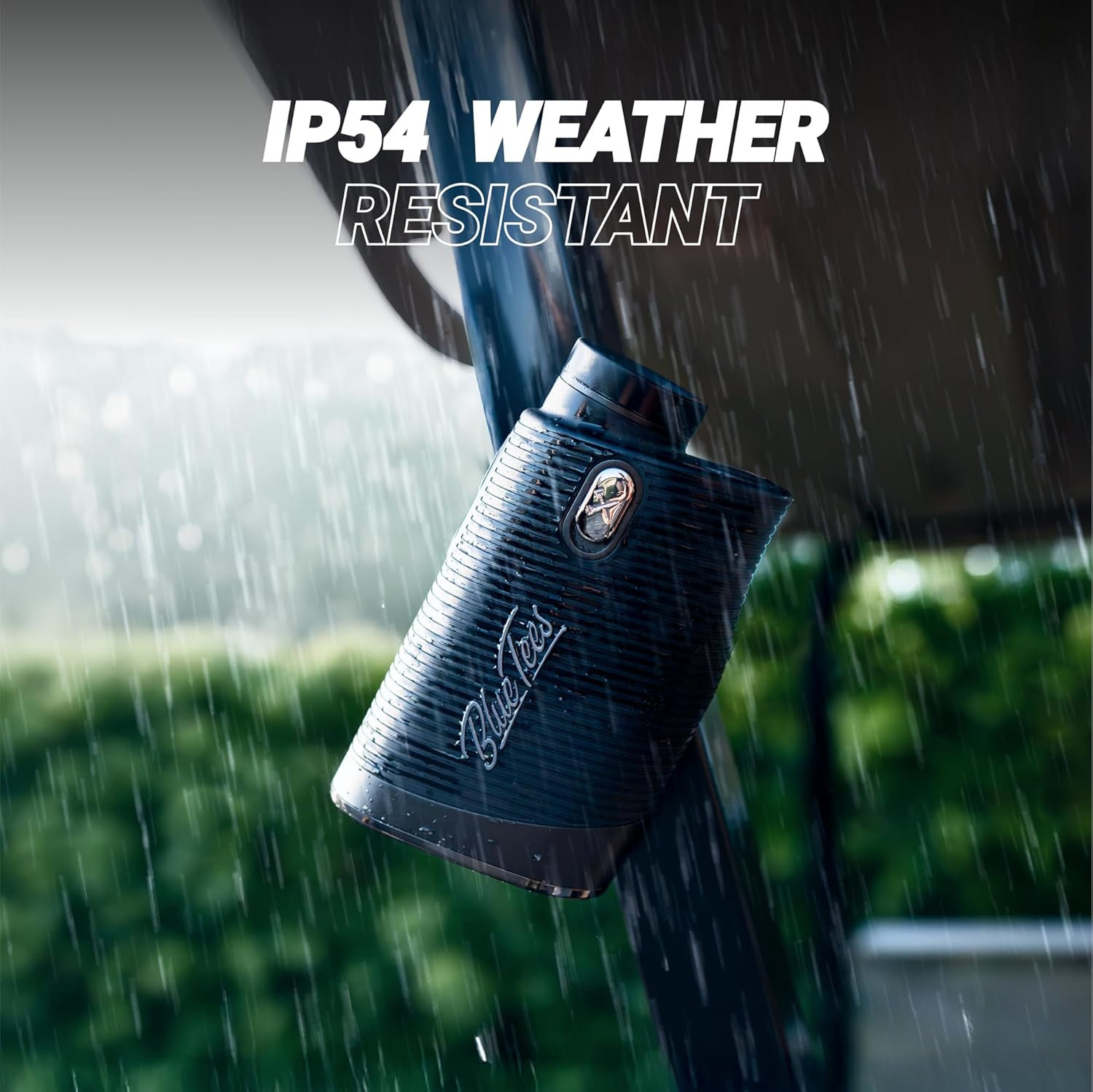
Image: The Blue Tees Golf Series 4 Ultra Rangefinder attached to a golf cart in rainy conditions, illustrating its IP54 weather-resistant design.
Maintenance
1. Cleaning
- Use the provided microfiber cleaning cloth to gently wipe the lenses and exterior of the rangefinder.
- Do not use abrasive materials or chemical cleaners, as these can damage the optics and finish.
- For stubborn dirt, lightly dampen the microfiber cloth with water.
2. Storage
- When not in use, store the rangefinder in its weather-resistant carrying case to protect it from dust, moisture, and impacts.
- Store in a cool, dry place away from direct sunlight and extreme temperatures.
- If storing for extended periods, remove the batteries to prevent leakage.
Troubleshooting
- Device not powering on: Check battery installation and ensure batteries are not depleted. Replace if necessary.
- Inaccurate readings: Ensure the lens is clean. Make sure you are targeting a clear object and not scanning through obstacles. Verify slope switch setting.
- Display is dim or unclear: Adjust display brightness settings. Ensure lenses are clean.
- No vibration feedback: Check if the Flag Lock feature is properly engaged.
Specifications
| Model Number | RF-G-S4U-NW |
| Brand | Blue Tees Golf |
| Color | Navy Blue |
| Main Material | Plastic |
| Sport | Golf |
| Magnification | 6x |
| Measurement Range | 5 to 1200 yards (approx. 4.5 to 1097 meters) |
| Accuracy | +/- 0.9 meters |
| Display Type | OLED with Brightness Control |
| Weather Resistance | IP56 (Water and Dust Resistant) |
| Battery Type | Non-standard disposable batteries (3 included) |
| Dimensions (Package) | 16.31 x 11.4 x 10.01 cm |
| Weight (Package) | 581 grams |
Warranty and Support
The Blue Tees Golf Series 4 Ultra Rangefinder comes with a 2-year manufacturer's warranty, covering defects in materials and workmanship under normal use.
Additionally, a 60-day money-back guarantee is offered, allowing you to return the product for a full refund if you are not satisfied within 60 days of purchase.
For warranty claims, technical support, or further assistance, please refer to the contact information provided in your Quick Start Guide or visit the official Blue Tees Golf website.