
1. Product Overview
This manual provides instructions for the Peanuts Snoopy Bluetooth Karaoke Microphone. This wireless microphone features a vintage-inspired Snoopy design, Bluetooth connectivity, built-in sound effects, FM radio, and onboard controls. It is equipped with a rechargeable battery for portable use.

Image 1.1: The Peanuts Snoopy Bluetooth Karaoke Microphone, showcasing its white finish and Snoopy head design.
2. Setup
2.1. Unboxing and Contents
Carefully remove all items from the packaging. Ensure the following components are present:
- Peanuts Snoopy Bluetooth Karaoke Microphone
- USB Charging Cable
- User Manual (this document)

Image 2.1: Front packaging of the Peanuts Snoopy Bluetooth Karaoke Microphone, highlighting its Bluetooth and sound effects features.
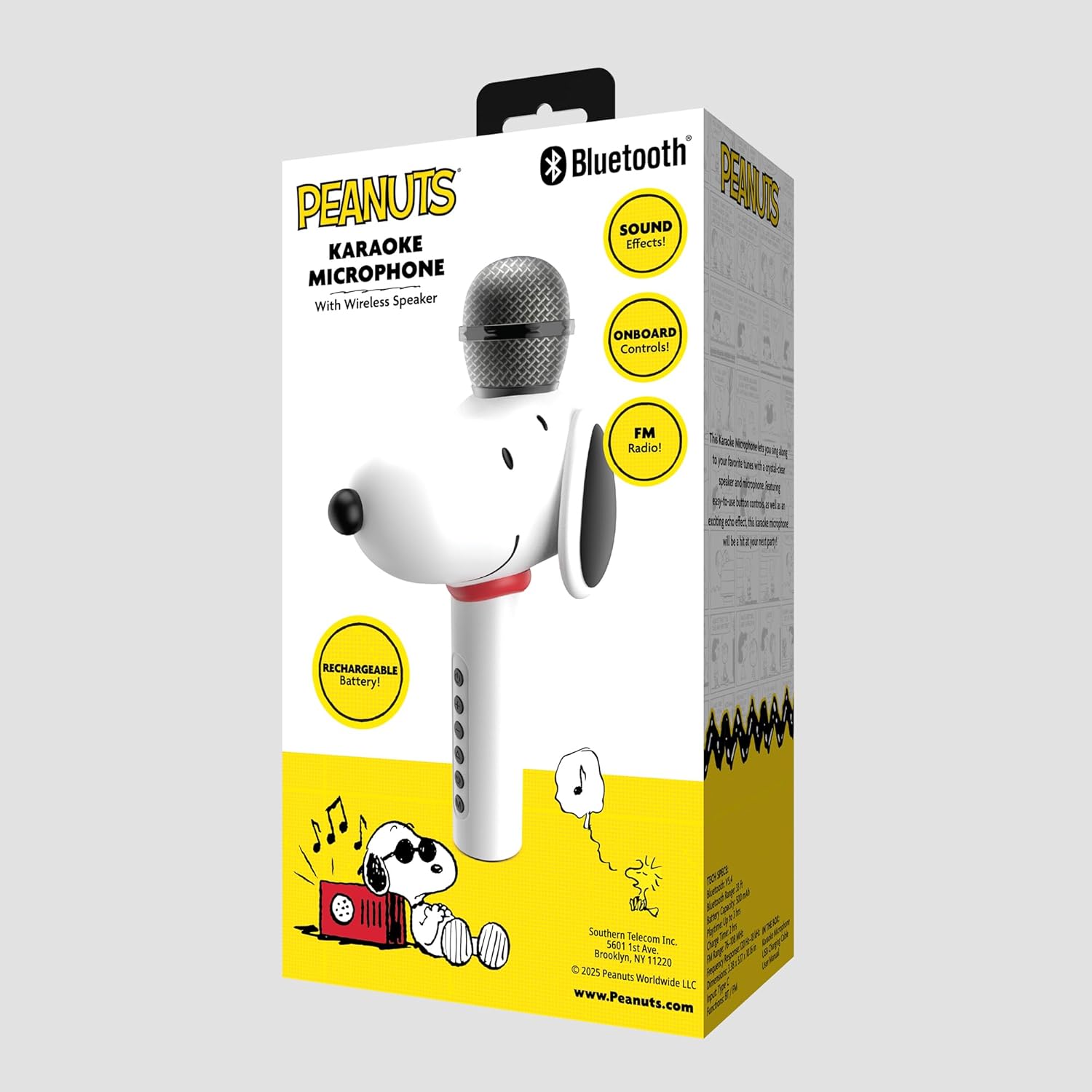
Image 2.2: Rear packaging of the Peanuts Snoopy Bluetooth Karaoke Microphone, showing features like FM Radio and rechargeable battery.
2.2. Charging the Microphone
Before first use, fully charge the microphone. Connect the supplied USB charging cable to the USB Type-C port on the microphone and the other end to a standard USB power adapter (not included) or a computer's USB port.
- The charging indicator light will illuminate during charging.
- The light will change or turn off once charging is complete.
A full charge typically takes approximately 2-3 hours.
2.3. Powering On/Off
To power on the microphone, press and hold the Power button (usually marked with a power symbol) located on the handle until the indicator light illuminates and you hear an audible prompt.
To power off, press and hold the Power button again until the indicator light turns off and you hear an audible prompt.
2.4. Bluetooth Pairing
To connect the microphone to a Bluetooth-enabled device (smartphone, tablet, etc.):
- Ensure the microphone is powered on and in Bluetooth pairing mode. An indicator light may flash, and an audible prompt might confirm pairing mode.
- On your device, navigate to the Bluetooth settings.
- Enable Bluetooth and search for available devices.
- Select "Snoopy Mic" or a similar name from the list of found devices.
- Once connected, an audible prompt will confirm successful pairing.
The microphone will typically reconnect automatically to the last paired device when powered on, if the device's Bluetooth is active and within range.
3. Operating Instructions

Image 3.1: A user demonstrating the Peanuts Snoopy Bluetooth Karaoke Microphone in use.
3.1. Onboard Controls
The microphone features several buttons on its handle for easy control:
- Power Button: Press and hold to power on/off. Short press may switch modes (Bluetooth/FM).
- Volume Up (+): Increases microphone and/or music volume.
- Volume Down (-): Decreases microphone and/or music volume.
- Play/Pause Button: Plays or pauses music when in Bluetooth mode.
- Mode Button (M): Switches between Bluetooth mode and FM Radio mode.
- Sound Effects Button (S): Cycles through available sound effects.
Note: Specific button functions may vary slightly. Refer to the quick start guide if included for exact button mapping.
3.2. Karaoke Function
Once connected via Bluetooth to your device:
- Play your desired karaoke track or music from your connected device.
- The music will play through the microphone's built-in speaker.
- Sing into the microphone. Your voice will be amplified and mixed with the music.
- Adjust the microphone volume and music volume using the respective controls on the microphone or your connected device.
3.3. Sound Effects
Press the Sound Effects button (S) to cycle through various voice-changing or fun sound effects. Press repeatedly to try different effects. Some effects may include echo or pitch changes.
3.4. FM Radio
To use the FM Radio function:
- Press the Mode button (M) until you hear an audible prompt indicating FM Radio mode.
- The microphone will automatically scan for available FM stations.
- Use the Volume Up (+) and Volume Down (-) buttons to navigate between scanned stations.
- For best reception, ensure the microphone is in an open area.
4. Maintenance
4.1. Cleaning
- Wipe the microphone's exterior with a soft, dry, or slightly damp cloth.
- Do not use abrasive cleaners, solvents, or harsh chemicals.
- Avoid getting moisture into the microphone grille or charging port.
4.2. Storage
- Store the microphone in a cool, dry place away from direct sunlight and extreme temperatures.
- If storing for an extended period, ensure the battery is partially charged (around 50%) to prolong its lifespan. Recharge every few months if not in use.
5. Troubleshooting
| Problem | Possible Cause | Solution |
|---|---|---|
| Microphone does not power on. | Low or depleted battery. | Charge the microphone using the supplied USB cable. |
| Cannot connect via Bluetooth. | Bluetooth not enabled on device; microphone not in pairing mode; device too far. | Ensure Bluetooth is enabled on your device. Put the microphone in pairing mode. Move device closer to the microphone (within 10 meters). |
| No sound or low sound from microphone. | Microphone volume too low; device volume too low; microphone too far from mouth. | Increase microphone volume using the '+' button. Increase volume on your connected device. Speak closer to the microphone grille. |
| FM Radio not working or poor reception. | Weak signal; not in FM mode. | Ensure the microphone is in FM mode (press 'M' button). Move to an open area for better reception. |
| Sound is distorted. | Volume too high; interference. | Lower the volume on both the microphone and your connected device. Move away from other electronic devices that may cause interference. |
6. Specifications

Image 6.1: Dimensional view of the Peanuts Snoopy Bluetooth Karaoke Microphone.
- Brand: Peanuts
- Model Name: Snoopy Mic
- Model Number: PNSNOOPYMIC
- Color: White
- Connectivity Technology: Bluetooth
- Connector Type: USB Type C
- Special Features: AM/FM Radio, Sound Effects, Built-in Wireless Speaker
- Power Source: Battery Powered (Rechargeable)
- Number of Speakers: 1
- Compatible Devices: Smartphones, Tablets, Speakers
- Item Dimensions (D x W x H): 5.2" x 3.4" x 10.2"
- Included Components: USB Cable, User Manual
- Manufacturer: Southern Telecom
- UPC: 680079039844
7. Warranty Information
This Peanuts Snoopy Bluetooth Karaoke Microphone is covered by a 30 Day Limited Warranty from the date of purchase. This warranty covers manufacturing defects in materials and workmanship under normal use.
The warranty does not cover damage caused by misuse, accident, unauthorized modification, or normal wear and tear. Please retain your proof of purchase for warranty claims.
8. Customer Support
If you encounter any issues not covered in the troubleshooting section or require further assistance, please contact the manufacturer's customer support. Refer to the product packaging or the manufacturer's official website for the most current contact information.
For general inquiries, you may visit the Peanuts Store on Amazon.

