
OttLite CSY53CPC-SHPR
OttLite Ultimate LED 3-in-1 Creative Station
Model: CSY53CPC-SHPR
Instruction Manual
Product Overview
The OttLite Ultimate LED 3-in-1 Creative Station is engineered to provide optimal lighting for various tasks, from intricate crafting to reading. Its unique design allows it to transform into a floor lamp, a table lamp, or a clamp-on lamp, adapting to your specific workspace needs. Featuring OttLite's exclusive ClearSun LED technology, this lamp significantly reduces eyestrain by matching the spectrum of natural sunlight, ensuring comfortable and accurate vision for extended periods. It also includes a powerful magnifier, a hands-free clip, and an integrated power outlet for added convenience.
Setup and Configuration
Your OttLite Ultimate LED 3-in-1 Creative Station is designed for versatile use and can be configured in three ways: as a floor lamp, a table lamp, or a clamp-on lamp. A conversion kit is included to facilitate these transformations.
Assembly Instructions:
- Floor Lamp Configuration: Assemble the pole sections and attach them to the sturdy base. Secure the lamp head and accessory arms to the top pole section. The height can be adjusted from 46 3/4 inches to 59 1/2 inches.
- Table Lamp Configuration: Use the provided conversion kit to attach the lamp head and accessory arms directly to the smaller table base. The height can be adjusted from 13 3/4 inches to 25 inches.
- Clamp-on Lamp Configuration: Utilize the clamp attachment from the conversion kit to secure the lamp head and accessory arms to the edge of a table or workbench. Ensure the clamp is firmly tightened for stability.

Image: The OttLite Creative Station demonstrating its three possible configurations: floor lamp, table lamp, and clamp-on lamp. Key features such as brightness levels, adjustable neck, LED illuminated magnifier, spring-loaded clip, accessory power outlet, and sturdy base are highlighted.
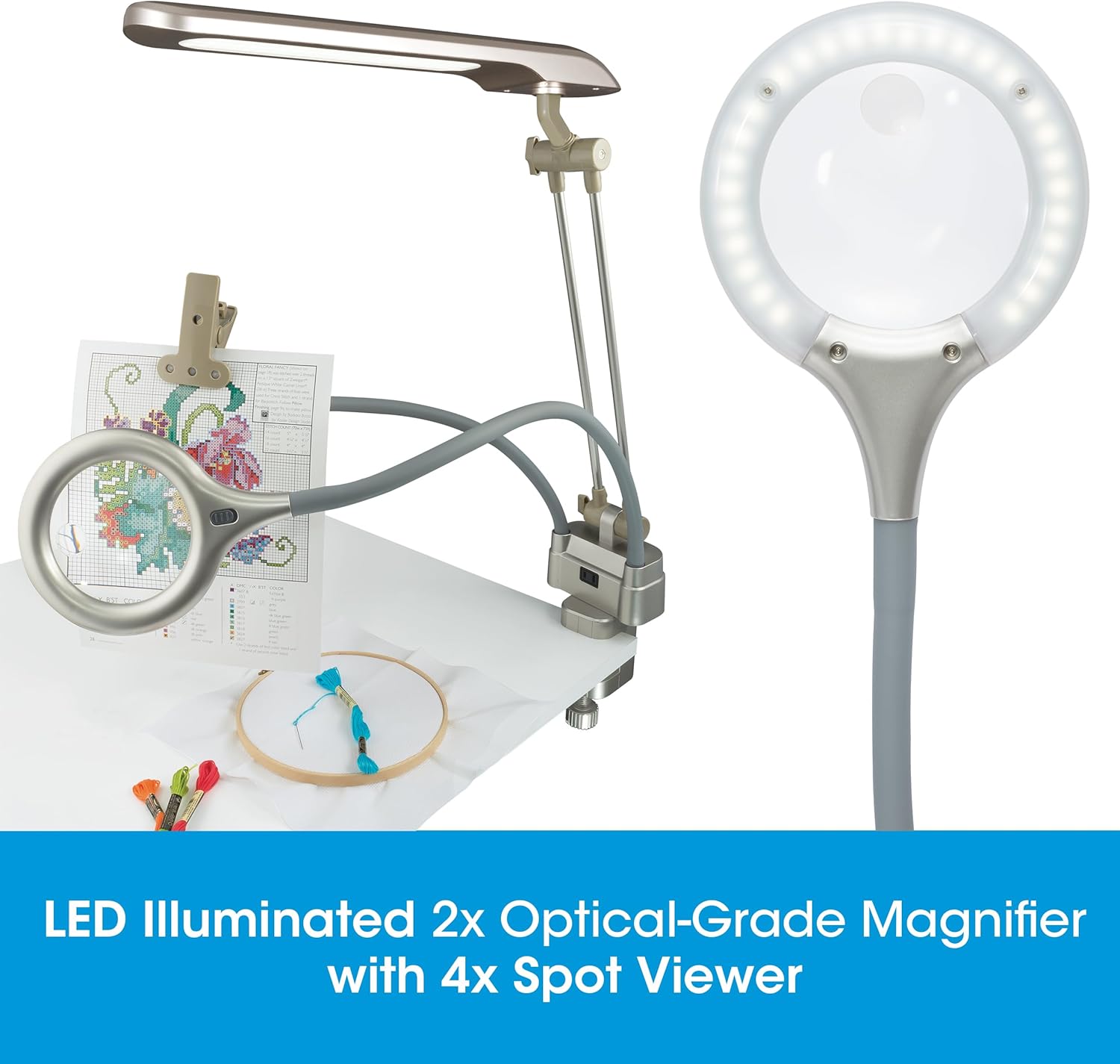
Image: Visual representation of the three ways to use the OttLite lamp, showcasing its adaptability for various crafting and work environments.
Operating Instructions
The OttLite Creative Station is designed for ease of use, providing adjustable lighting and convenient features for your tasks.
Power and Brightness Control:
- Connect the lamp to a standard electrical outlet.
- Use the touch controls located on the lamp to power it on/off and cycle through the 3 brightness settings.
Magnifier and Clip Usage:
- The lamp features a 2x optical-grade LED-illuminated magnifier with a 4x spot viewer. Position the flexible arm to bring the magnifier over your work area for detailed viewing.
- The sturdy, hands-free clip is ideal for holding patterns, charts, or instructions. Adjust its flexible arm to position your documents at an optimal viewing angle.
Accessory Power Outlet:
- A convenient accessory power outlet is integrated into the lamp's base. Use this outlet to charge smartphones, tablets, or power small craft tools directly from the lamp.

Image: Detailed view of the OttLite Creative Station highlighting its 3 brightness levels, adjustable neck, LED illuminated 2x magnifier, spring-loaded clip, accessory power outlet, and sturdy base.

Image: A close-up demonstrating the practical features of the lamp, including the accessory power outlet for charging devices and the sturdy hands-free clip for holding materials.
Key Features and Benefits
ClearSun LED Technology:
OttLite's exclusive ClearSun LED technology is designed to closely match the spectral output of natural sunlight. This innovative lighting solution significantly reduces eyestrain by up to 51%, allowing you to work or read for longer periods with greater comfort. ClearSun LEDs boast a 95+ Color Rendering Index (CRI), ensuring that colors are displayed with exceptional accuracy and vibrancy, unlike standard LEDs which often have a lower CRI (average 83).

Image: The OttLite lamp in a table configuration, highlighting the ClearSun LED technology's ability to reduce eyestrain by up to 51%.

Image: A user benefiting from the natural daylight provided by the OttLite lamp, illustrating how it helps reduce eyestrain, allows clear viewing of fine print, and offers low glare.

Image: A visual comparison demonstrating how ClearSun LEDs with a CRI of 95+ provide smooth, uniform light that shows colors with unmatched accuracy, as seen with spools of thread.
Integrated Magnification:
The lamp includes a 2x optical-grade LED-illuminated magnifier, complemented by a 4x spot viewer. This feature is invaluable for tasks requiring precision, such as needlework, model building, or reading small print.

Image: The LED illuminated 2x optical-grade magnifier with 4x spot viewer in action, assisting with detailed embroidery work.
Maintenance
To ensure the longevity and optimal performance of your OttLite Ultimate LED 3-in-1 Creative Station, follow these simple maintenance guidelines:
- Cleaning: Disconnect the lamp from the power source before cleaning. Use a soft, dry cloth to wipe down the lamp's surfaces. For stubborn marks, a slightly damp cloth can be used, followed by a dry cloth. Avoid abrasive cleaners or solvents, as they may damage the finish.
- LED Longevity: The integrated LEDs are designed for long-lasting performance and do not require replacement.
- Storage: If storing the lamp for an extended period, ensure it is clean and dry. Store it in a cool, dry place, ideally in its original packaging to protect it from dust and damage.
Troubleshooting
If you encounter any issues with your OttLite Ultimate LED 3-in-1 Creative Station, please refer to the following common troubleshooting steps:
| Problem | Possible Cause | Solution |
|---|---|---|
| Lamp does not turn on. | No power connection. | Ensure the power cord is securely plugged into both the lamp and a working electrical outlet. Test the outlet with another device. |
| Light flickers or is dim. | Loose connection or power fluctuation. | Check all connections. If the issue persists, try plugging the lamp into a different outlet. |
| Magnifier light not working. | Separate power control for magnifier. | Ensure the main lamp is on and check if the magnifier has its own power switch or touch control. |
| Lamp is unstable in floor lamp configuration. | Base not fully secured or uneven surface. | Ensure all pole sections are tightly screwed into the base. Place the lamp on a flat, stable surface. |
If these steps do not resolve the issue, please contact OttLite Customer Service for further assistance.
Technical Specifications
| Feature | Detail |
|---|---|
| Product Dimensions (Floor Lamp) | 14.5"D x 9.25"W x 70"H (adjustable height) |
| Product Dimensions (Table Lamp) | 13 3/4" to 25" in height (adjustable) |
| Item Weight | 3 Pounds |
| Lamp Type | LED Desk Lamp (convertible) |
| Shade Color | Champagne |
| Shade Material | Plastic |
| Switch Type | Push Button / Touch Controls |
| Light Source | ClearSun LED Technology |
| Color Rendering Index (CRI) | 95+ |
| Magnification | 2x Optical-Grade LED-Illuminated Magnifier with 4x Spot Viewer |
| Power Outlet | Convenient Accessory Power Outlet (for charging devices/powering tools) |
| Included Components | USB Port, Conversion Kit |
| Batteries Required? | No |
| Model Number | CSY53CPC-SHPR |
| UPC | 761712024790 |
| Date First Available | April 23, 2025 |
Warranty and Support
OttLite products are designed with quality and durability in mind. For specific warranty information regarding your Ultimate LED 3-in-1 Creative Station, please refer to the documentation included with your purchase or visit the official OttLite website.
For customer support, technical assistance, or to inquire about replacement parts, please contact OttLite directly through their official channels. You can find more information and contact details by visiting the OttLite Store on Amazon.
Since its founding in 1989 by photobiologist and natural light research pioneer Dr. Ott, OttLite has been dedicated to developing healthy, natural lighting solutions that help people see more clearly and comfortably.
Related documentsCSY53CPC-SHPR

Ask a question about this manual
Ask about setup, troubleshooting, compatibility, parts, safety, or missing instructions. Manuals+ will review the question and use this page’s manual context to help answer it.