
Introduction
The TOPPING E70 Velvet is a high-performance Digital-to-Analog Converter (DAC) designed to deliver exceptional audio fidelity. It features the AK4499EX DAC chip, Bluetooth 5.1 with LDAC support, and a low-noise voltage reference power supply for ultra-clear sound reproduction. This manual provides essential information for setting up, operating, and maintaining your E70 Velvet DAC.

Image: The TOPPING E70 Velvet DAC, showcasing both black and silver color options. The front panel features a display and a control knob.
Key Features:
- Exceptional Sound Quality: Equipped with a low-noise voltage reference power supply, delivering ultra-clear audio with -125dB distortion and a noise level as low as 1.3uVrms.
- Ultra-Low THD+N: Achieves a Total Harmonic Distortion plus Noise (THD+N) of less than 0.00006% (A-weighted) for pristine clarity.
- Bluetooth 5.1 with Hi-Res LDAC: Features the QCC5125 chipset, supporting LDAC, AAC, SBC, and aptX for high-quality wireless audio transmission.
- Wide Compatibility: USB input via XMOS XU316 supports DSD512 & PCM768kHz, compatible with Windows, Mac, Linux, iOS, and Android.
- Versatile Inputs & Outputs: Coaxial and optical inputs support up to 24bit/192kHz. Offers balanced XLR and single-ended RCA outputs, usable simultaneously.
- Preamplifier Function: Switch between fixed output DAC mode and adjustable volume preamplifier mode (-99dB to 0dB).
- Auto On/Off: Automatically powers on or off upon detecting valid signals for energy efficiency.
- 12V Trigger Interface: Allows synchronized power control with other compatible devices, such as the TOPPING L70 amplifier.
What's in the Package
Before proceeding with the setup, please ensure all components are present in the package:

Image: An overview of the TOPPING E70 Velvet package contents. Items include the DAC unit, remote control, USB cable, power cable, Bluetooth antenna, user manual, and warranty card.
- TOPPING E70 Velvet DAC Unit
- Remote Control (RC-15A)
- USB Cable
- Power Cable
- Bluetooth Antenna
- User Manual
- Warranty Card
Setup Instructions
1. Power Connection
- Connect the provided power cable to the AC input on the rear panel of the E70 Velvet and then to a suitable power outlet.
- Ensure the power switch on the rear panel is in the OFF position before connecting.
2. Input Connections
The E70 Velvet supports multiple digital input sources:

Image: Close-up of the rear panel of the TOPPING E70 Velvet, showing various input and output ports including XLR, RCA, Coaxial, Optical, USB, and Bluetooth antenna connector.
- USB Input: Connect your computer (Windows, Mac, Linux), iOS, or Android device using the provided USB cable. For Windows ASIO applications, a driver installation is required. Other operating systems are driver-free.
- Coaxial Input: Connect digital audio sources via a coaxial cable.
- Optical Input (TOSLINK): Connect digital audio sources via an optical cable.
- Bluetooth Input: Screw the provided Bluetooth antenna onto the BT connector on the rear panel.
3. Output Connections
The E70 Velvet offers both balanced and unbalanced analog outputs:
- Balanced XLR Output: Connect to an amplifier or active speakers with XLR inputs using XLR cables.
- Single-Ended RCA Output: Connect to an amplifier or active speakers with RCA inputs using RCA cables.
- Both XLR and RCA outputs can be used simultaneously.
4. 12V Trigger Interface
Use the 12V Trigger interface to synchronize power on/off with other compatible devices, such as the TOPPING L70 amplifier. Connect a 3.5mm trigger cable between the E70 Velvet and the other device.
5. Driver Installation (Windows Only)
For Windows users requiring ASIO support, download and install the dedicated driver from the official TOPPING website. For standard playback, Windows, Mac, Linux, iOS, and Android devices are plug-and-play.

Image: Diagram illustrating the XMOS XU316 USB input, showing compatibility with various operating systems and audio settings for DSD512 and PCM768kHz playback.
Operating Instructions
1. Power On/Off
- Flip the power switch on the rear panel to the ON position.
- The E70 Velvet features an Auto On/Off function, which detects valid audio signals and automatically powers the unit on or off. This feature can be configured in the settings.
2. Input Selection
- Use the control knob on the front panel or the remote control to cycle through available input sources (USB, Coaxial, Optical, Bluetooth).
3. DAC Mode vs. Preamplifier Mode
- The E70 Velvet can operate in two modes:
- DAC Mode: Provides a fixed output level, suitable when connecting to a preamplifier or integrated amplifier with its own volume control.
- Preamplifier Mode: Allows you to adjust the output volume directly from the E70 Velvet using the front panel knob or remote control (volume range: -99dB to 0dB).
- Switch between modes via the unit's menu settings.
4. Volume Control
- In Preamplifier Mode, rotate the front panel knob clockwise to increase volume and counter-clockwise to decrease.
- Alternatively, use the volume up/down buttons on the remote control.
5. Bluetooth Pairing
- Ensure the Bluetooth antenna is connected.
- Select Bluetooth as the input source.
- On your mobile device, search for "TOPPING E70 Velvet" in the Bluetooth settings and pair.
- The E70 Velvet supports high-resolution codecs like LDAC for superior wireless audio.
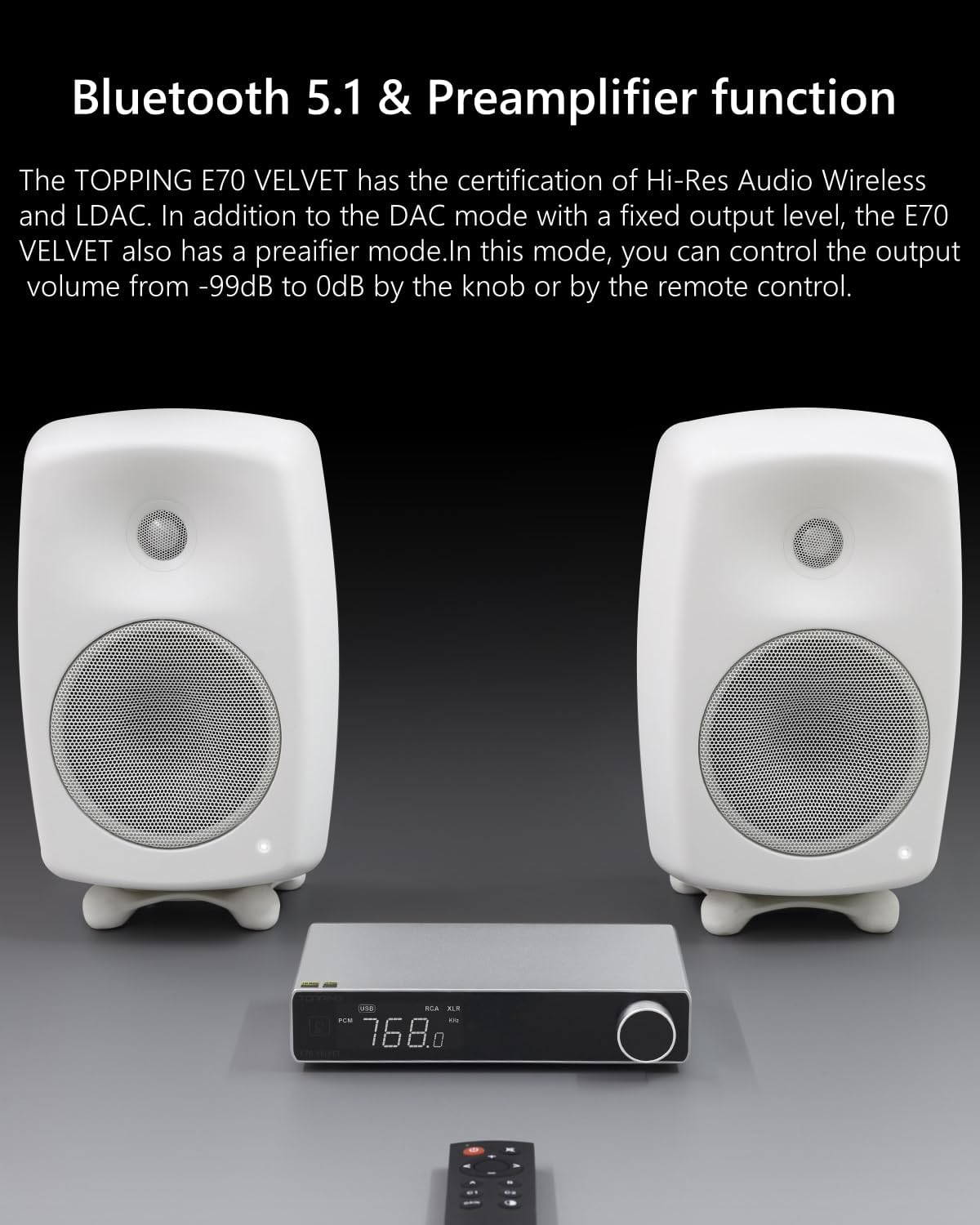
Image: The TOPPING E70 Velvet DAC connected wirelessly to a pair of white speakers, demonstrating its Bluetooth and preamplifier functionality.
6. Display and Menu Navigation
The E70 Velvet features a digital display for showing current input, sample rate, and volume. The control knob and remote allow navigation through menu settings for various configurations (e.g., filter modes, display brightness, auto on/off). Refer to the detailed user manual (physical copy) for specific menu options and their corresponding display codes, as some labels may be abbreviated.
Official Product Video: TOPPING E70 Velvet - High-Performance DAC
Video: An official product video showcasing the features and design of the TOPPING E70 Velvet High-Performance DAC. This video provides a visual overview of the device's capabilities and connectivity options.
Maintenance
- Cleaning: Use a soft, dry cloth to clean the exterior of the unit. Avoid using liquid cleaners or abrasive materials, as they may damage the finish.
- Ventilation: Ensure the unit is placed in a well-ventilated area to prevent overheating. Do not block any ventilation openings.
- Handling: Handle the unit with care. Avoid dropping or subjecting it to strong impacts.
- Power Off: If the unit will not be used for an extended period, disconnect it from the power outlet.
Troubleshooting
No Sound Output
- Check all cable connections (input and output) to ensure they are secure.
- Verify that the correct input source is selected on the E70 Velvet.
- Ensure the E70 Velvet is in Preamplifier Mode if you are controlling volume directly from the unit, and that the volume is not set to minimum or muted.
- Confirm that your amplifier or active speakers are powered on and set to the correct input.
- If using USB, ensure the correct audio output device is selected in your computer's sound settings. For Windows, check if the driver is installed correctly if ASIO is required.
Distorted or Poor Sound Quality
- Check the quality of your audio cables. Try replacing them if necessary.
- Ensure the source audio file is not corrupted or of low quality.
- Verify that the sample rate and bit depth settings on your source device match the capabilities of the E70 Velvet.
- If using Bluetooth, ensure your device is close to the E70 Velvet and there are no obstructions causing interference.
Unit Not Powering On
- Check the power cable connection and ensure the rear power switch is ON.
- Try plugging the unit into a different power outlet.
Remote Control Issues
- Ensure there are no obstructions between the remote and the E70 Velvet's IR receiver.
- The remote control requires a direct line of sight to function effectively.
- Replace the batteries in the remote control.
Error Code "PNH" Displayed
- If the unit displays an error code such as "PNH" and will not reboot, this indicates a potential internal fault.
- Attempt a hard power cycle by turning off the rear power switch, disconnecting the power cable, waiting for a few minutes, then reconnecting and powering on.
- If the error persists, contact TOPPING customer support for assistance.
Specifications
| Feature | Detail |
|---|---|
| Brand | TOPPING |
| Model Number | 70V (E70 Velvet) |
| DAC Chip | AK4499EX |
| Bluetooth Version | 5.1 (LDAC, AAC, SBC, aptX supported) |
| USB Input Support | DSD512 & PCM768kHz (via XMOS XU316) |
| Coaxial/Optical Input Support | Up to 24bit/192kHz |
| Audio Output Mode | Balanced (XLR), Unbalanced (RCA), Both Simultaneously |
| Number of Channels | 2 |
| THD+N | <0.00006% (A-weighted) |
| Noise Level | 1.3uVrms |
| Compatible Devices | Windows, Mac, Linux, iOS, Android, Amplifiers |
| Item Weight | 3.5 pounds |

Image: A graph illustrating the ultra-low THD+N performance of the TOPPING E70 Velvet, showing distortion levels below 0.00006%.
Warranty Information
The TOPPING E70 Velvet comes with a 2-Year Manufacturer Warranty. Please retain your proof of purchase for warranty claims. For specific terms and conditions, refer to the warranty card included in your package or contact TOPPING customer support.
Customer Support
For technical assistance, troubleshooting beyond this manual, or warranty inquiries, please contact TOPPING customer support. Support is primarily provided via email. Refer to the official TOPPING website or the warranty card for the most current contact information.
Note: Phone support may not be available; email communication is the standard method for support inquiries.
You can also visit the official TOPPING store on Amazon for product updates and additional resources: TOPPING Store


