
1. Product Overview
The Beatbot AquaSense 2 is a cordless robotic pool vacuum cleaner designed for efficient cleaning of in-ground pools up to 3,230 sq.ft. It features intelligent navigation, multiple cleaning modes, and convenient retrieval options.

Image: The Beatbot AquaSense 2 robotic pool cleaner, a compact black and blue device, shown on a pool deck.
2. What's Included
Verify that all components are present in the package:
- 1 x AquaSense 2 Robotic Pool Cleaner
- 1 x All-Weather Protection Cover
- 1 x Charging Dock
- 1 x Hook
- 1 x Filter Basket
- 1 x Quick Start Guide
- 1 x User Manual
3. Setup
3.1 Initial Charging
Before first use, fully charge the AquaSense 2. The wireless Charging & Storage Dock provides a plug-free charging experience.
- Place the charging dock in a suitable location near a power outlet.
- Ensure the charging dock is connected to power.
- Carefully place the AquaSense 2 onto the charging dock. The robot will align with the charging contacts.
- A green light on the robot indicates it is charging. A full charge takes approximately 4 hours.

Image: The Beatbot AquaSense 2 charging dock with the robot placed on it, indicating the charging process.
3.2 App Connection
The AquaSense 2 can be controlled via a mobile application. Download the Beatbot app from your device's app store.
- Ensure your robot is charged and powered on.
- Open the Beatbot app and follow the on-screen instructions to connect your device to the AquaSense 2 via 5G/2.4G Wi-Fi or Bluetooth.
- App control is available for surface operations; underwater control is not supported.
4. Operation
4.1 Starting a Cleaning Cycle
Place the AquaSense 2 into the pool. The robot will sink to the bottom and begin its cleaning cycle based on the selected mode.
Video: The Beatbot AquaSense 2 robot cleaning the bottom of a pool, demonstrating its movement and cleaning action.
4.2 Cleaning Modes
The AquaSense 2 offers various cleaning modes to suit different pool needs. These modes can be selected via the control buttons on the robot or through the Beatbot app.
- Floor Mode: Cleans the pool floor only.
- Standard Mode: Cleans the pool floor, walls, and waterline.
- Area Mode: Allows selection of specific areas or combinations for cleaning.
- MultiZone Mode: Ideal for complex pools with large steps, bowl-shaped areas, or multi-level layouts, cleaning all areas simultaneously.
- ECO Mode: Cleans the pool floor once every two days. The robot remains submerged and automatically returns to the surface when the battery is low.

Image: An illustration showing the Beatbot AquaSense 2 and a smartphone app interface displaying various cleaning modes like Floor, Standard, Area, and MultiZone.

Image: A visual representation of the Beatbot AquaSense 2 cleaning the floor, walls, and waterline of a pool, highlighting its comprehensive coverage.
4.3 Intelligent Path Optimization
Equipped with a 4-core CPU and 16 sensors (including 2 ultrasonic), the AquaSense 2 adapts to your pool's shape, using an optimized S-path for floors and an N-path for walls and the waterline to maximize coverage.

Image: A diagram illustrating the intelligent path optimization of the Beatbot AquaSense 2, showing its navigation with sensors and CPU for full pool coverage.
4.4 Effortless Retrieval
The AquaSense 2 automatically parks above the surface after cleaning or when the battery is low. The SmartDrain feature releases water for easy retrieval. You can also use the app to call it back to the surface at any time.
Video: The Beatbot AquaSense 2 robot floating on the pool surface, demonstrating its auto-parking feature, and being retrieved with a hook.
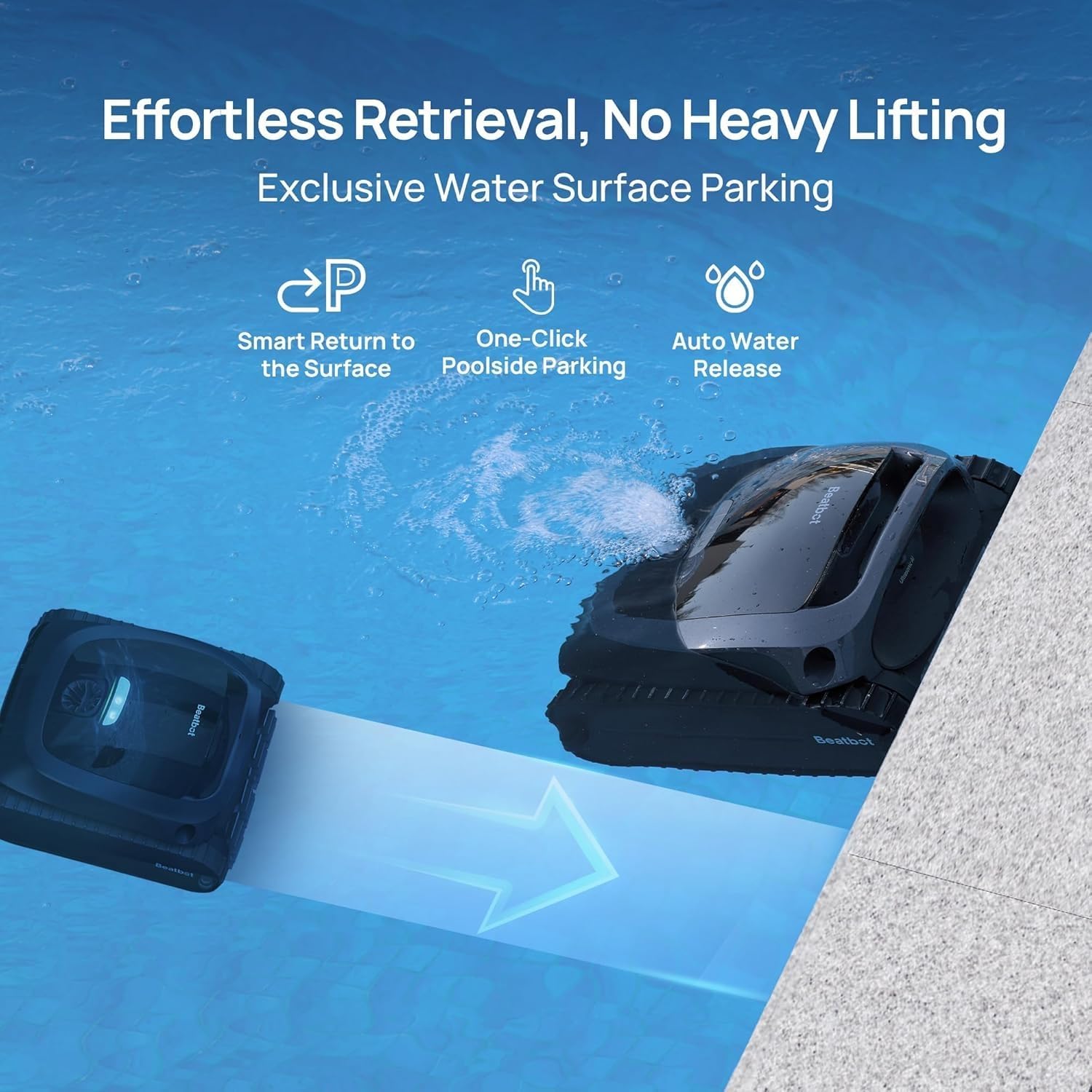
Image: The Beatbot AquaSense 2 robot returning to the pool surface, illustrating its smart return, one-click poolside parking, and auto water release features.
5. Maintenance
5.1 Cleaning the Filter Basket
Regularly clean the filter basket to ensure optimal cleaning performance. The ultra-fine mesh traps various debris.
- Remove the AquaSense 2 from the pool.
- Open the robot's cover to access the filter basket.
- Remove the filter basket.
- Empty any collected debris and rinse the basket thoroughly with a hose.
- Reinsert the clean filter basket and close the robot's cover securely.

Image: A close-up of the Beatbot AquaSense 2's filter basket, showing its design for capturing debris.
5.2 Storage
Store the AquaSense 2 on its wireless charging dock in a cool, dry place when not in use. Use the provided all-weather protection cover for extended storage outdoors.
6. Troubleshooting
6.1 Water Droplets in Packaging
It is normal to find water droplets in the package. Each machine is fully tested in water before leaving the factory. A small amount of water may remain inside the floating cavity after draining and drying. This does not indicate that the product has been used or is faulty.
7. Specifications
| Feature | Detail |
|---|---|
| Power Source | Battery Powered |
| Item Weight | 27 Pounds (12.25 kg) |
| Battery Type | Lithium-Ion (10,000mAh) |
| Charging Time | 4 Hours |
| Max Cleaning Area | 3,230 sq. ft. |
| Floor Cleaning Runtime | Up to 4 hours |
| Wall & Waterline Cleaning Runtime | Up to 3.5 hours |
| Control Method | App |
| Product Dimensions | 18"L x 17"W x 9"H (45.7cm x 43.2cm x 22.9cm) |
| Special Features | Smart Surface Parking, Double-Pass Waterline Scrubbing, Intelligent Path Optimization (16 Sensors), 4 Guide Wheels, Automotive-Grade UV Resistance |

Image: An aerial view of a pool with text overlays indicating the Beatbot AquaSense 2's runtime for floor cleaning (240 mins), wall & waterline cleaning (210 mins), and maximum cleaning range (3,230 sq.ft).
8. Warranty & Support
8.1 Warranty Information
The Beatbot AquaSense 2 comes with a 3-Year Comprehensive Protection plan, offering a full machine replacement instead of repairs. This minimizes interruptions and ensures continuous pool cleaning.

Image: The Beatbot AquaSense 2 robot on a pool deck, with text highlighting its 3-year full protection, automotive-grade IMR coating, and UV & heat resistance.
8.2 Customer Support
For any questions or assistance, please contact Beatbot customer service. Refer to the Quick Start Guide or the Beatbot app for contact details.


