
KZ AM16
KZ AM16 In-Ear Monitor Headphones User Manual
Model: AM16 | Brand: KZ
Introduction
The KZ AM16 In-Ear Monitor (IEM) headphones are designed to deliver high-fidelity audio with exceptional clarity across the entire frequency spectrum. Featuring 16 balanced armature (BA) drivers, a precision three-way frequency crossover, and a comfortable ergonomic design, these IEMs are suitable for musicians, audiophiles, and gamers seeking detailed and immersive sound. This manual provides essential information for setting up, operating, and maintaining your AM16 headphones.
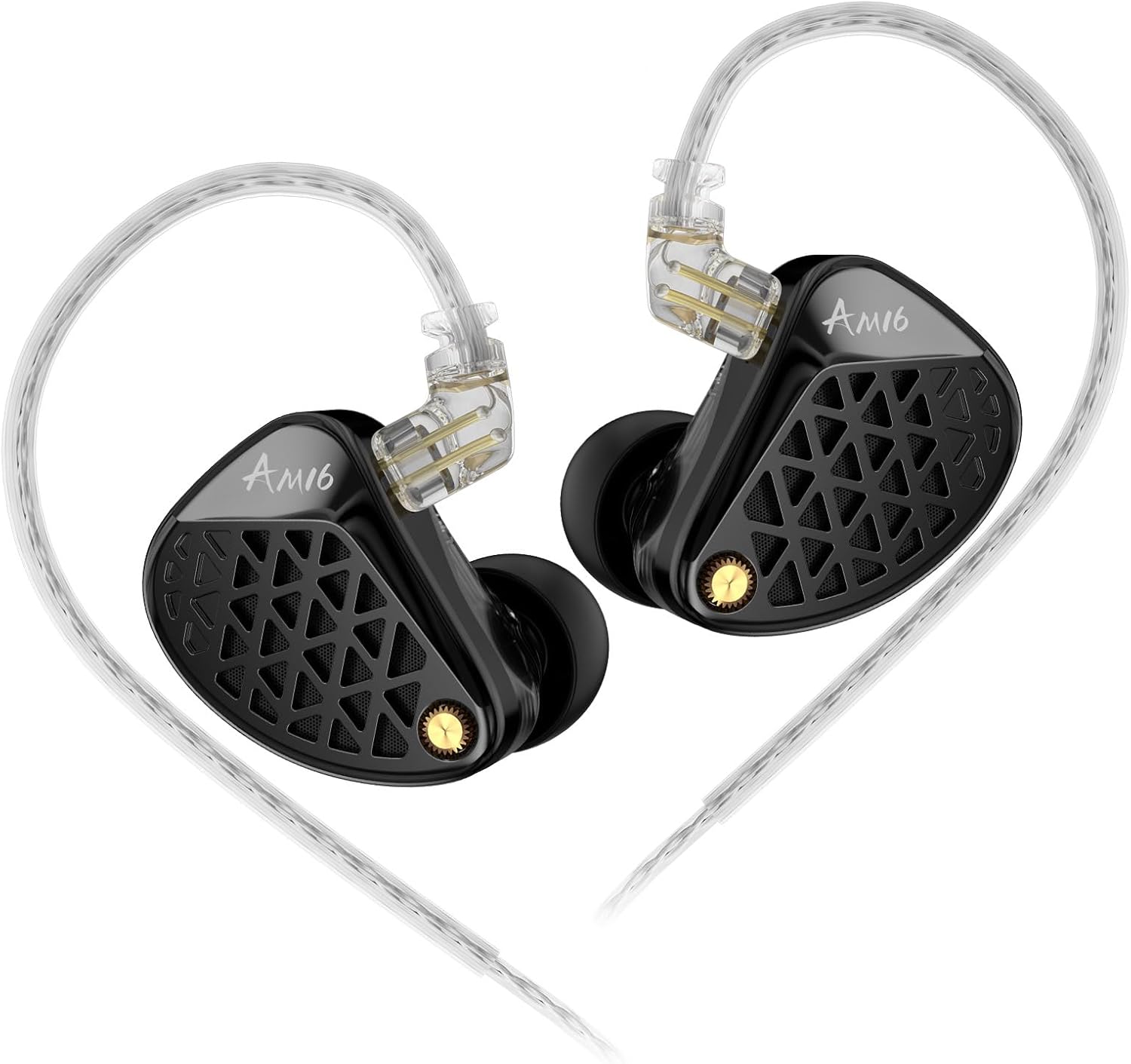
Image: The KZ AM16 In-Ear Monitor Headphones, showcasing their sleek design and detachable cable.
Package Contents
Verify that all items are present in your package:
- KZ AM16 In-Ear Monitor Headphones (Left and Right units)
- Detachable 2-pin Silver-Plated Cable
- Ear Cushions (various sizes)
- User Manual (this document)

Image: Contents of the KZ AM16 package, including the IEM units, detachable cable, and multiple ear tip sizes.
Setup
- Select Ear Tips: Choose the ear tips that provide the most comfortable and secure fit for your ears. A proper seal is crucial for optimal sound quality and noise isolation.
- Attach the Cable:
- Identify the left (L) and right (R) IEM units and the corresponding connectors on the detachable cable.
- Carefully align the 2-pin connector on the cable with the socket on the IEM unit.
- Gently push the connector straight into the socket until it is firmly seated. Do not force the connection.
- Insert IEMs:
- Place the IEMs into your ears, ensuring the cable loops over the top of your ear for a secure fit.
- Adjust the IEMs until they sit comfortably and create a good seal within your ear canal.
- Connect to Audio Source: Plug the 3.5mm jack of the cable into your audio device (e.g., smartphone, digital audio player, amplifier).

Image: A detailed view of the KZ AM16 IEMs, highlighting the 2-pin detachable cable connection.

Image: The KZ AM16 IEMs properly inserted into an ear, demonstrating the ergonomic design and over-ear cable routing.
Operating Instructions
The KZ AM16 IEMs are designed for straightforward use with any compatible 3.5mm audio source.
- Audio Playback: Once connected to your audio source, begin playback. Adjust the volume directly from your device.
- Sound Signature: The AM16 offers two distinct sound signatures: a Balanced Tuning Edition for natural, well-rounded sound, and a Bass-Enhanced Edition for punchier bass. Your specific model will correspond to one of these tunings.
- Noise Isolation: The ergonomic design and proper ear tip selection provide excellent passive noise isolation, reducing ambient sound for an immersive listening experience.
- Professional Use: These IEMs are suitable for professional monitoring, music production, and gaming due to their high clarity and detailed sound reproduction.

Image: An illustration comparing the Balanced Tuning Edition and Bass-Enhanced Edition of the KZ AM16, highlighting their different sound profiles.

Image: A frequency response graph illustrating the differences in sound output between the Balanced Tuning Edition (red line) and the Bass-Enhanced Edition (blue line) of the KZ AM16.
Maintenance
- Cleaning Ear Tips: Regularly remove and clean the silicone ear tips with mild soap and water. Ensure they are completely dry before reattaching.
- Cleaning IEM Units: Gently wipe the IEM units with a soft, dry, lint-free cloth. Avoid using harsh chemicals or abrasive materials.
- Cable Care: The detachable silver-plated cable is designed for durability and signal clarity. Avoid sharp bends or excessive pulling. When not in use, coil the cable loosely to prevent tangling.
- Storage: Store your KZ AM16 IEMs in a clean, dry place, preferably in a protective case, to prevent damage from dust, moisture, and physical impact.
Troubleshooting
| Problem | Possible Cause | Solution |
|---|---|---|
| No sound or low volume | Loose cable connection, incorrect volume setting, faulty audio source. | Ensure cable is securely connected to both IEMs and audio source. Check device volume. Test with another audio source. |
| Unbalanced sound (one side louder/quieter) | Improper IEM insertion, ear tip blockage, cable issue. | Re-insert IEMs to ensure a proper seal. Clean ear tips and nozzles. Check cable for damage or loose connection. |
| Poor fit or discomfort | Incorrect ear tip size, improper insertion. | Try different sizes of ear tips provided. Adjust the IEMs in your ear until a comfortable and secure fit is achieved. |
| Sound distortion or crackling | Damaged cable, high volume levels, faulty audio source. | Reduce volume. Inspect cable for damage. Test with another audio source or cable if available. |
Specifications
- Model Name: AM16
- Brand: KZ
- Audio Driver Type: Balanced Armature Driver (16BA drivers per pair)
- Noise Control: Sound Isolation (Passive)
- Frequency Response: 5-45,000 Hz
- Sensitivity: 106 dB
- Impedance: 16 Ohms
- Headphones Jack: 3.5 mm Jack
- Connectivity Technology: Wired
- Cable Feature: Detachable 2-pin Silver-Plated Cable
- Material: Metal, Plastic (Metallic CNC Crafted faceplate)
- Item Weight: 0.08 Kilograms (approx. 2.89 ounces)
- Included Components: Cable, Ear Cushions, User Manual

Image: An exploded diagram illustrating the internal components of the KZ AM16, including the multiple balanced armature drivers, crossover, and housing.
Official Product Videos
KZ Acoustics AM16 Overview
Video: An official overview of the KZ AM16 In-Ear Monitors, showcasing their design, features, and unboxing experience.
Warranty and Support
For warranty information and customer support, please refer to the documentation included with your purchase or contact the manufacturer directly. Keep your proof of purchase for any warranty claims.
Manufacturer: yuanze
Related documentsAM16


Ask a question about this manual
Ask about setup, troubleshooting, compatibility, parts, safety, or missing instructions. Manuals+ will review the question and use this page’s manual context to help answer it.