
1. Introduction
The DOOGEE Blade 10 Ultra Energy is a rugged smartphone designed for durability and high performance. It features the latest Android 15 OS, a powerful octa-core processor, and extensive memory for smooth operation. This device is built to withstand challenging environments while providing advanced camera capabilities, a long-lasting battery, and secure access features.
Key features include:
- Android 15 OS with Octa-Core Processor and 36GB RAM (8GB physical + 28GB virtual) and 256GB internal storage.
- Ultra-slim 10.7mm design with a 6.56" HD+ 90Hz display.
- 64MP AI Main Camera and 8MP Front Camera, including an Underwater Camera Mode.
- 6150mAh battery with 18W fast charging and OTG reverse charging.
- Dual 4.5G SIM support, NFC, Fingerprint and Face ID unlock.
- IP68/IP69K water and dust resistance, MIL-STD-810H drop protection, and extreme temperature resilience.
2. What's in the Box
Upon opening the package, verify that all items listed below are present:
- 1 x DOOGEE Blade 10 Ultra Energy Rugged Phone
- 1 x Type-C Cable
- 1 x 18W Charger
- 1 x Thicken Protective Film (Pre-applied or separate)
- 1 x Protective Case
- 1 x Phone Strap
- 1 x User Manual
- 1 x Service Card

Figure 2.1: Packaging Contents of the DOOGEE Blade 10 Ultra Energy.
3. Setup
3.1 SIM Card and MicroSD Card Installation
The device supports Dual SIM cards (Nano SIM size) and a MicroSD card for expanded storage up to 2TB. Ensure the phone is powered off before inserting or removing cards.
- Locate the SIM card tray on the side of the phone.
- Use the provided SIM ejector tool to open the tray.
- Carefully place your Nano SIM cards and/or MicroSD card into the designated slots on the tray. Ensure they are correctly oriented.
- Gently push the tray back into the phone until it is flush with the device's side.

Figure 3.1: Inserting SIM and MicroSD cards into the tray.
3.2 Initial Power On and Basic Setup
- Press and hold the Power button (located on the side) until the DOOGEE logo appears.
- Follow the on-screen prompts to select your language, connect to a Wi-Fi network, and set up your Google account.
- Configure security features such as Fingerprint Recognition and Face ID for secure and convenient access.
4. Operating Your Device
4.1 Display and User Interface
The DOOGEE Blade 10 Ultra Energy features a 6.56-inch HD+ display with a 90Hz refresh rate, providing vivid colors and smooth visuals. The device runs on Android 15, offering a clean and user-friendly interface with enhanced security and privacy controls.

Figure 4.1: The 6.56" HD+ 90Hz display for fluid streaming experience.

Figure 4.2: Android 15 OS provides a secure, fluid, and fast user experience.
4.2 Performance and Storage
Equipped with an UNISOC T7250 Octa-Core Processor and 36GB of RAM (8GB physical + 28GB virtual), the device ensures ultra-fast performance and efficient multitasking. It comes with 256GB of internal storage, expandable up to 2TB with a MicroSD card (sold separately).
Video 4.1: Demonstrating the UNISOC T7250 Octa-Core Processor for smooth performance.

Figure 4.3: The UNISOC T7250 4.5G Octa-Core Processor for enhanced performance.

Figure 4.4: 36GB RAM and 256GB ROM for ample storage and smooth operation.
4.3 Camera Features
Capture high-quality photos and videos with the 64MP AI main camera and 8MP front camera. The device also features an Underwater Camera Mode, allowing you to take pictures and record videos while submerged.
Video 4.2: Highlighting the 64MP AI Camera capabilities of the DOOGEE Blade 10 Ultra Energy.

Figure 4.5: Capture more details with the 64MP main camera and 8MP front camera, including underwater shots.
4.4 Battery and Charging
The device is powered by a large 6150mAh silicone-negative battery, providing extended usage. It supports 18W fast charging for quick power-ups and OTG reverse charging, allowing the phone to act as a power bank for other devices.
Video 4.3: Overview of the 6150mAh Battery in the DOOGEE Blade 10 Ultra Energy.

Figure 4.6: The 6150mAh battery offers extended duration and 18W fast charging.
4.5 Security and Connectivity
The device offers secure access via fingerprint recognition and Face ID, even in challenging conditions or while wearing gloves (Glove Mode 2.0). Dual 4.5G SIM slots provide seamless global connectivity, while built-in NFC enables secure contactless payments. High-precision GPS ensures accurate navigation.

Figure 4.7: Glove Mode 2.0 allows easy operation while wearing gloves.

Figure 4.8: Advanced security and connectivity features including NFC and biometric unlock.
5. Durability and Protection
The DOOGEE Blade 10 Ultra Energy is built to endure harsh conditions, certified with IP68/IP69K ratings for water and dust resistance, and MIL-STD-810H for drop protection. It can withstand submersion in 1.5 meters of water for up to 30 minutes and operates reliably in extreme temperatures from -4°F to 131°F (-20°C to 55°C).
Video 5.1: Demonstrating the IP68 and IP69K water and dust resistance of the DOOGEE Blade 10 Ultra Energy.

Figure 5.1: IP68/IP69K/MIL-STD-810H certifications ensure high quality and durability.
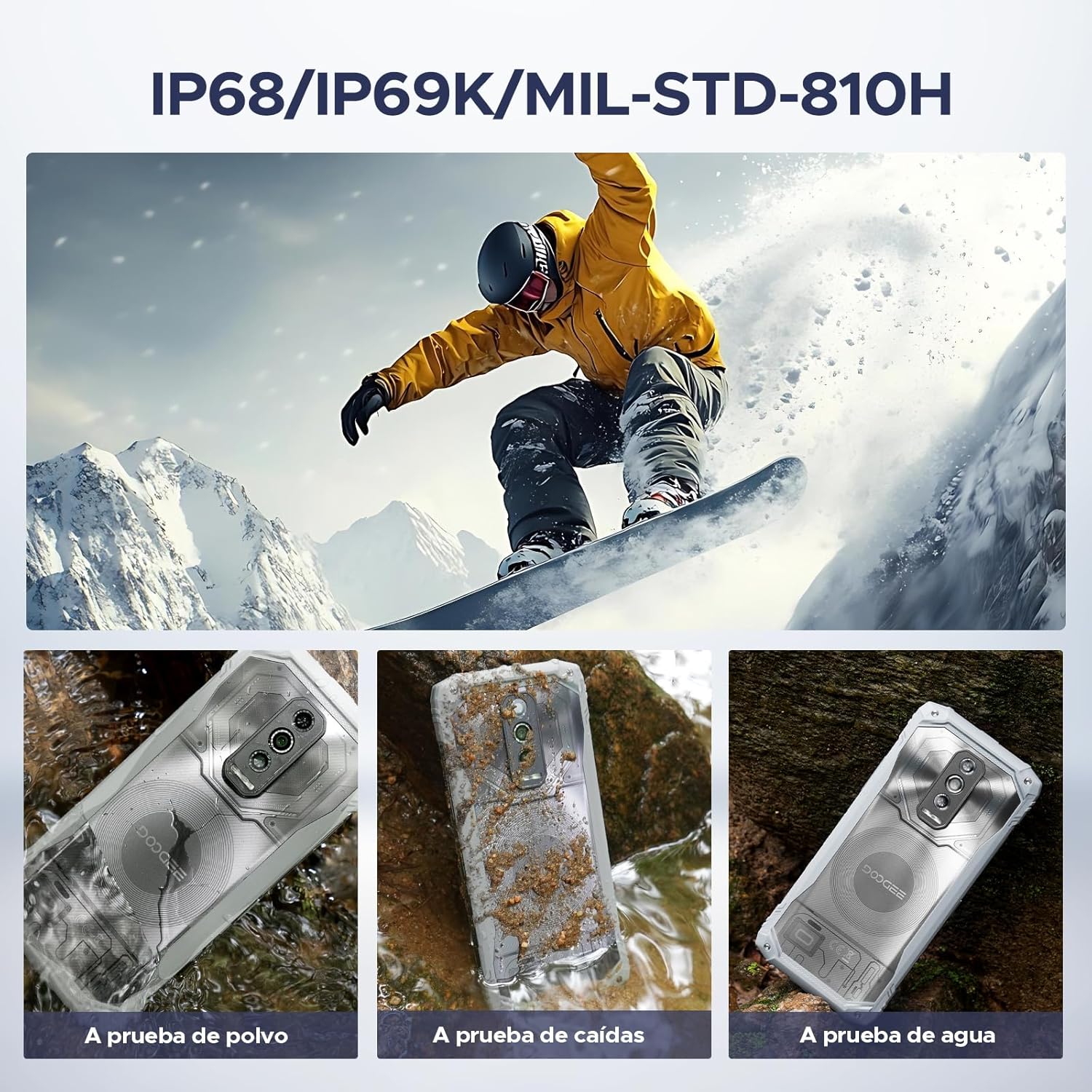
Figure 5.2: The phone is waterproof, drop-proof, and dust-proof.
6. Specifications
| Feature | Detail |
|---|---|
| Brand | DOOGEE |
| Model Name | Blade 10 Ultra Energy |
| Operating System | Android 15 |
| RAM Memory Installed Size | 36 GB (8GB physical + 28GB virtual) |
| Memory Storage Capacity | 256 GB (Expandable up to 2TB) |
| Screen Size | 6.56 Inches |
| Resolution | 720 x 1612 HD+ |
| Refresh Rate | 90 Hz |
| Processor | UNISOC T7250 Octa-Core |
| Main Camera | 64 MP AI |
| Front Camera | 8 MP |
| Battery Capacity | 6150 mAh |
| Charging | 18W Fast Charging, OTG Reverse Charging |
| Cellular Technology | 4.5G Dual SIM (Unlocked for All Carriers) |
| Biometric Security | Fingerprint Recognition, Face Recognition |
| Water Resistance Level | IP68/IP69K Waterproof |
| Durability Standard | MIL-STD-810H |
| Connectivity | NFC, GPS |
| Item Dimensions | 3.15 x 4.8 x 6.8 inches |
7. Maintenance
To ensure the longevity and optimal performance of your DOOGEE Blade 10 Ultra Energy, follow these maintenance guidelines:
- Cleaning: Use a soft, lint-free cloth to clean the screen and body. For stubborn dirt, especially after exposure to mud or saltwater, rinse the phone under fresh water and dry thoroughly. Do not use harsh chemicals or abrasive materials.
- Port Care: Ensure the charging port and headphone jack (if applicable) are free from dust, dirt, or moisture before charging or connecting accessories. The device's waterproof seals require clean ports to maintain integrity.
- Software Updates: Regularly check for and install software updates to benefit from improved performance, security patches, and new features.
- Battery Care: Avoid exposing the phone to extreme heat or cold for prolonged periods, as this can degrade battery life. Use only the provided charger or a certified compatible charger.
- Storage Management: Periodically clear unnecessary files and apps to maintain optimal performance. Utilize the expandable storage for large media files.
8. Troubleshooting
This section addresses common issues you might encounter with your device. If you experience problems not covered here, please refer to the support section.
| Problem | Solution |
|---|---|
| Device will not power on. | Ensure the battery is charged. Connect the phone to the charger and wait a few minutes before attempting to power on again. If unresponsive, perform a forced restart by holding the Power button for 10-15 seconds. |
| Poor signal reception. | Check if your SIM card is correctly inserted. Move to an area with better network coverage. Contact your carrier to verify service in your location. |
| Battery drains quickly. | Reduce screen brightness, close unused apps running in the background, disable Wi-Fi/Bluetooth/GPS when not in use. Check battery usage in settings to identify power-hungry apps. |
| Touchscreen unresponsive. | Restart the device. If the issue persists, ensure the screen is clean and dry. Remove any screen protectors that might be interfering. |
| Cannot connect to Wi-Fi. | Restart your Wi-Fi router and the phone. Forget the network in your phone's Wi-Fi settings and reconnect. Ensure you are entering the correct password. |
9. Warranty and Support
DOOGEE provides comprehensive customer service for your Blade 10 Ultra Energy rugged phone.
- 30-Days Money Back Guarantee and Free Return: If you are not satisfied with your purchase, you may return it within 30 days for a full refund.
- 2-Years Limited Warranty: Your device is covered by a 2-year limited warranty against manufacturing defects. Please refer to the included Service Card for detailed terms and conditions.
- 24/7 One-on-One Online Support: For any technical assistance or inquiries, dedicated online support is available around the clock.

Figure 9.1: DOOGEE's customer service commitment.
For further assistance, please visit the official DOOGEE website or contact their customer support team using the information provided in your Service Card.


