
1. Introduction
Thank you for choosing the MERACH Under Desk Elliptical E32-Standard. This device is designed to provide a low-impact, effective leg workout for users of various ages and mobility levels, including seniors and office workers. Its compact and quiet design allows for convenient use at home or in the office. This manual provides essential information for safe and efficient operation, maintenance, and troubleshooting.
2. Package Contents
Upon unboxing, please verify that all components listed below are present and undamaged:
- MERACH Under Desk Elliptical Machine (MR-E32) x1
- Remote Controller x1
- AAA Batteries x2 (for remote controller)
- Power Cord x1
- User Manual x1

3. Setup Instructions
The MERACH Under Desk Elliptical E32-Standard comes fully assembled, requiring minimal setup before first use.
- Placement: Choose a flat, stable surface for the elliptical. For optimal stability and floor protection, place the included non-slip mat (if provided, or a similar mat) underneath the unit. Ensure there is sufficient space around the unit for comfortable use and to avoid obstructions.
- Power Connection: Connect the power cord to the elliptical's power input port and then plug it into a standard electrical outlet.
- Remote Control Setup: Open the battery compartment on the back of the remote control and insert the two AAA batteries, ensuring correct polarity (+/-). Close the compartment securely.
- Initial Power On: Press the power button on the elliptical or the remote control to turn on the device. The LED display should illuminate.

4. Operating Instructions
The MERACH E32-Standard offers both automatic and manual modes, controlled via the touch screen or remote.
4.1 Control Panel and Remote Control
The elliptical can be operated using the integrated touch screen panel or the provided remote control. Both offer similar functionalities for adjusting settings.


4.2 Modes of Operation
- Manual Mode (HR Mode):
This mode allows you to manually select from 12 speed levels. Use the "+" and "-" buttons on the control panel or remote to adjust the speed. This mode is ideal for users who prefer direct control over their workout intensity.
- Auto Mode (P1-P12):
The elliptical features 12 pre-programmed auto modes (P1 through P12). Each program automatically adjusts speed and direction over a 15-minute cycle, providing varied workout routines. Select an auto mode using the "MODE" button.

4.3 Pedaling Direction
The elliptical supports both forward and reverse pedaling. Use the "DIRECTION" button to switch between these. Each direction engages different muscle groups:
- Forward Pedaling: Primarily targets ankles, knees, and buttocks.
- Reverse Pedaling: Primarily targets ankles, knees, and waist.
4.4 LED Display Functions
The LED display provides real-time workout data:
- SCAN: Cycles through all metrics automatically.
- TIME: Displays the duration of your current workout session.
- DISTANCE: Shows the distance covered (in meters).
- SPEED: Indicates the current pedaling speed.
- COUNTER: Tracks the total number of pedal rotations.
- CALORIE: Estimates the calories burned during the workout.
4.5 Quiet Operation
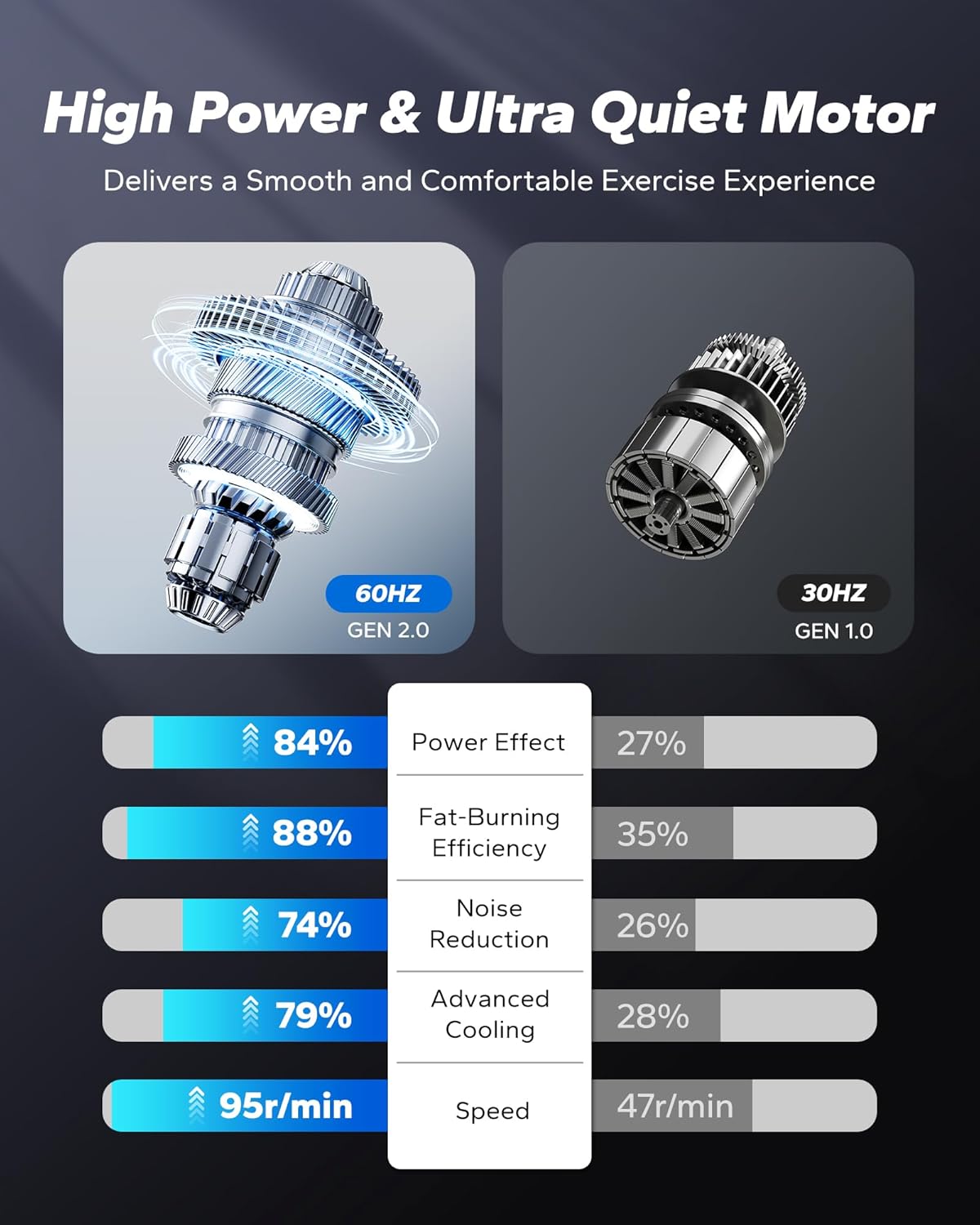
The MERACH E32-Standard is designed for quiet operation, producing less than 15dB of noise. This allows for discreet use in various environments without disturbing others.

5. Maintenance
Regular maintenance ensures the longevity and optimal performance of your MERACH Under Desk Elliptical.
- Cleaning: Wipe down the unit with a soft, damp cloth after each use to remove dust and sweat. Avoid using abrasive cleaners or solvents that could damage the finish or electronic components.
- Lubrication: If you notice any creaking noises or increased friction in the pedal mechanism, apply a small amount of silicone-based lubricant to the moving parts. Refer to the specific lubrication points indicated in the detailed user manual (if provided separately) or contact customer support for guidance.
- Storage: Store the elliptical in a cool, dry place away from direct sunlight and extreme temperatures when not in use for extended periods.
- Battery Replacement: Replace the AAA batteries in the remote control when the display becomes dim or the remote's responsiveness decreases.
6. Troubleshooting
If you encounter any issues with your MERACH Under Desk Elliptical, please refer to the following common solutions:
| Problem | Possible Cause | Solution |
|---|---|---|
| Unit does not power on. | Power cord not properly connected; power outlet issue. | Ensure the power cord is securely plugged into both the elliptical and a working electrical outlet. Try a different outlet. |
| Remote control is unresponsive. | Dead batteries; remote not aimed correctly. | Replace the AAA batteries in the remote control. Ensure the remote is pointed directly at the elliptical's sensor. |
| Unusual noise during operation. | Lack of lubrication; loose components. | Apply lubricant to moving parts as described in the Maintenance section. Check for any loose screws or connections and tighten them. |
| Pedals feel stiff or inconsistent. | Accumulated dirt; need for lubrication. | Clean the pedal mechanism and apply lubricant. |
If the problem persists after attempting these solutions, please contact MERACH customer support for further assistance.
7. Product Specifications
| Feature | Detail |
|---|---|
| Model Number | MR-E32 |
| Brand | MERACH |
| Product Dimensions | 39.6 x 37.8 x 18.9 cm (15.6 x 14.9 x 7.4 inches) |
| Item Weight | 5.05 kg (11.13 lbs) |
| Colour | Black |
| Material | Alloy Steel |
| Resistance Mechanism | Magnetic |
| Number of Resistance Levels | 12 (Manual Mode) |
| Workout Modes | 12 Manual Speed Levels, 12 Auto Modes (P1-P12) |
| Maximum Weight Recommendation | 250 Pounds |
| Noise Level | Less than 15dB |
| Control Options | Touch Screen, Remote Control |
8. Warranty & Customer Support
Your MERACH Under Desk Elliptical E32-Standard is covered by a 12-month warranty from the date of purchase. This warranty covers manufacturing defects and ensures the product meets quality standards.
For any inquiries, technical assistance, or warranty claims, please contact MERACH customer service. Our team is available 24 hours a day to provide support via email or phone. Please have your order number and product model (MR-E32) ready when contacting support to expedite the process.
Contact information can typically be found on the MERACH official website or through your purchase platform.