Product Overview
The MECHEN H10 is a versatile MP3 and MP4 player running on Android 13 OS, designed for high-quality audio and video playback, app functionality, and extensive storage.

Front and back view of the MECHEN H10 MP3 player, showcasing its 4-inch touchscreen display with various app icons and its sleek, dark gray casing.
What's Included
Your MECHEN H10 package contains the following items:
- 1 x Music Player
- 1 x USB cable
- 1 x Earphones
- 1 x Protective Film
- 1 x Protective Case
- 1 x User Manual
- 1 x 128GB TF Card
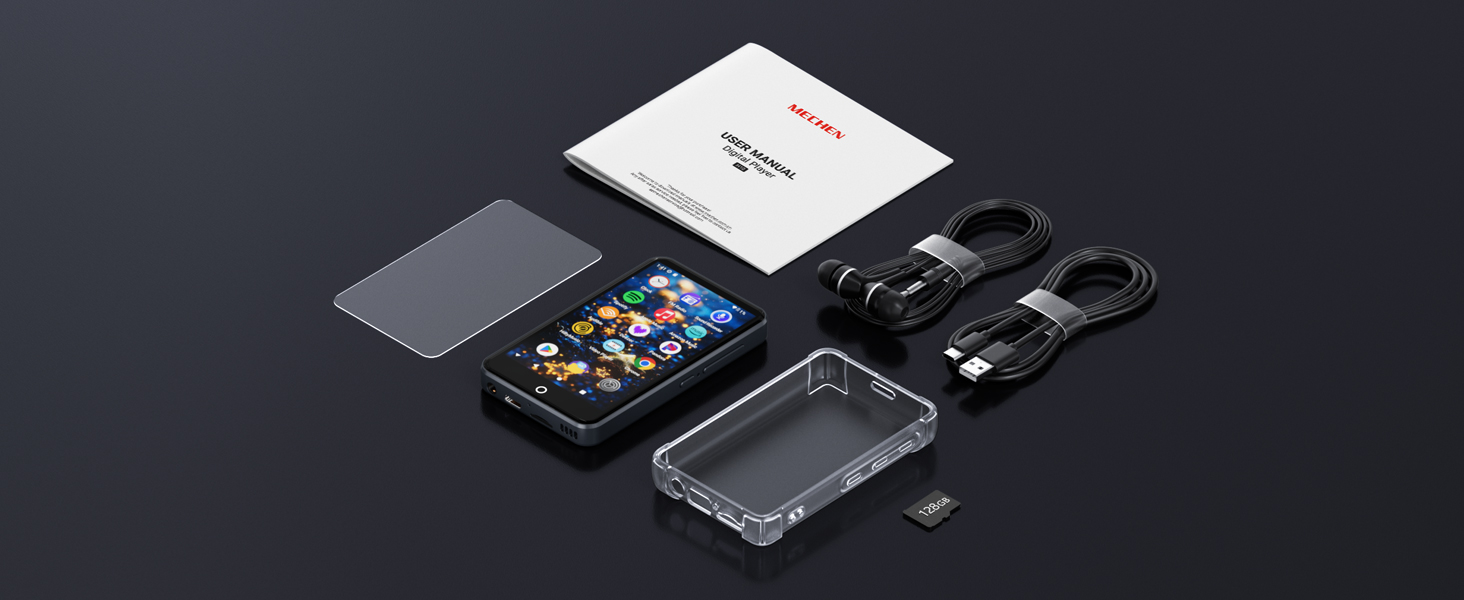
An overhead view of all included accessories: the MECHEN H10 player, USB-C cable, earphones, protective film, protective case, user manual, and a 128GB TF card.
Physical Features
Familiarize yourself with the physical components of your MECHEN H10 device:
| Feature | Description |
|---|---|
| Volume + | Increase volume. |
| Volume - | Decrease volume. |
| Reset | Small pinhole for device reset. |
| Power On/Off | Press and hold for 3 seconds to power on/off. |
| Recording Hole | Microphone input. |
| Speaker | Integrated audio output. |
| TF Card Slot | For expandable storage up to 1TB. |
| USB-C Port | For charging and data transfer. |
| 3.5mm Output | Headphone jack. |
Initial Setup
First-Time Charging
Before first use, fully charge the device using the provided 5V/1A USB-C charger. Fast chargers are not recommended.
Power On and Initial Configuration
Press and hold the Power button for 3 seconds to turn on the device. Follow the on-screen prompts to select language, time zone, and accept Google Terms to activate Google Play services.

The MECHEN H10 display showing the Android 13 interface with various pre-installed applications, indicating a smooth and modern user experience.
Operating Your Device
Basic Navigation
The MECHEN H10 features a responsive 4-inch IPS touchscreen for intuitive navigation. Swipe through screens, tap icons to open applications, and use the physical buttons for volume control and power.

The MECHEN H10 displaying a video in landscape mode, highlighting its 4-inch IPS touchscreen and support for various media formats.
Music Playback
The device supports a wide range of audio formats including MP3, FLAC, WAV, AAC, OGG, WMA, and APE. You can play music stored on the internal memory or the inserted TF card.
- Access your music through the pre-installed music player apps like Spotify, Apple Music, Amazon Music, or Deezer.
- Connect to Bluetooth headphones or speakers using Bluetooth 4.1 for wireless audio.
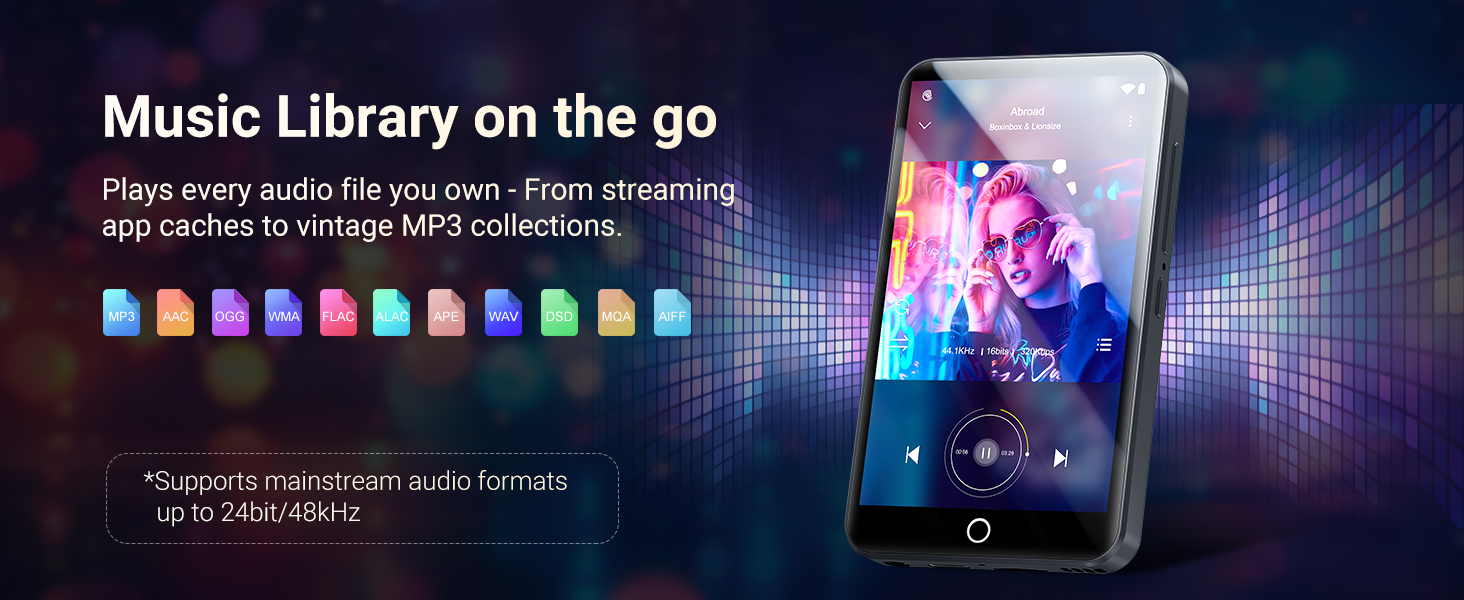
A visual representation of the MECHEN H10 playing music, surrounded by icons of various supported audio file formats, emphasizing its extensive music library capabilities.
Video Playback
The 4-inch high-resolution screen supports 1080P HD video playback without format conversion. Compatible formats include AVI, MKV, RMVB, MP4, MPG, and MOV.
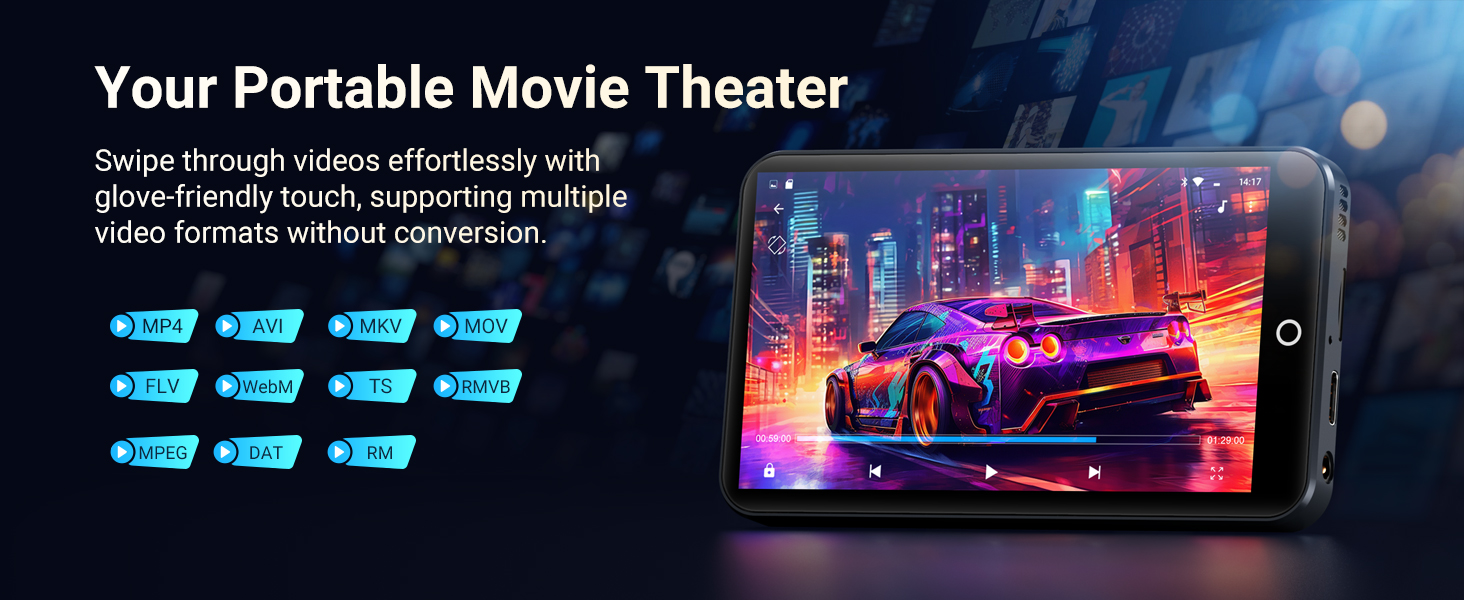
The MECHEN H10 displaying a movie scene in landscape mode, illustrating its function as a portable movie theater with support for multiple video formats.
App Usage and Connectivity
The Android 13 OS allows for smooth operation and access to the Google Play Store. You can download and install various applications, including streaming services like Spotify, Pandora, Audible, and Amazon Music.
- Wi-Fi: The device features dual-band (2.4GHz and 5GHz) Wi-Fi for stable wireless connections and faster data transfers.
- Bluetooth: Bluetooth 4.1 with bi-directional technology allows connection to headphones, speakers, and car stereos.

An image showcasing the MTK Octa-Core processor for smooth performance and symbols representing dual-band Wi-Fi and Bluetooth 5.0 for enhanced connectivity on the MECHEN H10.
An official product video demonstrating the MECHEN H10 MP3 player's features, including its design, massive storage options (96GB or 160GB), Android 13 OS, MTK 8-core processor for smooth operation, 4-inch IPS touchscreen for clear visuals, Bluetooth connectivity for various devices, Wi-Fi for pre-loaded apps and streaming, and its 2000mAh battery life.
Technical Specifications
| Category | Details |
|---|---|
| Processor | MTK6762 Octa-core |
| Memory | 3GB RAM + 32GB ROM (internal) |
| Operating System | Android 13 |
| Display | 4-inch LCD Touchscreen, 480x800 resolution |
| Battery Capacity | 2000mAh |
| Charging | 5V/1A USB-C (Full charge ~2.5hrs) |
| Playback | Music 15hrs / Video 8hrs |
| Wi-Fi | Dual-band (2.4G/5G) |
| Bluetooth | 4.1 (A2DP/AVRCP) |
| Audio Formats | MP3, FLAC, WAV, AAC, OGG, WMA, APE |
| Video Formats | AVI, MKV, RMVB, MP4, MPG, MOV |
| Dimensions | 103*61*10mm |
| Weight | 108g |
| Supported OS for PC | Windows XP, Vista, 7, 8, 10, 11; Mac OS 10 |
| Connection | USB-C MTP/PTP mode |
Maintenance and Care
Battery Life
The 2000mAh Li-ion battery provides approximately 15 hours of music playback or 8 hours of video playback. For optimal battery health, use a 5V-1A or 5V-2A charging head. Avoid fast charging heads.
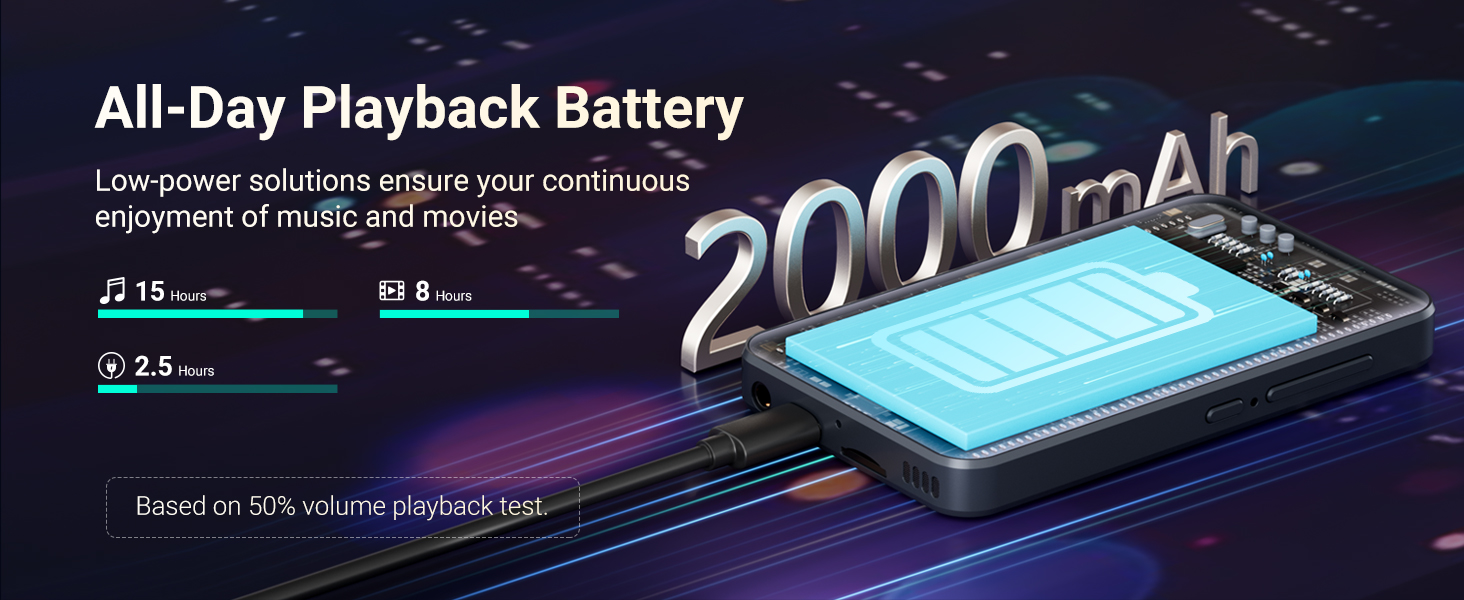
A graphic illustrating the 2000mAh battery capacity of the MECHEN H10, showing estimated playback times of 15 hours for music and 8 hours for video.
Storage Management
The device comes with 32GB internal storage and a 128GB SD card. The TF card slot supports expansion up to 1TB. Regularly manage your storage by deleting unnecessary files and apps to maintain optimal performance.
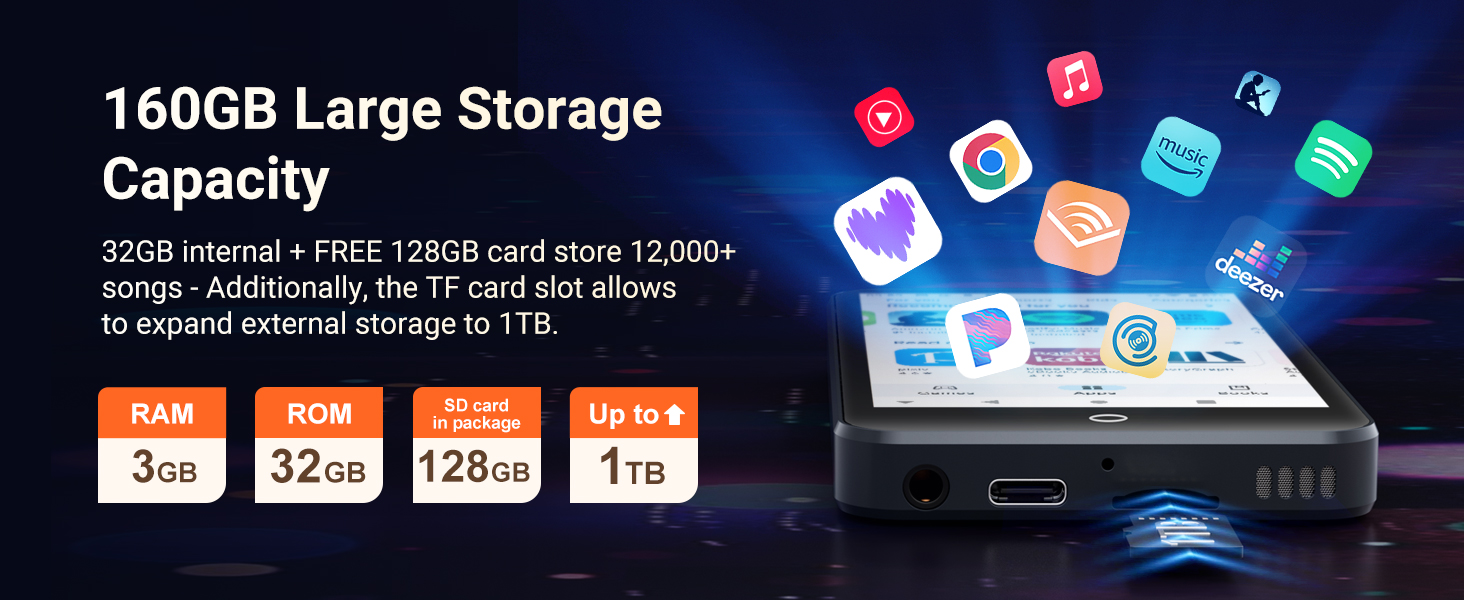
An image detailing the MECHEN H10's storage capabilities, including 3GB RAM, 32GB ROM, a 128GB SD card in the package, and an SD slot expandable up to 1TB.
Firmware Upgrades
Regular security patches and performance upgrades are available. Ensure your device is connected to Wi-Fi to receive and install these updates for long-term smooth operation.
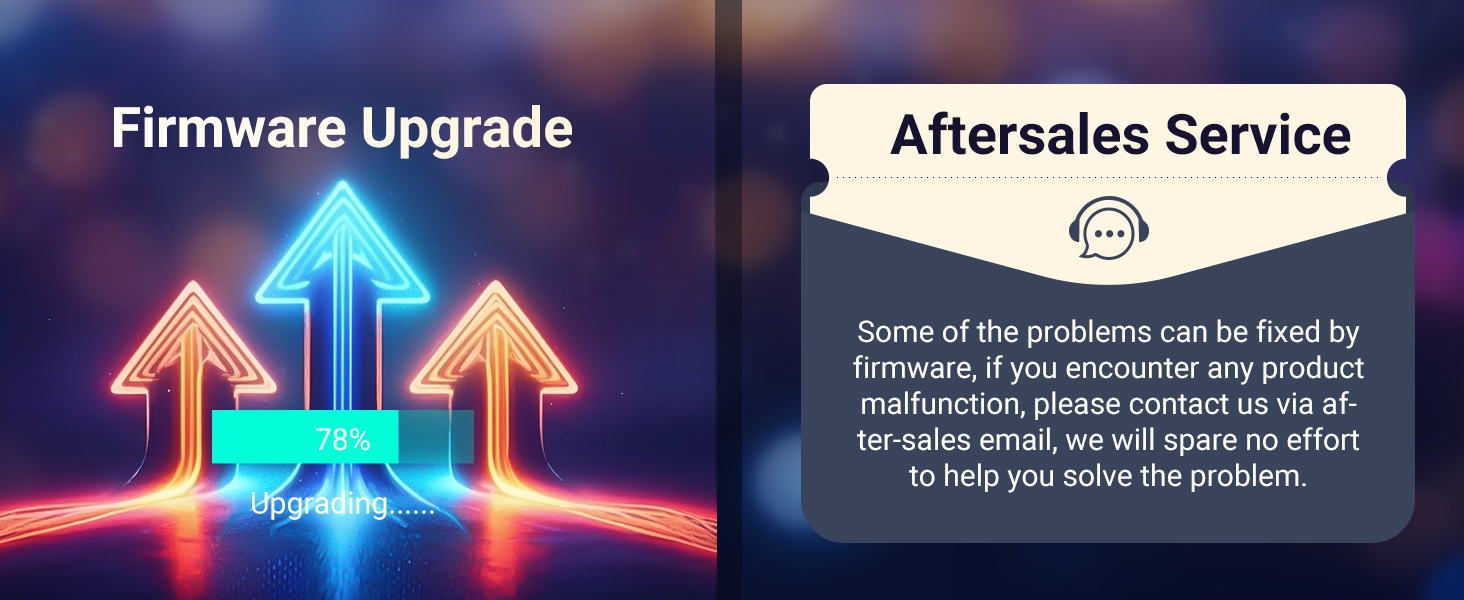
A graphic showing arrows pointing upwards with a 'Firmware Upgrade' title and a progress bar, alongside a section for 'Aftersales Service' with a chat bubble icon.
Troubleshooting
Common issues and their solutions:
| Issue | Solution |
|---|---|
| Won't Charge | 1. Try a different USB-C cable. 2. Clean the port with a toothpick (non-metallic). 3. Test with a 5V/1A charger. |
| Google FRP Lock | Before factory reset: 1. Sign out Google account on device. 2. Remove device from google.com/devices. Failure to do so may cause login loop. |
| App Crashes | 1. Clear app cache (Settings > Apps > All Apps > [App Name] > Storage & cache > Clear Cache). 2. Reinstall the app. |
| No Sound | 1. Check headphone connection. 2. Disable Bluetooth. 3. Reset sound settings (Settings > Sound > reset the sound settings). |
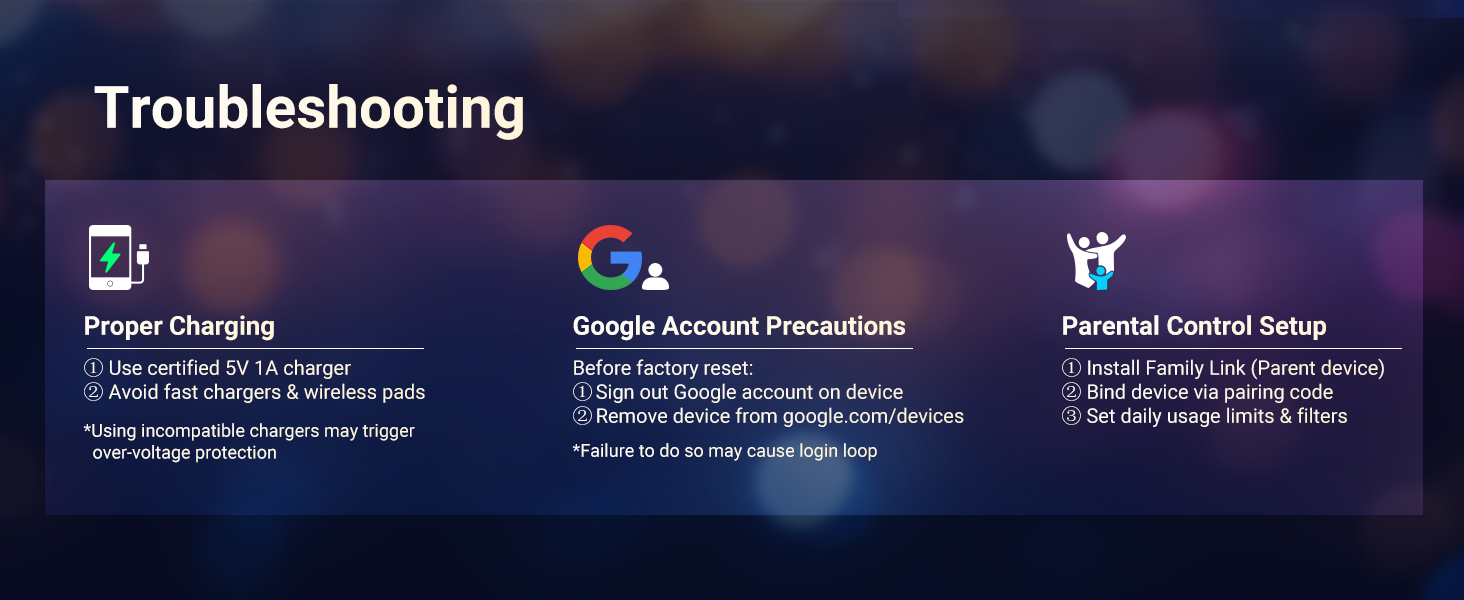
A graphic detailing troubleshooting steps for common issues like proper charging, Google account precautions, and parental control setup.
Safety Information
- Use ONLY the 5V/1A USB-C charger. Fast chargers may cause overheating or permanent battery damage.
- Avoid charging in direct sunlight, humid environments, or near heat sources.
- If the device becomes hot during charging, unplug immediately and let it cool in a well-ventilated area.
- Operating Temperature: 0°C to 35°C.
- Storage Temperature: -10°C to 45°C.
- Do not expose to liquids, sand, or extreme pressure (e.g., sitting on the device).
Warranty and Support
For any product malfunction or support inquiries, please contact MECHEN customer service via the after-sales email provided in your purchase documentation. We are committed to helping you resolve any issues.


