
Introduction
This manual provides detailed instructions for the proper use and maintenance of your Micool T18 Invisible Sleep Wireless Earphones. Please read this manual thoroughly before using the product to ensure optimal performance and longevity.
What's in the Box
- Micool T18 Invisible Sleep Wireless Earphones
- Charging Cable
- User Manual
Product Overview
The Micool T18 earphones are designed for comfort during sleep and extended wear. They feature a unique elephant-shaped, non-in-ear design, ensuring a lightweight and unobtrusive fit. Equipped with Bluetooth 5.4, they offer stable connectivity and intuitive touch controls.
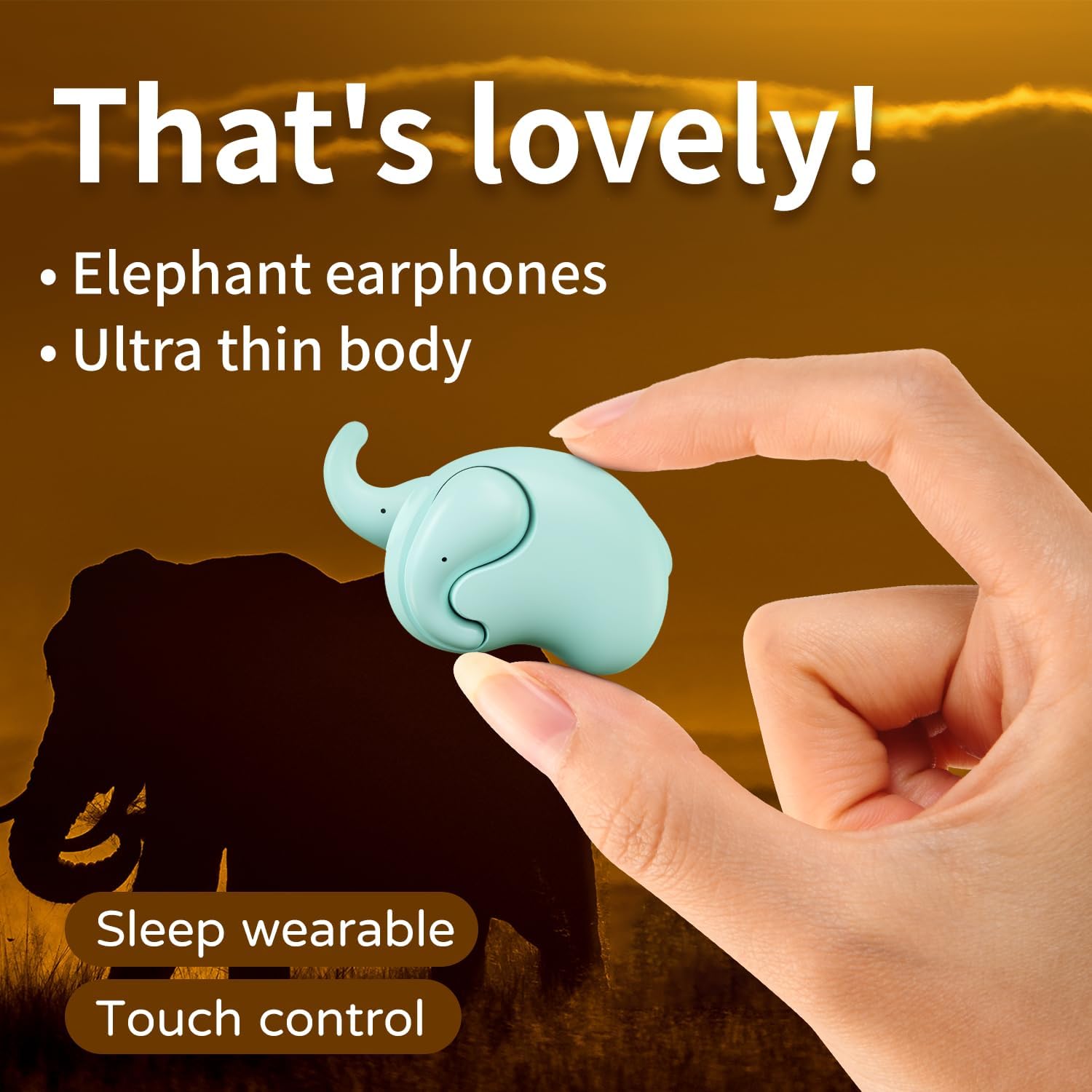
Image: The Micool T18 earphone, showcasing its compact, elephant-shaped design, held between two fingers. This image highlights its ultra-thin body and suitability for sleep wear.

Image: A close-up view of the Micool T18 earphone comfortably placed in an ear, demonstrating its mini comfort and ergonomic fit for sleeping.
Setup
1. Charging the Earphones
Before first use, fully charge the earphones. Connect the provided charging cable to the charging port on the earphones and to a USB power source. The indicator light will show charging status and turn off or change color when fully charged.
2. Bluetooth Pairing
- Ensure the earphones are charged and powered off.
- Press and hold the multi-function button on both earphones until the indicator lights flash red and blue alternately, indicating pairing mode.
- On your device (smartphone, tablet, etc.), enable Bluetooth and search for available devices.
- Select "Micool T18" from the list of devices.
- Once connected, the indicator lights will stop flashing and remain solid blue or turn off, depending on the model.
- If prompted for a password, enter "0000".
Operating Instructions
The Micool T18 earphones feature intuitive touch controls for various functions.
Power On/Off
- Power On: Press and hold the touch area for approximately 3 seconds.
- Power Off: Press and hold the touch area for approximately 5 seconds.
Music Playback
- Play/Pause: Single tap on either earphone.
- Next Track: Double tap on the right earphone.
- Previous Track: Double tap on the left earphone.
Call Management
- Answer/End Call: Single tap on either earphone.
- Reject Call: Press and hold the touch area for 2 seconds.
Volume Control
- Volume Up: Triple tap on the right earphone.
- Volume Down: Triple tap on the left earphone.
Maintenance
Cleaning
Gently wipe the earphones with a soft, dry, lint-free cloth. Do not use abrasive cleaners, alcohol, or chemical solvents. Avoid getting moisture into any openings.
Storage
Store the earphones in a cool, dry place away from direct sunlight and extreme temperatures. When not in use for extended periods, ensure they are fully charged to preserve battery life.
Water Resistance
The Micool T18 earphones are IPX5 waterproof, meaning they are resistant to splashes and sweat. They are not designed for submersion in water. Avoid using them during swimming or showering.
Troubleshooting
| Problem | Solution |
|---|---|
| Earphones do not power on. | Ensure the earphones are fully charged. |
| Cannot pair with device. | 1. Ensure Bluetooth is enabled on your device. 2. Make sure earphones are in pairing mode (flashing red/blue). 3. Forget "Micool T18" from your device's Bluetooth list and try pairing again. 4. Move earphones closer to your device. |
| No sound or intermittent sound. | 1. Check device volume and earphone volume. 2. Ensure earphones are within Bluetooth range of your device. 3. Re-pair the earphones with your device. |
| Earphones not charging. | 1. Check if the charging cable is securely connected. 2. Try a different USB power source or cable. 3. Ensure charging contacts on earphones are clean. |
Specifications
| Feature | Detail |
|---|---|
| Brand | Micool |
| Model Number | T18 |
| Connectivity Technology | Wireless (Bluetooth) |
| Bluetooth Version | 5.4 |
| Ear Placement | In Ear (Non-in-ear design) |
| Form Factor | True Wireless |
| Water Resistance | IPX5 |
| Material | Plastic |
| Compatible Devices | Cellphones |
| Specific Uses | Sleeping, Music |
Warranty and Support
Warranty Information
This product comes with a 1-year limited warranty from the date of purchase. This warranty covers manufacturing defects. Please retain your proof of purchase for warranty claims.
Customer Support
For further assistance, technical support, or warranty inquiries, please visit the official Micool Store on Amazon: