
Omethey KM-85
Omethey 7.0 Cu ft Extra Large Home Safe Box User Manual
Model: KM-85
1. Introduction
Thank you for choosing the Omethey 7.0 Cu ft Extra Large Home Safe Box. This safe is designed to provide superior security for your valuables, featuring a robust alloy steel construction, a digital electronic combination lock, and advanced anti-theft measures. Its double-door design, adjustable shelving, and convenient deposit slot make it ideal for home, office, or business use. Please read this manual thoroughly before operating your safe to ensure proper setup and functionality.
2. Safety Information
- Always keep emergency keys in a secure location away from the safe. Do not store them inside the safe.
- Ensure the safe is placed on a stable, level surface.
- For maximum security, it is highly recommended to bolt the safe to the floor or wall using the provided expansion bolts.
- Do not attempt to force the safe open if the code is forgotten or the battery is low. Use the emergency key or external power source as instructed.
- Keep children away from the safe and do not allow them to play with the keys or keypad.
3. Package Contents
Please verify that all components are present in your package:
- 1 x Omethey 7.0 Cu ft Safe
- 4 x Emergency Keys
- 6 x Expansion Screws (for mounting)
- 1 x USB Type-C Cable (for emergency power)
- 4 x Non-slip Pads
- 1 x User Manual (this document)

Figure 3.1: Product dimensions and included accessories.
4. Product Features
- Extra Large Capacity: 7.0 cubic feet internal volume with a double-door design, allowing separate access to compartments. External dimensions: 15.75"D x 16.17"W x 33.46"H.
- Robust Construction: Made from reinforced low carbon alloy steel with a pry-resistant thickened door and 5 solid living bolts for enhanced security against theft, prying, drilling, and corrosion.
- Quick Access Deposit Slot: A convenient front slot allows for easy deposit of cash, passports, or envelopes without needing to open the main safe door.
- Dual Alarm System: Activates a 70-decibel alarm for 60 seconds after 3 consecutive incorrect password entries or violent vibrations, deterring unauthorized access.
- Backlit Keypad & LED Light: The keypad is backlit for clear visibility in low light conditions. An internal LED light automatically illuminates when the safe is opened, aiding visibility of contents.
- Mute Function: Allows for silent operation of the keypad, preventing disturbance to others or alerting intruders.
- Adjustable & Removable Shelf: The bottom compartment features an adjustable and removable shelf to customize storage space according to your needs.
- Soft Interior Lining: The interior is lined with soft material to protect delicate valuables from scratches.
- Floor & Wall Mountable: Pre-drilled mounting holes and included expansion bolts allow for secure attachment to the floor or wall, increasing security.
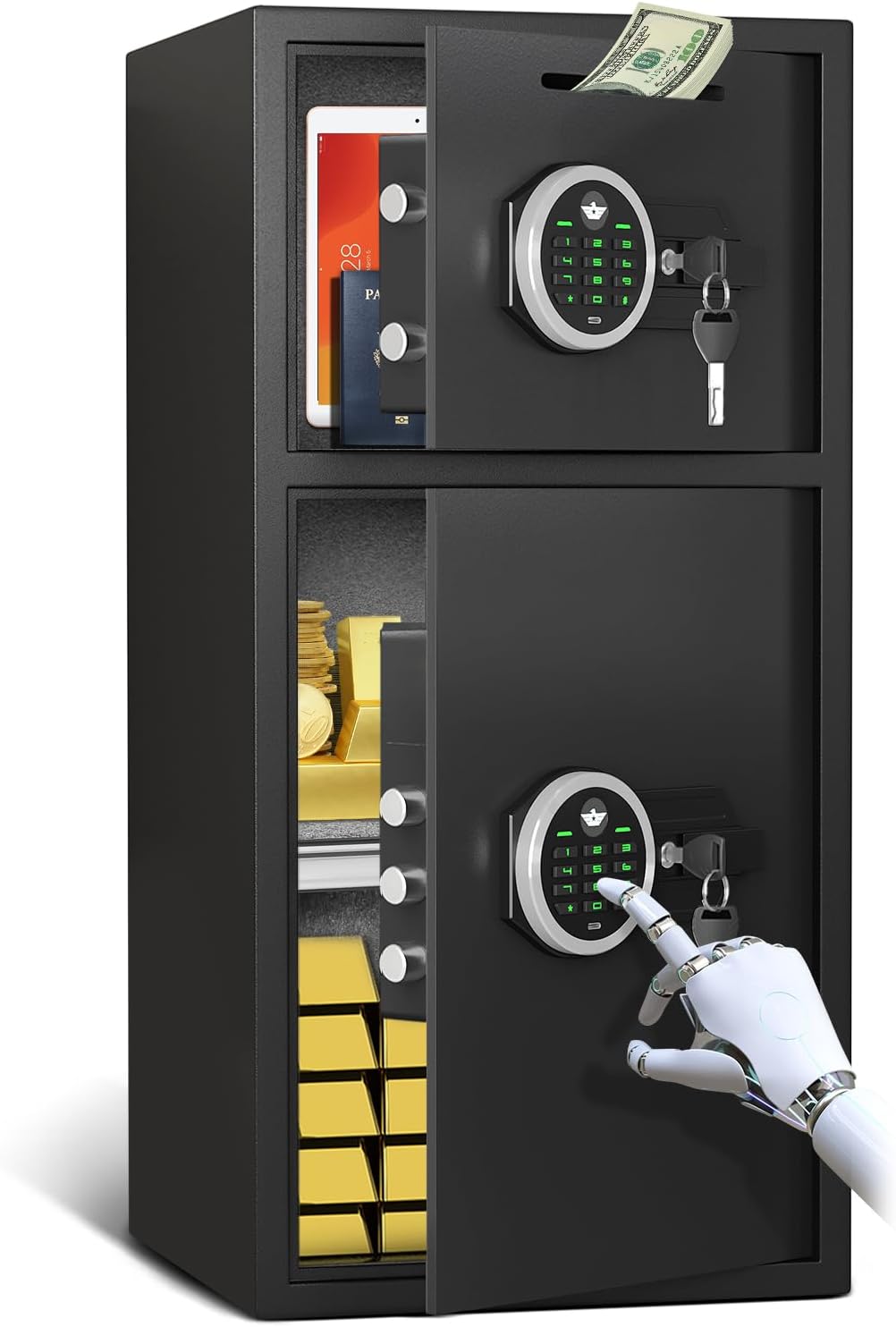
Figure 4.1: Omethey 7.0 Cu ft Home Safe Box.

Figure 4.2: Reinforced Solid Steel Construction.

Figure 4.3: Adjustable and Removable Shelf.
5. Setup
5.1 Initial Opening and Battery Installation
- Locate the emergency keyhole cover on the keypad.
- Insert one of the emergency keys into the keyhole and turn it clockwise.
- While the key is turned, rotate the knob on the keypad clockwise to open the safe door.
- Inside the door, locate the battery compartment. Insert 4 AA batteries (not included) according to the polarity markings.
- Close the battery compartment.
5.2 Setting Your Personal Password
- With the safe door open, press the red reset button located on the inside of the door (usually near the hinge or battery compartment). You will hear a beep and the indicator light on the keypad will flash.
- Enter your desired 3-8 digit password on the keypad.
- Press the "#" button to confirm. You will hear a confirmation beep.
- Test your new password with the door open to ensure it works correctly before closing the safe.
5.3 Mounting the Safe (Optional but Recommended)
For enhanced security, the safe can be bolted to a floor or wall.
- Choose a suitable location for the safe, ensuring it is stable and secure.
- Mark the positions of the pre-drilled mounting holes on the back (four) or bottom (two) of the safe onto the desired surface (floor or wall).
- Drill pilot holes at the marked positions using an appropriate drill bit for your surface material.
- Align the safe with the drilled holes and insert the expansion bolts through the safe's mounting holes into the pilot holes.
- Tighten the expansion bolts securely to anchor the safe in place.
6. Operating Instructions
6.1 Opening the Safe
There are three methods to open the safe:
- Using Password: Enter your 3-8 digit password, then press "#". The indicator light will turn green. Within 5 seconds, rotate the knob clockwise to open the door.
- Using Emergency Key: Insert the emergency key into the keyhole and turn it clockwise. While holding the key turned, rotate the knob clockwise to open the door.
- Using USB Type-C Cable (Emergency Power): If batteries are dead, connect a USB Type-C cable (connected to a power bank or adapter) to the port on the keypad. Then, enter your password and press "#", and rotate the knob clockwise to open the door.

Figure 6.1: Three ways to open the safe.
6.2 Closing the Safe
Simply close the safe door and rotate the knob counter-clockwise until it clicks into place. The bolts will extend, securing the door.
6.3 Using the Deposit Slot
The top compartment features a deposit slot for quick and convenient insertion of items like cash or envelopes without unlocking the safe. Simply slide the items into the slot at the top of the safe.
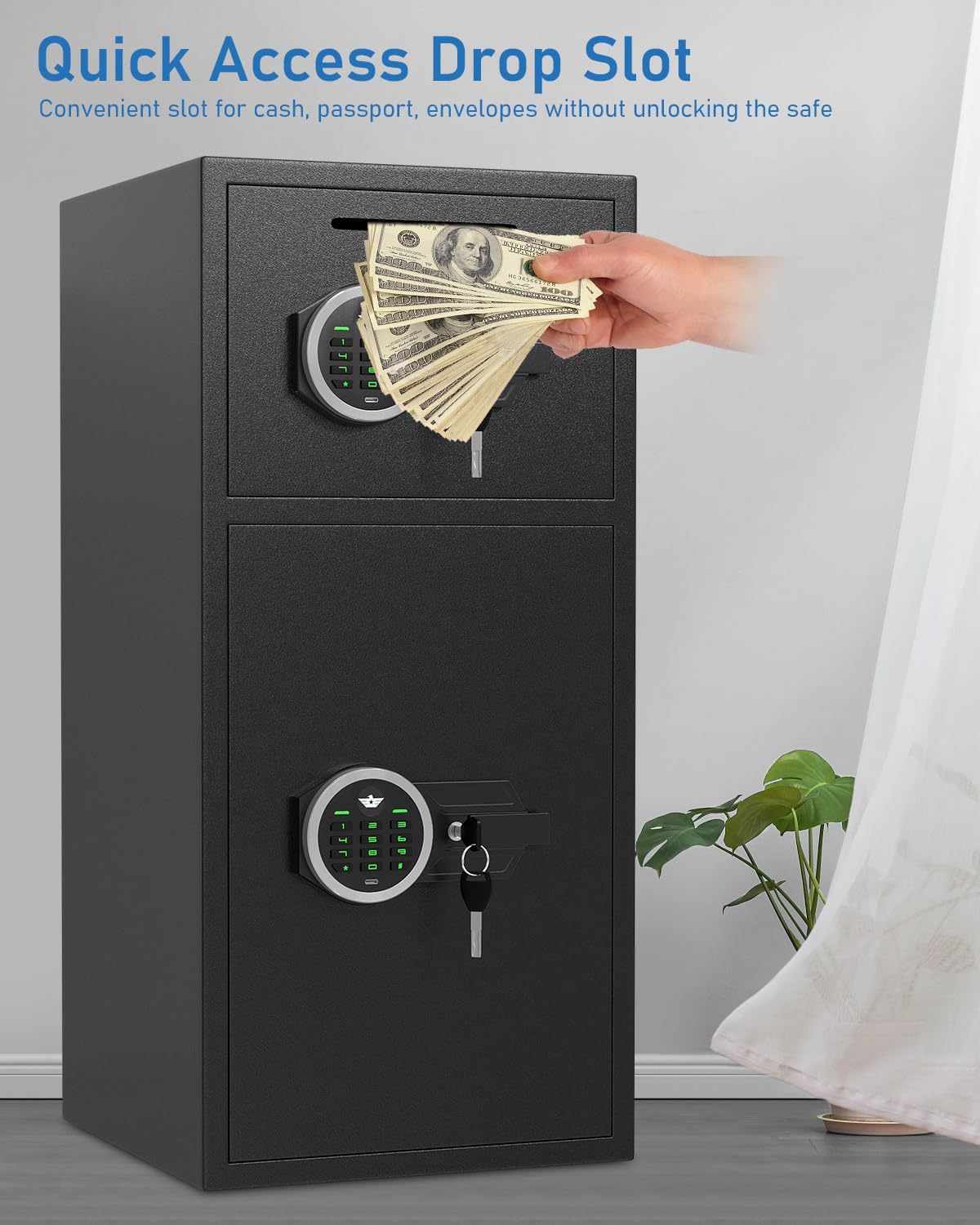
Figure 6.2: Quick Access Drop Slot in use.
6.4 Mute Function
To activate or deactivate the mute function for silent keypad operation:
- Press the "1" button twice, then press the "#" button. The keypad sounds will be toggled on or off.

Figure 6.3: Mute Mode operation.
7. Maintenance
- Battery Replacement: Replace batteries when the low battery indicator light illuminates or if the keypad becomes unresponsive. Use 4 new AA alkaline batteries.
- Cleaning: Wipe the safe's exterior with a soft, damp cloth. Avoid abrasive cleaners or solvents that could damage the finish.
- Keypad Care: Keep the keypad clean and dry. Do not use excessive force when pressing buttons.
- Interior Care: The soft lining can be gently vacuumed or wiped to remove dust.
8. Troubleshooting
| Problem | Possible Cause | Solution |
|---|---|---|
| Safe does not open with password. | Incorrect password entered; Low batteries; Keypad malfunction. | Re-enter password carefully. Replace batteries. Use emergency key or USB Type-C emergency power. |
| Alarm sounds unexpectedly. | 3 consecutive incorrect password entries; Violent vibration/impact. | Enter correct password to stop the alarm. Avoid hitting or moving the safe forcefully. |
| Keypad is unresponsive. | Dead batteries. | Replace batteries. Use USB Type-C cable for emergency power. |
| Cannot set new password. | Reset button not pressed correctly; Password too short/long. | Ensure the reset button is pressed until a beep is heard. Enter a 3-8 digit password. |

Figure 8.1: Dual Alarm System triggers.
9. Specifications
| Feature | Specification |
|---|---|
| Brand | Omethey |
| Model Number | KM-85 |
| Product Dimensions (D x W x H) | 14.17"D x 15.75"W x 33.46"H |
| Internal Capacity | 7 Cubic Feet |
| Lock Type | Electronic Combination Lock |
| Material | Alloy Steel |
| Item Weight | 52.7 Pounds |
| Mounting Type | Wall & Floor Mount |
| Alarm Type | Audible & Vibration (70 dB) |
| Special Features | Adjustable & Removable Shelf, Alarm System, Anti-Theft, Combination Lock, Sensor Light, Deposit Slot |
10. Warranty and Support
Omethey provides lifetime customer service for every safe sold. If you encounter any questions or issues with your Omethey safe, please do not hesitate to contact our customer support team. We are available 24 hours a day, 7 days a week to assist you.
For support, please refer to the contact information provided on the product packaging or the official Omethey website.
Ask a question about this manual
Ask about setup, troubleshooting, compatibility, parts, safety, or missing instructions. Manuals+ will review the question and use this page’s manual context to help answer it.