
1. Introduction
This manual provides essential information for setting up, operating, and maintaining your DOOGEE Tab A9 Pro Android 15 Tablet. Please read it thoroughly to ensure proper usage and to maximize your device's capabilities.
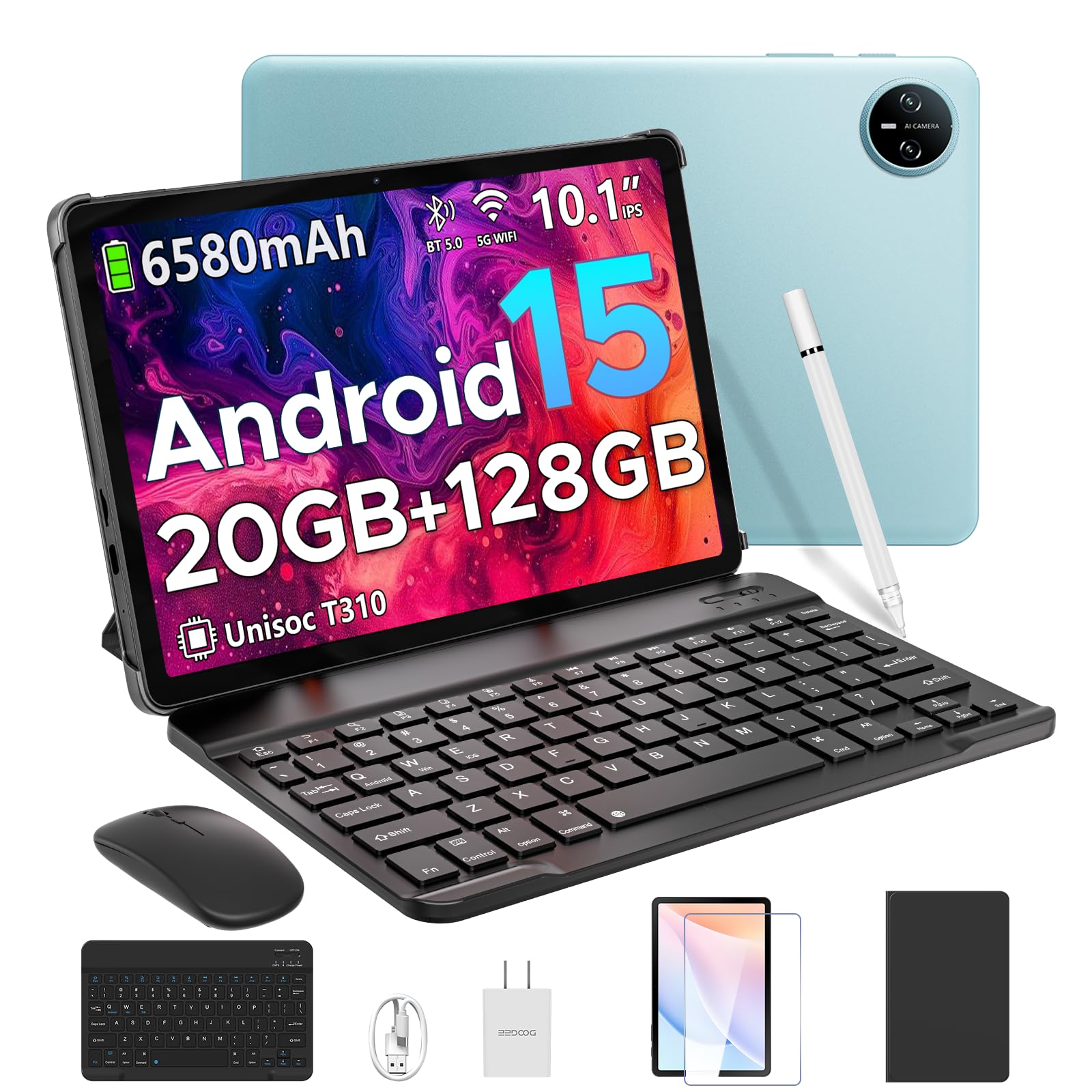
Image 1.1: The DOOGEE Tab A9 Pro Tablet.
2. What's in the Box
Your DOOGEE Tab A9 Pro package includes the following items:
- DOOGEE Tab A9 Pro Tablet (x1)
- Type-C USB Cable (x1)
- Charger (x1)
- Manual (x1)
- Warranty Card (x1)
- Bluetooth Keyboard (VIP Edition)
- Bluetooth Mouse (VIP Edition)
- Stylus (VIP Edition)
- Leather Protective Cover (VIP Edition)
- Tempered Film (VIP Edition)

Image 2.1: All items included in the DOOGEE Tab A9 Pro package.
3. Product Overview
The DOOGEE Tab A9 Pro features a sleek design with essential components for user interaction and connectivity.
3.1 Physical Features
- Display: 10.1-inch IPS HD Ultra-Clear Display.
- Cameras: 8MP Main Camera (rear) and 5MP Front Camera.
- Audio: High-Quality Dual Speakers and a 3.5mm Audio Jack.
- Ports: Type-C USB port for charging and data transfer.
- Buttons: Power button and volume controls located on the side.

Image 3.1: Rear view of the DOOGEE Tab A9 Pro, highlighting the camera module.

Image 3.2: Side view of the tablet, illustrating the power button, volume controls, and ports.
Video 3.1: A short video showcasing the ultra-thin body and design of the DOOGEE Tab A9 Pro.
4. Setup
4.1 Initial Charging
Before first use, fully charge your tablet using the provided Type-C USB cable and charger. The battery indicator on the screen will show charging progress.
4.2 Power On/Off
- To Power On: Press and hold the power button until the DOOGEE logo appears.
- To Power Off: Press and hold the power button, then select 'Power off' from the options that appear on the screen.
4.3 Initial Setup Wizard
Upon first power-on, follow the on-screen instructions to complete the initial setup, including language selection, Wi-Fi connection, and Google account login.
5. Operating System (Android 15)
The DOOGEE Tab A9 Pro runs on the Android 15 operating system, offering a smart, fluid, and secure user experience with enhanced privacy features.

Image 5.1: Visual representation of the Android 15 system interface.
Video 5.1: An overview of the DOOGEE Tab A9 Pro running Android 15.
6. Performance & Storage
The tablet is designed for smooth operation and ample storage capacity.
6.1 Processor
Powered by the energy-efficient Unisoc T310 octa-core processor, the tablet ensures seamless performance for various tasks.

Image 6.1: Diagram illustrating the Unisoc T310 Quad-Core Processor.
6.2 RAM and Storage
The tablet features 20GB of RAM (4GB physical + 16GB virtual) and 128GB of internal storage. Storage can be expanded up to 2TB using a microSD card (sold separately).

Image 6.2: Visual representation of the tablet's RAM and ROM configuration.
7. Display & Audio
Experience vibrant visuals and clear sound with your tablet.
7.1 Display
The 10.1-inch IPS HD display offers wide viewing angles and a resolution of 1280x800 for an immersive visual experience.

Image 7.1: The 10.1-inch IPS HD display with key specifications.
7.2 Audio
Built-in dual speakers deliver clear and dynamic sound for movies, music, and video calls.

Image 7.2: Illustration of the tablet's dual speaker system.
8. Cameras
Capture moments and conduct video calls with the integrated cameras.
8.1 Main Camera
The 8MP main camera allows you to take sharp photos.

Image 8.1: Close-up of the 8MP main camera on the tablet's rear.
8.2 Front Camera
The 5MP front camera is suitable for selfies and video calls.

Image 8.2: The 5MP front camera in use for a video call.
9. Connectivity
Stay connected with various wireless options.
9.1 Wi-Fi
Supports 2.4G/5G dual-band Wi-Fi for smooth, high-speed internet access.

Image 9.1: Features of WiFi 5 connectivity on the tablet.
9.2 Bluetooth
Equipped with Bluetooth 5.0 for connecting wireless accessories.
9.3 GPS
Built-in GPS provides accurate navigation for travel and outdoor activities.
10. Accessories
The DOOGEE Tab A9 Pro comes with a suite of accessories to enhance its functionality.
10.1 Bluetooth Keyboard
Connect the Bluetooth keyboard for a desktop-like typing experience, ideal for productivity tasks.

Image 10.1: The tablet connected to its Bluetooth keyboard for efficient typing.
10.2 Mouse and Stylus
The included mouse and stylus further enhance navigation and interaction, especially for note-taking and creative tasks.

Image 10.2: The tablet shown with its accompanying keyboard and mouse.

Image 10.3: The tablet being used with the stylus for precise input.
10.3 Protective Case
The protective case shields your tablet from drops and scratches and can also function as a stand.

Image 10.4: The tablet securely placed within its protective case.
11. Battery Management
The tablet is equipped with a high-capacity battery for extended use.
11.1 Battery Capacity
Features a long-lasting 6580mAh battery, providing hours of power for various activities without frequent recharging.

Image 11.1: Diagram showing the 6580mAh battery inside the tablet.
Video 11.1: A video highlighting the large battery capacity of the DOOGEE Tab A9 Pro.
12. Security Features
Protect your device and data with built-in security options.
12.1 Face Unlock
Effortlessly unlock your tablet using facial recognition technology.

Image 12.1: Illustration of the facial recognition unlock feature.
12.2 Fortified Privacy Shield
Android 15 provides enhanced privacy controls, robust data encryption, timely security patches, and proactive app screening for unbreakable security.

Image 12.2: Overview of Android 15's privacy features.
13. Multitasking & Productivity
Optimize your workflow and entertainment with these features.
13.1 Split-Screen Multitasking
Run two applications simultaneously side-by-side for enhanced productivity.

Image 13.1: The tablet displaying two apps in split-screen mode.
13.2 Built-in WPS Office
The tablet comes with WPS Office pre-installed, providing PC-level productivity for documents, spreadsheets, and presentations (Note: WPS Office feature may be unavailable in certain regions).

Image 13.2: The tablet showcasing WPS Office applications.
Video 13.1: A video demonstrating the DOOGEE Tab A9 Pro's capabilities for learning and work.
14. Maintenance
14.1 Cleaning
Use a soft, lint-free cloth to clean the screen and body of the tablet. Avoid using harsh chemicals or abrasive materials.
14.2 Software Updates
Regularly check for and install system updates to ensure optimal performance, security, and access to new features. Navigate to Settings > System > System update to check for updates.
15. Troubleshooting
This section addresses common issues you might encounter with your tablet.
15.1 Tablet Not Turning On
- Ensure the tablet is sufficiently charged. Connect it to the charger for at least 30 minutes.
- Press and hold the power button for 10-15 seconds to perform a forced restart.
15.2 Slow Performance
- Close unnecessary background applications.
- Clear cache data for frequently used apps.
- Ensure sufficient storage space is available. Delete old files or transfer them to external storage.
- Restart the tablet.
15.3 Wi-Fi Connectivity Issues
- Restart your Wi-Fi router and the tablet.
- Forget the Wi-Fi network and reconnect.
- Ensure you are within range of the Wi-Fi signal.
15.4 Accessories Not Connecting
- Ensure Bluetooth is enabled on the tablet and the accessory.
- Check if the accessory is charged and in pairing mode.
- Refer to the accessory's individual manual for specific pairing instructions.
16. Specifications
| Feature | Specification |
|---|---|
| Brand | DOOGEE |
| Model Name | TABA9PRO |
| Item Model Number | Tab A9 Pro |
| Operating System | Android 15 |
| Standing Screen Display Size | 10.1 Inches |
| Screen Resolution | 1280*800 HD |
| Max Screen Resolution | 1280*800 Pixels |
| Processor Brand | Unisoc |
| Graphics Coprocessor | Mali-G52 1-Core-2EE |
| Memory Storage Capacity | 128 GB (Expandable up to 2TB via microSD) |
| RAM | 20GB (4GB physical + 16GB virtual) |
| Wireless Type | 802.11ac, 802.11n (2.4G/5G Dual-band WiFi) |
| Bluetooth | 5.0 |
| Battery Capacity | 6580mAh Lithium Polymer (included) |
| Average Battery Life | Up to 2 years (estimated lifespan) |
| Item Weight | 1.05 pounds |
| Product Dimensions | 9.55 x 6.33 x 0.31 inches |
| Color | Blue (other colors available) |
| Date First Available | April 23, 2025 |
17. Warranty & Support
17.1 Warranty Information
Your DOOGEE Tab A9 Pro comes with a 2-Year Limited Warranty. Please refer to the included Warranty Card for detailed terms and conditions.
17.2 Customer Support
For any questions or technical assistance, please contact our support team. We aim to respond within 24 hours.
- Online Support: Available 24/7.
- Returns: 30-day money-back guarantee and free returns.


