1. Introduction
The BAOFENG DM-32 is a high-power Digital Mobile Radio (DMR) walkie-talkie designed for reliable communication. This device features GPS/APRS functionality, USB-C charging, multi-band FM/AM radio, and a robust design suitable for various environments. This manual provides essential information for the proper setup, operation, and maintenance of your DM-32 radio.
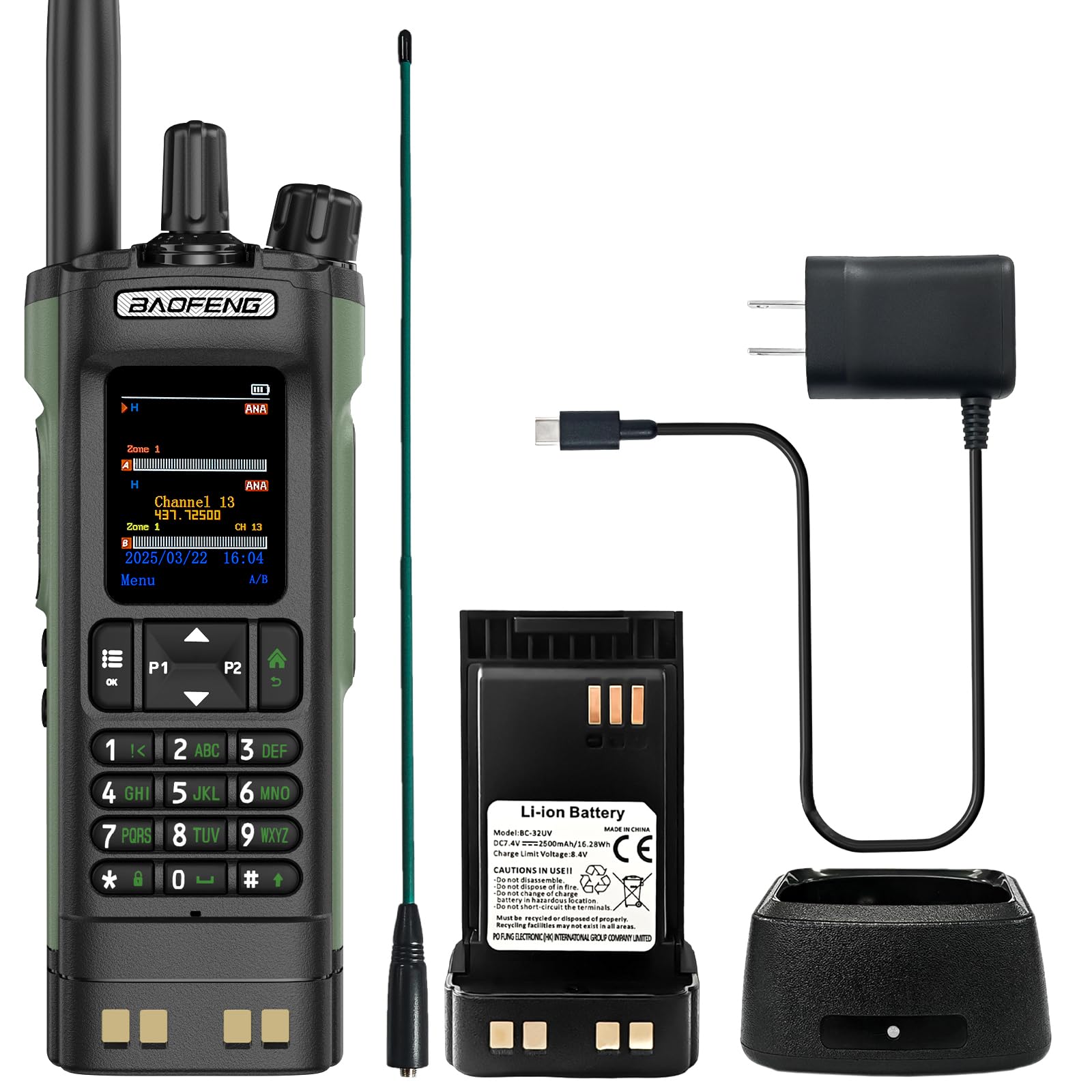
Image 1.1: BAOFENG DM-32 DMR Radio highlighting features like VOX, 10W power, DTMF, 2500mAh battery, AM/FM/NOAA, GPS, 4000 channels, one-click copying, multi-band, Type-C charger, high gain, wireless programming, and APRS.
2. Safety Information
- Do not operate the radio in explosive atmospheres (e.g., flammable gases, dust particles, metallic powders).
- Do not disassemble or modify the radio. Repairs should only be performed by authorized personnel.
- Use only BAOFENG approved batteries and chargers. Improper use may lead to fire, explosion, or injury.
- Avoid exposing the radio to direct sunlight for extended periods or to extreme temperatures.
- Keep the radio away from medical devices to prevent interference.
- Maintain a safe distance from the antenna during transmission to minimize RF exposure.
3. Package Contents
Verify that all items are present in your package:
- DM-32 Radio (x1)
- 2500mAh Battery (x1)
- Charger (x1)
- High Gain Antenna (x1)
- Strap (x1)
- Manual (x1)
- 771B High Gain Antenna (x1)
4. Product Overview
Familiarize yourself with the components and controls of your BAOFENG DM-32 radio.

Image 4.1: Front view of the BAOFENG DM-32 radio with a 2.00" screen display and multi-band frequency ranges listed.

Image 4.2: The BAOFENG DM-32 radio shown with an airplane, symbolizing its multi-band reception capabilities including air band frequencies.
4.1. Component Identification

Image 4.3: Detailed diagram of the BAOFENG DM-32 radio, showing key features and components such as the 2.0" TFT screen, GPS positioning, power selection, FM radio, one-touch search, programmable display, Kenwood accessory port, and dual watch/reception.
- Antenna
- Encoder/Channel Selector Switch
- TX_RX Status Indication LED
- Power/Volume Knob
- 2.0" Color LCD Screen
- PTT Key (Push-to-Talk)
- Side Key (SK1)
- Side Key (SK2) - Sweep/Monitor
- Numeric Keypad
- Built-in Microphone
- Charger Contact
- Speaker
- Accessory Port (2-pin K)
- Type-C Charging Port
5. Setup
5.1. Battery Installation
Align the battery pack with the grooves on the back of the radio and slide it upwards until it clicks into place. To remove, press the release latch and slide the battery downwards.
5.2. Antenna Attachment
Screw the antenna clockwise into the connector on the top of the radio until it is finger-tight. Do not overtighten.
5.3. Charging the Battery
The DM-32 supports USB-C charging. Connect the provided USB-C cable to the charging port on the radio and to a compatible USB power source (e.g., wall adapter, computer, power bank).

Image 5.1: USB-C Charging indicator. Red indicates charging, Green indicates fully charged. The radio features a 2500mAh high-capacity battery and can be charged via various USB-C compatible sources.
- The charging indicator will be red while charging.
- The indicator will turn green when the battery is fully charged.
- A full charge typically takes several hours.
6. Operating Instructions
6.1. Power On/Off and Volume
- To power on, rotate the Power/Volume knob clockwise until you hear a click.
- To power off, rotate the Power/Volume knob counter-clockwise until you hear a click.
- Adjust the volume by rotating the Power/Volume knob.
6.2. Channel Selection
Use the Encoder/Channel Selector Switch to navigate through the 4000 programmable channels. The selected channel will be displayed on the 2.0" color LCD screen.
6.3. DMR/Analog Mode Switching
The DM-32 supports both Digital Mobile Radio (DMR) and traditional Analog modes. This allows for seamless switching between crystal-clear digital communication and compatibility with legacy analog systems. The mode can typically be selected per channel or through the radio's menu system.

Image 6.1: Icon indicating the radio's capability for both Analog and Digital (DMR) operation.
6.4. GPS and APRS Functionality
The built-in GPS provides real-time tracking, useful for outdoor activities, emergency response, and logistics. The Automatic Packet Reporting System (APRS) automatically transmits your coordinates at regular intervals, enhancing team coordination.

Image 6.2: The BAOFENG DM-32 radio demonstrating GPS and APRS capabilities, showing location tracking and power output options (High, Mid, Low).
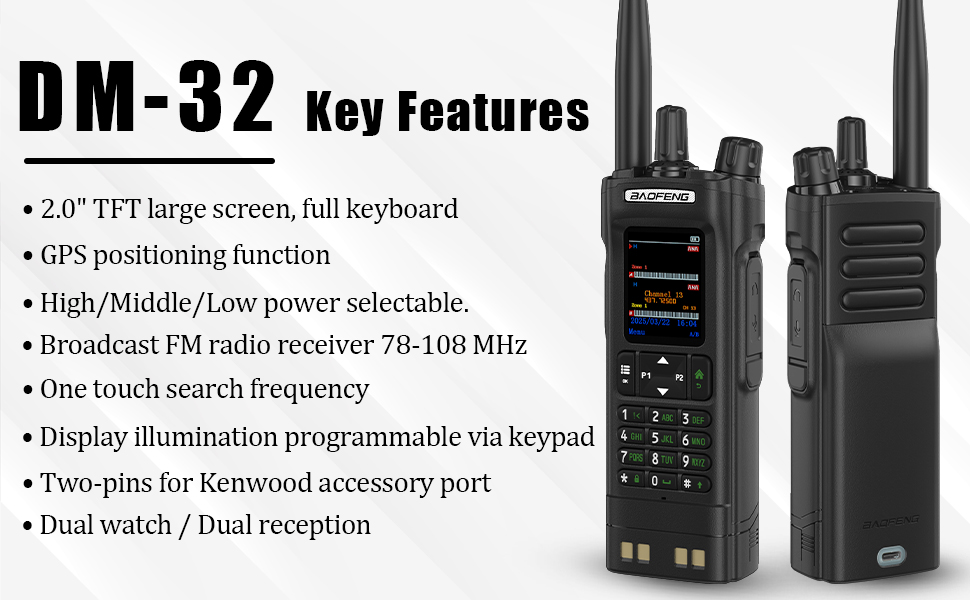
Image 6.3: Graphic representation of the GPS and APRS features, showing global positioning and automatic reporting system capabilities.
6.5. Multi-Band Operation (FM/AM Radio, NOAA)
The DM-32 supports multi-band reception, including FM (65-108MHz RX), AM (108-136MHz RX), VHF (136-174MHz RX&TX, 144-180MHz TX), and UHF (400-480MHz RX&TX). It also features NOAA Weather Alarm, which detects and predicts extreme weather events.

Image 6.4: The BAOFENG DM-32 radio's NOAA Weather Alarm feature, capable of detecting and predicting extreme weather events like sandstorms, rain, blizzards, and rainstorms.
6.6. Power Output Selection
The radio offers selectable power output levels: High, Mid, and Low. This allows you to optimize battery life and transmission range based on your communication needs. Access these settings through the radio's menu.
6.7. Text Messaging
The DM-32 includes a text messaging function, enabling communication in low-signal areas where voice calls might be unreliable. This feature is useful for sharing updates, coordinates, or safety alerts.
6.8. Digital Voice Recording
The professional-grade digital recorder captures critical communications with timestamped storage. Recordings can be easily exported via USB for archiving and retrieval. Intelligent file management allows quick retrieval by date/time.
6.9. Calling Features
The DM-32 offers three intelligent calling options:
- Private Call: One-to-one discreet communication.
- Group Call: Simultaneous broadcast to a defined team or group.
- All Call: Organization-wide emergency alerts or general announcements.
6.10. Wireless Programming
The radio supports wireless programming, allowing for convenient configuration and channel management without physical cable connections.

Image 6.5: Icon indicating the radio's wireless copy frequency feature, allowing for easy transfer of settings between devices.
7. Maintenance
7.1. Cleaning
Wipe the radio's surface with a soft, damp cloth. Do not use harsh chemicals or abrasive cleaners. Ensure the charging port and accessory port are free of dust and debris.
7.2. Battery Care
- Avoid fully discharging the battery frequently.
- Store the battery in a cool, dry place when not in use for extended periods.
- Do not expose the battery to extreme heat or cold.
8. Troubleshooting
- Radio not powering on: Ensure the battery is properly installed and charged. Check the Power/Volume knob.
- No audio: Check the volume level. Ensure the squelch setting is not too high. Verify the correct channel is selected.
- Cannot transmit: Ensure the antenna is securely attached. Verify you are on a valid transmit frequency/channel. Check battery level.
- Poor reception/transmission: Check antenna connection. Move to an open area away from obstructions. Verify frequency/channel settings.
- GPS not acquiring signal: Ensure you are in an open outdoor area with a clear view of the sky.
9. Specifications
- Item Model Number:
- DM-32
- ASIN:
- B0F6291QS1
- Brand:
- BAOFENG
- Color:
- Green
- Number of Channels:
- 4000
- Special Features:
- APRS, DMR, FM/AM, GPS, One Key Match Frequency
- Water Resistance Level:
- Not Water Resistant
- Included Components:
- DM-32 Radio (x1), 2500mAh Battery (x1), Charger (x1), High Gain Antenna (x1), Strap (x1), Manual (x1), 771B High Gain Antenna (x1)
- Impedance:
- 50 Ohms
- Unit Count:
- 1.0 Count
- Manufacturer:
- BAOFENG Electronics Co., Ltd
10. Warranty Information
A 1-year warranty is provided only through "Shiqun Electronics Co., Ltd." Please retain your proof of purchase for warranty claims.
11. Support
For further assistance or technical support, please refer to the official BAOFENG website or contact the vendor from whom you purchased the product. Always consult the full manual for detailed programming and advanced feature usage.


